TM2750.Squeegee_MachineSetup_Manual.pdf - 第6页
SMT Software En gineering Group IMOperations YAMAHAMOTORCO.,LTD. MDOC-SOFT50102 6/9 4.2. Operation Nav i gate W hen a se tup “Squee gee” i s necessary , [Setup:…] is disp layed. Fig ure4.2.1 Op eration N avig ate…
SMT Software Engineering Group
IMOperationsYAMAHAMOTORCO.,LTD.
MDOC-SOFT50102
5/9
4. Usage
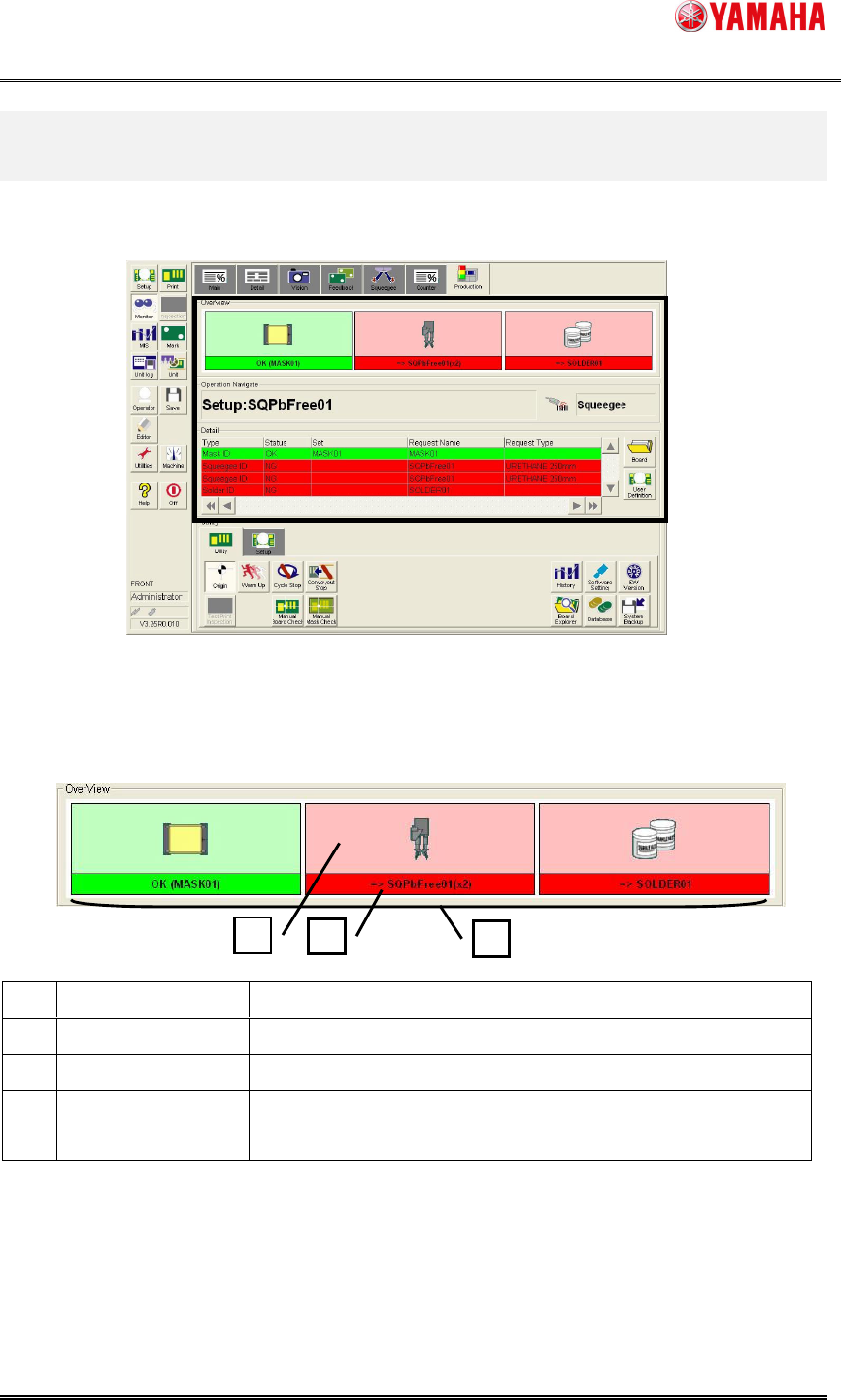
Confirm setup of insufficient “Squeegee” in [Monitor] – [Production].
Figure4.1 Production Monitor
4.1. Over View
The total situation of squeegee setup is displayed.
Figure4.1.1 OverView
No.
Item name Explanation
1 Squeegee Image The image of “Squeegee Type” is displayed.
2 Setup Information "Type" or "Name" of setup squeegee is displayed.
3 Setup Situation
"Setup OK" displays "Green" and "Setup NG" displays "Red"
and “No Use” displays “White”.
1
2
3
SMT Software Engineering Group
IMOperationsYAMAHAMOTORCO.,LTD.
MDOC-SOFT50102
6/9
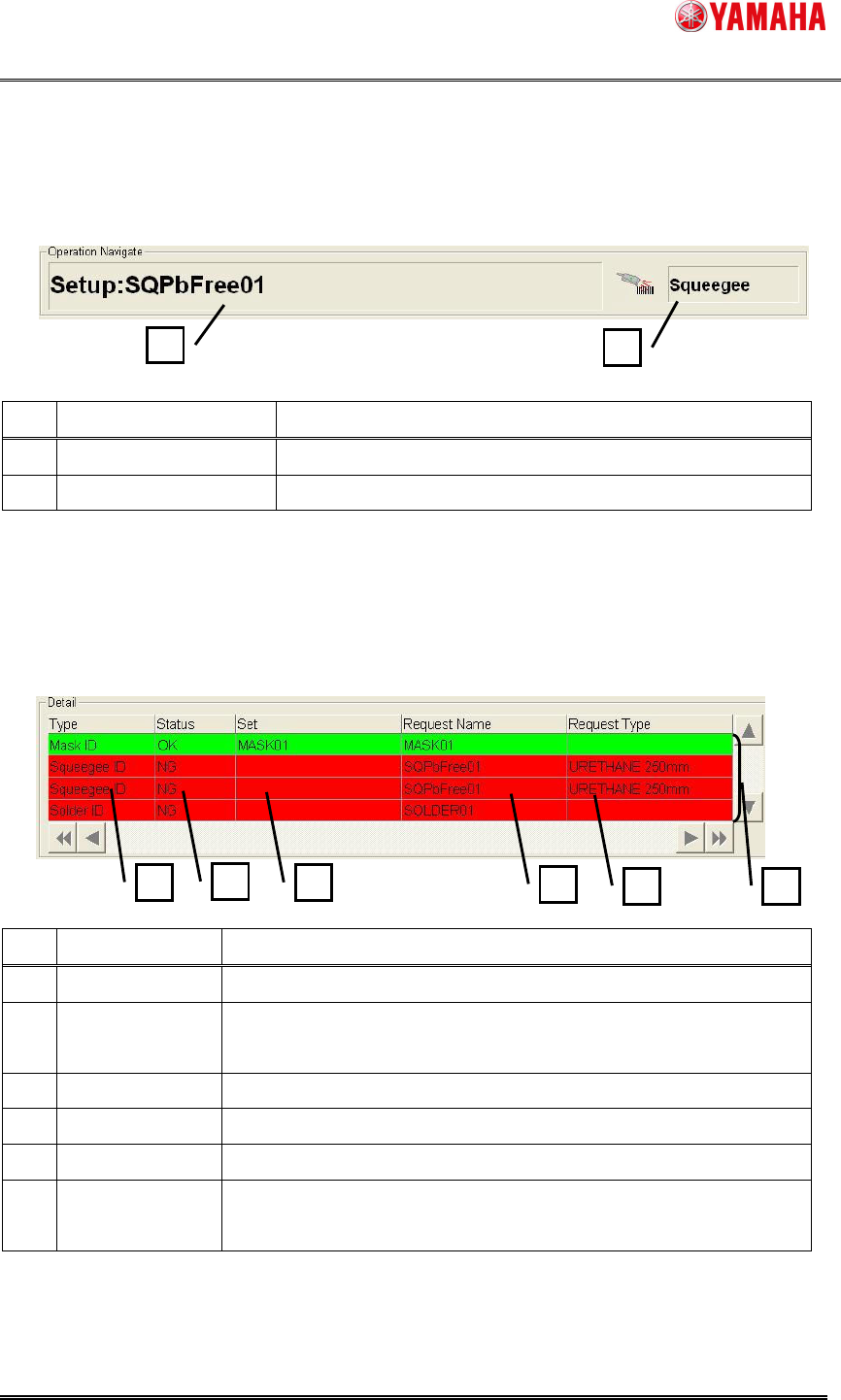
4.2. Operation Navigate
When a setup “Squeegee” is necessary, [Setup:…] is displayed.
Figure4.2.1 Operation Navigate
No.
Item name Explanation
1 Operating Navigation “Type” or “Name” displays setup Request.
2 Scanning Object Object to be scanned is displayed.
4.3. Detail
Detail situation of squeegee setup is displayed.
Figure4.3.1 Detail
No.
Item name Explanation
1 Type Object type to be scanned is displayed
2 Status
"Setup OK" displays "OK" and "Setup NG" displays "NG" and
“No Use” displays “NoUse”.
3 Set “Type” or "Name" that has been setup is displayed.
4 Request Name "Name" that setup request with the board is displayed.
5 Request Type "Type" that setup request with the board is displayed.
6 Setup Situation
"Setup OK" displays "Green" and "Setup NG" displays "Red"
and “No Use” displays “White”.
1
2
1
2
3
4
5
6
SMT Software Engineering Group
IMOperationsYAMAHAMOTORCO.,LTD.
MDOC-SOFT50102
7/9
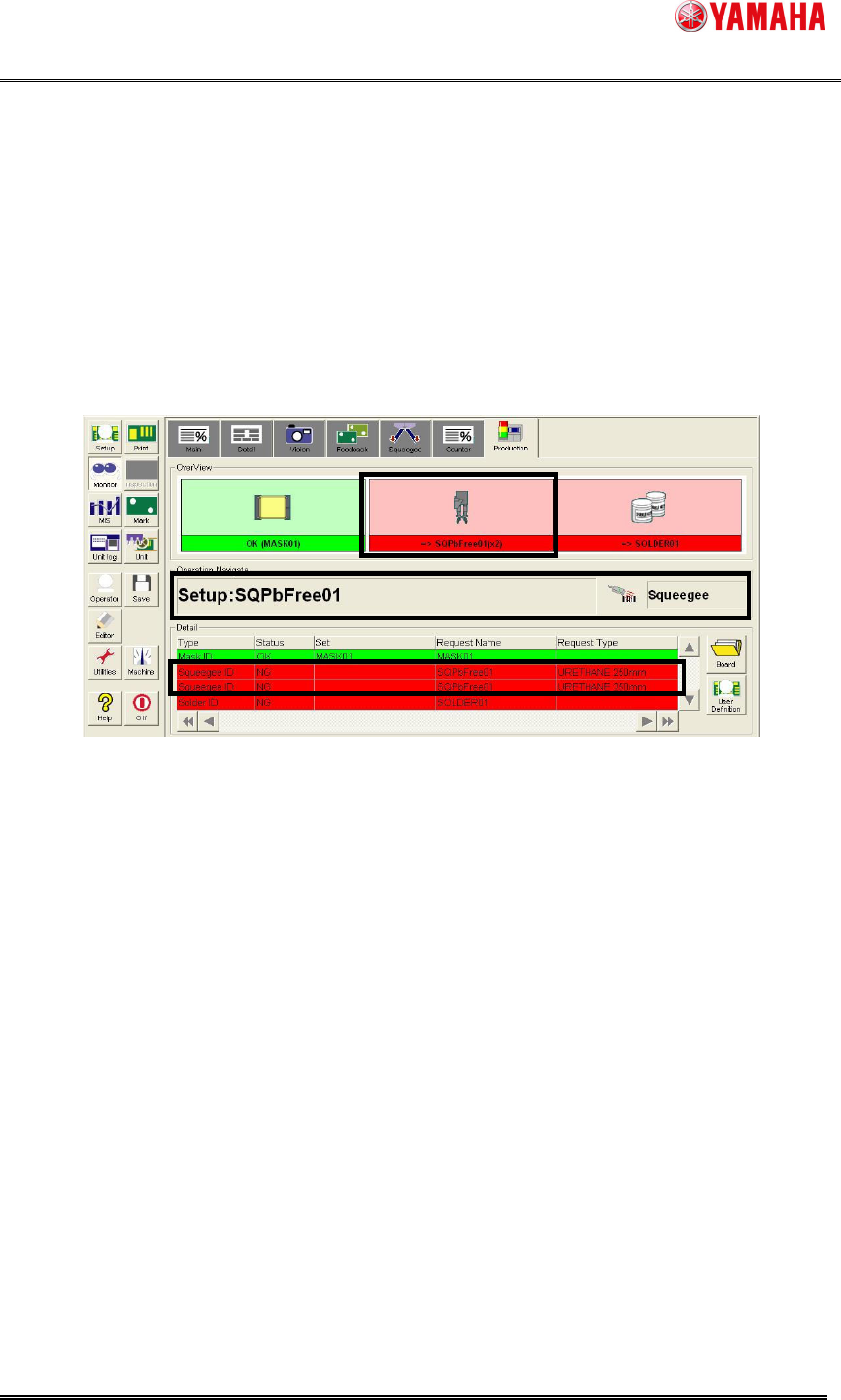
4.4 Setup work of “Squeegee”
Setup a squeegee you need, and scan the barcode of the squeegee with the barcode
reader.
Ex1: If you want to setup two squeegee names of "SQPbFree01" whose type is “Double
Squeegee”.
Step1. Setup two squeegees named "SQPbFree01" whose type is "Double Squeegee".
1. Check the content displayed on the [Monitor] – [Production].
2. Attach two squeegees of "SQPbFree01" according to the content.