00193826-01.pdf - 第97页
User Manual SIPLAC E CS 3 Technical data Software vers ion SR.101.xx 06/ 2003 US Edition 3.11 Nozzle changer for the 6-segment Collect&Place head 97 Æ Press the magazin e so th at it lies fl at on the ba se, then r e…
3 Technical data User Manual SIPLACE CS
3.11 Nozzle changer for the 6-segment Collect&Place head Software version SR.101.xx06/2003 US Edition
96
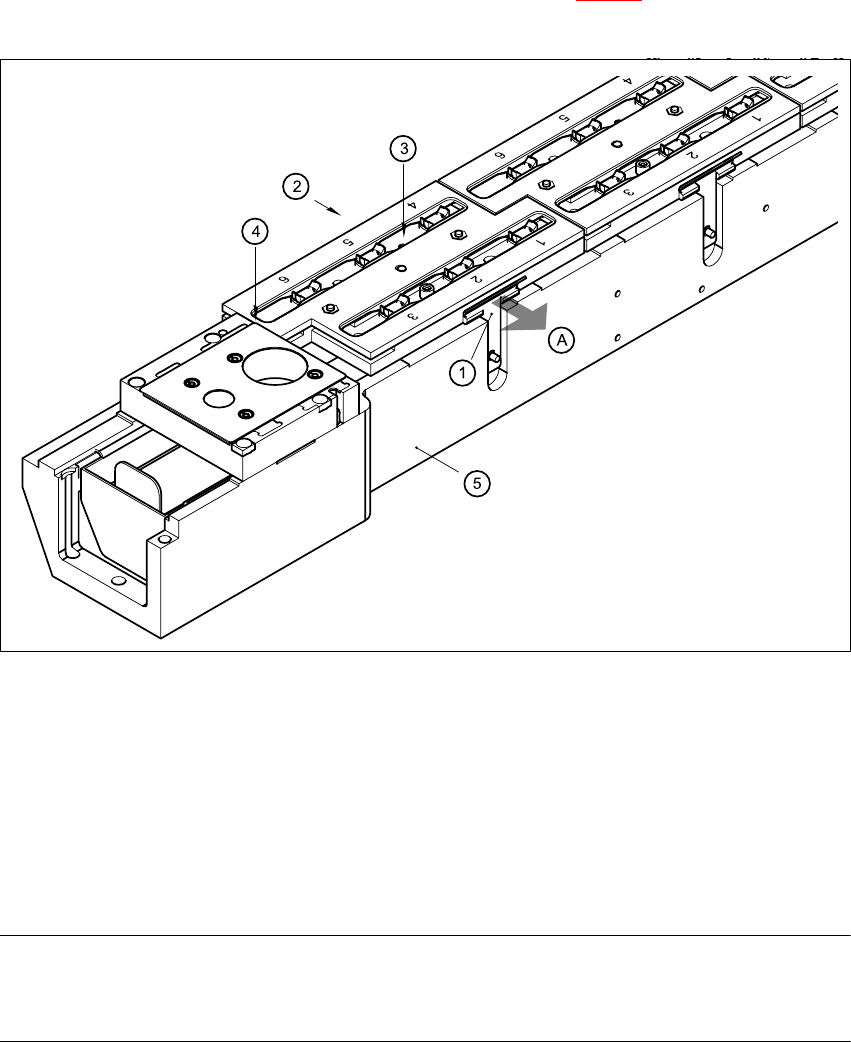
3.11.6 Changing the magazine
Æ To remove the magazine, push the spring hook (item 1 in Fig. 3.11 - 4) away from the maga-
zine. Lift the magazine out of the carrier.
3
Fig. 3.11 - 4 Changing the magazine
(1) Spring hook
(2) Retaining clamp
(3) Centering hole
(4) Slot
(5) Carrier
(A) Push the spring hook away from the magazine
PLEASE NOTE
Make sure that you insert the magazine so that the centering pins slide into the centering hole
(item 3) and slot (item 4). 3
Æ First place the side of the magazine with the centering hole (item 3) and the slot (item 4) on
the base (5). The two knobs on the magazine must slide into the retaining clamp (item 2).
Æ Push the spring hook (item 1) away from the magazine.
User Manual SIPLACE CS 3 Technical data
Software version SR.101.xx 06/2003 US Edition 3.11 Nozzle changer for the 6-segment Collect&Place head
97
Æ Press the magazine so that it lies flat on the base, then release the spring hook. The spring
hook must latch into place.
3.11.7 Position detection
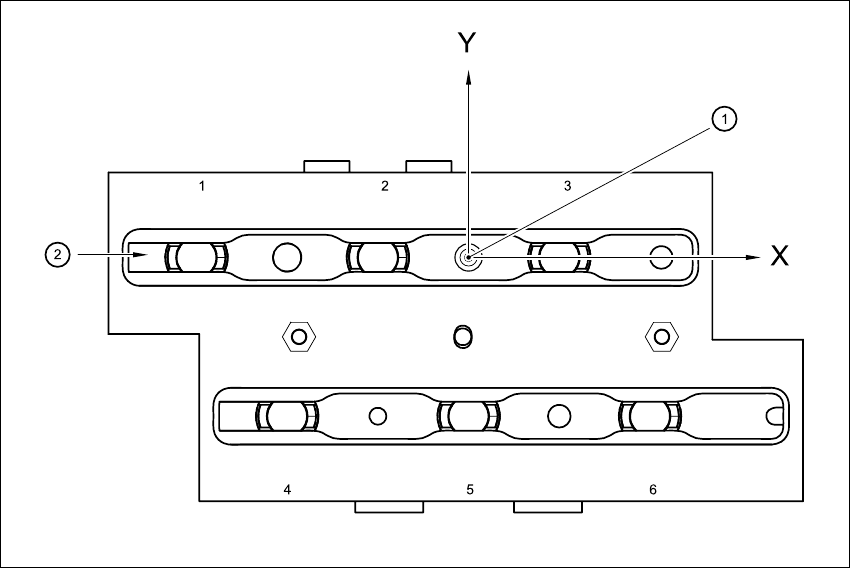
There is a position detection fiducial on every magazine.
Fig. 3.11 - 5 Nozzle changer - position detection
3
(1) Positioning fiducial
(2) Position of the nozzles in the magazine with respect to the positioning fiducial
3 Technical data User Manual SIPLACE CS
3.12 PCB conveyor Software version SR.101.xx06/2003 US Edition
98
3.12 PCB conveyor
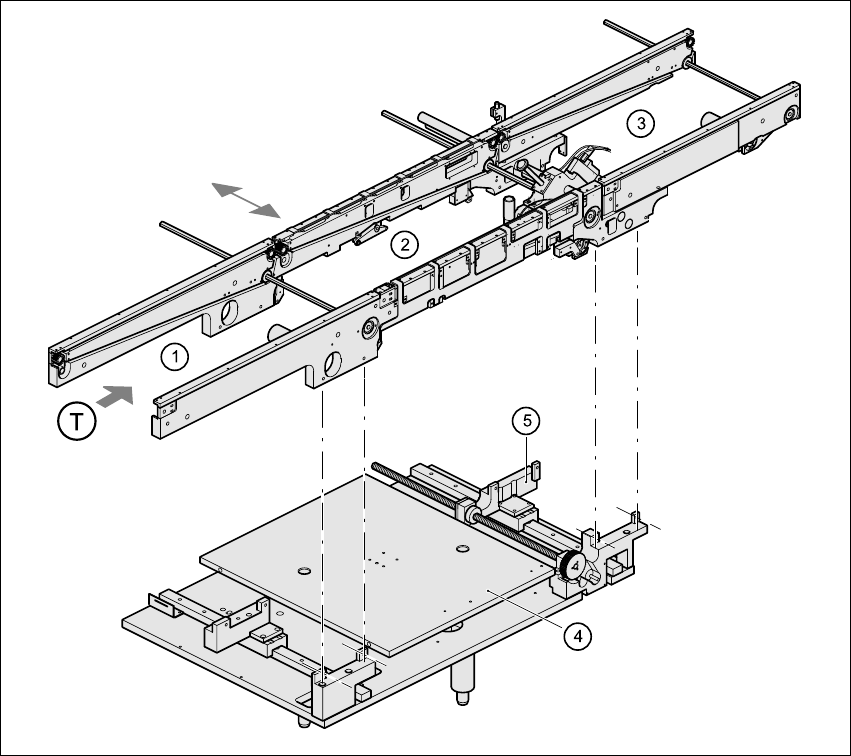
3.12.1 Structure of the PCB conveyor
The placement machine is supplied with a PCB conveyor. The left or the right side of the PCB
conveyor can be used as the stationary side, as required.
3
Fig. 3.12 - 1 PCB conveyor
(1) Input conveyor
(2) Center conveyor
(3) Output conveyor
(4) Lifting table
(5) Width adjustment
(T) Direction of PCB transport