TM2243_Explanation Document of DualLane MachineYS24(DL)YS24X(DL).pdf - 第14页
MDOC - SOFT50073 14 • [Monitor] – [M ain] tab and [Detail] tab [Lane sel ect button] This button is newly ad d ed , th e information of a chose n lane is dis played. 3. The deta il of each s creen
MDOC
-
SOFT50073
13
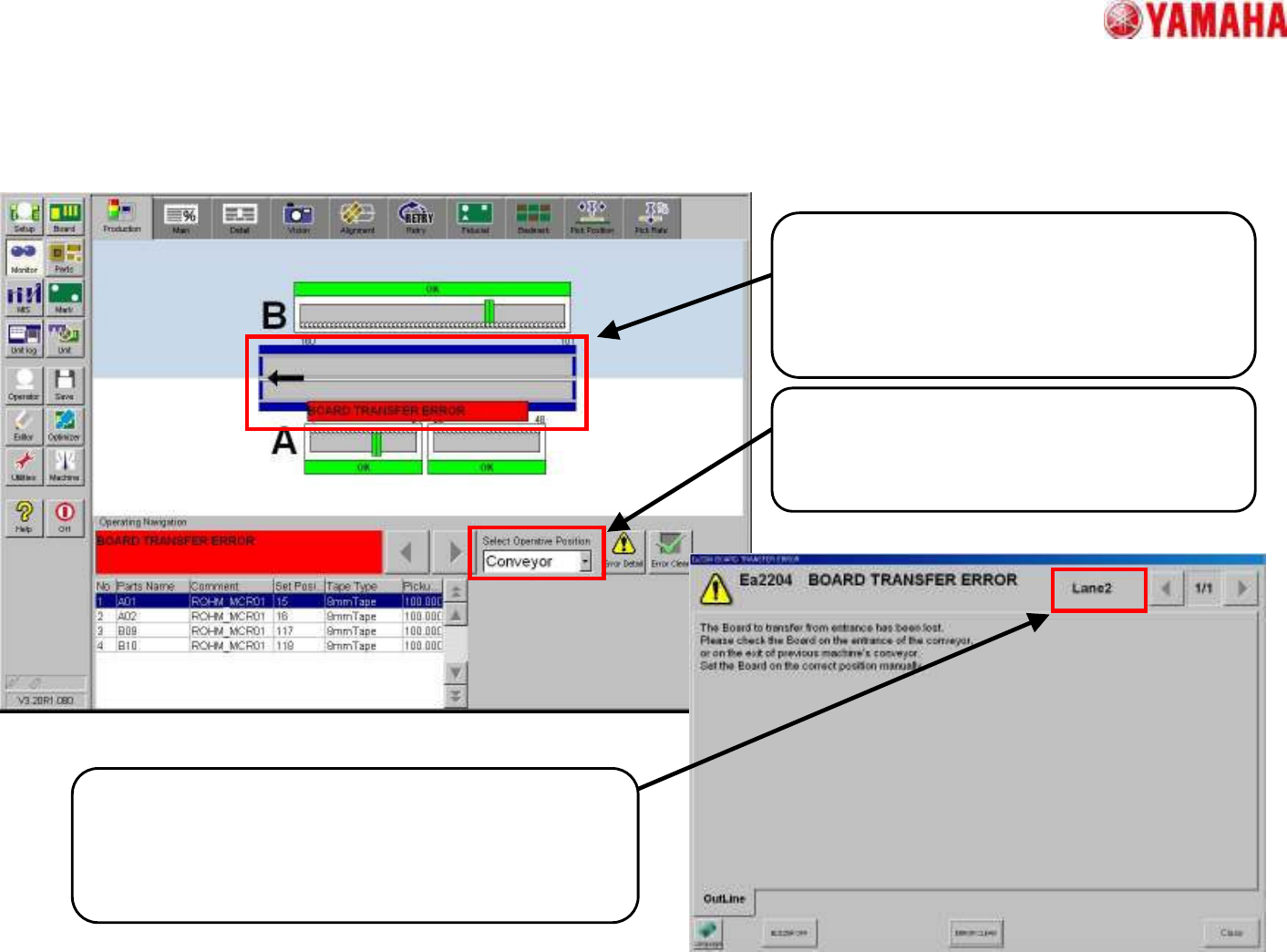
• [Monitor] – [Production] tab and Error message
[Production]
The boards in both lanes are displayed.
In order to display the place where error
occurred and the operation position, two
lanes are displayed on one screen.
[Select Operative Position]
If the transfer error occurred, the machine
stops immediately. So the operation position
is not divided into each lane.
[Error Message]
As for the error message in relation to the conveyor
lane, it is displayed by the right corner of the error
message.
3. The detail of each screen
MDOC
-
SOFT50073
14
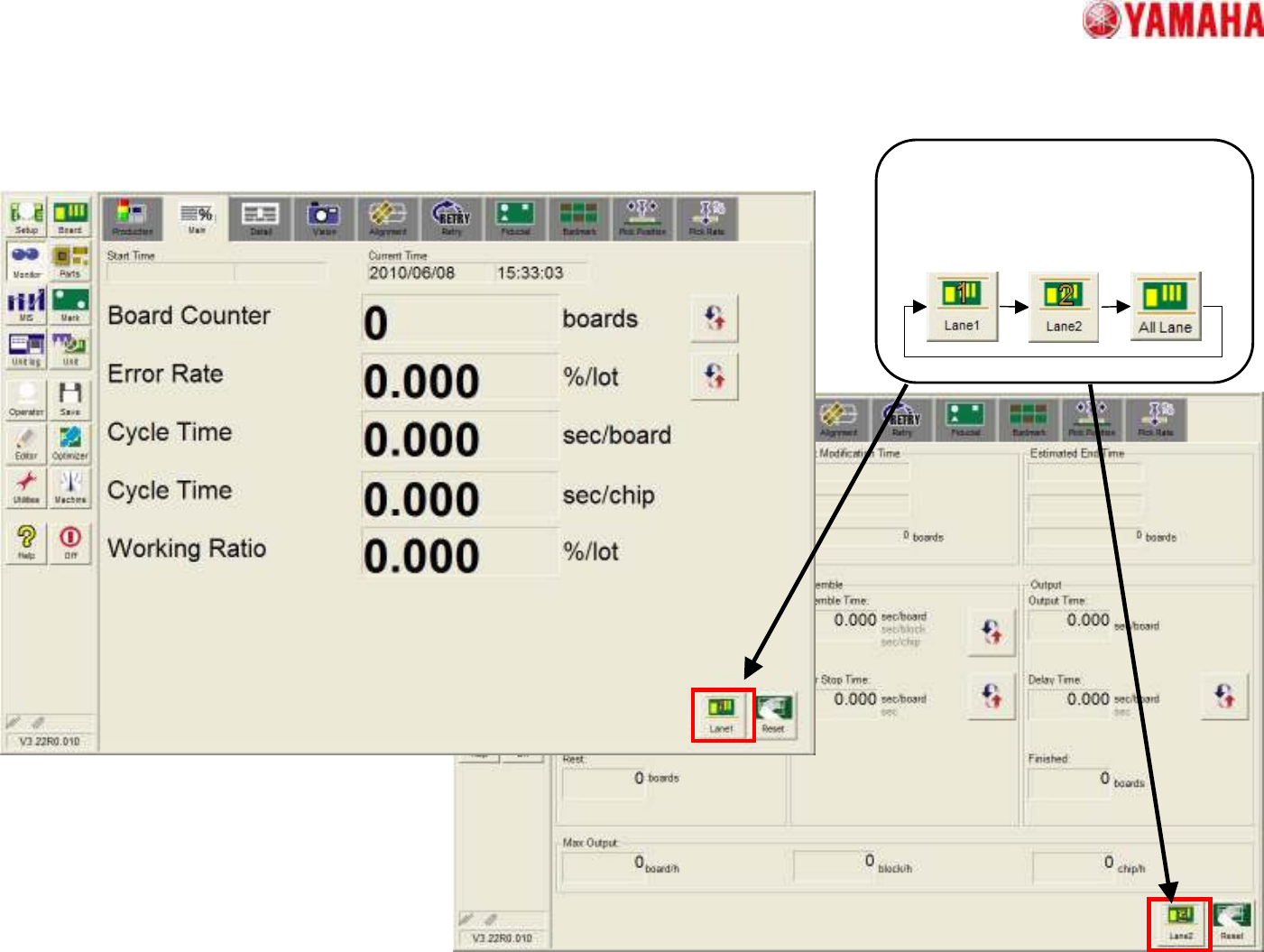
• [Monitor] – [Main] tab and [Detail] tab
[Lane select button]
This button is newly added, the
information of a chosen lane is
displayed.
3. The detail of each screen
MDOC
-
SOFT50073
15
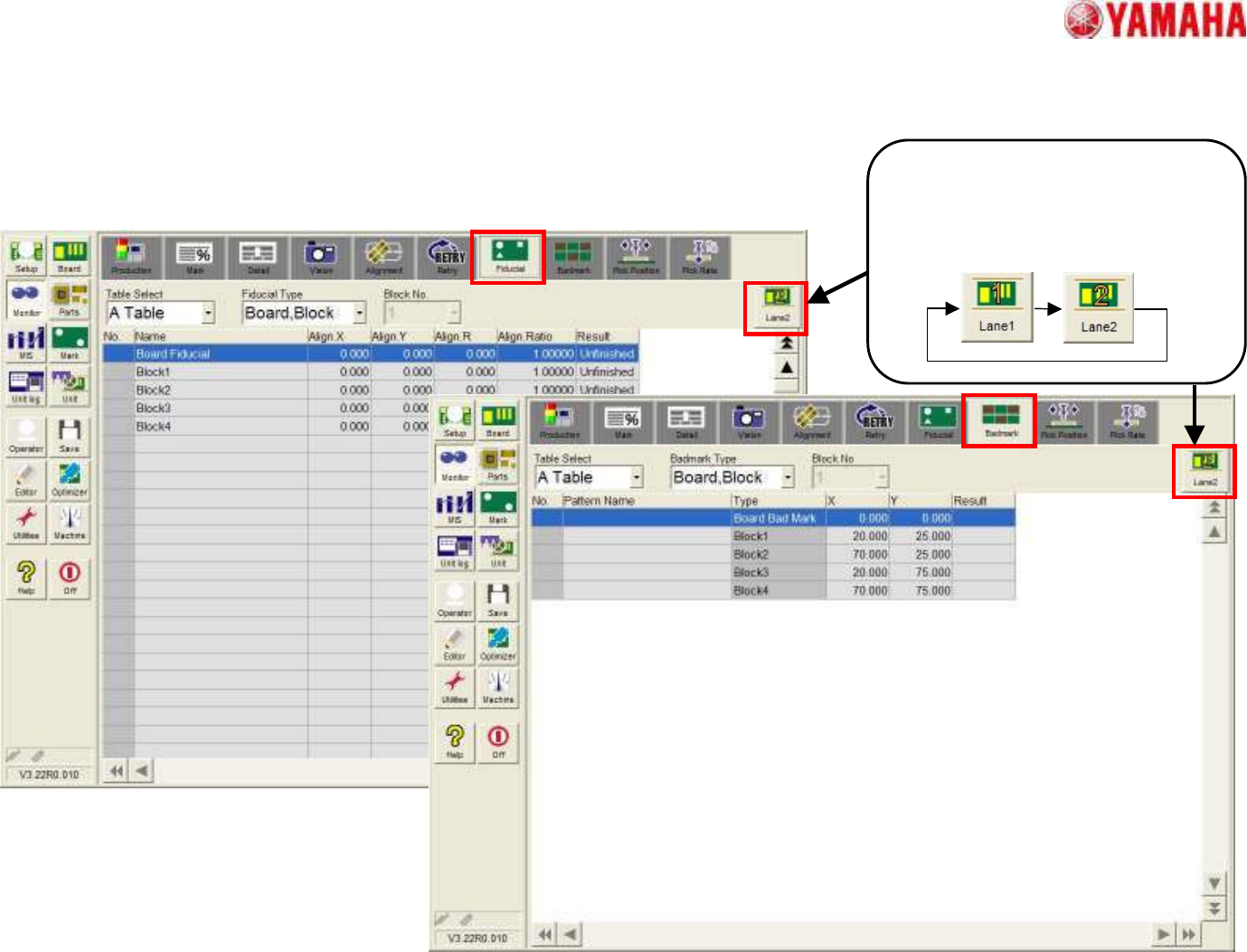
• [Monitor] - [Fiducial] tab and [Badmark] tab
[Lane select button]
This button is newly added, the
information of a chosen lane is
displayed.
3. The detail of each screen