00197203-02_IM_Taceability_3.5_en.pdf - 第14页
Installation Traceability Uninstalling Traceability from the Station Computer 14 Installation Manual SIPLACE Traceability 3.5 Finishing the installation 3.3 Uninstalling Traceability from the Station Computer If the setu…
Installation Traceability
Installing Traceability on the Station Computer
Installation Manual SIPLACE Traceability 3.5 13
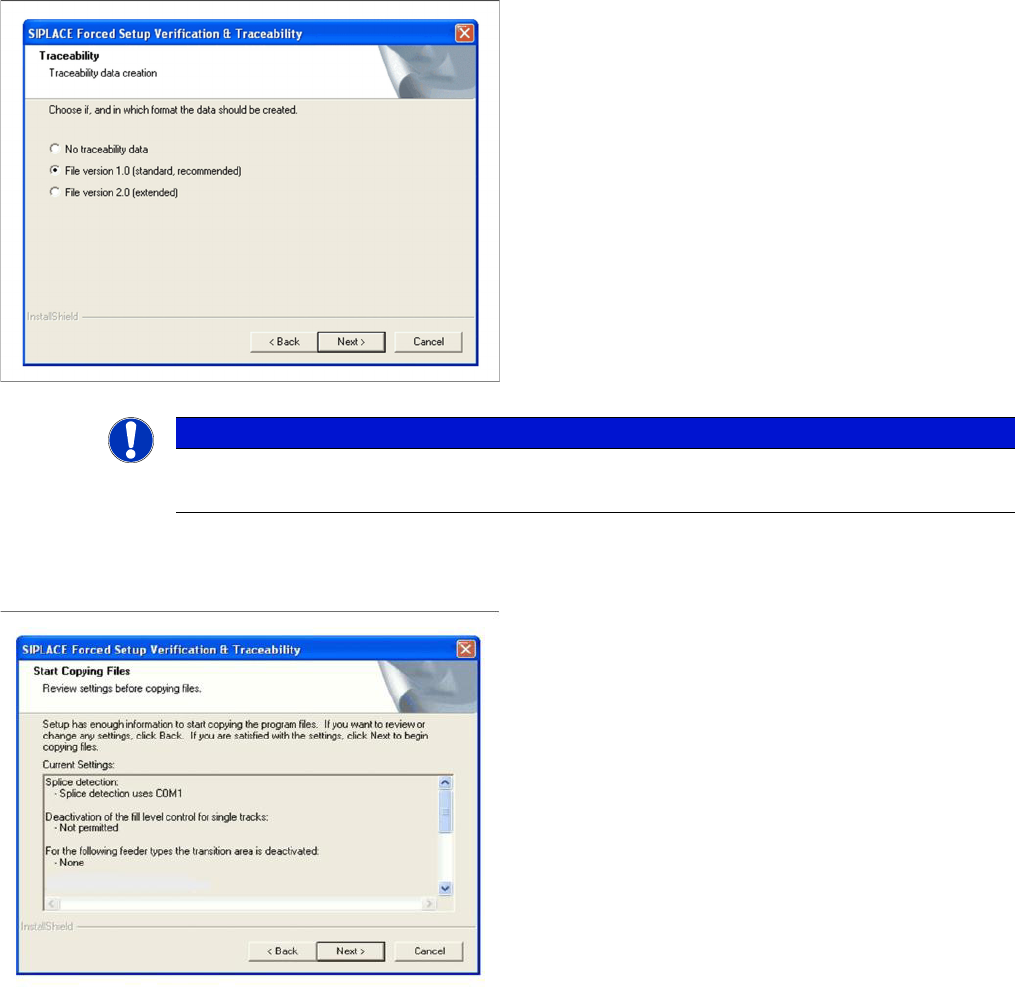
Traceability
Overview of the settings
► Here you can choose whether the Traceability data
should be generated.
► Furthermore you can select the File version 1.0 for
standard Traceability file or the File version 2.0 for ex-
tended Traceability file.
► Click Next to continue. Wait until the next dialog box
appears. It can take a few minutes.
NOTICE
File version 2.0
To get the full information we recommend using the File version 2.0.
► Here you can see the overview of the settings.
► Click Back to review or change the settings.
► Click Next to continue the installation.
Installation Traceability
Uninstalling Traceability from the Station Computer
14 Installation Manual SIPLACE Traceability 3.5
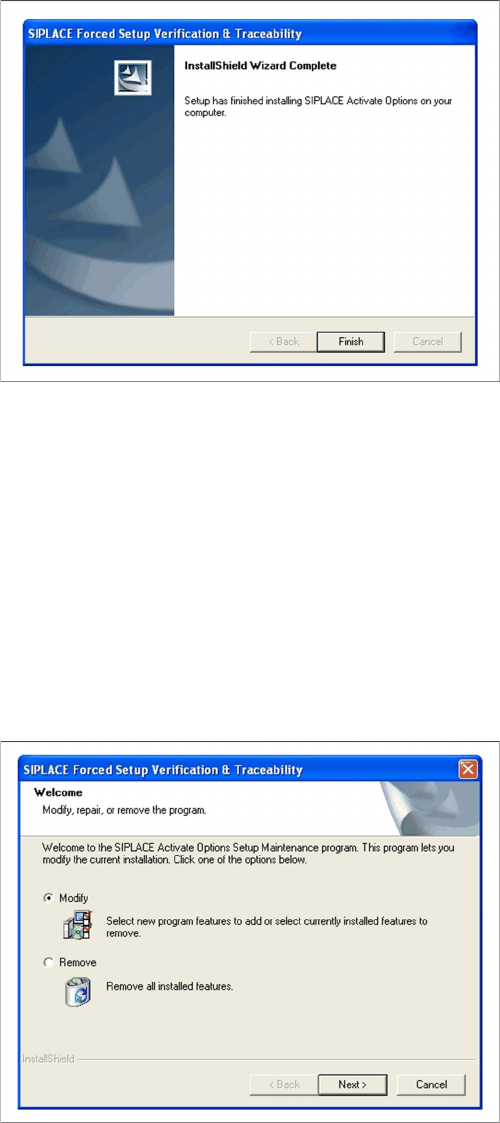
Finishing the installation
3.3 Uninstalling Traceability from the Station Computer
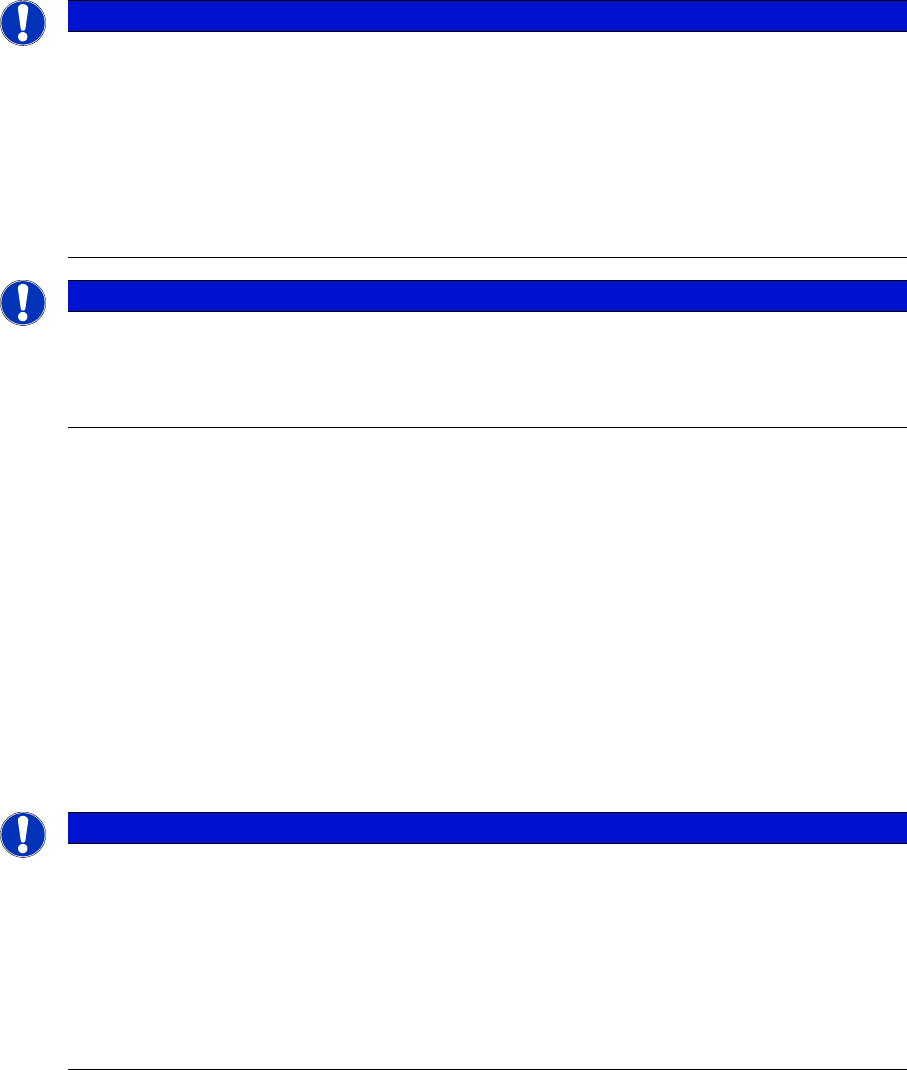
If the setup of the activation options at the Installation CD is called up again, the following dialog will ap-
pear. You can change the current settings by selecting the checkbox Modify. The following masks ap-
pear:
▪ Splice detection configuration for S-Feeders
▪ "Running tracks" empty is allowed
▪ Version of traceability data (XML-Files)
▪ Overview of the settings
▪ Finishing the installation
► Click Finish to finish the installation
► If Remove is selected, the option Forced Setup Veri-
fication and Traceability will be uninstalled.
Installation of Trace Service and Monitor
System Requirements for Trace Service System Requirements and Software Components for Traceability Modules
Installation Manual SIPLACE Traceability 3.5 15
4 Installation of Trace Service and Monitor
4.1 System Requirements and Software Components for
Traceability Modules
4.1.1 System Requirements for Trace Service
▪ SIPLACE Pro Interface version 10.1 (preferred) 10.0 (compatible)
▪ SIPLACE Setup Center 5.1 (preferred), 5.0 (compatible)
▪ SIS 10.1 (preferred), 10.0 (compatible)
▪ OIB 3.1 (if Traceability Data is delivered via. OIB)
Supported Traceability Data Sources
▪ Traceability data in the form of XML files V1.0, V2.0, V1.1, V2.1 produced by 40x, 50x and 60x sta-
tions and Traceability data (internal format) produced by 70x stations.
4.1.2 System Requirements for Trace Monitor
The following hardware and software requirements must be fulfilled, before Trace Monitor can be in-
stalled.
NOTICE
System Requirements
The Support Media DVD included in the installation package checks the necessary system re-
quirements of your system and installs these. Amongst others e.g. Microsoft .NET Framework,
the License Manager and the Error Reporting tool. The use of the Support Media V1.14 is ob-
ligatory.
The system requirements (supported operating systems and database variants) and an over-
view of the interoperable products can be found in the SIPLACE Support Media Installation
Manual, item no. [00197214-xx].
NOTICE
Support Media DVD
Perform the Prerequisite Installation for the product SIPLACE Traceability 3.5 from the Support
Media DVD. See the "Prerequisite Analyzer" chapter in the Support Media Getting Started
[00195490-xx].
NOTICE
System Requirements
The Support Media DVD included in the installation package checks the necessary system re-
quirements of your system and installs these. Amongst others e.g. Microsoft .NET Framework,
the License Manager and the Error Reporting tool. The use of the Support Media V1.14 is ob-
ligatory.
The system requirements (supported operating systems and database variants) and an over-
view of the interoperable products can be found in the SIPLACE Support Media Installation
Manual, item no. [00197214-xx].