00197203-02_IM_Taceability_3.5_en.pdf - 第18页
Installation of Trace Service and Monitor System Requirements and Software Components for Tra ceability Mo dules Software Components and Configuration 18 Installation Manual SIPLACE Traceability 3.5 2. SIPLACE Traceabili…
Installation of Trace Service and Monitor
Software Components and Configuration System Requirements and Software Components for Traceability Modules
Installation Manual SIPLACE Traceability 3.5 17
4.1.4.2 Configuration
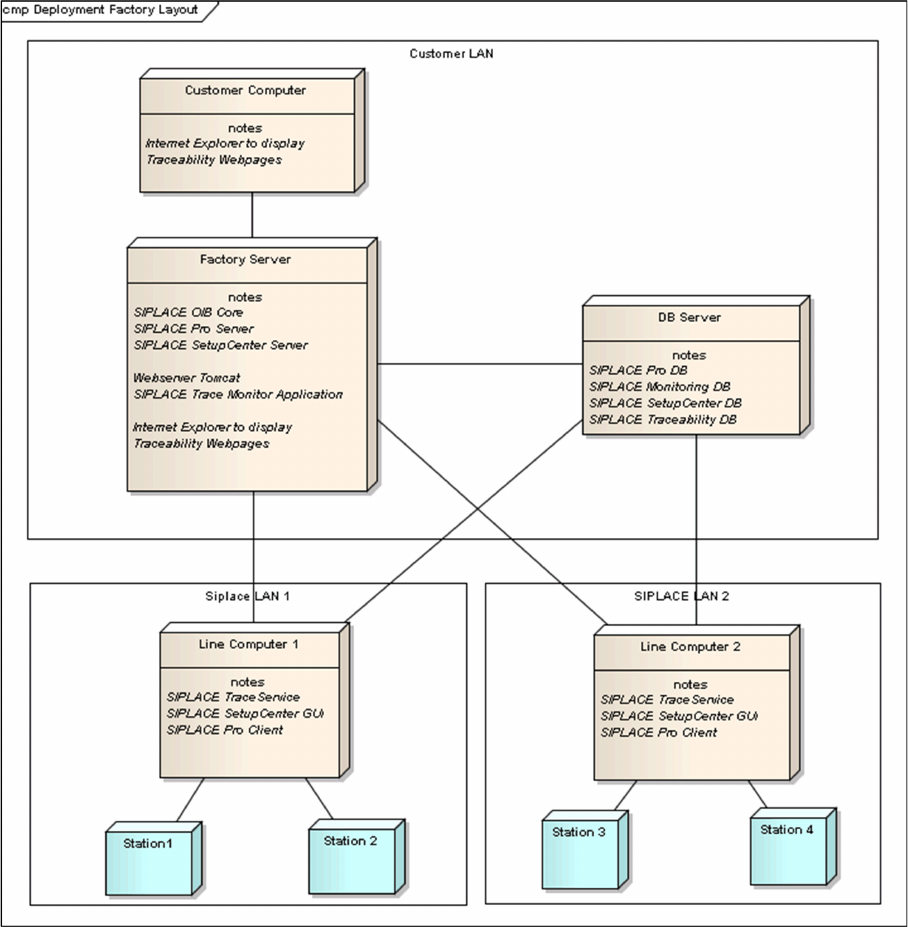
Trace Service can either be installed in SIPLACE LAN or distributed via SIPLACE and client LANs. The
following configuration options exist for SIPLACE Traceability:
1. SIPLACE Traceability on one Computer
This option involves installing all SIPLACE Traceability software components one computer, without
a separate web server. However, the database server can be on a separate computer.

Installation of Trace Service and Monitor
System Requirements and Software Components for Traceability Modules Software Components and Configuration
18 Installation Manual SIPLACE Traceability 3.5
2. SIPLACE Traceability distributed across several computers:
This option involves installing the SIPLACE Traceability software components on multiple comput-
ers, according to your system requirements:
▪ Traceability or Line Computer
The following components need to be installed on this computer:
– SIPLACE Traceability with the components:
Trace Service
– Microsoft.NET 4.0 Framework
– Microsoft Internet Explorer
– SIPLACE Pro Client installation (for SPI XML Adapter)
– SIPLACE Setup Center GUI (if Line based Traceability mode is used with “Remove unused
charges” option)
▪ Factory Server or Web server for managing Java Servlets
The following components need to be installed on this computer:
–Trace Monitor
– Apache Tomcat 5.5
– Java 2 JRE 1.6
– Microsoft.NET 3.5 SP1 Framework (for Trace Monitor)
– Microsoft.NET 4.0 Framework (for Trace Service)
– MS XML Parser 6.0
▪ Database server:
– Preferred: MS SQL Server 2008 R2 SP1 (32 Bit)
NOTICE
SQL Server Installation Manual
For a detailed description of the SQL Server installation, refer to the SQL Server Installation
Manual (Item No.: 00196824-xx) which can be found on the Support Media DVD 1. The SQL
Server itself is not part of the Support Media DVDs.
Installation of Trace Service and Monitor
Installation Trace Service
Installation Manual SIPLACE Traceability 3.5 19
4.2 Trace Service
Trace Service requires a SIPLACE Pro installation (GUI or Desk).
4.2.1 Installation
NOTICE
Machine-Based Traceability
For machine-based traceability, the SIPLACE placement machines must be equipped with the
options "Setup verification" and "Traceability".
NOTICE
MS SQL Express
MS SQL Express databases are only allowed for testing/training purposes
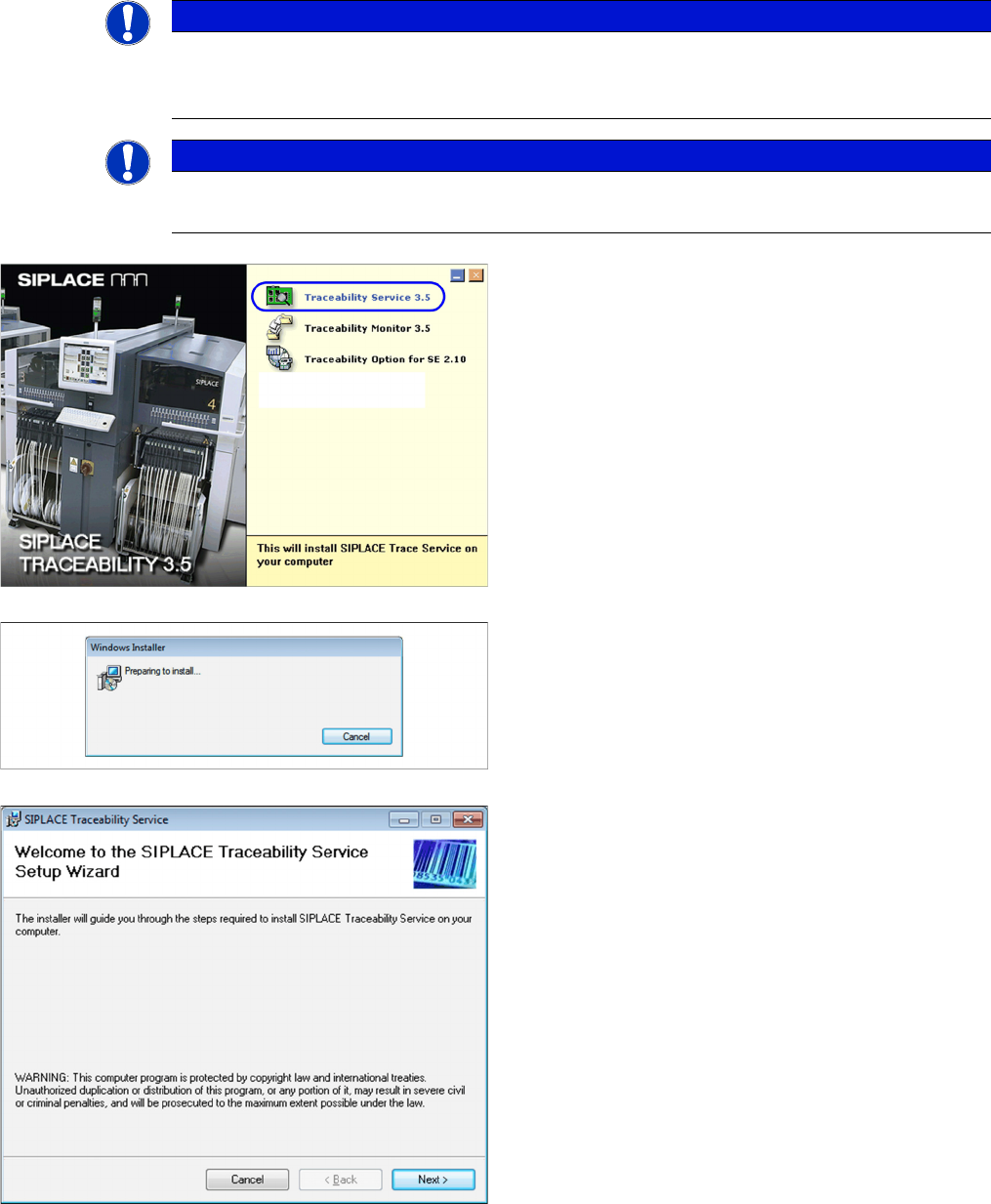
► Place the SIPLACE Traceability CD into the CD-ROM
drive of your SIPLACE Pro computer. You will see the
start screen.
► Select SIPLACE Trace Service 3.5. You will be guid-
ed through the Trace Service installation procedure.
The dialog boxes shown below will be displayed during
the installation procedure.
The Welcome dialog will appear.
► Click on Next to continue the installation procedure.