00198015-01_IM_SQL_Server_2014_Express_EN.pdf - 第12页
SQL Server 2014 Ex press / Installation Manual 11/2015 Edition 12 T he Global Rules window is displayed. Figure 4-5: Global Rules window ► Examine the result after the check is done. ► Click View detailed rep ort to disp…
SQL Server 2014 Express / Installation Manual 11/2015 Edition
11
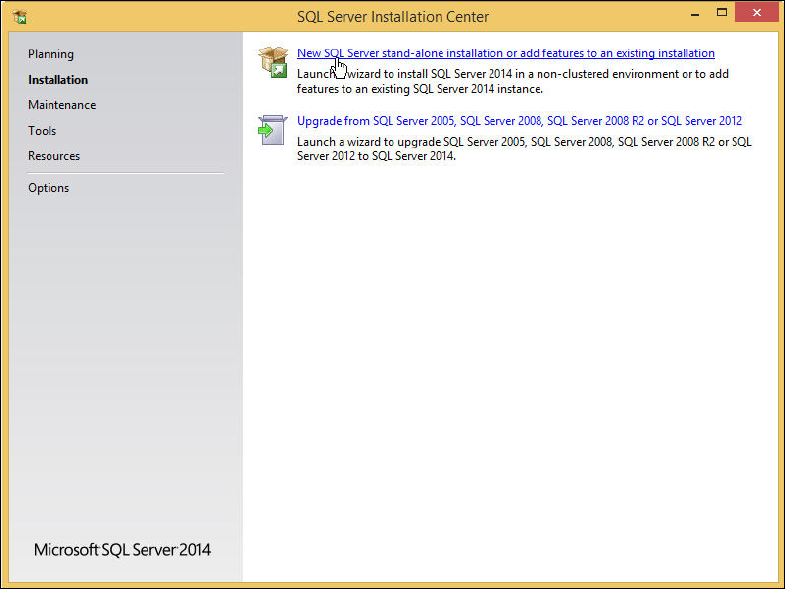
The SQL Server Installation Center is displayed.
Figure 4-4: SQL Server Installation Center
► Ensure that the Installation option is selected on the left side.
► Click the New SQL Server stand-alone installation or add features to an existing installation
link.
SQL Server 2014 Express / Installation Manual 11/2015 Edition
12
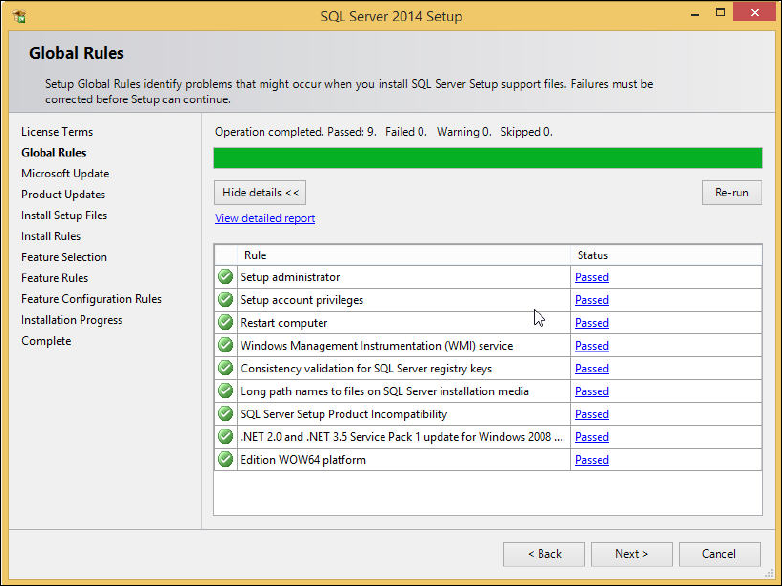
The Global Rules window is displayed.
Figure 4-5: Global Rules window
► Examine the result after the check is done.
► Click View detailed report to display details of the global rules.
► Click the result in the Status column.
► If failures occurred, correct them and click the Re-run button.
► Take note of warnings.
► Click the Next > button if this window is not skipped automatically.
SQL Server 2014 Express / Installation Manual 11/2015 Edition
13
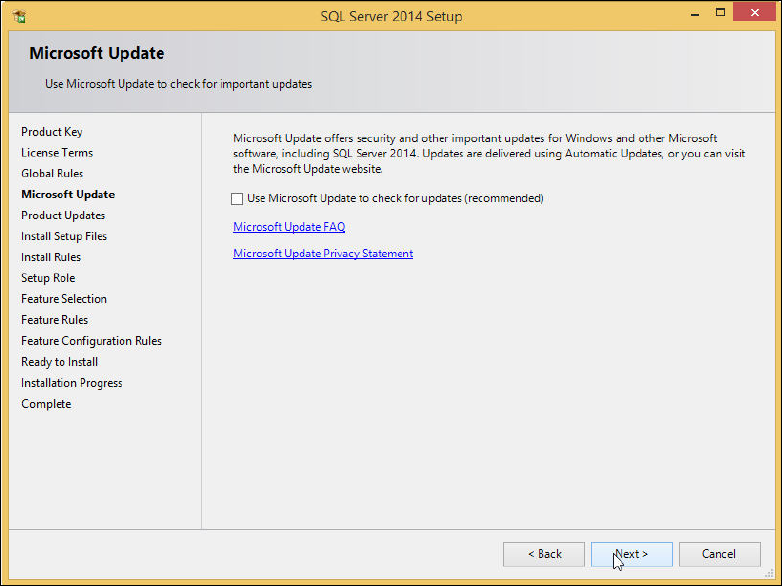
The Microsoft Update window is displayed.
Figure 4-6: Microsoft Update window
► Deselect the Use Microsoft Update to check for updates (recommended) check box to ensure
that you install the version as delivered on the media only.
► Click the Next > button.