00198015-01_IM_SQL_Server_2014_Express_EN.pdf - 第15页
SQL Server 2014 Ex press / Installation Manual 11/2015 Edition 15 T he Install Setup Files window is di splayed. Figure 4-8: SQL Setup instal ling Setup files ► Wait until SQL Setup has installed its setup f iles. The wi…
SQL Server 2014 Express / Installation Manual 11/2015 Edition
14
NOTICE
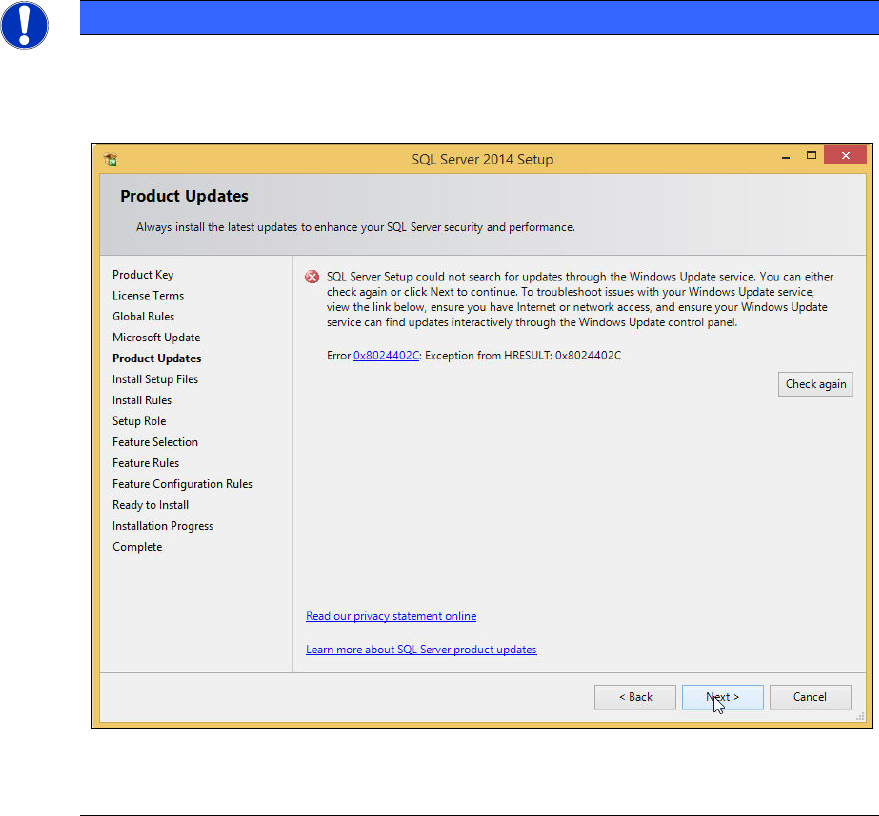
Possible error message
If you did not immediately deselect the previously mentioned check box, the following
error message may be displayed if you do not have connection to the Internet.
Figure 4-7: Error message without Internet connection
► In this case, ignore this message.
The SQL setup now installs its setup files.
SQL Server 2014 Express / Installation Manual 11/2015 Edition
15
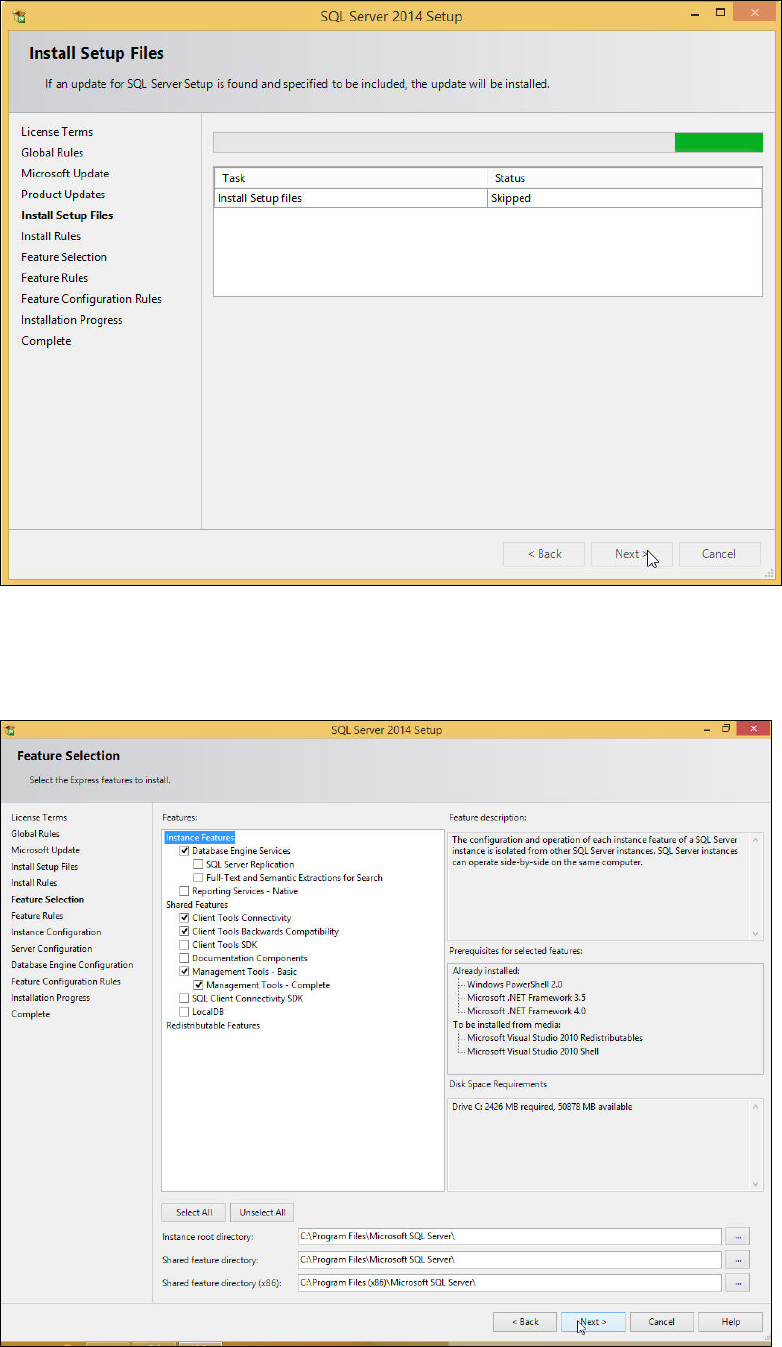
The Install Setup Files window is displayed.
Figure 4-8: SQL Setup installing Setup files
► Wait until SQL Setup has installed its setup files.
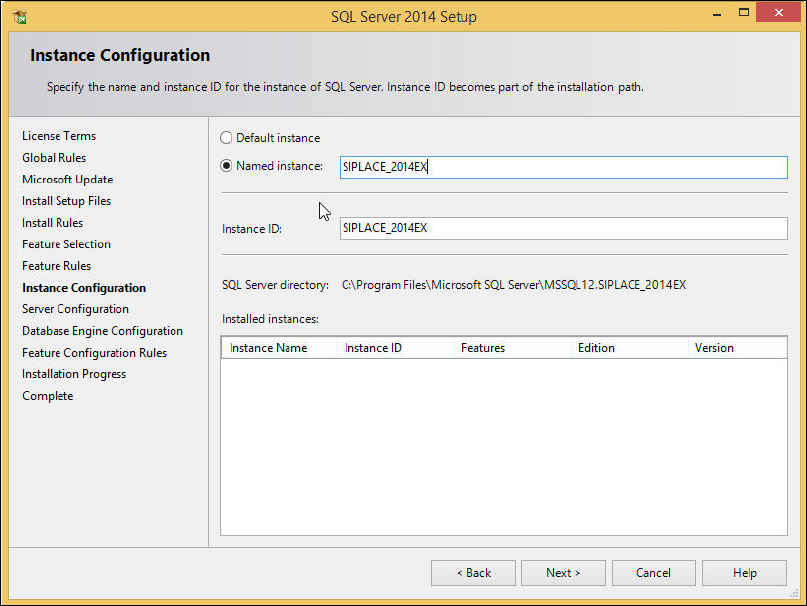
The window will be skipped automatically. The Feature Selection window is displayed.
Figure 4-9: Feature Selection window
SQL Server 2014 Express / Installation Manual 11/2015 Edition
16
► Ensure that the following features are selected:
– Database Engine Services
– Client Tools Connectivity
– Client Tools Backwards Compatibility
– Management Tools – Basic
– Management Tools - Complete
► Click the Next > button to continue.
The Instance Configuration window is displayed.
Figure 4-10: Instance Configuration window
► Leave the Named Instance button selected.
► Enter the name for your SQL instance, e.g. SIPLACE_2014EX or leave the default entry.
► Click the Next > button to continue.