00198015-01_IM_SQL_Server_2014_Express_EN.pdf - 第38页
SQL Server 2014 Ex press / Installation Manual 11/2015 Edition 38 Figure 5-19: Security options – defining proxy account ► Select the Enable s erver proxy account check box. ► Enter your prox y account information. NOTIC…
SQL Server 2014 Express / Installation Manual 11/2015 Edition
37
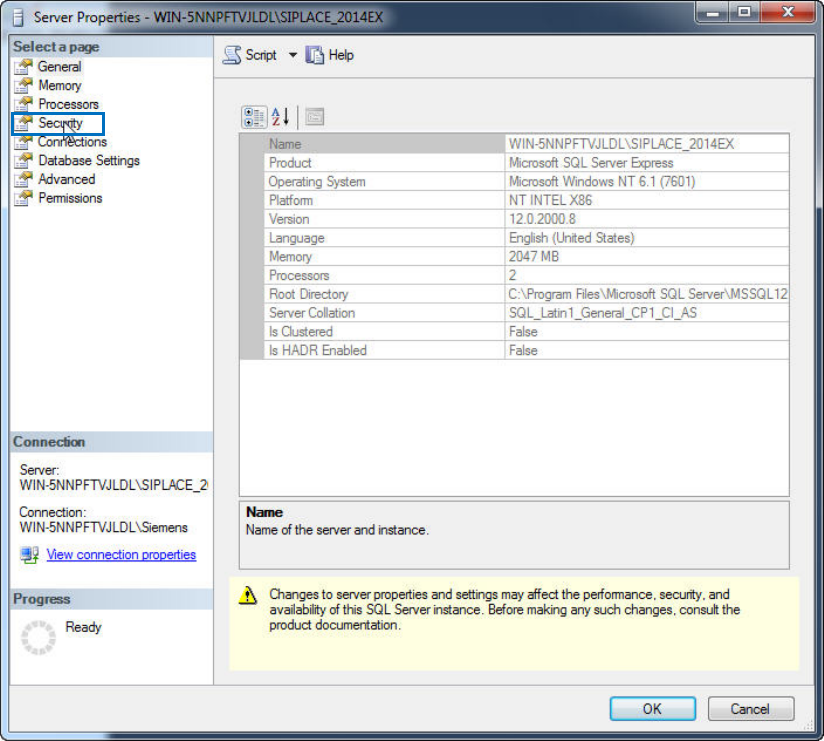
The Server Properties window is displayed.
Figure 5-18: Server Properties
► Click Security in the Select a page section.
SQL Server 2014 Express / Installation Manual 11/2015 Edition
38
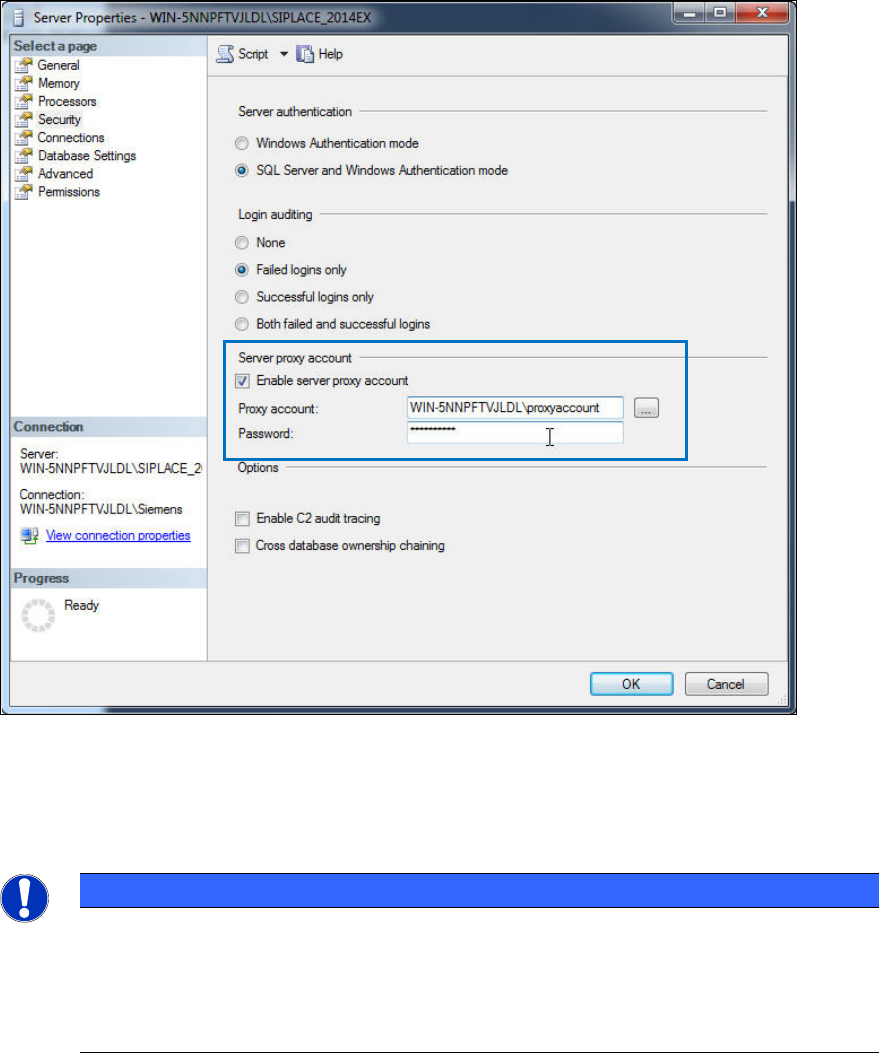
Figure 5-19: Security options – defining proxy account
► Select the Enable server proxy account check box.
► Enter your proxy account information.
NOTICE
See product documentation for details
Since this is only a general SQL installation documentation, we cannot provide further
information on the proxy account to be used! Please refer to the documentation of your
SIPLACE product to get more information if this setting is required and which account
you have to specify.
► Click the OK button.
SQL Server 2014 Express / Installation Manual 11/2015 Edition
39
5.3 Missing Settings
5.3.1 Assigning SQL SysAdmin Role to the Administrators Group
If you have missed to assign SQL SysAdmin permissions to the administrators group during the
SQL installation, some SIPLACE setups might have problems connecting to your SQL Server.
This section describes how to solve this problem.
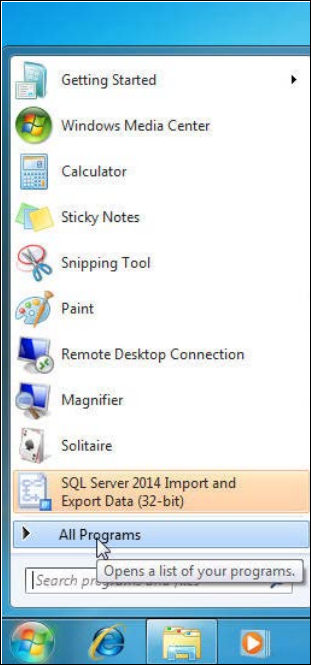
► Click the Start/Windows button.
► Expand the All Programs or Programs group respectively – depending on your operating
system.
Figure 5-20: Expanding "All Programs" group in Windows 7