00198015-01_IM_SQL_Server_2014_Express_EN.pdf - 第14页
SQL Server 2014 Ex press / Installation Manual 11/2015 Edition 14 NOTICE Possible error message If you did not immediat ely deselect the previou sly mentioned check box , the following error message may be displayed if y…
SQL Server 2014 Express / Installation Manual 11/2015 Edition
13
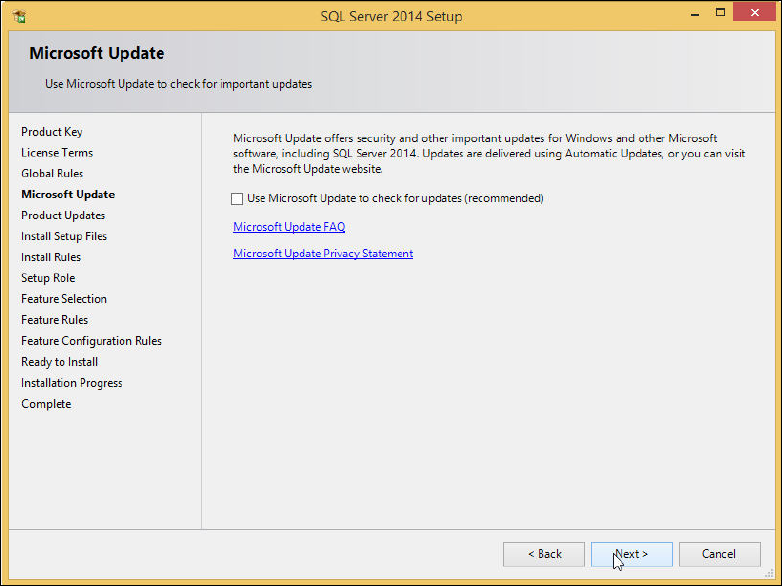
The Microsoft Update window is displayed.
Figure 4-6: Microsoft Update window
► Deselect the Use Microsoft Update to check for updates (recommended) check box to ensure
that you install the version as delivered on the media only.
► Click the Next > button.
SQL Server 2014 Express / Installation Manual 11/2015 Edition
14
NOTICE
Possible error message
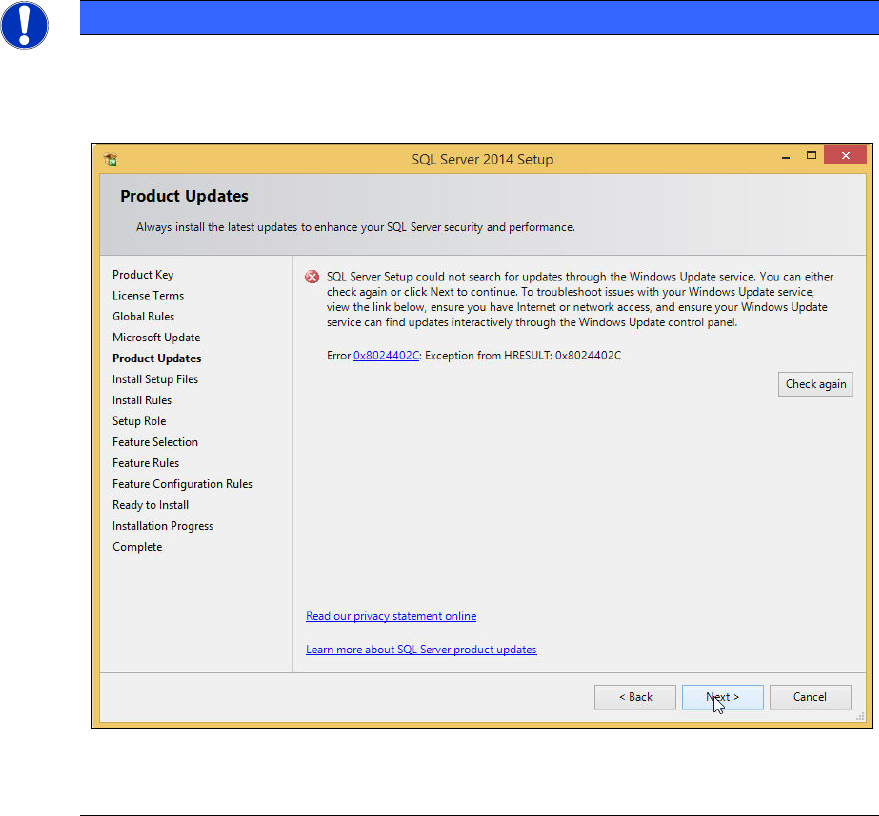
If you did not immediately deselect the previously mentioned check box, the following
error message may be displayed if you do not have connection to the Internet.
Figure 4-7: Error message without Internet connection
► In this case, ignore this message.
The SQL setup now installs its setup files.
SQL Server 2014 Express / Installation Manual 11/2015 Edition
15
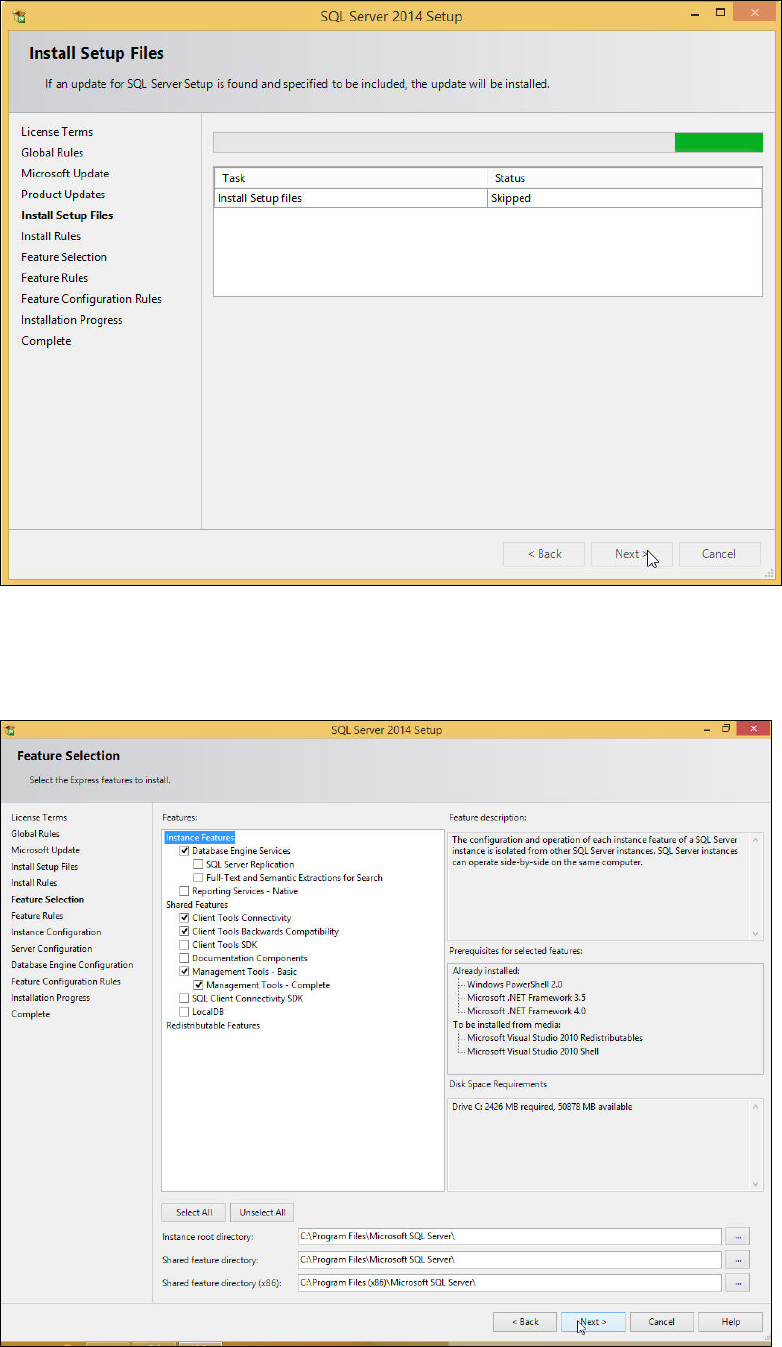
The Install Setup Files window is displayed.
Figure 4-8: SQL Setup installing Setup files
► Wait until SQL Setup has installed its setup files.
The window will be skipped automatically. The Feature Selection window is displayed.
Figure 4-9: Feature Selection window