00197184-01_IM_Celsius_W510_Windows7_EN.pdf - 第43页
Celsius W510 with Win dows 7 10/2011 Edition 5 After Installation 5.1 Before proceeding with Support Media Before applying the Support Media, y ou must check a coupl e of settings. These further preparation steps are des…
Celsius W510 with Windows 7 10/2011 Edition
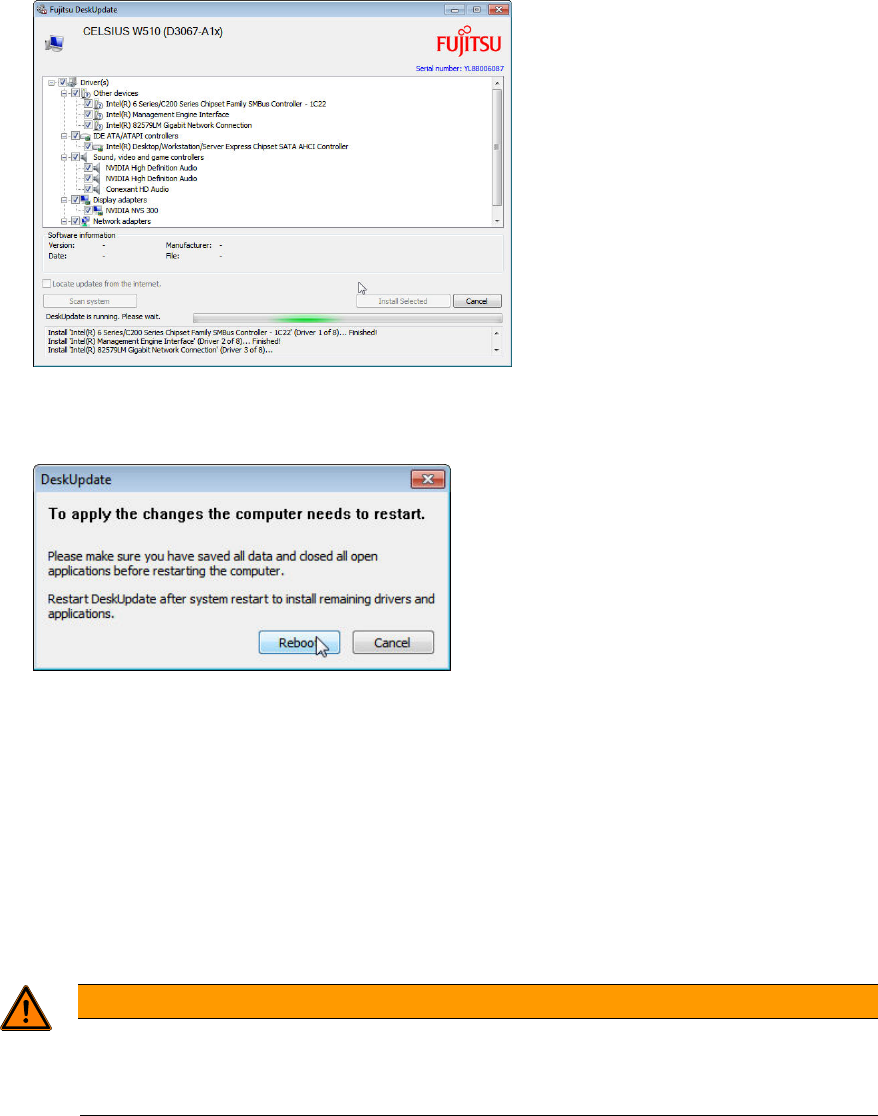
Figure 4-37: DeskUpdate installing drivers
After driver installation, the following window will appear.
Figure 4-38: Reboot message
► Ensure that you’ve saved all unwritten data.
► Click the Reboot button to reboot your computer.
The driver installation is completed.
► Before you continue preparing the system with Support Media, ensure you check the
configuration (accounts, network, etc.) as described in the document “Required Steps before
using Support Media”.
WARNING
Check the Configuration before installing any Software
Please ensure that your account and network configuration is appropriate before
installing any software.
42

Celsius W510 with Windows 7 10/2011 Edition
5 After Installation
5.1 Before proceeding with Support Media
Before applying the Support Media, you must check a couple of settings.
These further preparation steps are described in the document “Required Steps before using
Support Media”, item no. 00197185-xx.
NOTICE
Wrong Settings cause serious Problems
It is strongly recommended to perform all the steps as described in the “Required Steps
before using Support Media” documentation before you continue setting up the
computer.
Inappropriate settings may cause serious, irreversible problems in network
communication!
43
Celsius W510 with Windows 7 10/2011 Edition
44