00195447-02_Installation_604_01_SP1_EN_DE.pdf - 第44页
Installation Manual, Station Software Version 604.01 SP1 Issue 12/2007 8 Uninst alling the V i sion computer sof tware If it is necessary to uninstall the Vision computer software manually, this must be done in one of th…
Installation Manual, Station Software Version 604.01 SP1 Issue 12/2007
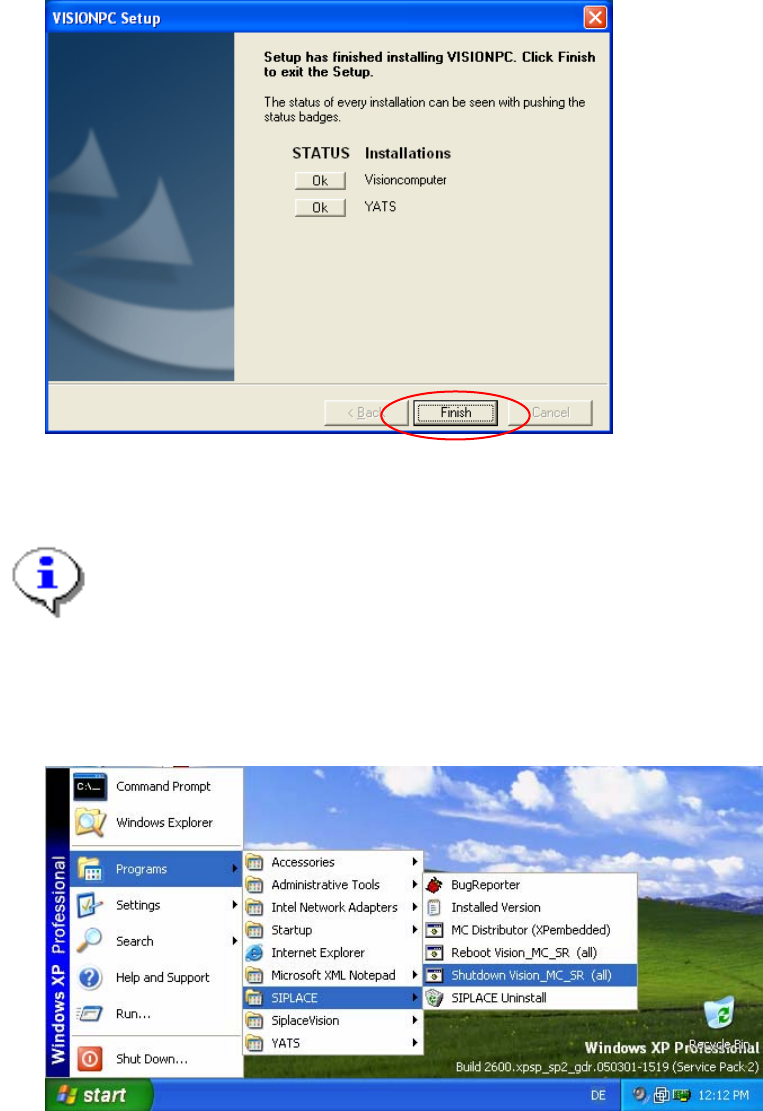
Fig. 7-3: Finalizing the installation
→ Click the Finish button.
Note:
To establish the connection between the Vision computer and the machine controller after
installation has been completed, the Vision computer, machine controller and station
computer must first be run down and the machine must then be switched off completely.
→ To do this, open the Start menu and select Programs Æ SIPLACE Æ Shutdown_Vision_MC_SR
(all).
Fig. 7-4: Shutting down the station computer, machine controller and Vision computer
→ Switch the machine off when the computer systems have shut down.
→ Switch the machine back on again. This then reboots the Vision computer, the machine controller and
the station computer.
43 of 47
Installation Manual, Station Software Version 604.01 SP1 Issue 12/2007
8 Uninstalling the Vision computer software
If it is necessary to uninstall the Vision computer software manually, this must be done in one of the ways
described below.
Note:
You must be logged in as administrator to uninstall the software.
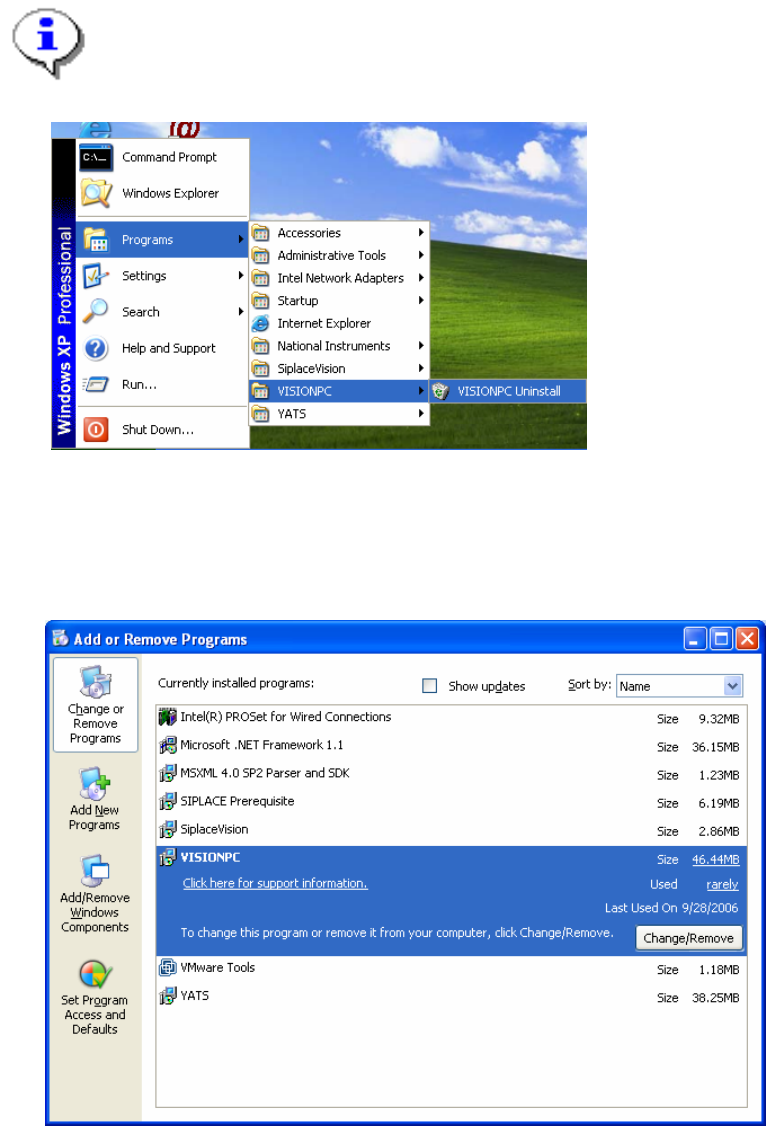
→ Open the Start menu and choose Programs Æ VISIONPC Æ VISIONPC Uninstall.
Fig. 8-1: Starting uninstallation (alternative 1)
Or:
→ Open the Start menu and choose Settings Æ Control Panel.
→ Double-click Add/Remove Programs.
Fig. 8-2 Starting uninstallation (alternative 2)
→ Select VISIONPC from the list of installed programs.
→ Click the Change/Remove button.
44 of 47
Installation Manual, Station Software Version 604.01 SP1 Issue 12/2007
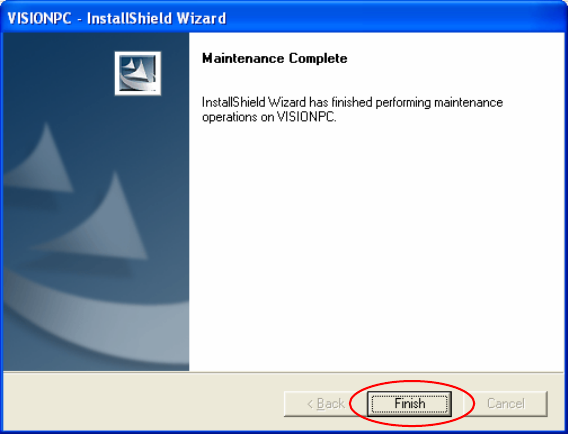
Fig. 8-3: Finalizing uninstallation
→ Click the Finish button.
The Vision computer software has now been uninstalled correctly.
45 of 47