PPS-Pro 70 中文Manual.pdf - 第19页
- 19 - l 到 Select Product => View => SNR ( 在工作列上輸入這個字 ) & 解說 : J 當你結束了聯板 , 記 得要加上 Panel outline, fiducial mark 和 tooling holes ( 請參考 2.7.1) J 聯板後就會多了另外 三個 Step and repeat 圖 2 - 32 PPS – Panelize Products 1.10.3…
- 18 -
l 到 Select Product => View => SNR (在工作列上輸入這個字)
& 解說:
J 當你結束了聯板, 記
得要加上Panel outline,
fiducial mark 和 tooling
holes (請參考 2.7.1)
J 建完聯板後就會產生
到 Panelize outlined 畫
面, 你剛才建的板子就
是 2號
圖 2-30 PPS – Panelize Products
1.10.2 Panelize Products => Add Multiple
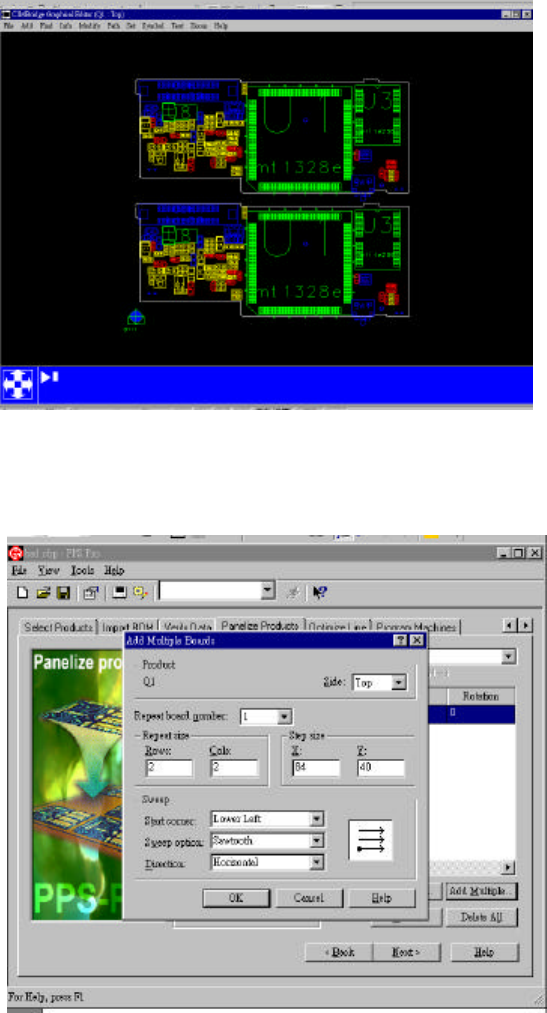
l Add Multiple => Side => Repeat board number (number 1) => Repeat size (Rows
=2 ,Cols =2) => Step size (X =84,Y=40) => Sweep
& 解說:
J 每個 PCB 在 Import
後都會產生一個 Step
and repeat, 做聯板時必
須根據你的 Step and
repeat 上的number 去
做聯板
圖 2-31 PPS – Panelize Products
- 19 -
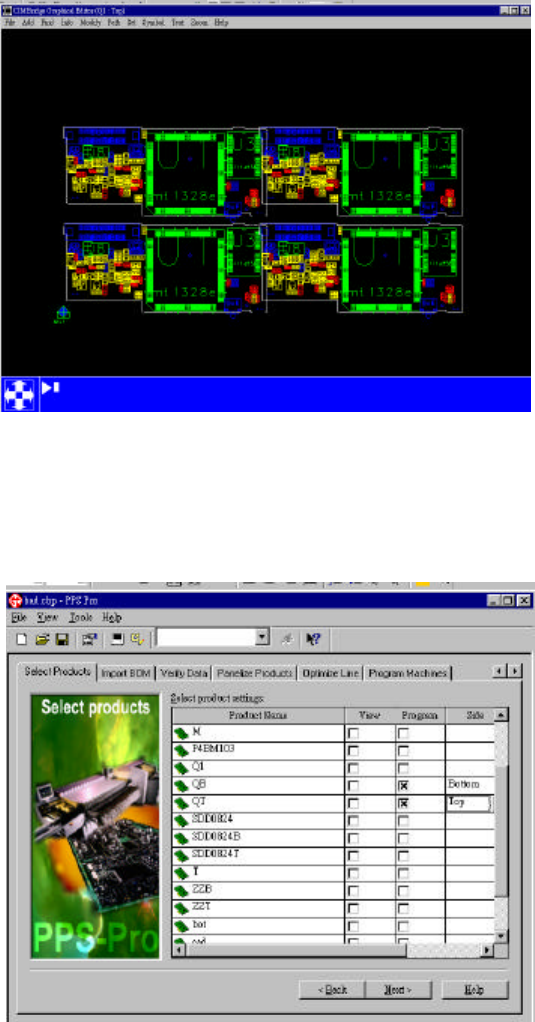
l 到 Select Product => View => SNR (在工作列上輸入這個字)
& 解說:
J 當你結束了聯板, 記
得要加上Panel outline,
fiducial mark
和
tooling
holes (請參考 2.7.1)
J 聯板後就會多了另外
三個Step and repeat
圖 2-32 PPS – Panelize Products
1.10.3 Panelize Products => 陰陽板
l Select Products => 選擇你所需要做聯板的 MDF,另存2個新檔 (一個 Top
side = QT
,一個
Bottom side = QB)
圖 2-33 PPS – Panelize Products
- 20 -
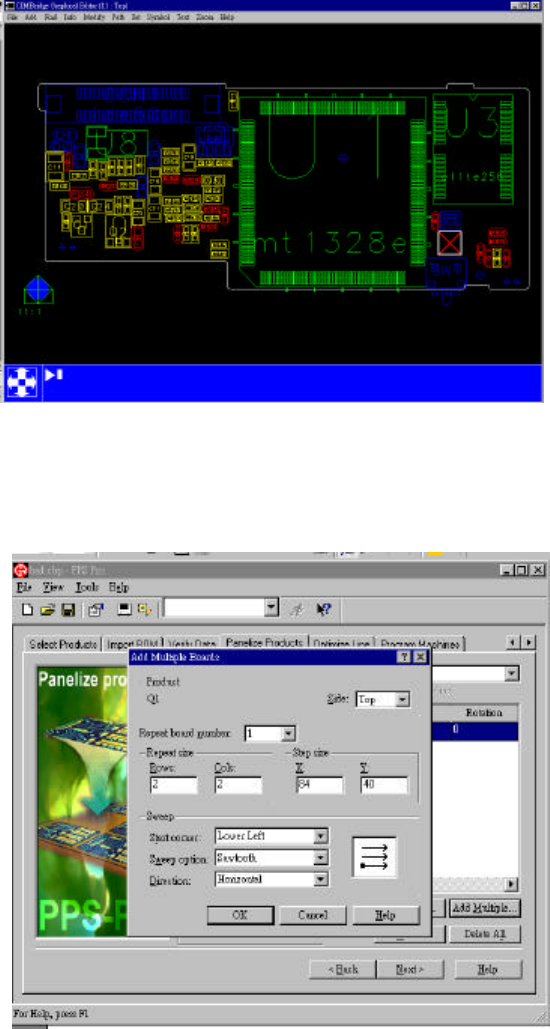
l QT- Bottom side 裡的零件給刪除和QB -Top side 裡的零件給刪除 => Save
l Select Products => QT的 Program給打勾 => View 給打開 => Add (Bad Mark)
=> Board Reject => Board Reject => OK => 輸入Board的名字 => 輸入 Bad
Mark的座標位置 => Save
&
解說
:
J 如果聯板和Bad
Mark要共同使用時必
須先做 Bad Mark然後
在去做聯板
圖 2-34 PPS – Panelize Products
l Panelize Products => Add Multiple => Side => Repeat board number 是 1 =>
Repeat size (Rows = 2,Cols = 4) => Step size (X=84,Y=74) => Sweep => OK