Infinity EX Print Carriage Module.pdf - 第13页
INFINITY EX PRINT CARRIAGE MODULE REPLACEMENT PROC EDURES Chapter Issu e 2 Aug 02 Technical Reference Manual 9.13 REPLA CEMENT PR OCE DURES Left Hand Timing Bel t 1. In Print Carriage Diagnostics, selec t Driv e Carriage…
INFINITY
EX
PRINT CARRIAGE MODULE
ADJUSTMENTS AND SETTINGS
9.12 Technical Reference Manual Chapter Issue 2 Aug 02
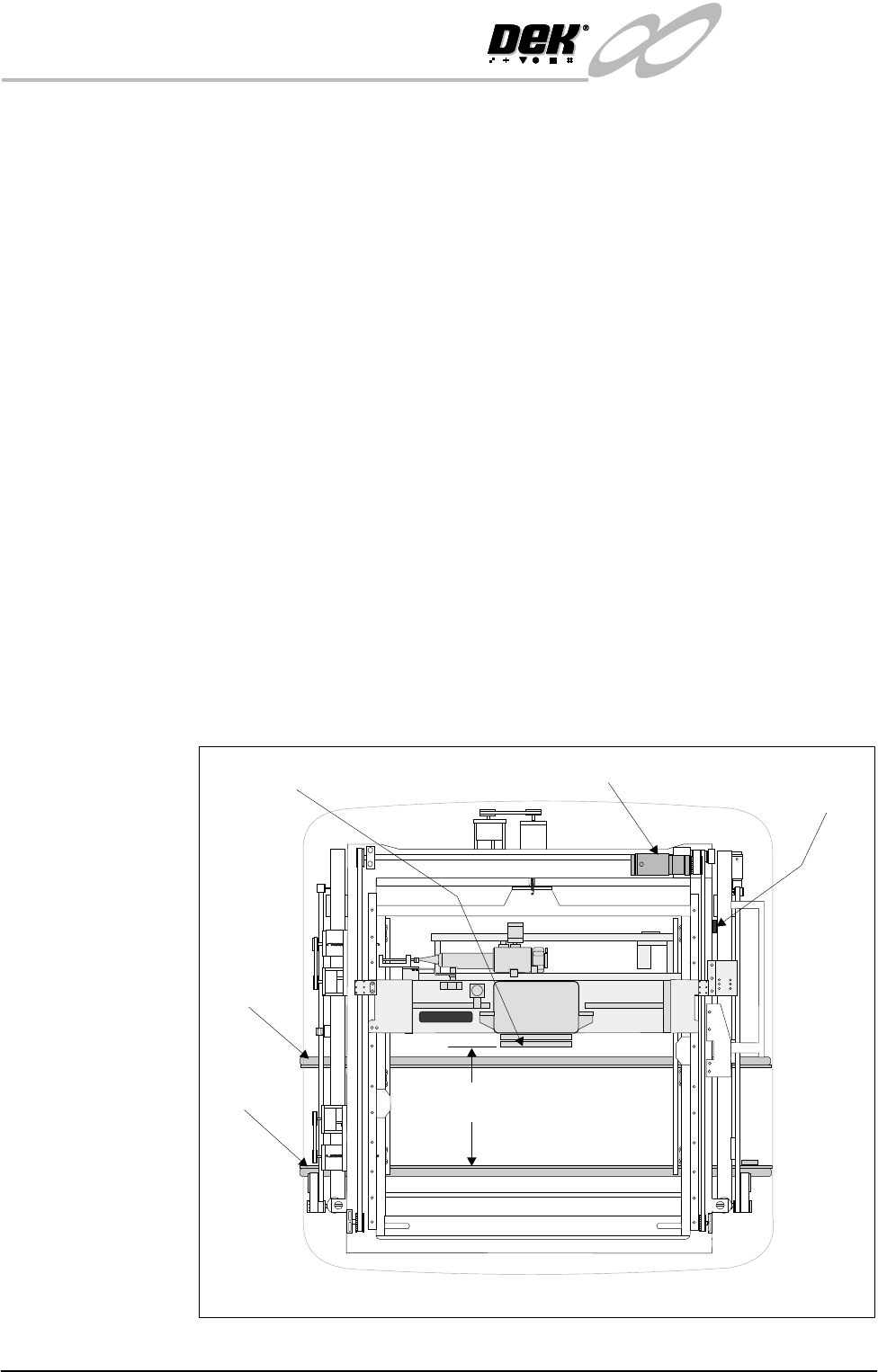
ADJUSTMENTS AND SETTINGS
Home Sensor
Adjustment
The print carriage has to travel to its home position upon machine initialization.
1. Ensure the machine is switched off.
2. Raise the front and rear machine top covers.
3. Position the sensor laterally to ensure the vane does not foul the Hall effect
switch as it passes through it.
4. Move the vane to a central position along its adjustment slot.
5. Switch on the machine and select Diagnostics. Select the Print Carriage
module.
6. Press the Home Print Carriage diagnostic. The print carriage moves into
the Hall effect and then reverses at slow speed until the vane just exits the
sensor where it parks.
7. Measure the distance between the rear face of the O ring support of the front
rail and the face of the front squeegee holder, (Print Carriage Home Setting
figure refers), the correct setting is 514 mm +/- 0.5 mm. Adjust the vane on
the print carriage and repeat step 6 until this measurement is achieved.
This completes the print carriage sensor set-up.
NOTE
Although the servo motor is fitted with an encoder the index pulse is not used in
the homing sequence. To adjust the home position the vane must simply be
moved the amount needed to correct the error.
Figure 9-8 Print Carriage Home Setting
Rear Rail
Front Rail
Front Squeegee Mounting Print Carriage Motor Print Carriage
Home Sensor
Printhead Plan View (Covers Removed)
514mm +/- 0.5mm
(Front Rail Justified)
INFINITY
EX
PRINT CARRIAGE MODULE
REPLACEMENT PROCEDURES
Chapter Issue 2 Aug 02 Technical Reference Manual 9.13
REPLACEMENT PROCEDURES
Left Hand Timing
Belt
1. In Print Carriage Diagnostics, select Drive Carriage to Front Position. Power
down the machine.
2. Raise the front and rear printhead covers.
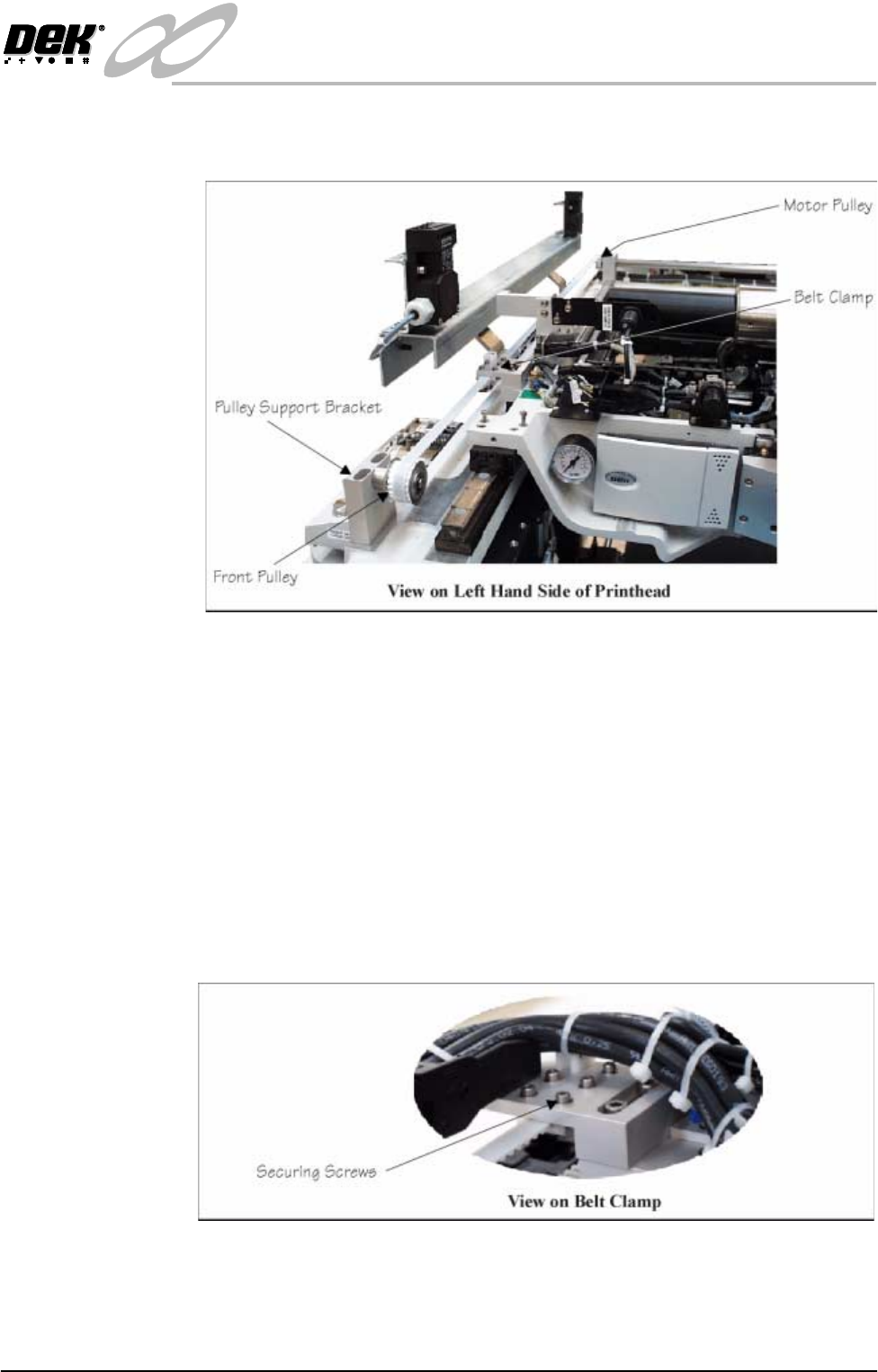
3. Loosen the two pulley support bracket securing screws located at the front
left hand corner of the machine printhead casting.
NOTE
Take note of the orientation of the belt clamp.
4. At the belt clamp on the left hand side of the print carriage, remove the drag
chain cable tie and release the belt clamp securing screws. Remove and
discard the belt.
5. Fit the end of the replacement belt into the rear end of the belt clamp, tighten
sufficiently to hold the belt.
INFINITY
EX
PRINT CARRIAGE MODULE
REPLACEMENT PROCEDURES
9.14 Technical Reference Manual Chapter Issue 2 Aug 02
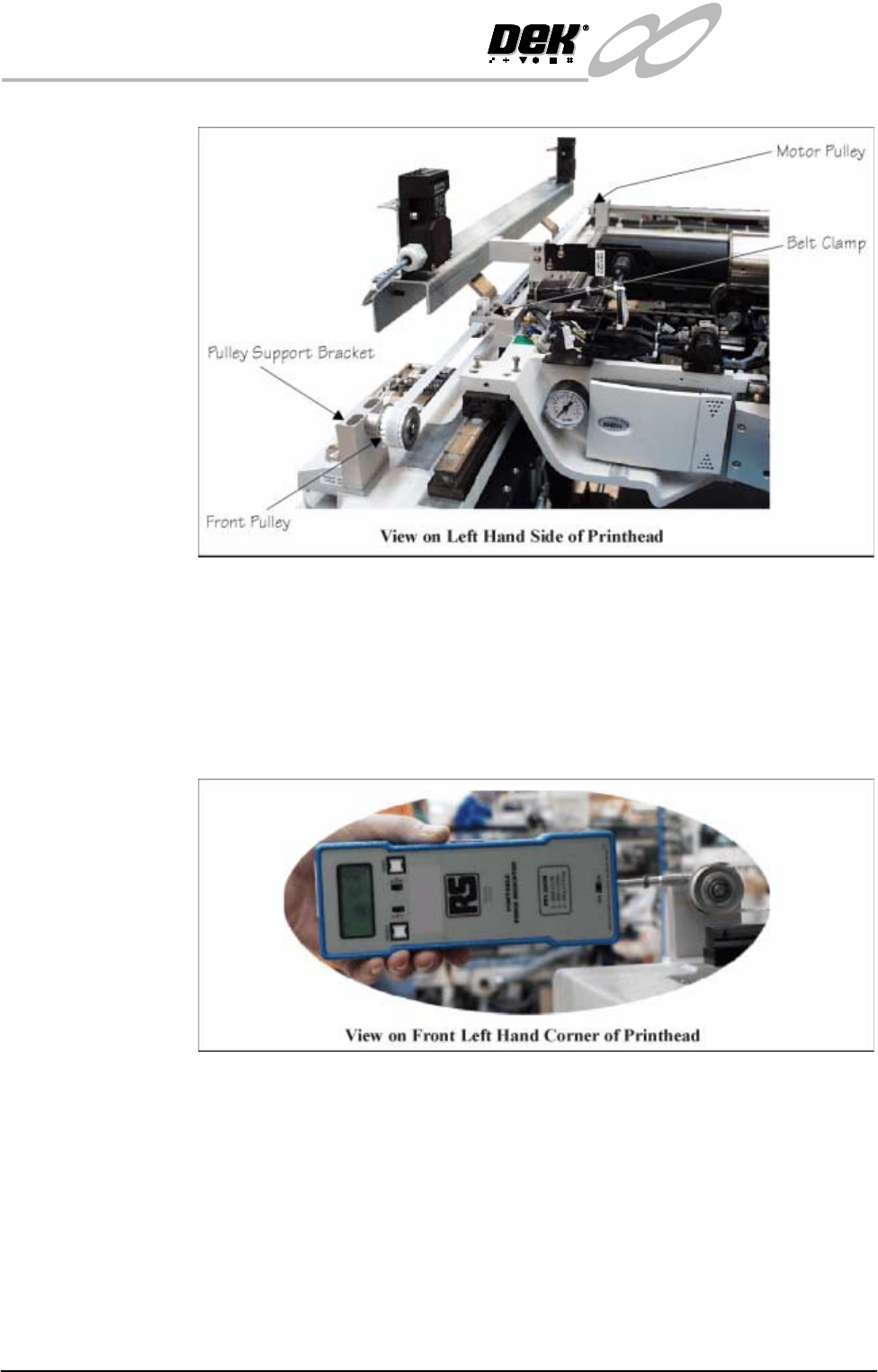
6. Route the belt anti-clockwise around the motor pulley returning along the
printhead, around the front pulley to the front end of the belt clamp.
7. Fasten the belt into the front end of the belt clamp. Apply suitable thread
locking compound and fully tighten the clamp securing screws. Fit a new
drag chain cable tie.
8. Engage a forcemeter with the front pulley spindle (Figure below refers).
Apply a horizontal force of 10kg to the belt. Maintaining this force, tighten
the front pulley securing screws.
9. Power up the machine, in Diagnostics select Cycle Print Carriage. Ensure
the belt tracks centrally on the pulleys.
10. If adjustment is required, engage the forcemeter with the front pulley spindle.
Apply and maintain a horizontal force of 10kg. Ease the front belt pulley
screws sufficiently to allow bracket movement, re-align the pulley, tighten
the screws and repeat Cycle Print Carriage.
11.Repeat Steps 9 and 10 until belt tracks centrally on the pulleys.