00197696-01_IM_SIPLACE_Pro_12.0_EN.pdf - 第27页
4 Installation of SIPLACE Pro and possible Setup Types Installation Manual Edition 12/2014 SIPLACE Pro 12.0 25 Ste p 4 Read the license agreement relating to use of this software. 4 Fig. 4.2 - 8 "Software License …
Installation Manual 4 Installation of SIPLACE Pro and possible Setup Types
SIPLACE Pro 12.0 Edition 12/2014
24
Step 2
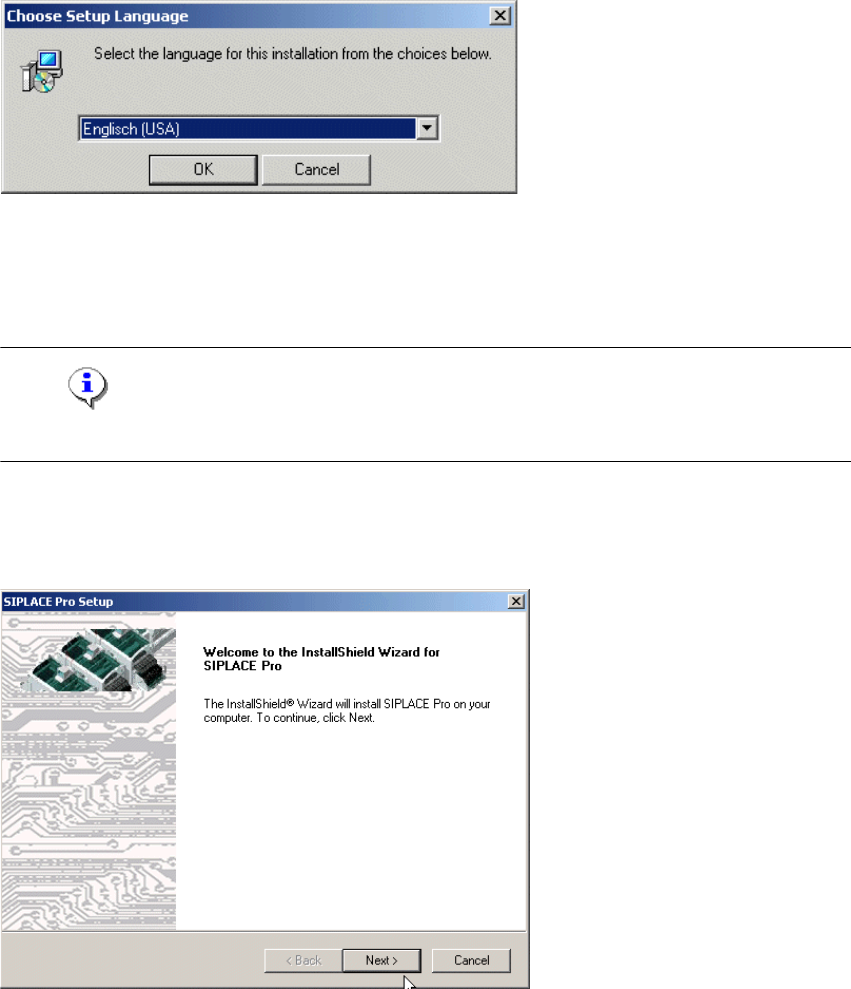
This starts the user-controlled installation of SIPLACE Pro; you are prompted to select the
installation language. 4
4
Fig. 4.2 - 6 "Choose Setup Language" dialog box
Select the language you want.
Click OK.
Note
This decision only relates to the language used during the installation routine! 4
Step 3
The InstallShield Wizard will guide you through the program setup process.
4
Fig. 4.2 - 7 InstallShield Wizard box for Siplace Pro
Click Next.
4 Installation of SIPLACE Pro and possible Setup Types Installation Manual
Edition 12/2014 SIPLACE Pro 12.0
25
Step 4
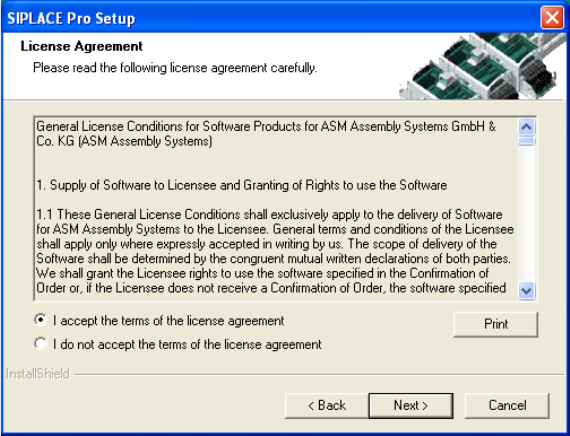
Read the license agreement relating to use of this software.
4
Fig. 4.2 - 8 "Software License Agreement" dialog box
Please make sure to accept the licence agreement.
Then click the Next button to continue with the installation routine.
Installation Manual 4 Installation of SIPLACE Pro and possible Setup Types
SIPLACE Pro 12.0 Edition 12/2014
26
Step 5
4
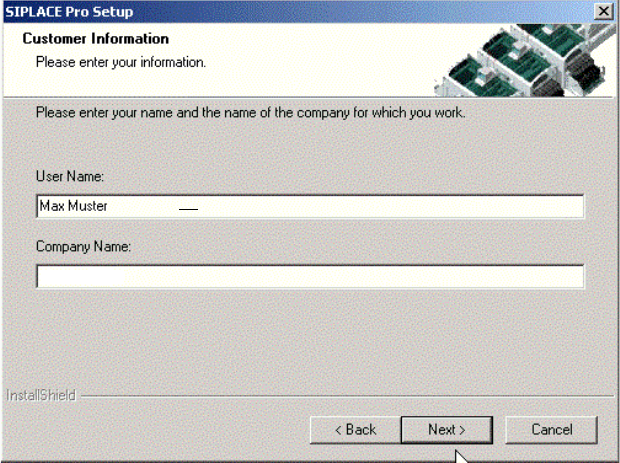
Fig. 4.2 - 9 "Customer Information" dialog box
Enter your User Name and Company Name in the "Customer Information" dialog box.
Both boxes must be filled in before the installation process can be continued.
Click Next.