00192419-02.pdf - 第35页
35 ’ Gantry functions ’ me nu NOTE All moveme nt functio ns of the X an d Y -gantry axes have to be in itiated with the Start button. Y ou will be re quested to do so by the on -screen d is- play ’ Press start key ’ . If…
34
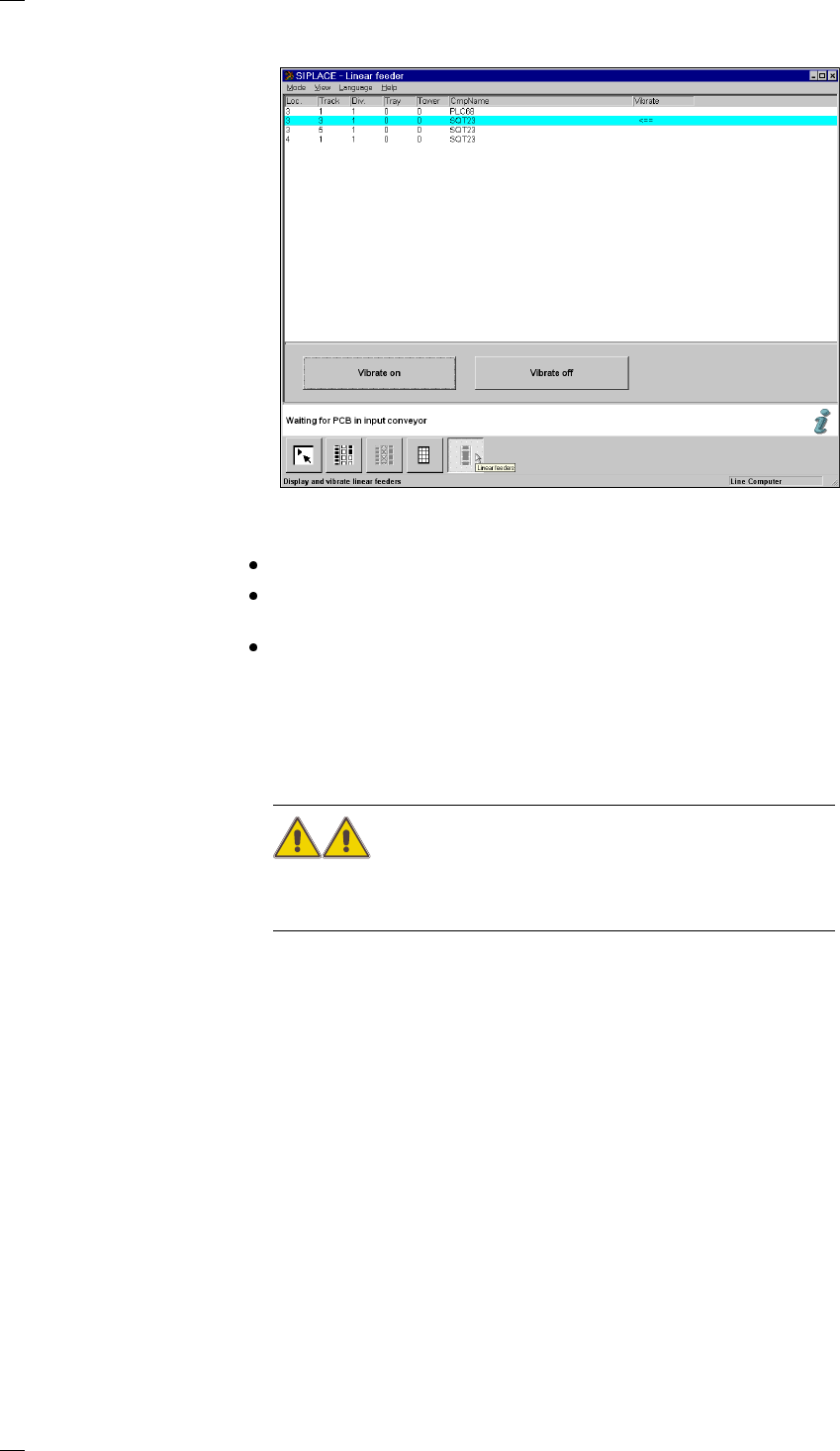
’Display linear feeder and vibrate’ menu
When you have filled a linear feeder, you can use this menu to select it
and turn vibration on.
Select the linear feeder from the list.
Click on the Vibrate on button. The arrow in the Vibrate column shows that
the module is being vibrated.
You can stop vibration by clicking on the Vibrate off button.
’Single functions - Gantries 1/2’ menu
The Single function menu for gantries 1 to 2 are identical.
Only personnel with the corresponding training and qualifi-
cations are permitted to access the Single functions Gantry X (X = 1 or 2)
menu since improper treatment of the machine may result in serious phys-
ical injury and considerable damage to property.
The Single functions Gantry X menu has the following submenus:
– Gantry functions
– Revolver head functions
– Vacuum test revolver head
– Nozzle offset revolver head
– Nozzle configuration
– Nozzle-changer configuration revolver head (if this option has been
installed and configured)
35
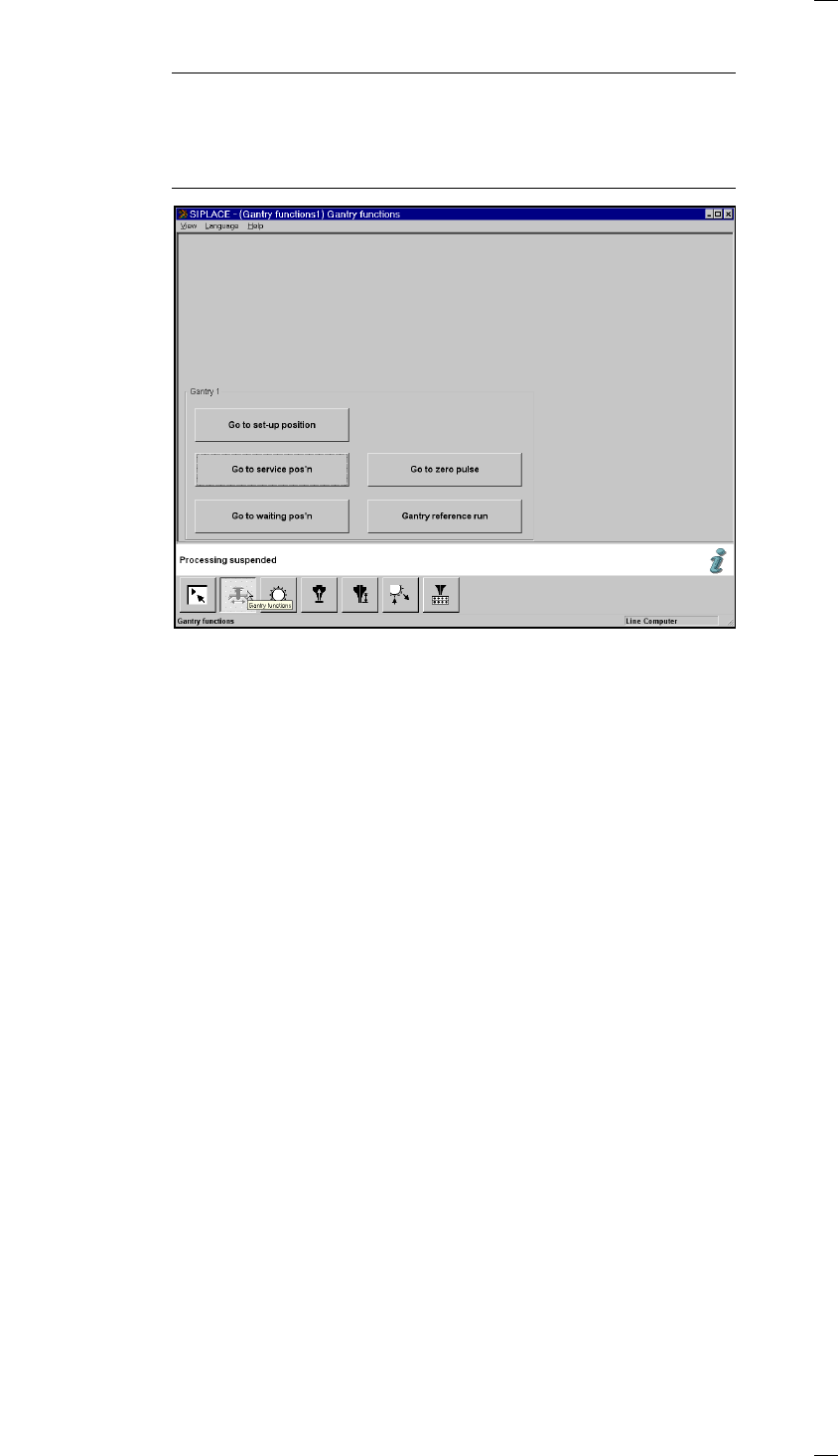
’Gantry functions’ menu
NOTE
All movement functions of the X and Y-gantry axes have to be initiated
with the Start button. You will be requested to do so by the on-screen dis-
play ’Press start key’.
If protective covers are still open, you will be asked to close them.
Go to set-up position Go to this position if you wish to refill or replace feeder modules.
Go to service pos’n Go to this position when you want to carry out servicing of the placement
head or gantry.
Go to waiting pos’n Move the gantry to this position if the gantry is not required.
Go to zero pulse The gantry travels until it reaches the zero pulse.
Gantry reference run The gantry carries out a reference run.
36
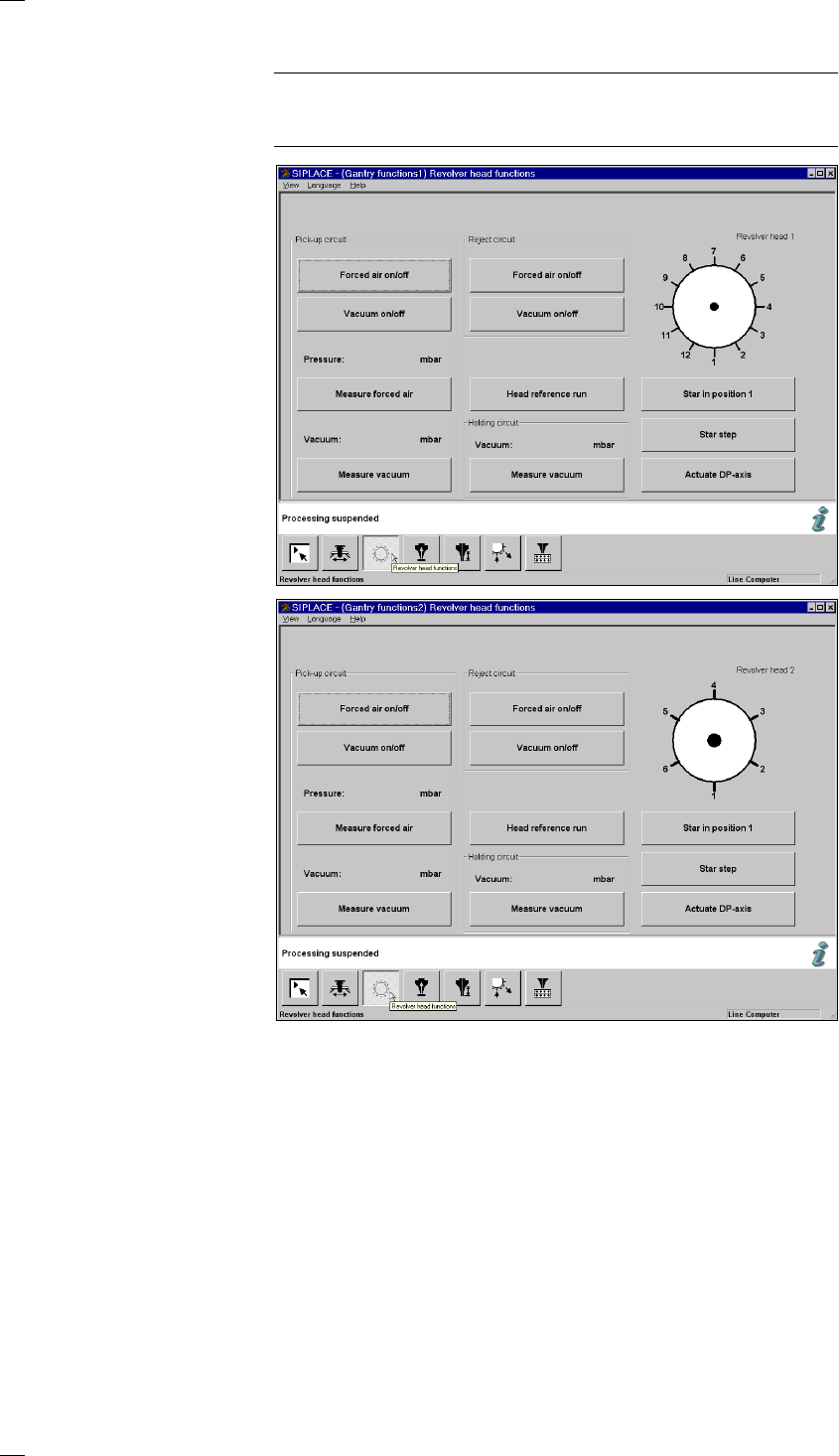
’Revolver head functions’ menu
NOTE
If you wish to carry out revolver head functions with the cover open, this
will only be possible with the key-operated switch in position "I".
Star in position 1 The star and the Z-axis of the revolver head carry out a reference run. At
the same time the segment at the star position is rotated into the pick-up /
placement position.
Star step The star is cycled onward by one position each time and its position dis-
played graphically in the window.
Actuate DP axis The nozzle of the segment at the dp1 turning station is rotated by 90°.
Head reference run The head axes carry out a reference run. During this, components are
ejected into the rejects container.
Pick-up circuit Forced air on/off The forced air is switched on or off
at the pick-up position.
Vacuum on/off The vacuum is switched on or off
at the pick-up position.
Measure forced air The pressure of the forced air is measured
at the pick-up position and the measured
value displayed in mbar.
Measure vacuum The vacuum value is measured for the
12-segment-
revolver head
6-segment-
revolver head