00192419-02.pdf - 第40页
40 ‘ Revolver head nozz le changer configuration ’ menu Y ou can use this menu to – call up the nozzle ty pes for the ind ividual m agazines – check the n ozzles a nd – exchange nozz les. Nozzle cha nger con figuration f…
39
– Click on the ‘Confirm single change’ button. The desired and actual values
in the list box must tally.
Confirm all If you have exchanged several nozzles that were indicated by an arrow,
you can use a single command at the end to confirm all the changes.
Click on the ‘Confirm all’ button. The desired and actual values for all
nozzles in the list box must tally.
‘Nozzle changer’ box
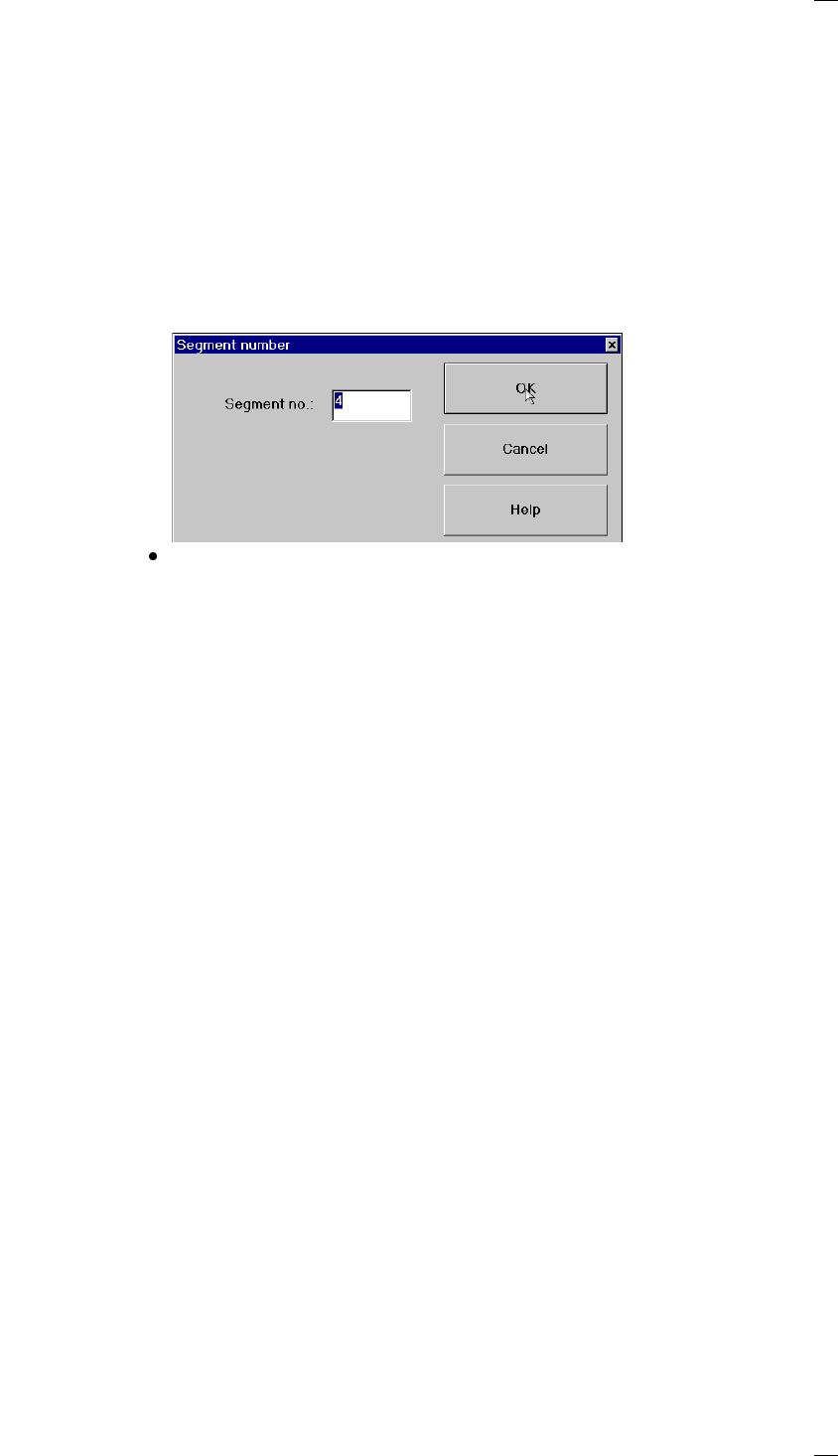
One nozzle When ’One nozzle’ is activated, the ’Return’, ’Pick up’, ’Remove’ and
’Replace’ functions will only be carried out for the selected nozzle. If you
click on one of these functions, an input box will appear so that you can
enter the segment number. The default value that appears in the input box
is the number of the segment currently at the change position. It is indi-
cated by cyan-colored arrow.
Click on OK to execute the function.
Return all nozzles All nozzles are returned to the magazine of the nozzle changer.
Pick up all nozzles The revolver head picks up all nozzles from the nozzle magazine.
Remove all nozzles All of the nozzles in the revolver head are discarded into the rejects con-
tainer.
40
‘Revolver head nozzle changer configuration’ menu
You can use this menu to
– call up the nozzle types for the individual magazines
– check the nozzles and
– exchange nozzles.
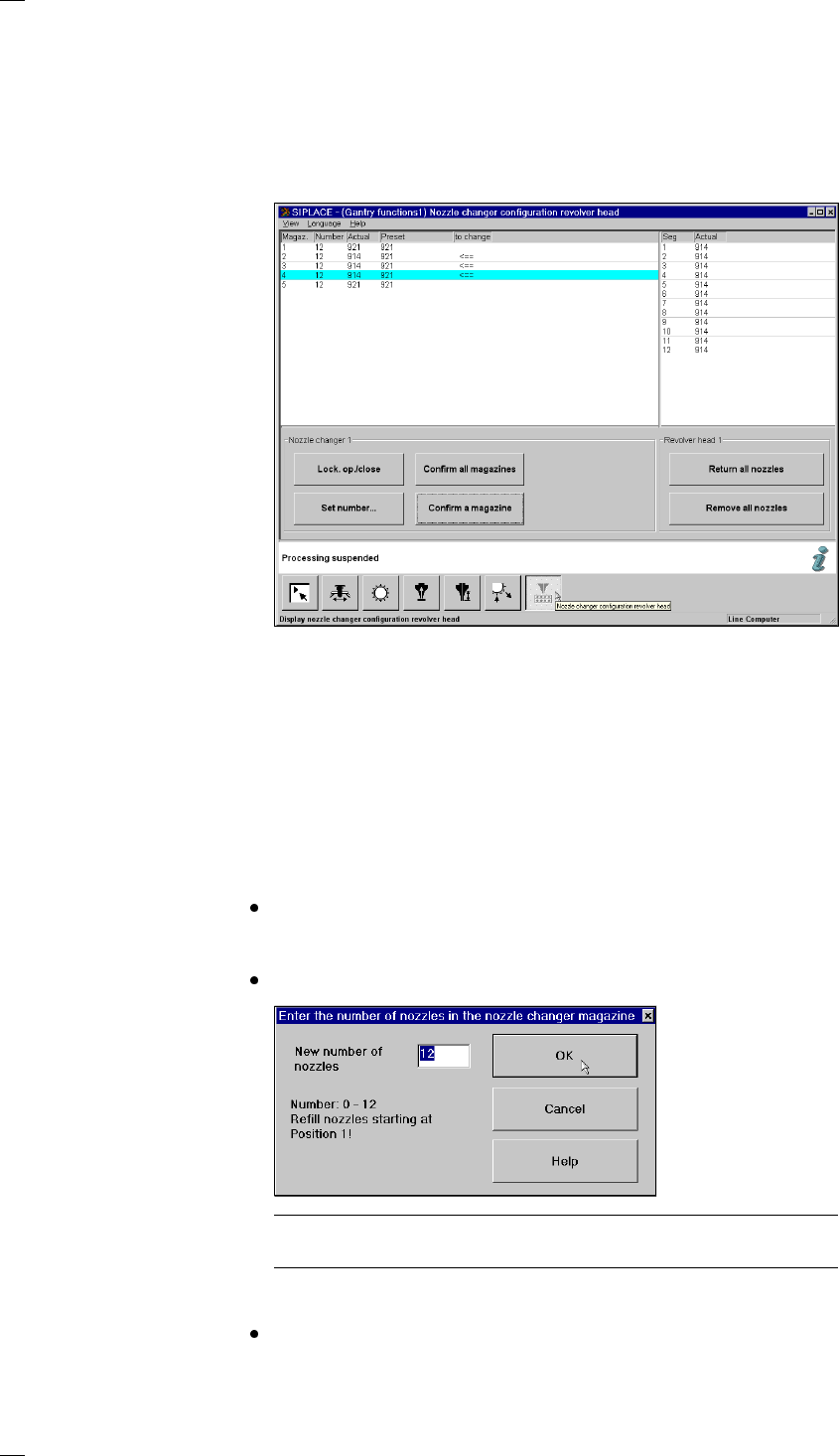
Nozzle changer configuration for the 12-segment revolver head
Display box for the magazines
Magazine: Magazine number, up to 8
Number: Number of nozzles in the magazine
Actual: Current set-up in the nozzle changer
Preset: Set-up defined by the line computer
Arrow: If the desired and actual value are different, the difference is indicated by
an arrow.
Buttons in the ‘Nozzle changer’ box
Lock open/closed You can open or close the sliding plate on the selected magazine in order
to fill the nozzle changer magazine manually.
Set number … Click on ‘Set number …’ to open an input box where you can enter the
desired number of nozzles for the magazine.
Always start with nozzle number 1 and always fill the magazine with
nozzles of the same type. You can add between 0 and 12 nozzles. The
default value is 12.
Then click on OK.
PLEASE NOTE
Make sure that the nozzle magazines are always full.
Confirm one Produce the desired nozzle configuration in the magazine
magazine indicated by the arrow.
To do this move the cyan bar in the list box to the appropriate line.
41
Click on ‘Confirm one magazine’. The desired and actual values must
tally.
Confirm all Once you have set up the nozzles in every magazine as desired, click on
magazines ‘Confirm all magazines’. The desired and actual values of all magazines
must tally.
‘Segments’ display box
Seg Segment number, up to 12
Actual Displays the nozzle type set up for each segment.
Buttons in the ‘Revolver head’ box
Return all Returns all the nozzles on the revolver head to the appropriate magazine
nozzles of the nozzle changer.
Remove all Throws all the nozzles on the revolver head into the reject bin.
nozzles
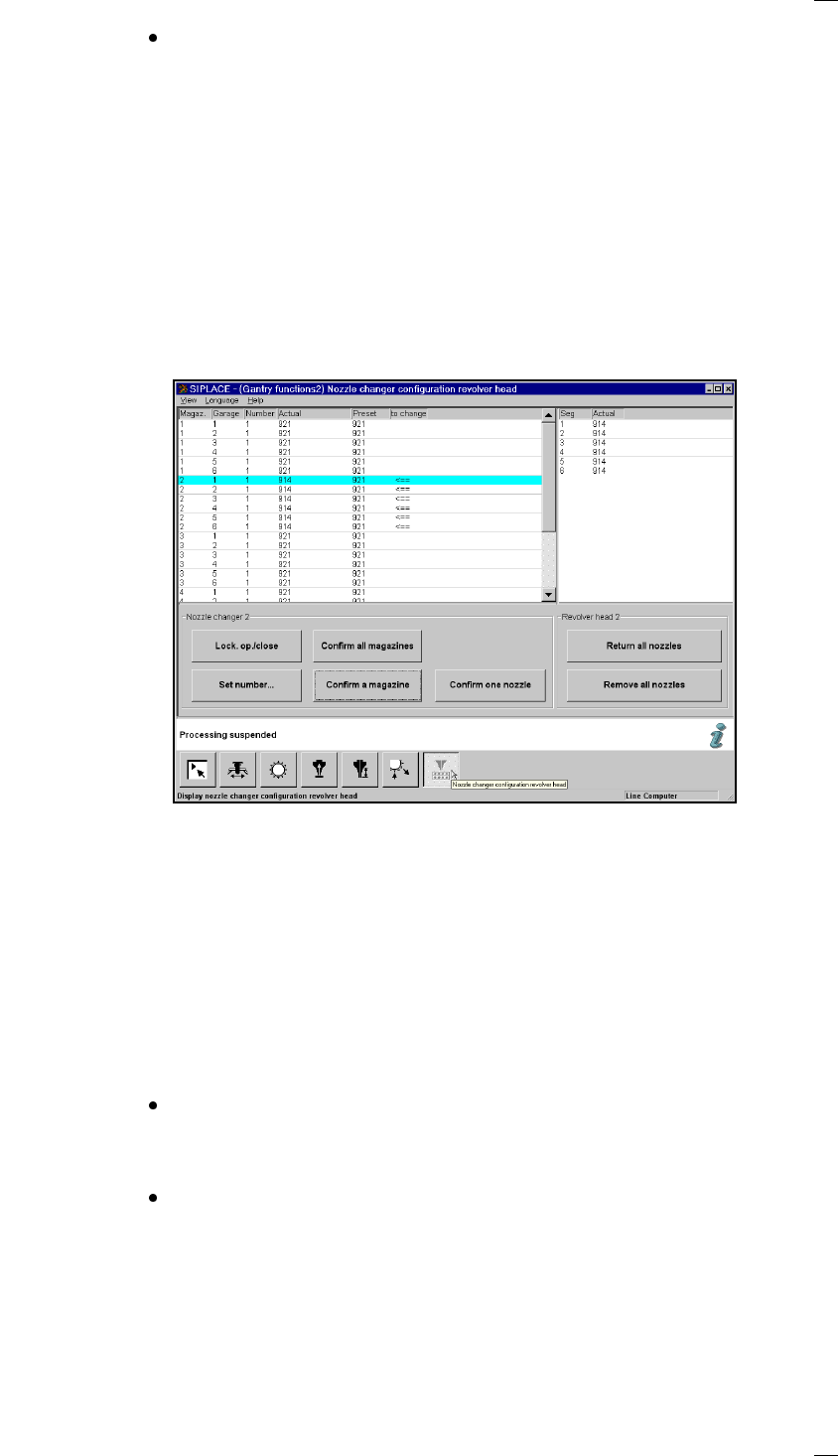
Nozzle changer configuration for the 6-segment revolver head
Display box for the magazines
Magazine: Magazine number, up to 5
Garage Number of garage in the magazine
Number: Number of nozzles in the magazine
Actual: Current set-up in the nozzle changer
Preset: Set-up defined by the line computer
Arrow: If the desired and actual value are different, the difference is indicated by
an arrow.
Buttons in the ‘Nozzle changer’ box
Lock open/closed You can open or close the sliding plate on the selected magazine in order
to fill the nozzle changer magazine manually.
Set number … Click on ‘Set number …’ to open an input box where you can enter the
desired number of nozzles for the magazine.
The magazine on the nozzle changer for the 6-segment revolver head
may contain different nozzles. The different nozzle holders are therefore
shown individually in the display box. Place a nozzle in the holder location
in the magazine. You can add either 0 or 1 nozzle. The default value is 1.
Then click on OK.