Printer 800 Safety Features.pdf - 第11页
SAFETY FE ATURES MACHI NE CO VERS Chapter Issue 1 Jul 03 Instal lation M anual 2. 11 Rear Panel Removal of the r ear panel requires a mai ntenance key to r elease the two quarter- turn fast eners located externall y at t…
SAFETY FEATURES
MACHINE COVERS
2.10 Installation Manual Chapter Issue 1 Jul 03
The following panels are secured to the cover frame using quarter-turn fasten-
ers.
• Front Panel (internal in 2 positions)
• Rear Panel (external in 2 positions)
• Rear Printhead Fixed Cover (internal in 2 positions)
• Upper Side Panels (internal in 3 positions for each panel)
• Corner Panels (internal in 1 position for each panel)
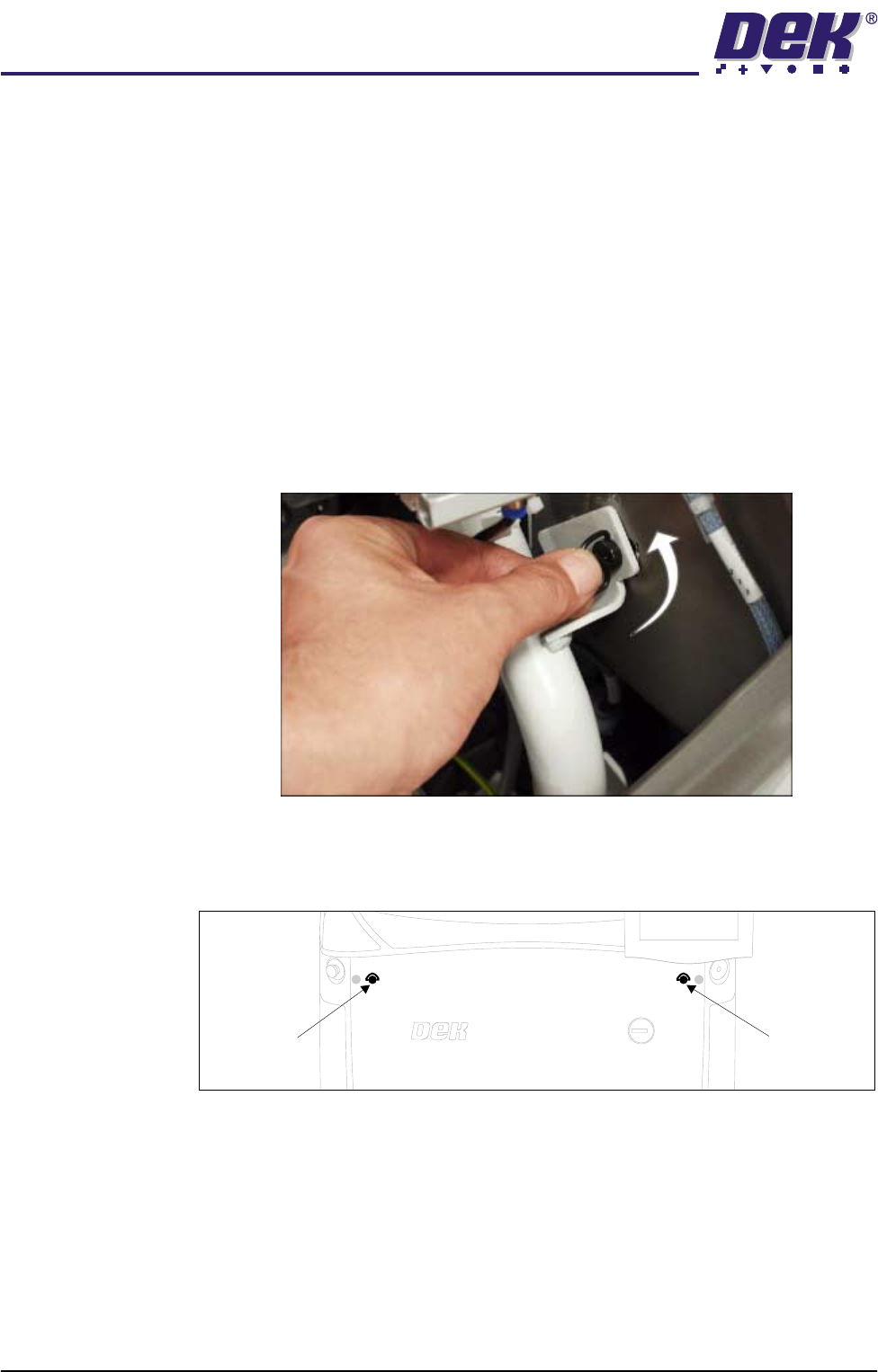
The front panel and the rear printhead cover are secured by ring head quarter-
turn fasteners, figure below refers. The upper side panels and the corner panels
are secured using button head quarter-turn fasteners and require a 4mm Allen
key to release. To release the fastener, turn the fastener anticlockwise by a
quarter-turn and pull out.
Figure 2-4 Quarter-Turn Fasteners
Front Panel To remove the front panel of the machine, open the printhead cover and locate
the two quarter-turn fasteners on the inside of the panel.
After releasing the fasteners, tilt the top of the panel away from the machine and
lift clear of the guide pins that locate the panel to the machine frame.
Front Panel
Quarter-Turn
Fastener
Front Panel
Quarter-Turn
Fastener
SAFETY FEATURES
MACHINE COVERS
Chapter Issue 1 Jul 03 Installation Manual 2.11
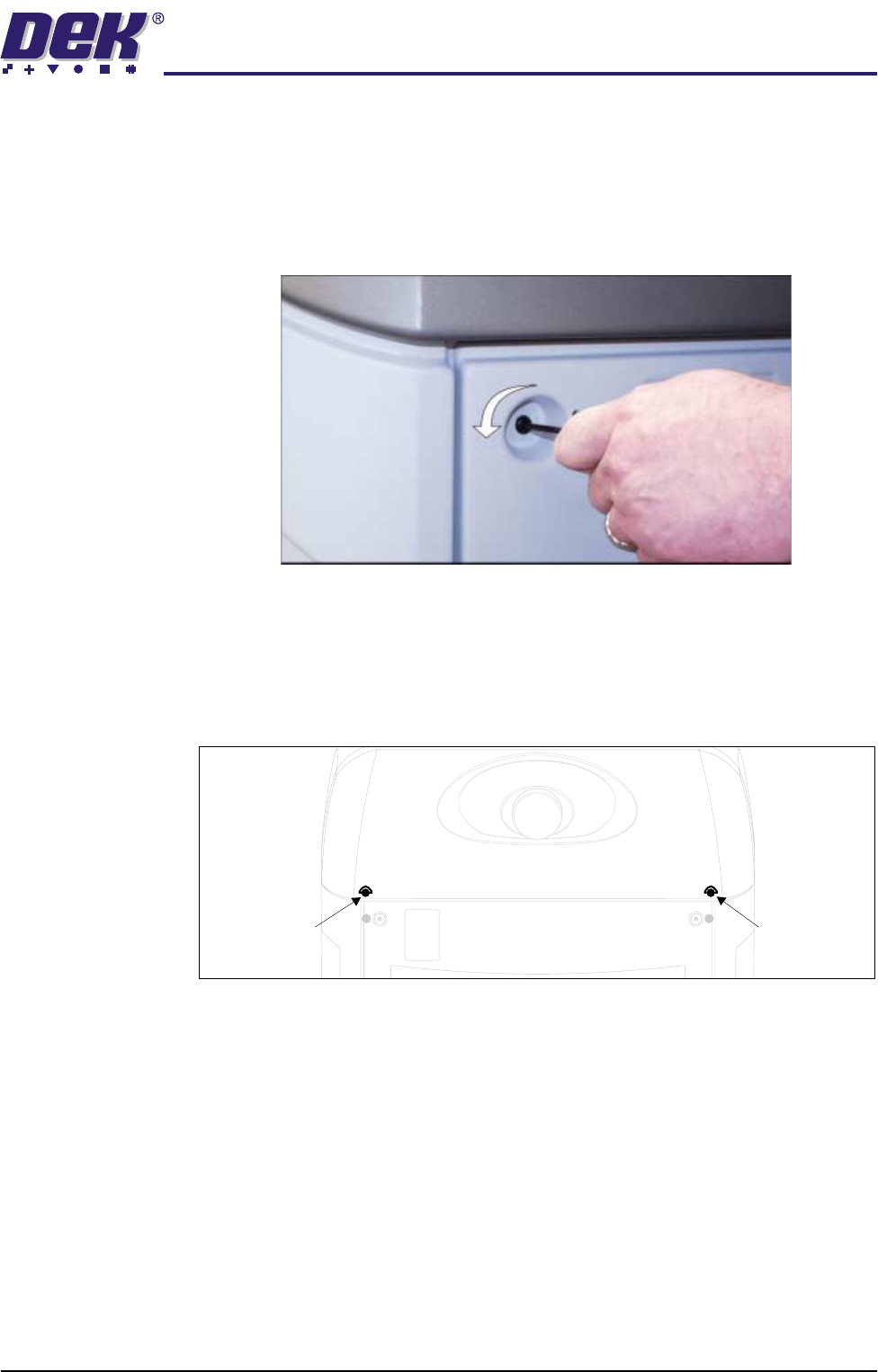
Rear Panel Removal of the rear panel requires a maintenance key to release the two
quarter-turn fasteners located externally at the top corners of the panel (Panel
Locking Mechanism figure refers). After releasing the fasteners, push down-
wards on the panel to clear the rear printhead cover, tilt the top of the panel away
from the machine and lift clear of the guide pins that locate the panel to the
machine frame.
Figure 2-5 Panel Locking Mechanism
Rear Printhead
Fixed Cover
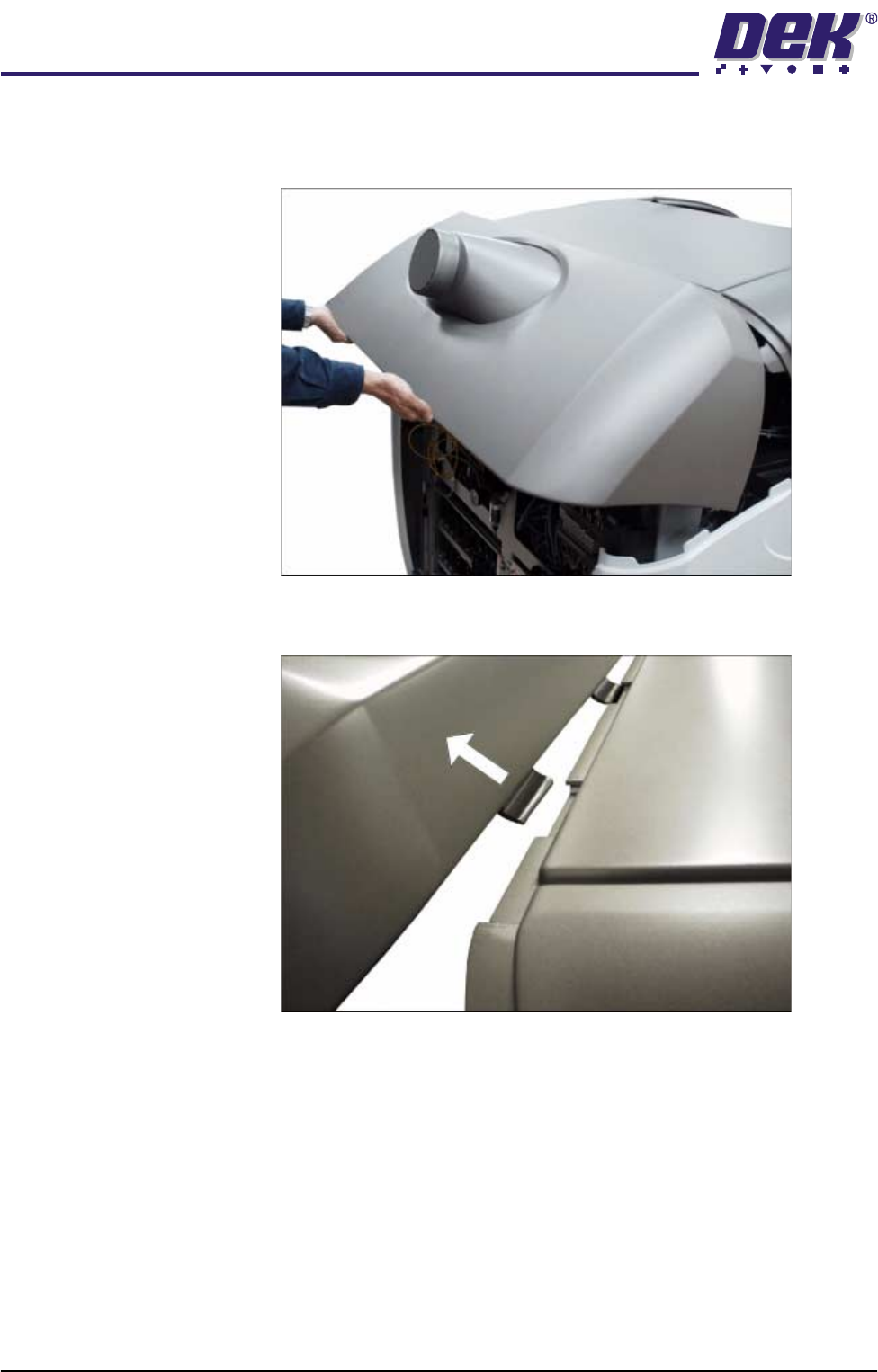
To remove the rear printhead fixed cover, carry out the following:
1. Remove the rear panel.
2. Release the two quarter-turn fasteners that secure the rear printhead cover
to the cover frame.
Rear Printhead
Quarter-Turn
Fastener
Rear Printhead
Quarter-Turn
Fastener
SAFETY FEATURES
MACHINE COVERS
2.12 Installation Manual Chapter Issue 1 Jul 03
3. The rear printhead cover is interlocked with the upper printhead cover using
locating tabs. The rear printhead cover must be lifted to allow the locating
tabs to part.
4. Once the locating tabs have cleared, pull the cover horizontally away from
the machine.