Printer 800 Safety Features.pdf - 第7页
SAFETY FE ATURES EMERG ENCY SHUTD OWN Chapter Issue 1 Jul 03 Instal lation M anual 2.7 E Stop Module Shut Down If the E S top loop is opened by pr essing the E S top or opening the pr inthead cover , an emergency stop is…
SAFETY FEATURES
EMERGENCY SHUTDOWN
2.6 Installation Manual Chapter Issue 1 Jul 03
EMERGENCY SHUTDOWN
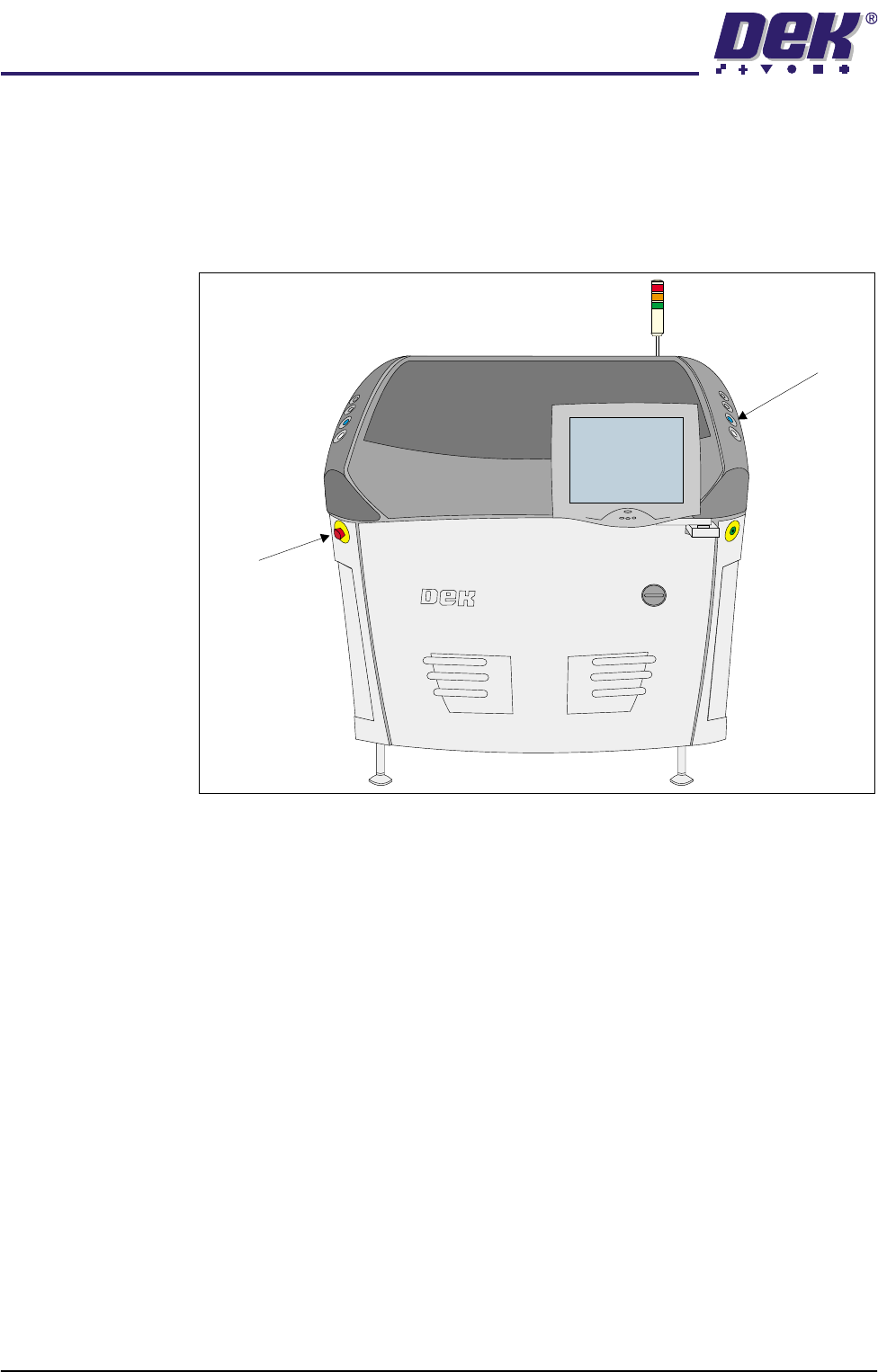
The machine is fitted with an emergency stop push button control switch (E
Stop). The E Stop switch, once pressed, is a latching switch and requires
resetting. To reset the E Stop, turn the button clockwise until it unlatches.
Pressing the E Stop or raising the printhead cover cuts the servo axes power
supply. A warning of this condition is reported on the machine monitor.
Figure 2-2 Emergency Stop Push Button Control Switch (E Stop)
E Stop
System Button

SAFETY FEATURES
EMERGENCY SHUTDOWN
Chapter Issue 1 Jul 03 Installation Manual 2.7
E Stop Module
Shut Down
If the E Stop loop is opened by pressing the E Stop or opening the printhead
cover, an emergency stop is initiated via the E Stop module. When actuated
the following areas of the machine are rendered inactive:
•Lid Bolt
• Moving Rail Stepper
• Print Carriage Servo (axis stopped before power is removed)
• Paste Cartridge Tilt Up/Tilt Down Motor
• Paste Dispense Solenoid and Stepper Motor
• Rail System Front and Rear Belt Motor Drives
• Rising Table Brake (brake engages when power is cut)
• Rising Table Servo
• Squeegee/ProFlow Stepper Motor(s)
•System Lamp
• Underscreen Cleaner Paper Feed Motor
• Underscreen Cleaner Solvent Pump
• Underscreen Cleaner Squeegee Solenoid
• Vacuum Tooling Solenoid
• X Camera Motor (axis stopped before power is removed)
• X Forward, X Rear and Y Chase Alignment Stepper Motors
• Y Camera Motor (axis stopped before power is removed)
The safety circuits have been designed to conform to EN954 Category 2 and
checks for welded contacts before resetting. Additional safety is achieved by
duplication of the power contactors to provide redundancy.
Recovery When normal working conditions are restored, release the emergency stop
button and press the system button when prompted.

SAFETY FEATURES
PRINTHEAD COVER
2.8 Installation Manual Chapter Issue 1 Jul 03
PRINTHEAD COVER
Raising the printhead cover allows access to the following areas:
• Printhead
• Squeegee/ProFlow
• Stencil/Screen
• Under Screen Cleaner
•Tooling
The printhead cover is accessible to the operator and is supported, in the open
position, by two gas struts and springs. A cam interlock safety switch protects
personnel from the mechanisms during normal line operations. Lifting the cover
cuts power to all motors and selected actuators, via the E Stop module, to all
machine modules.
The printhead cover has an additional safety feature. A pneumatically operated
lid bolt prevents the cover being raised during the print cycle. The lid bolt is
withdrawn and the cover may be raised:
• On completion of a cycle in single and step mode
• When pause, stop or end is selected in auto mode
Recovery When the printhead cover is closed, normal working condition is restored and
the line may be restarted. Pressing the system button enables resumption of
operations, where this is allowed by the control system.