Printer 800 Safety Features.pdf - 第16页
SAFETY FEA TURES MACHI NE COVERS 2.16 Instal lation M anual Chapter Issue 1 Jul 03 Side Panels T o remove t he side p anels, carry out the fol lowing: 1. Remove both correspond ing corner pa nels (as det ailed above). 2.…
SAFETY FEATURES
MACHINE COVERS
Chapter Issue 1 Jul 03 Installation Manual 2.15
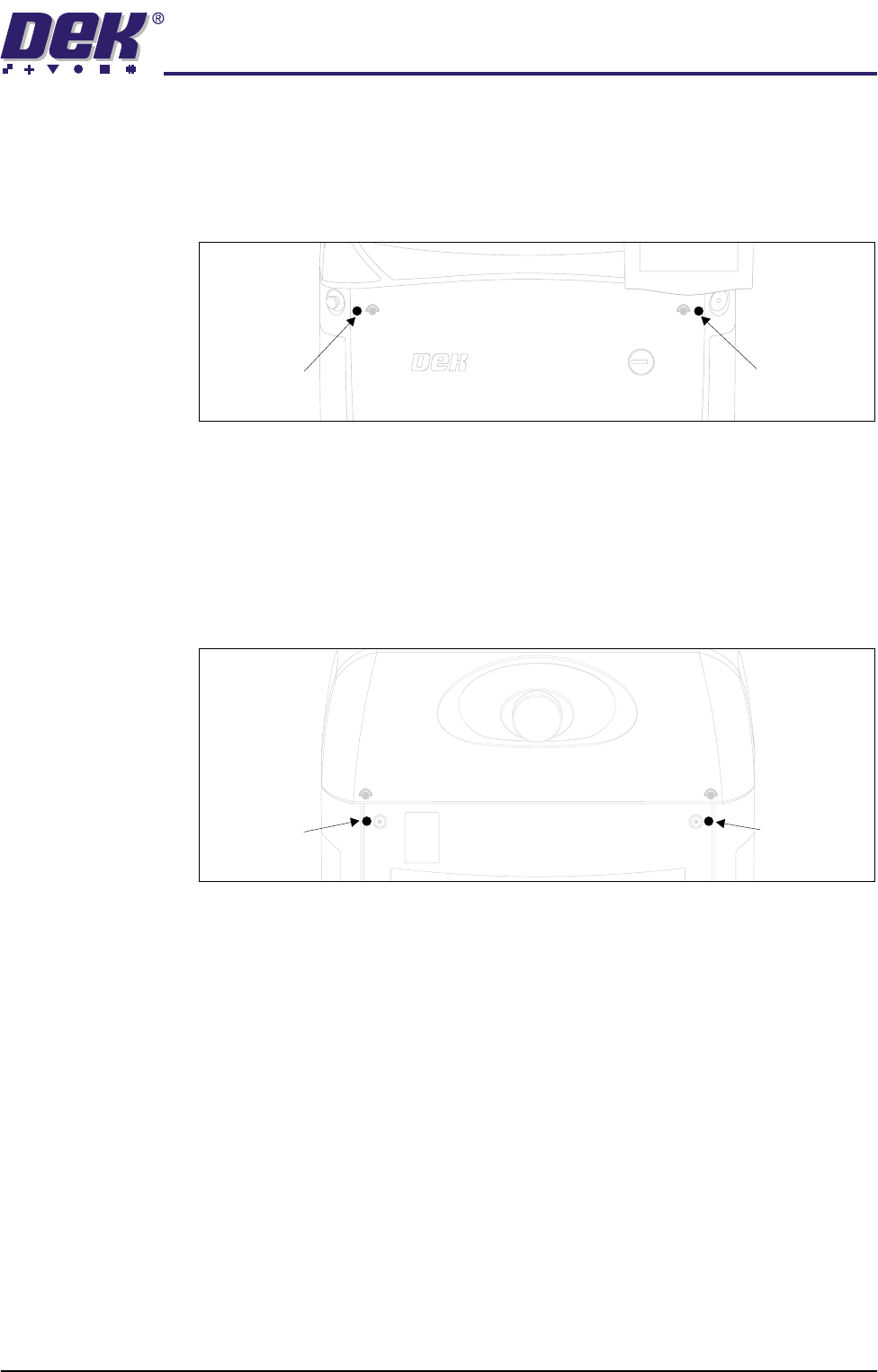
Front Corner
Panels
To remove the front corner panels, carry out the following:
1. Remove the front panel.
2. Remove the corresponding upper side panel (as detailed above).
3. Release the quarter-turn fastener that secures the corner panel.
4. Lift the corner panel upwards to disconnect the panel from the side panel
and the guide pins that locate the panel to the machine frame.
5. Repeat Steps 2 to 4 for the other corner panel, if required.
Rear Corner
Panels
To remove the rear corner panels, carry out the following:
1. Remove the corresponding upper side panel (as detailed above).
2. Release the quarter-turn fastener that secures the corner panel.
3. Lift the corner panel upwards to disconnect the panel from the side panel
and the guide pins that locate the panel to the machine frame.
4. Repeat Steps 1 to 3 for the other corner panel, if required.
Front Corner
Panel Quarter-
Turn Fastener
Front Corner
Panel Quarter-
Turn Fastener
Rear Corner
Panel Quarter-
Turn Fastener
Rear Corner
Panel Quarter-
Turn Fastener
SAFETY FEATURES
MACHINE COVERS
2.16 Installation Manual Chapter Issue 1 Jul 03
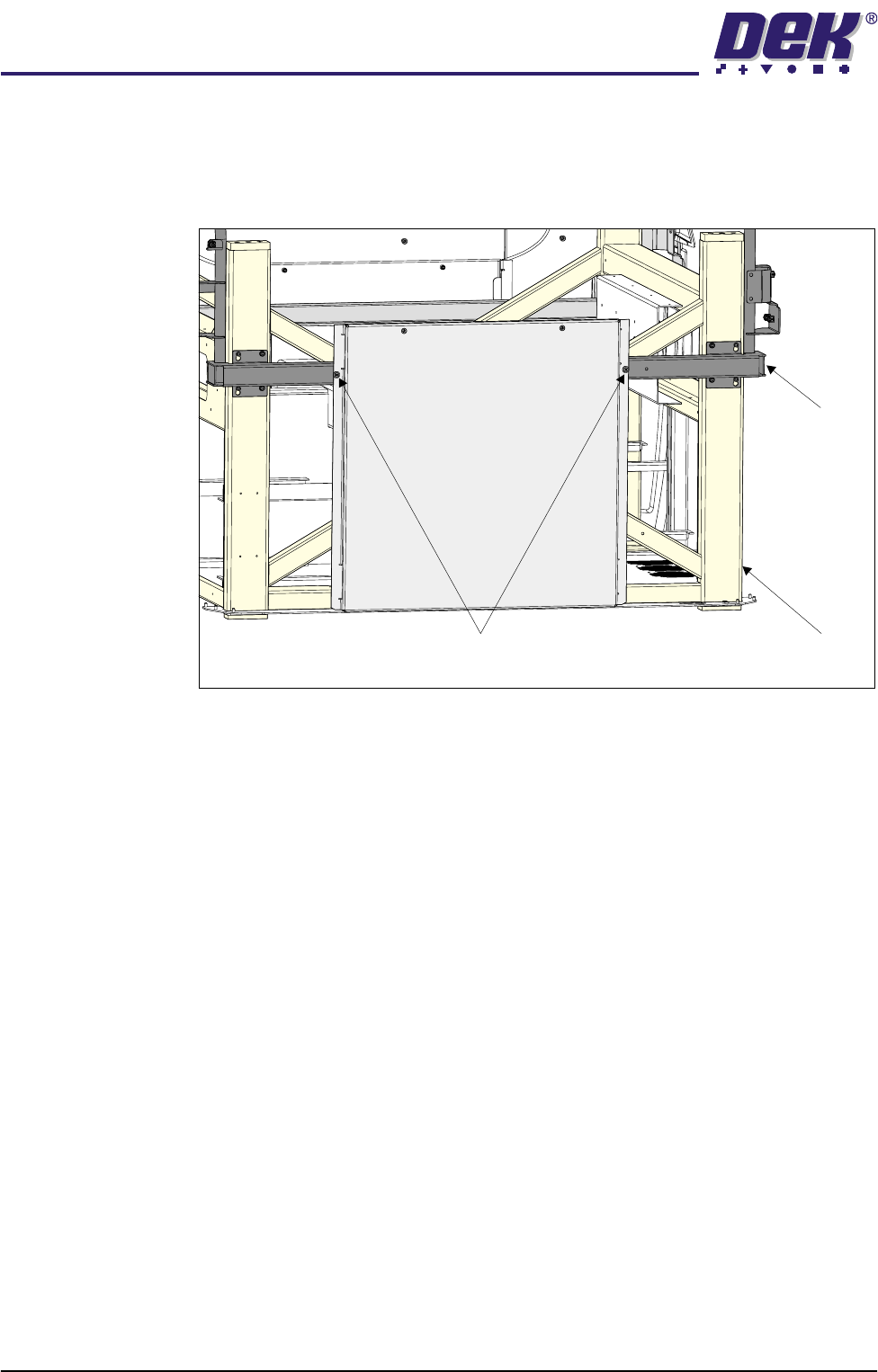
Side Panels To remove the side panels, carry out the following:
1. Remove both corresponding corner panels (as detailed above).
2. Using a cross head screwdriver, release the two rivets that secure the side
panel to the cover frame.
3. Lift the side panel upwards to clear the two guide pins that locate the panel
to the machine frame.
Side Panel Securing Rivets
View on Right Hand Side of Machine
Cover Frame
Main Frame

SAFETY FEATURES
HIGH VOLTAGE PROTECTION
Chapter Issue 1 Jul 03 Installation Manual 2.17
HIGH VOLTAGE PROTECTION
Mechanisms The machine incorporates Class 1 electrical protection according to the IEC 536
requirement 1:1993.
All machines prior to shipment undergo electrical safety tests as described in
EN60204-1 (1998) Section 19:
• 19.2 Continuity of the protective bonding circuit
• 19.3 Insulation resistance test
Access Where incoming supply voltages are present, protection is afforded by control-
ling access to the enclosures that house the supply. The machine is fitted with
a mains isolator switch that cuts power to all circuits located beyond the switch
on both in coming and out going power terminals.
Hazard Warning
Labels
Hazard warning labels are placed on the outside of enclosures where danger-
ous voltage (100V-240V) terminations are present within.
Earth Bonding All external metal surfaces are mechanically and electrically bonded to the
machine earth point. The bonding wire used is identified by its green and yellow
insulation and is commonly used to earth bond throughout. Care should be
taken when removing these links that when they are replaced they are secured
tightly and cleanly.