Printer 800 Safety Features.pdf - 第12页
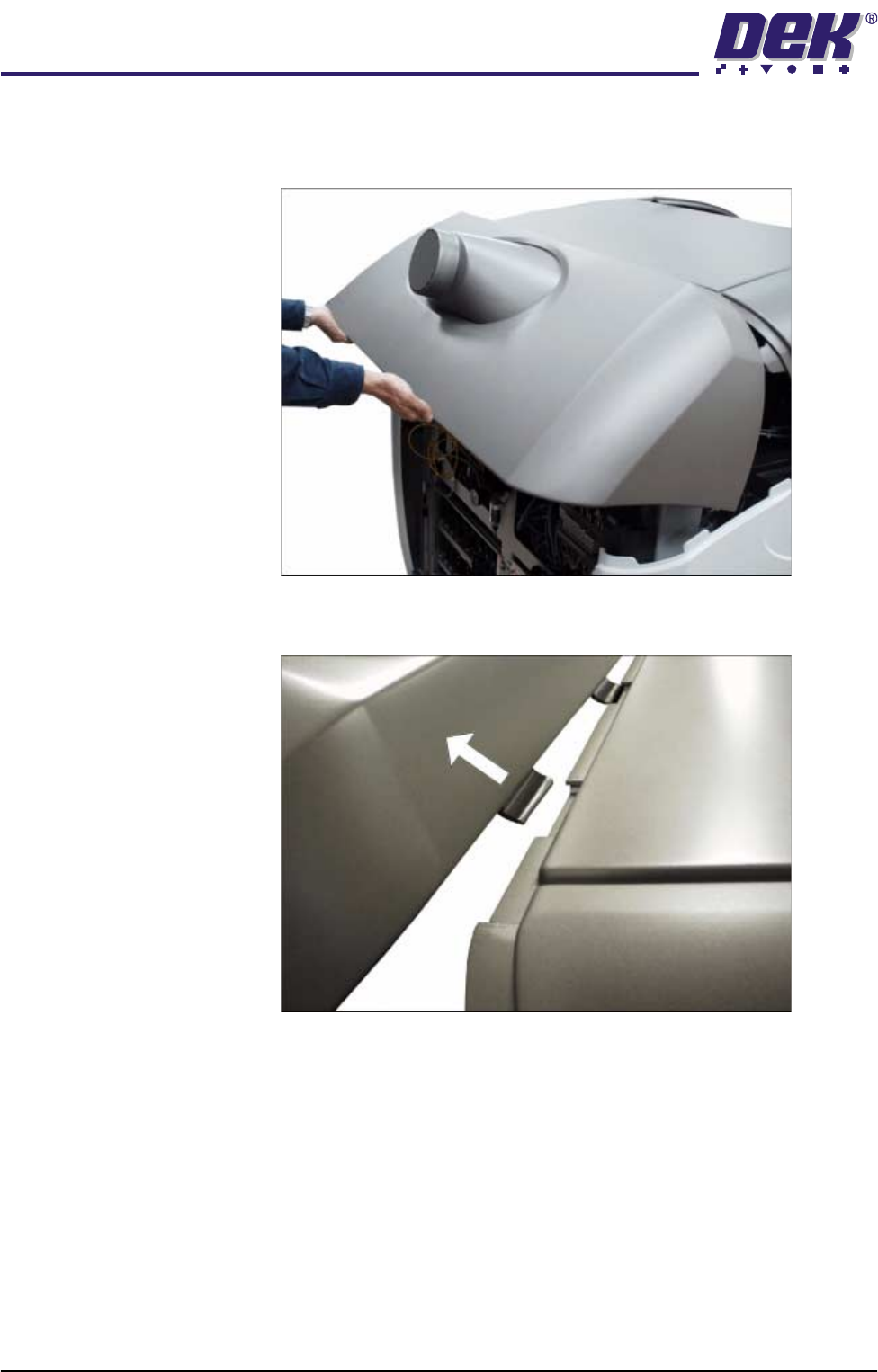
SAFETY FEA TURES MACHI NE COVERS 2.12 Instal lation M anual Chapter Issue 1 Jul 03 3. The rear print head cover is inte rlocked with th e upper print head cover using locati ng tabs. The rear printhead co ver must be lif…
SAFETY FEATURES
MACHINE COVERS
Chapter Issue 1 Jul 03 Installation Manual 2.11
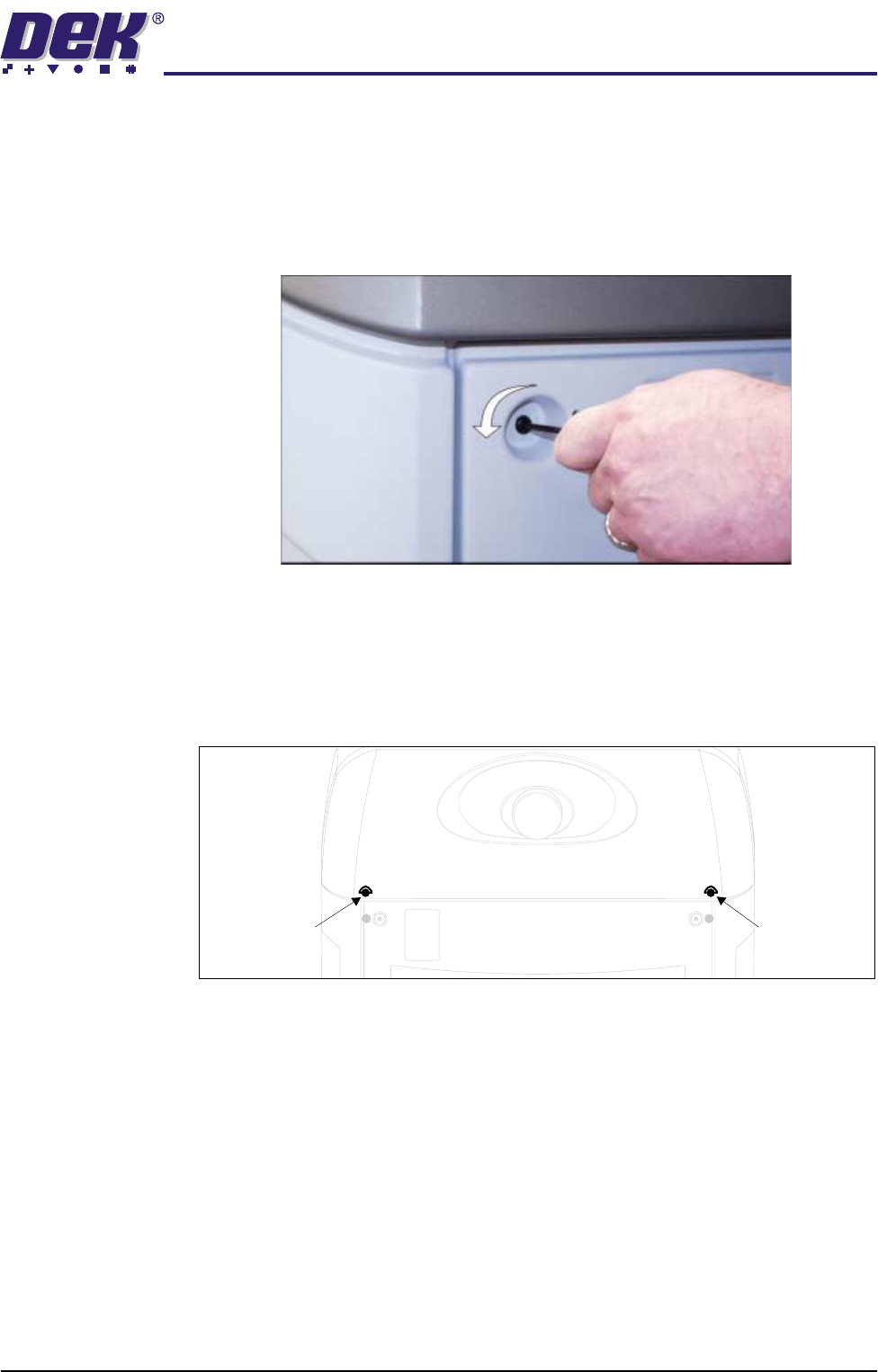
Rear Panel Removal of the rear panel requires a maintenance key to release the two
quarter-turn fasteners located externally at the top corners of the panel (Panel
Locking Mechanism figure refers). After releasing the fasteners, push down-
wards on the panel to clear the rear printhead cover, tilt the top of the panel away
from the machine and lift clear of the guide pins that locate the panel to the
machine frame.
Figure 2-5 Panel Locking Mechanism
Rear Printhead
Fixed Cover
To remove the rear printhead fixed cover, carry out the following:
1. Remove the rear panel.
2. Release the two quarter-turn fasteners that secure the rear printhead cover
to the cover frame.
Rear Printhead
Quarter-Turn
Fastener
Rear Printhead
Quarter-Turn
Fastener
SAFETY FEATURES
MACHINE COVERS
2.12 Installation Manual Chapter Issue 1 Jul 03
3. The rear printhead cover is interlocked with the upper printhead cover using
locating tabs. The rear printhead cover must be lifted to allow the locating
tabs to part.
4. Once the locating tabs have cleared, pull the cover horizontally away from
the machine.
SAFETY FEATURES
MACHINE COVERS
Chapter Issue 1 Jul 03 Installation Manual 2.13
Safety Covers Safety covers are fitted to the side panels to protect personnel from inadvertent
access to the board entry/exit ports.
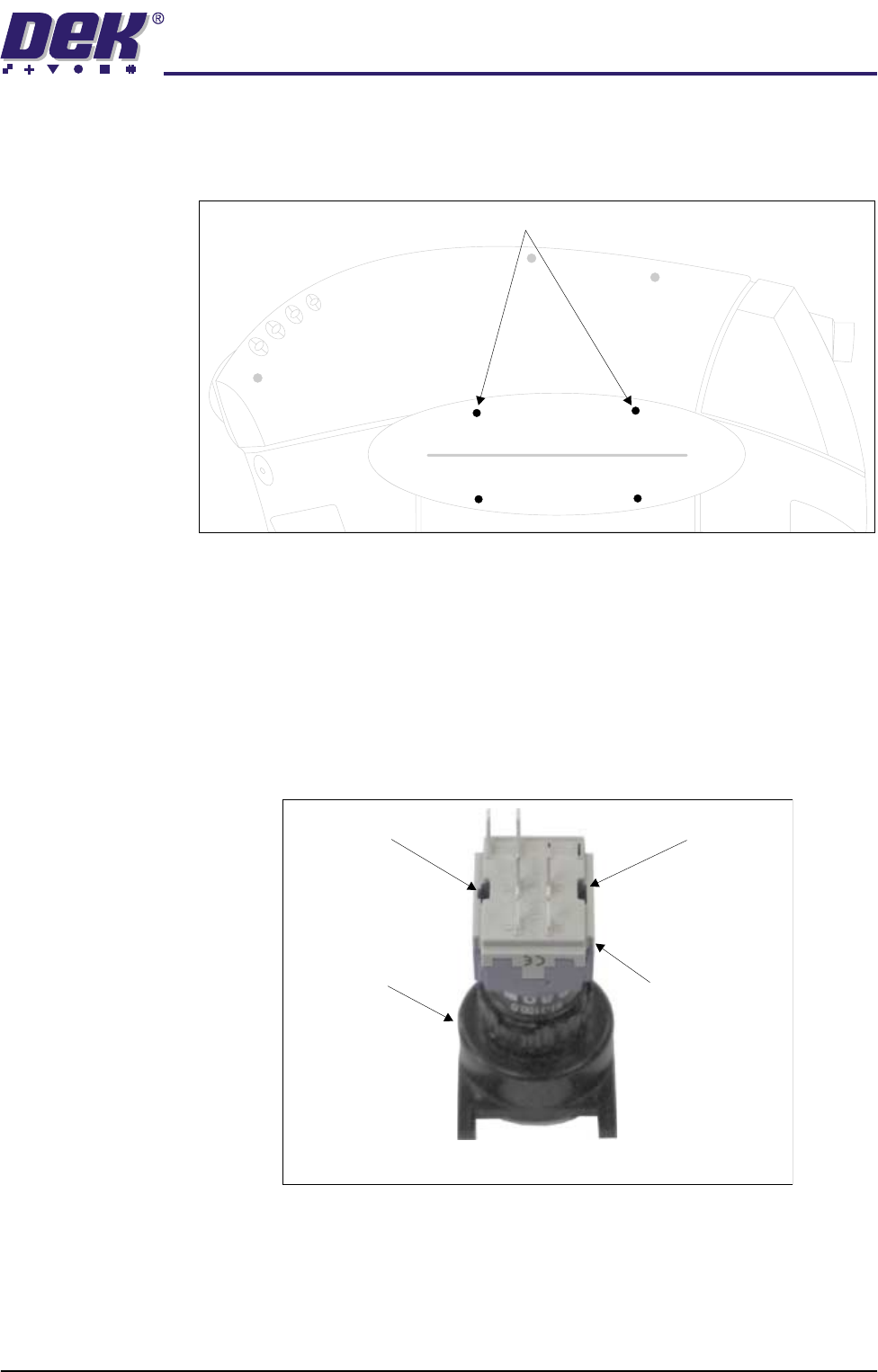
To remove the safety cover, remove the four safety cover securing screws.
Upper Side Panels To remove the upper side panels, carry out the following:
1. Remove the rear printhead fixed cover (as detailed above).
2. Open the printhead cover.
3. Remove the corresponding safety cover (as detailed above).
NOTE
Before the upper side panel can be removed, the control switches (system
switch, jog switch etc.) must be disconnected in the following manner.
4. Locate the two release slots in the contact assembly part of the switch.
Safety Cover Securing Screws (in 4 positions)
Contact AssemblySwitch Body
Release SlotRelease Slot
View on Rear of Switch