Printer 800 Safety Features.pdf - 第9页
SAFETY FE ATURES MACHI NE CO VERS Chapter Issue 1 Jul 03 Instal lation M anual 2.9 MACHINE COVERS In order to protect personnel and prevent damage to t he machine, eight panels are fitt ed around the base of the machi ne…

SAFETY FEATURES
PRINTHEAD COVER
2.8 Installation Manual Chapter Issue 1 Jul 03
PRINTHEAD COVER
Raising the printhead cover allows access to the following areas:
• Printhead
• Squeegee/ProFlow
• Stencil/Screen
• Under Screen Cleaner
•Tooling
The printhead cover is accessible to the operator and is supported, in the open
position, by two gas struts and springs. A cam interlock safety switch protects
personnel from the mechanisms during normal line operations. Lifting the cover
cuts power to all motors and selected actuators, via the E Stop module, to all
machine modules.
The printhead cover has an additional safety feature. A pneumatically operated
lid bolt prevents the cover being raised during the print cycle. The lid bolt is
withdrawn and the cover may be raised:
• On completion of a cycle in single and step mode
• When pause, stop or end is selected in auto mode
Recovery When the printhead cover is closed, normal working condition is restored and
the line may be restarted. Pressing the system button enables resumption of
operations, where this is allowed by the control system.
SAFETY FEATURES
MACHINE COVERS
Chapter Issue 1 Jul 03 Installation Manual 2.9
MACHINE COVERS
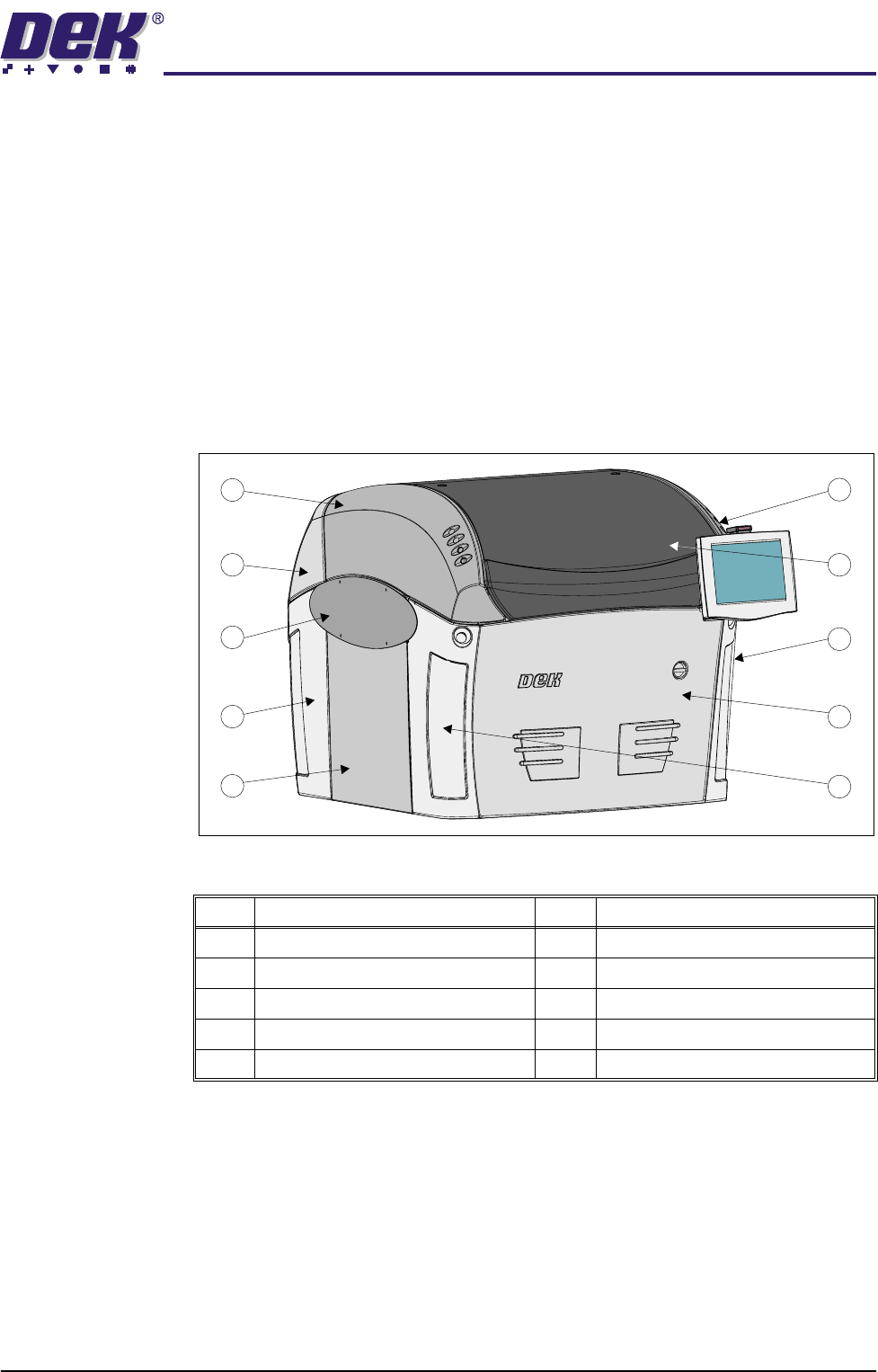
In order to protect personnel and prevent damage to the machine, eight panels
are fitted around the base of the machine.
• Front Panel
• Rear Panel
• Corner Panels (4 positions)
• Side Panels (2 positions)
The upper part of the machine is protected by the opening printhead cover, one
rear fixed printhead cover and two upper side panels which house the control
switches.
Figure 2-3 Machine Panels
NOTE
Some of the covers can only be removed in a specific order due to the covers
interlocking with each other.
Item Description Item Description
1 Right Hand Upper Side Panel 6 Side Panel (in 2 positions)
2 Printhead Cover 7 Rear Corner Panel (in 2 positions)
3 Right Hand Front Corner Panel 8 Safety Cover (in 2 positions)
4 Front Panel 9 Rear Printhead Cover (fixed)
5 Left Hand Front Corner Panel 10 Left Hand Upper Side Panel
1
2
3
4
9
8
7
6
5
10
SAFETY FEATURES
MACHINE COVERS
2.10 Installation Manual Chapter Issue 1 Jul 03
The following panels are secured to the cover frame using quarter-turn fasten-
ers.
• Front Panel (internal in 2 positions)
• Rear Panel (external in 2 positions)
• Rear Printhead Fixed Cover (internal in 2 positions)
• Upper Side Panels (internal in 3 positions for each panel)
• Corner Panels (internal in 1 position for each panel)
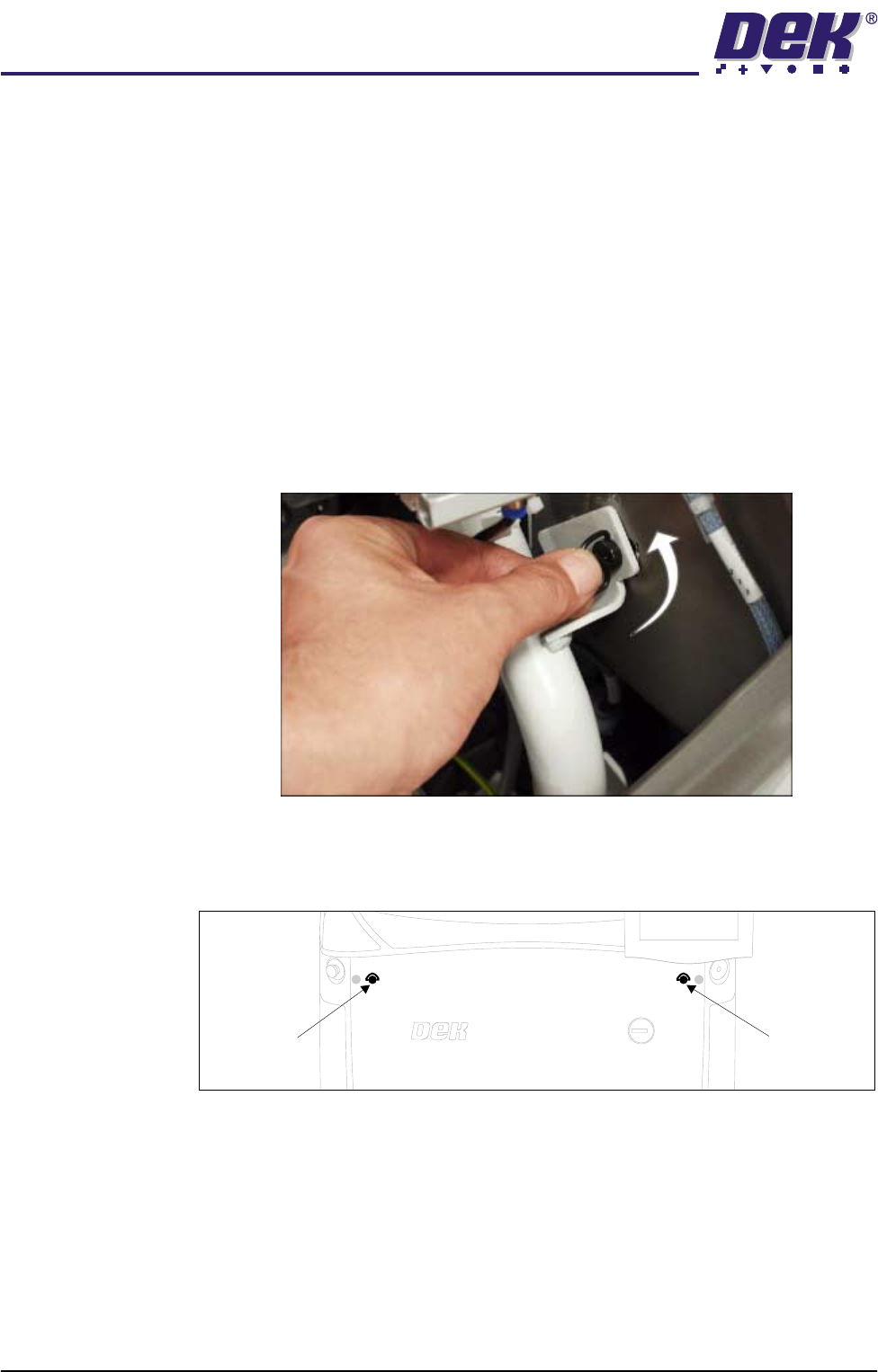
The front panel and the rear printhead cover are secured by ring head quarter-
turn fasteners, figure below refers. The upper side panels and the corner panels
are secured using button head quarter-turn fasteners and require a 4mm Allen
key to release. To release the fastener, turn the fastener anticlockwise by a
quarter-turn and pull out.
Figure 2-4 Quarter-Turn Fasteners
Front Panel To remove the front panel of the machine, open the printhead cover and locate
the two quarter-turn fasteners on the inside of the panel.
After releasing the fasteners, tilt the top of the panel away from the machine and
lift clear of the guide pins that locate the panel to the machine frame.
Front Panel
Quarter-Turn
Fastener
Front Panel
Quarter-Turn
Fastener