Printer 800 Safety Features.pdf - 第5页
SAFETY FE ATURES MACHINE SA FETY FEATURES Chapter Issue 1 Jul 03 Instal lation M anual 2.5 T wo Button Contr ol Swit ches Located on the upper side panel s, either si de of the print head cover , are the two button contr…

SAFETY FEATURES
MACHINE SAFETY FEATURES
2.4 Installation Manual Chapter Issue 1 Jul 03
General DEK printing machines incorporate safety features that provide a safe operating
environment for the operator and the machine.
E Stop The machine is fitted with an emergency stop push button control switch (E
Stop) located within easy reach of the operator. Operation of the E Stop initiates
suspension of machine operation.
Covers The printhead cover is fitted with a cam interlock safety switch to protect
personnel from internal moving parts.
Lid Bolt The printhead cover has an additional safety feature, a lid bolt is fitted to the
cover to prevent the cover from being raised during the print cycle. The lid bolt
is withdrawn and the printhead cover may be raised:
• On completion of a cycle in single step mode
• When pause, stop or end is selected in auto mode
SAFETY FEATURES
MACHINE SAFETY FEATURES
Chapter Issue 1 Jul 03 Installation Manual 2.5
Two Button
Control Switches
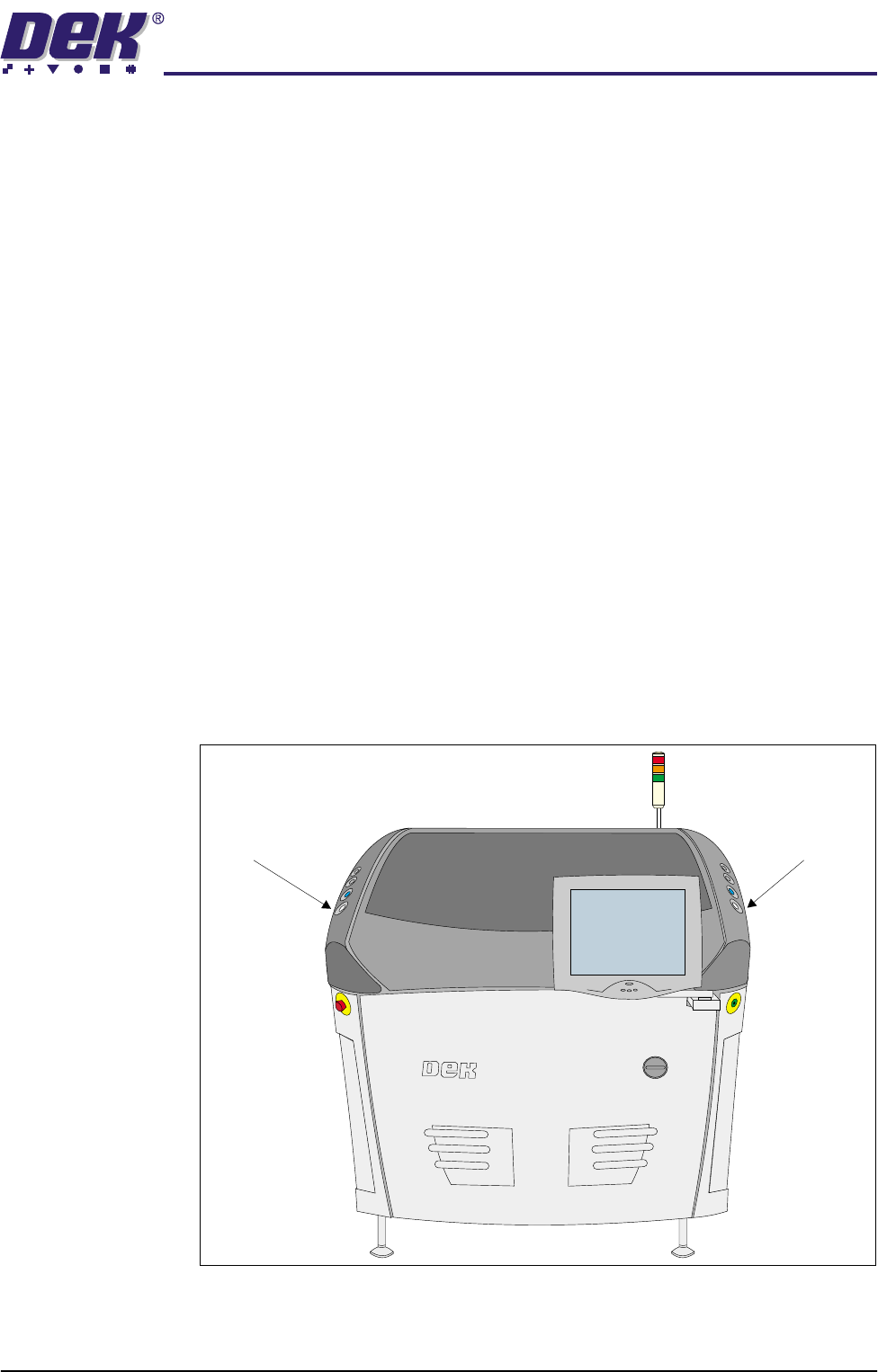
Located on the upper side panels, either side of the printhead cover, are the two
button control switches or jog switches. These buttons are positioned such as
to maintain maximum safety for the operator whilst solvent priming or paper
feeding with the printhead cover open. This requires both buttons to be
depressed simultaneously for the function to become active. The use of these
buttons is dependent on the function selected on the machine monitor. During
normal operation these buttons control paper feed and solvent prime opera-
tions. When in maintenance mode the two buttons also control the following
diagnostics:
• Print Carriage
• Squeegee Assembly
• Camera Axes
• Rail System
• Screen Align
• Rising Table
•ProFlow
Only one button is required to drive the selected mechanism, the two buttons
are used to drive the mechanism in opposite directions, ie jog forward or jog
back.
Figure 2-1 Two Button Control Locations
Left Jog Button Right Jog Button
SAFETY FEATURES
EMERGENCY SHUTDOWN
2.6 Installation Manual Chapter Issue 1 Jul 03
EMERGENCY SHUTDOWN
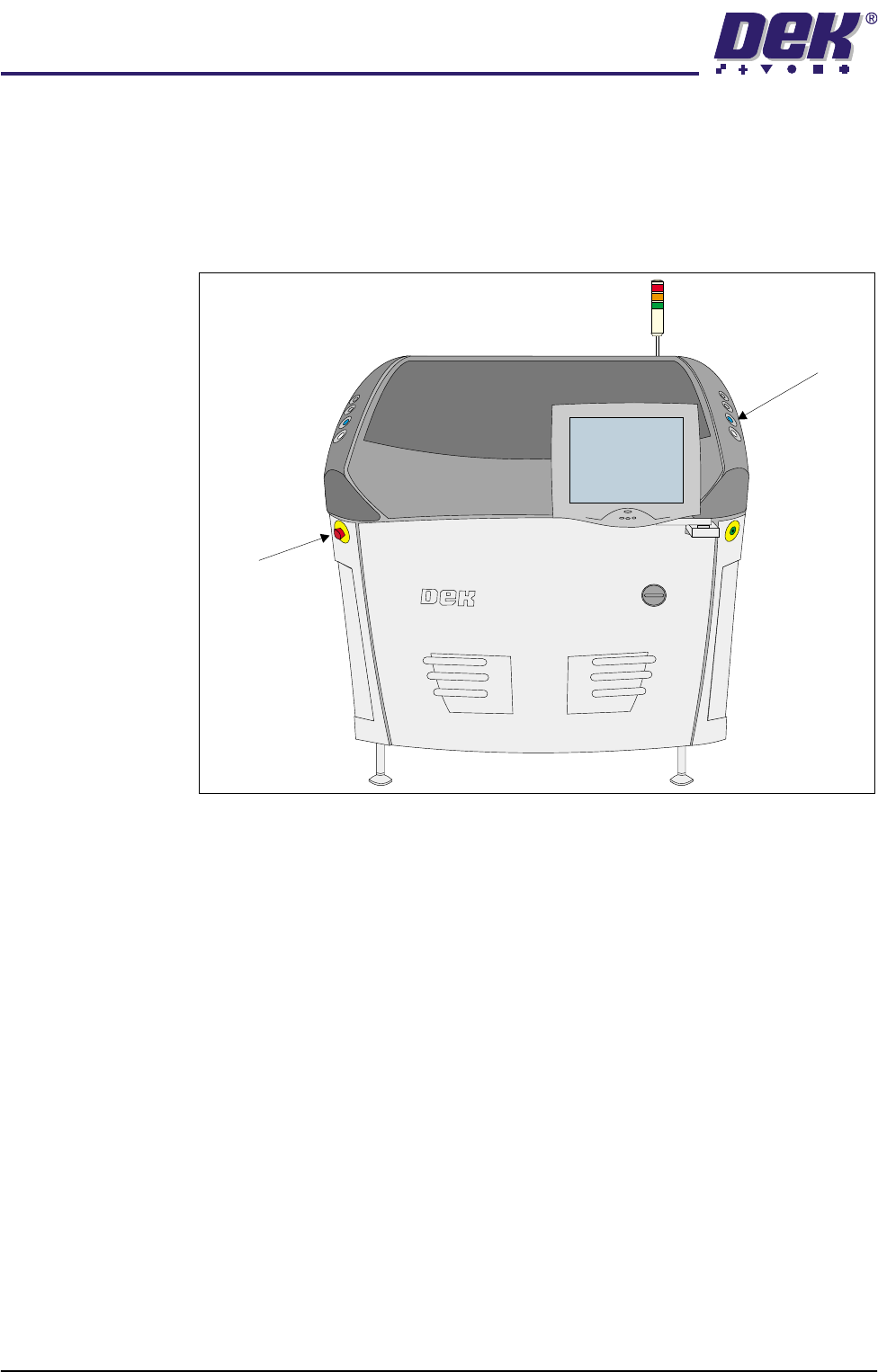
The machine is fitted with an emergency stop push button control switch (E
Stop). The E Stop switch, once pressed, is a latching switch and requires
resetting. To reset the E Stop, turn the button clockwise until it unlatches.
Pressing the E Stop or raising the printhead cover cuts the servo axes power
supply. A warning of this condition is reported on the machine monitor.
Figure 2-2 Emergency Stop Push Button Control Switch (E Stop)
E Stop
System Button