00197835-04_JC_PM_WF3_SX12_EN.pdf - 第102页
30 WF3 SX 1/2 - Appendix: Calibrate the TwinHead 8 min 8 / 9 C A U T I O N ! R e f e r t o s a f e t y i n s t r u c t i o n s i n u s e r m a n u a l b e f o r e c o m m e n c i n g M a i n t e n a n c e Machine Statu…
30 WF3 SX 1/2 - Appendix: Calibrate the TwinHead 8 min 7 / 9
CAUTION! Refer to safety instructions in user manual before commencing Maintenance
Machine Status ON Conveyor Empty
NOTICE! ESD guidelines are to be followed Tool:
K01
Wear Part: Consumables:
www.asm-smt.com
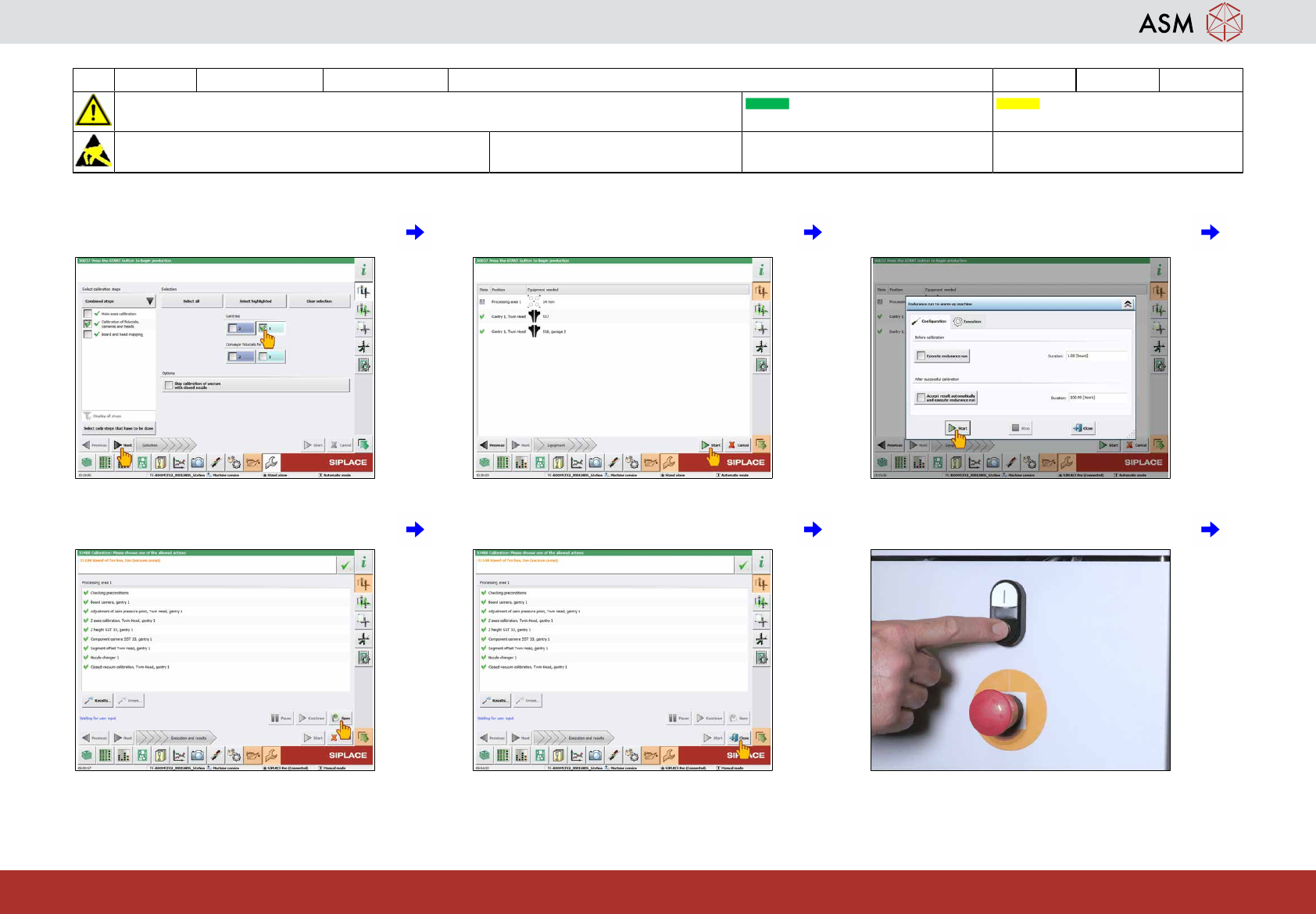
37 Select the gantry with the head to be calib-
rated and click on "Next".
38 Click on "Start ". 39 Click on "Start".
40 Click on "Save". 41 Click on "Close" to finish the calibration. 42 Press the stop button.
30 WF3 SX 1/2 - Appendix: Calibrate the TwinHead 8 min 8 / 9
CAUTION! Refer to safety instructions in user manual before commencing Maintenance
Machine Status ON Conveyor Empty
NOTICE! ESD guidelines are to be followed Tool:
K01
Wear Part: Consumables:
www.asm-smt.com
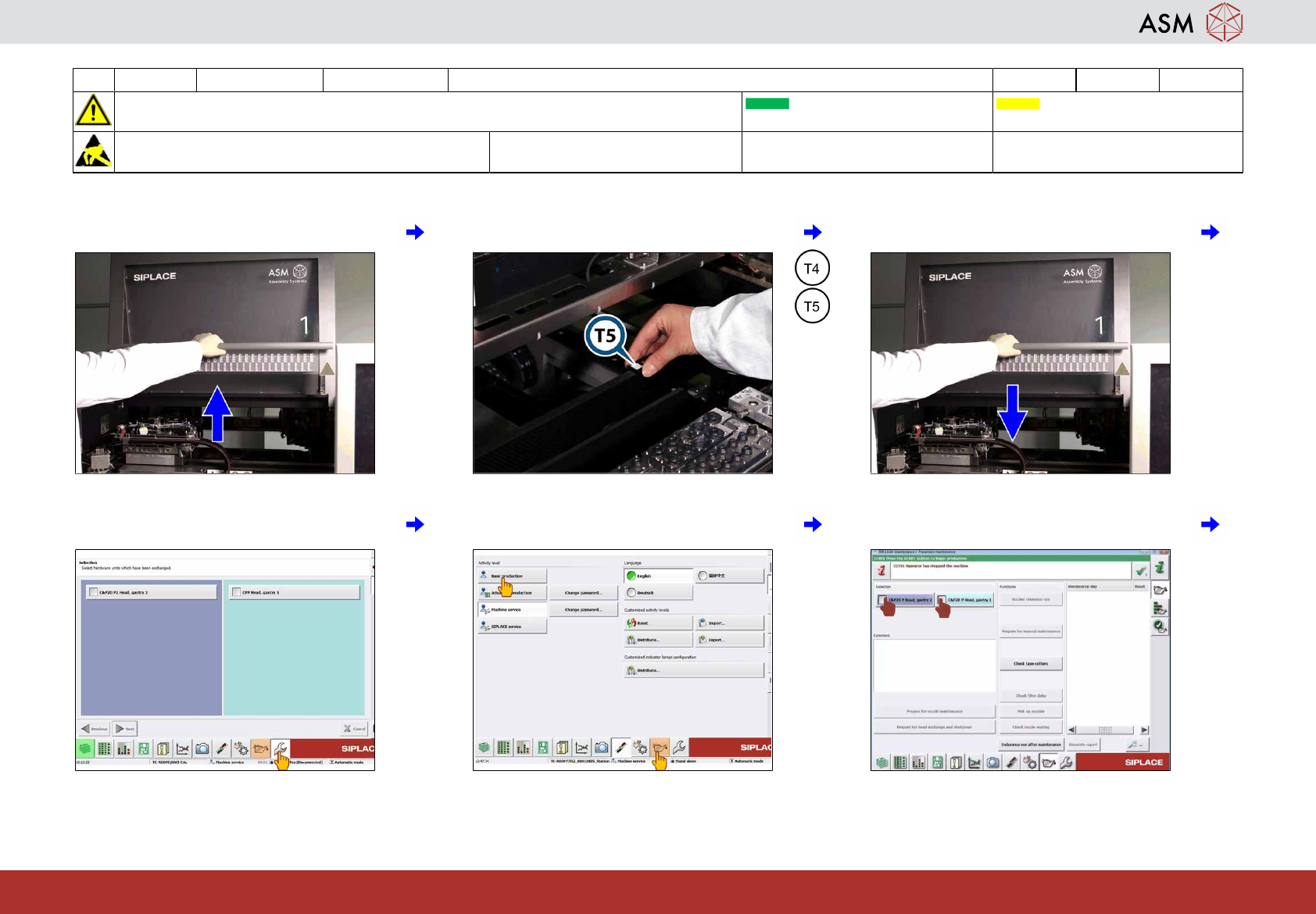
43 Open the cover. 44 Remove the calibration tool. 45 Close the cover.
46 Click on "Settings and options". 47 Click on "Basic production" and “Mainten-
ance”.
48 Select all C&P20x.
30 WF3 SX 1/2 - Appendix: Calibrate the TwinHead 8 min 9 / 9
CAUTION! Refer to safety instructions in user manual before commencing Maintenance
Machine Status ON Conveyor Empty
NOTICE! ESD guidelines are to be followed Tool:
K01
Wear Part: Consumables:
www.asm-smt.com
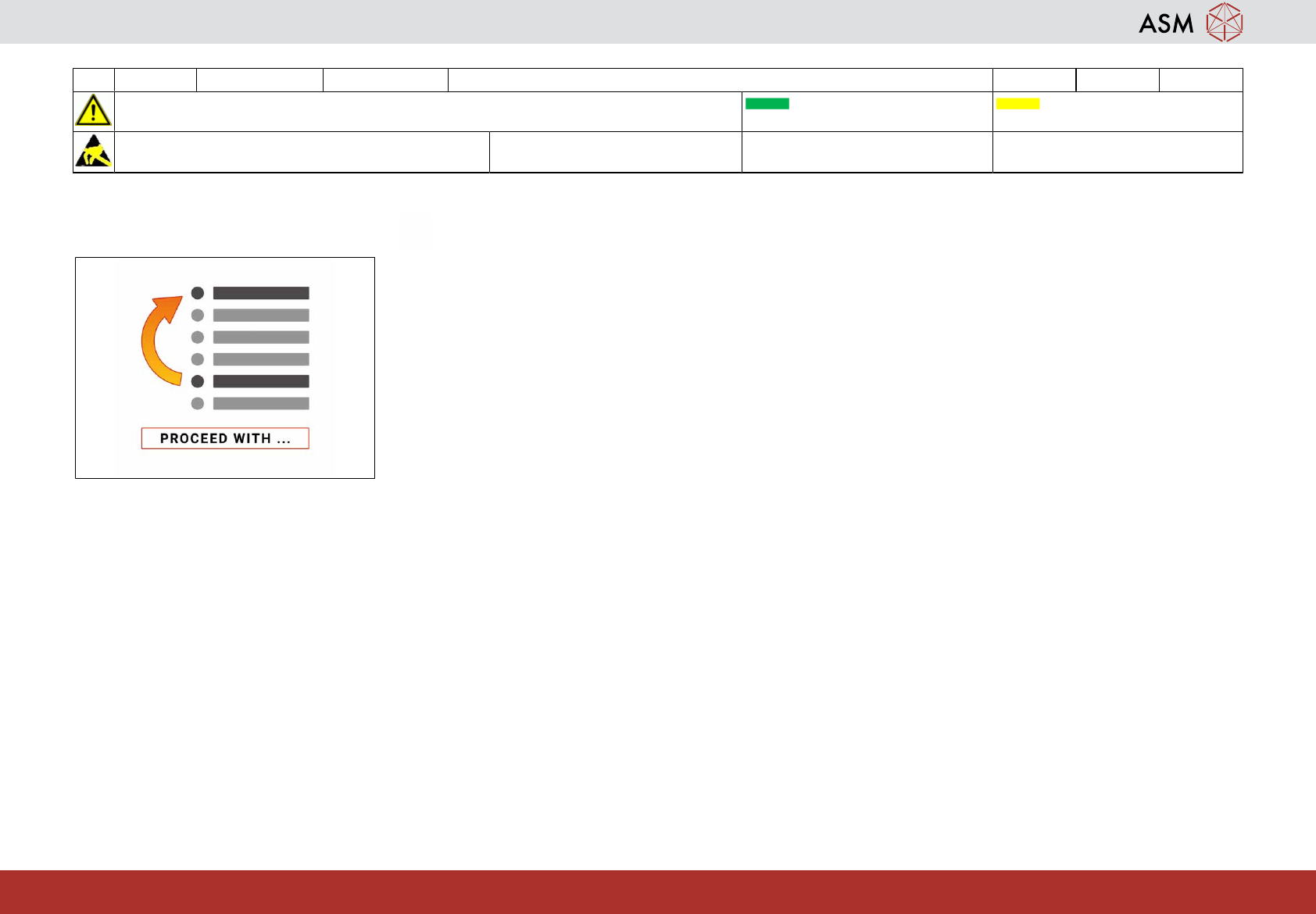
49 Proceed with task “Check the filter discs of
all C&P20x”.