TF36074_Chip Vacuum Check.pdf - 第11页
2nd SMT En gineer ing Divi sion So ftware Gro u p IM Operations Y AMAHA MOTOR CO., L TD MD OC-SOFT50395 11/11 Updatin g [Nozzle S pec Info.] as w ell as updatin g the software When the soft ware is updated to a …
2nd SMT Engineering Division Software Group
IM Operations
YAMAHA MOTOR CO., LTD
MDOC-SOFT50395
9/11
7. Log Function
7.1 Overview
With this function enabled, a log is output when “Ea13143:PARTS DROP BEFORE
MOUNT” occurs. Destination of the log is specified on the software setting.
7.2 Format
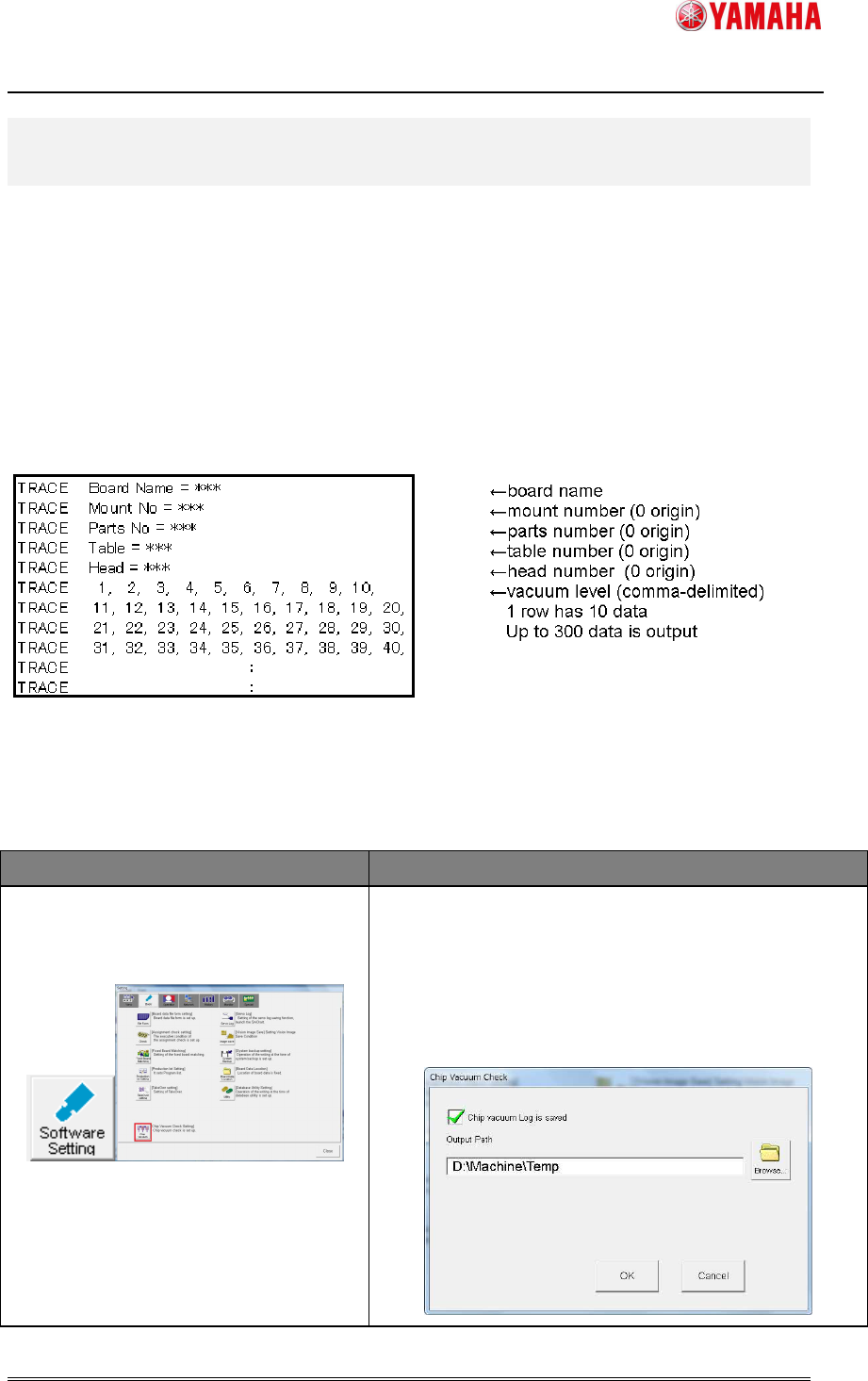
File name of the log is “ChipVacuumCheck_T**_H**_yymmddhhmmss.log”.
(“T**” means table number of the error. “H**” means head number of the error.)
The format is as follows.
Fig 7.1 Format
7.3 Setting Method
Table 7.1 Setting Item (Software Setting)
Menu Description
[Software Setting]-[Basic]
-[Chip Vacuum]
Check the [Chip Vacuum Log is saved] check box.
Then, enter a destination folder path into [Output Path].
※ The destination folder needs be in a drive with
5MByte or more free space. (If a drive with less
than 5MByte free space, the log is not output.)
2nd SMT Engineering Division Software Group
IM Operations
YAMAHA MOTOR CO., LTD
MDOC-SOFT50395
10/11
8. Precaution at using this function
8.1 Recommended Nozzle Type
It is recommended to use this function for the following nozzle type.
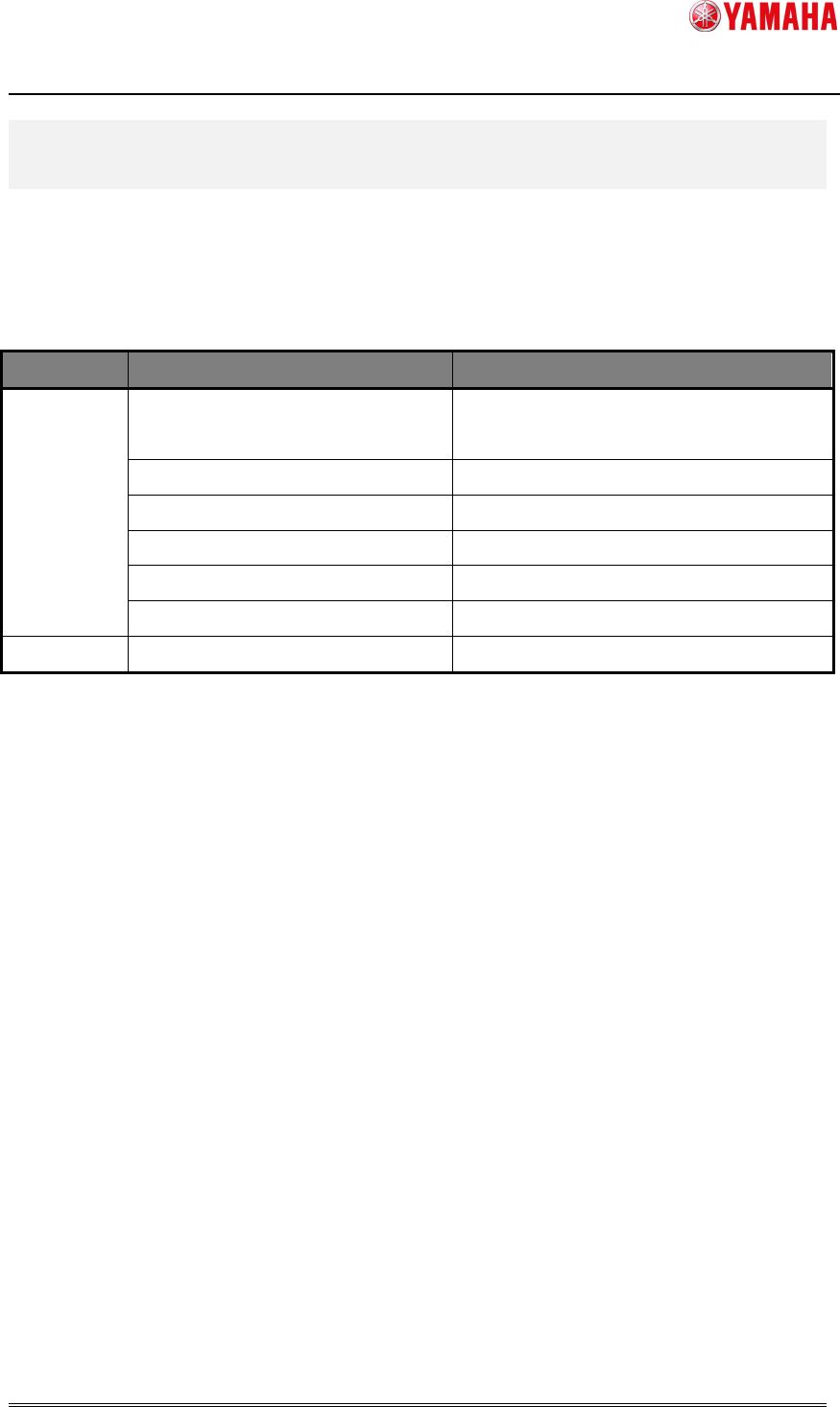
Table 8.1 Recommended Nozzle Type
Series Model Recommended nozzle type
V30 YS12 / YS12P / YS12F /YG12 /
YG12F
301 / 311
YS88 221
YS100 301 / 311
YS24 301 / 311
YS24X 301 / 311
YC8 61
V40 YSM20 301 / 311
8.2 Nozzle Specification at update
This function is available in the following software version or later.
V30 Series : V3.45STD R1.000
V40 Series : V4.49STD R1.000
When the software with this function supported is initially installed, [Parts Fall Vacuum Level]
in the machine setting is set with “12” only for the recommended nozzle type, and set with
“0” for the others.(On YS88, however, it is set with “0” for all nozzle types, so that you need
to change it to “12” by hand.)
2nd SMT Engineering Division Software Group
IM Operations
YAMAHA MOTOR CO., LTD
MDOC-SOFT50395
11/11
Updating [Nozzle Spec Info.] as well as updating the software
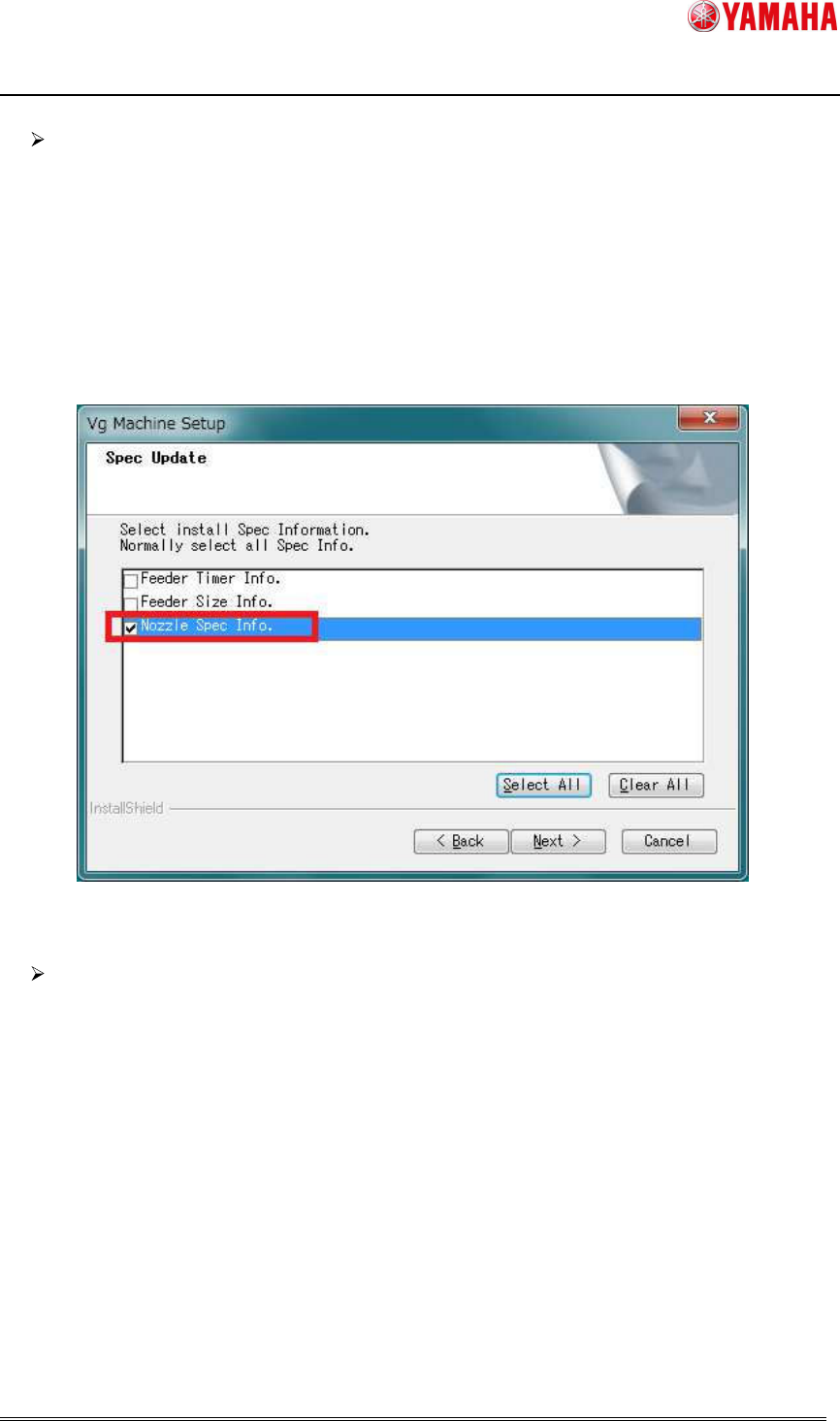
When the software is updated to a version with this function supported from
unsupported version, check the [Nozzle Spec Info.] check box on the [Spec Update]
dialog, and only the recommended nozzle type is set with “12”, and the others are set
with “0”. However, updating [Nozzle Spec Info.] as well as updating the software
makes the other nozzle specifications change. If you don’t want to change the other
nozzle specifications, refer to “Not updating as well as updating the software”.
Fig 8.1 Nozzle Spec Update
Not updating [Nozzle Spec Info.] as well as updating the software
If you don’t want to change the nozzle specifications other than [Parts Fall Vacuum
Level], do not check the [Nozzle Spec Info.] check box at updating the software. [Parts Fall
Vacuum Level] of all nozzle types are set with “0”. Please change the setting of only the
recommended nozzle to “12” as described in “Table 6.1 Machine Setting”.