TF36074_Chip Vacuum Check.pdf - 第7页
2nd SMT En gineer ing Divi sion So ftware Gro u p IM Operations Y AMAHA MOTOR CO., L TD MD OC-SOFT50395 7/11 6. Settin g Metho d Set tings to use this functi on are as f ollows. T able 6.1 Machin e S etti n g Me…
2nd SMT Engineering Division Software Group
IM Operations
YAMAHA MOTOR CO., LTD
MDOC-SOFT50395
6/11
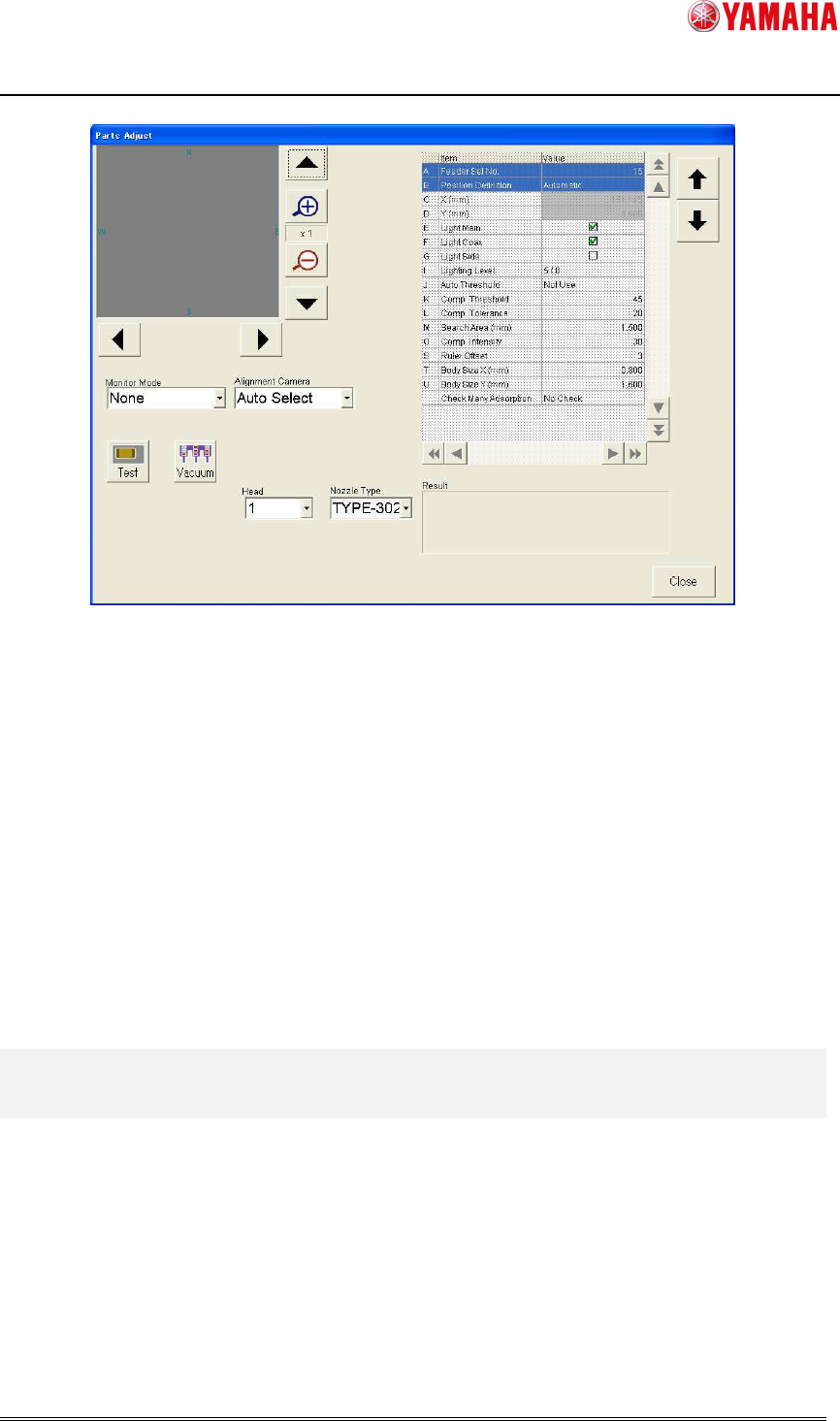
Fig 4.2 Parts Adjust screen
When parts adjustment is executed on the [Parts Adjust] screen opened from the Ea13143
message, it is not allowed to edit the parts data on the right. Also, parts data is not updated
by Test. (
※
)
Parts Adjust screen opened from the Ea13143 message is used only for confirmation.
(※) When “Test” is executed on the [Parts] - [Parts Adj] screen, [Comp. Intensity] in parts data is
automatically updated. Meanwhile, when it is executed on the [Parts Adj] screen opened from the Ea13143
message, [Comp. Intensity] is not updated.
5. Recovery from error
When “Ea13143: PARTS DROP BEFORE MOUNT” occurs, press the [Parts Adj] button on
the message, and execute “Test” to check the picking condition of the error nozzle. If no chip
is on the nozzle, it may have been dropped on a board. In that case, please remove it. Then
close the error message and press the [START] button. All error heads perform dumping
action and auto-running starts.
2nd SMT Engineering Division Software Group
IM Operations
YAMAHA MOTOR CO., LTD
MDOC-SOFT50395
7/11
6. Setting Method
Set
tings to use this function are as follows.
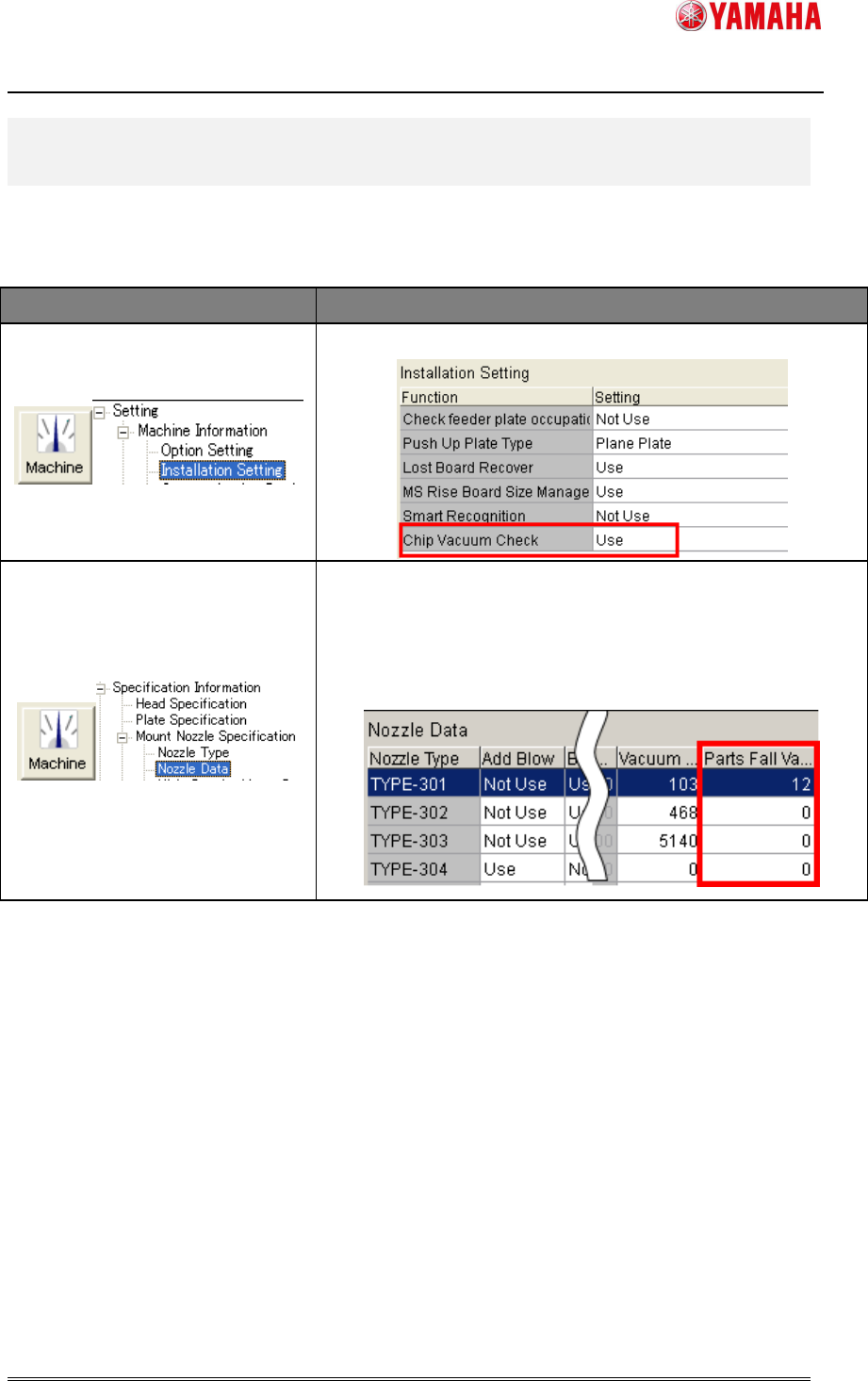
Table 6.1 Machine Setting
Menu Description
Set [Chip Vacuum Check] to “Use”.
Enter a value in [Parts Fall Vacuum Level] of each nozzle.
The range is 0 to 255.
When “0” is entered, Chip Vacuum Check is not performed.
(Recommended value is 12) ▲1
2nd SMT Engineering Division Software Group
IM Operations
YAMAHA MOTOR CO., LTD
MDOC-SOFT50395
8/11
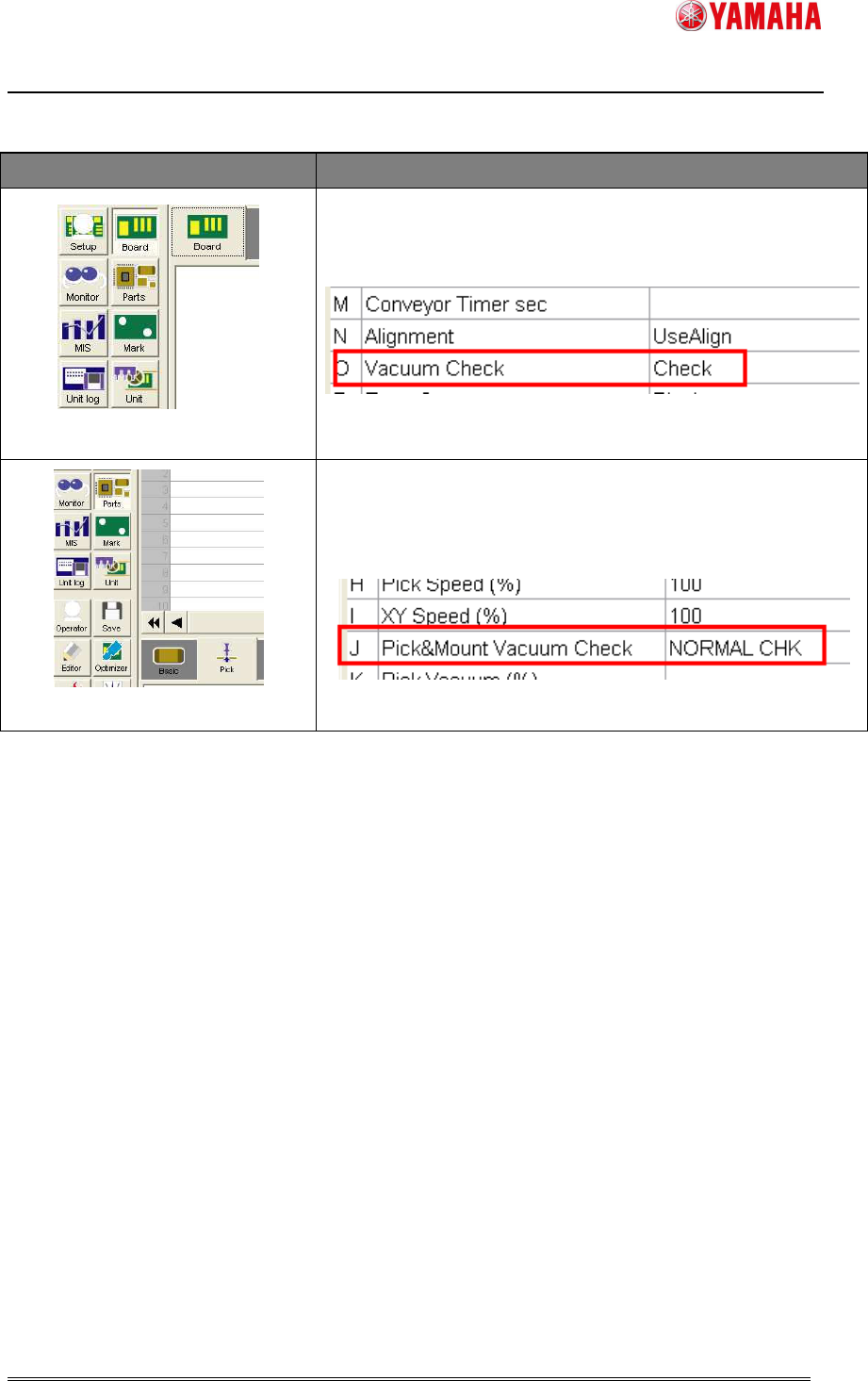
Table 6.2 Board data
Menu Description
[Board] – [Board]
Set [Vacuum Check] to “Check”.
[Parts] – [Pick]
Set [Pick&Mount Vacuum Check] to “NORMAL CHECK” or
“SPECIAL CHECK”.