3OM-1011-001.pdf - 第162页
62 09 05 R-CONVEYOR P .C.B. DETEC- TION P .C.B. ON R-CONVEYOR WAS NOT ABLE T O MOVE TO ITS OUTLET . (Cause 1) A P .C.B. may be caught on the conveyor . (Cause 2) The conveyor width may be maladjusted. (Cause 3) The P .C.…
0305-001 2-116 Tg0859-PM-ER
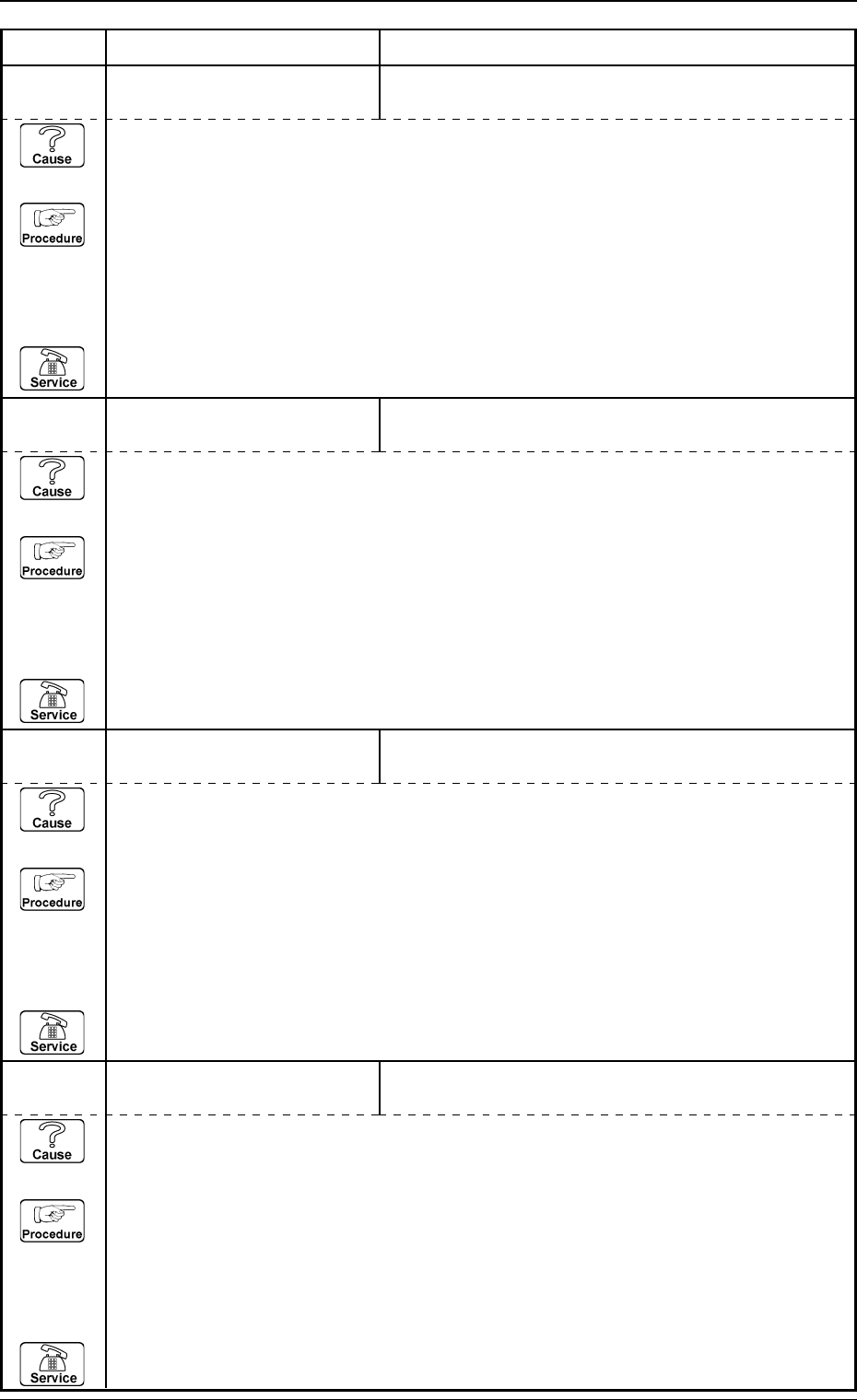
Error Code Display A Display B
3. Trouble Shooting after Error Display
62 08 04 P-CONVEYOR P.C.B. DETEC-
TION
P.C.B. XFR. FROM L-CNVR. WERE DISCONTINUED
BEFORE P.C.B. XFR. ACT. COMPLETED.
(Cause 1) This is the device’s self-diagnostic message.
(Reset Procedure in the case of Cause 1)
Reset Procedure
(1) Press the [CLEAR ALARM] key and the buzzer stops sounding.
(2) Check whether or not P.C.B. is hanging over on P-conveyor.
Check whether or not P.C.B. transfer error occurs at L-conveyor.
(3) Press the [ZERO] button to return all the axes to their original positions.
(4) Re-start.
(5) If the device can’t be re-started, contact our service personnel.
62 09 02 R-CONVEYOR P.C.B. DETEC-
TION
OUTP. MACHINE WORK REQ. SIG. TURNED OFF
BEFORE P.C.B. XFR. ACT. COMPLETED.
(Cause 1) This is the device’s self-diagnostic message.
(Reset Procedure in the case of Cause 1)
Reset Procedure
(1) Press the [CLEAR ALARM] key and the buzzer stops sounding.
(2) Check whether or not P.C.B. is hanging over on R-conveyor.
Check whether or not P.C.B. transfer error occurs at output machine.
(3) Press the [ZERO] button to return all the axes to their original positions.
(4) Re-start.
(5) If the device can’t be re-started, contact our service personnel.
62 09 01 R-CONVEYOR P.C.B. DETEC-
TION
INP. MACHINE SEND SIG. TURNED OFF BEFORE
P.C.B. REACHED R-CONVEYOR.
(Cause 1) This is the device’s self-diagnostic message.
(Reset Procedure in the case of Cause 1)
Reset Procedure
(1) Press the [CLEAR ALARM] key and the buzzer stops sounding.
(2) Check whether or not P.C.B. is hanging over on R-conveyor.
Check whether or not P.C.B. transfer error occurs at input machine.
(3) Press the [ZERO] button to return all the axes to their original positions.
(4) Re-start.
(5) If the device can’t be re-started, contact our service personnel.
62 08 05 P-CONVEYOR P.C.B. DETEC-
TION
P.C.B. XFR. FROM R-CNVR. WERE DISCONTINUED
BEFORE P.C.B. XFR. ACT. COMPLETED.
(Cause 1) This is the device’s self-diagnostic message.
(Reset Procedure in the case of Cause 1)
Reset Procedure
(1) Press the [CLEAR ALARM] key and the buzzer stops sounding.
(2) Check whether or not P.C.B. is hanging over on P-conveyor.
Check whether or not P.C.B. transfer error occurs at R-conveyor.
(3) Press the [ZERO] button to return all the axes to their original positions.
(4) Re-start.
(5) If the device can’t be re-started, contact our service personnel.
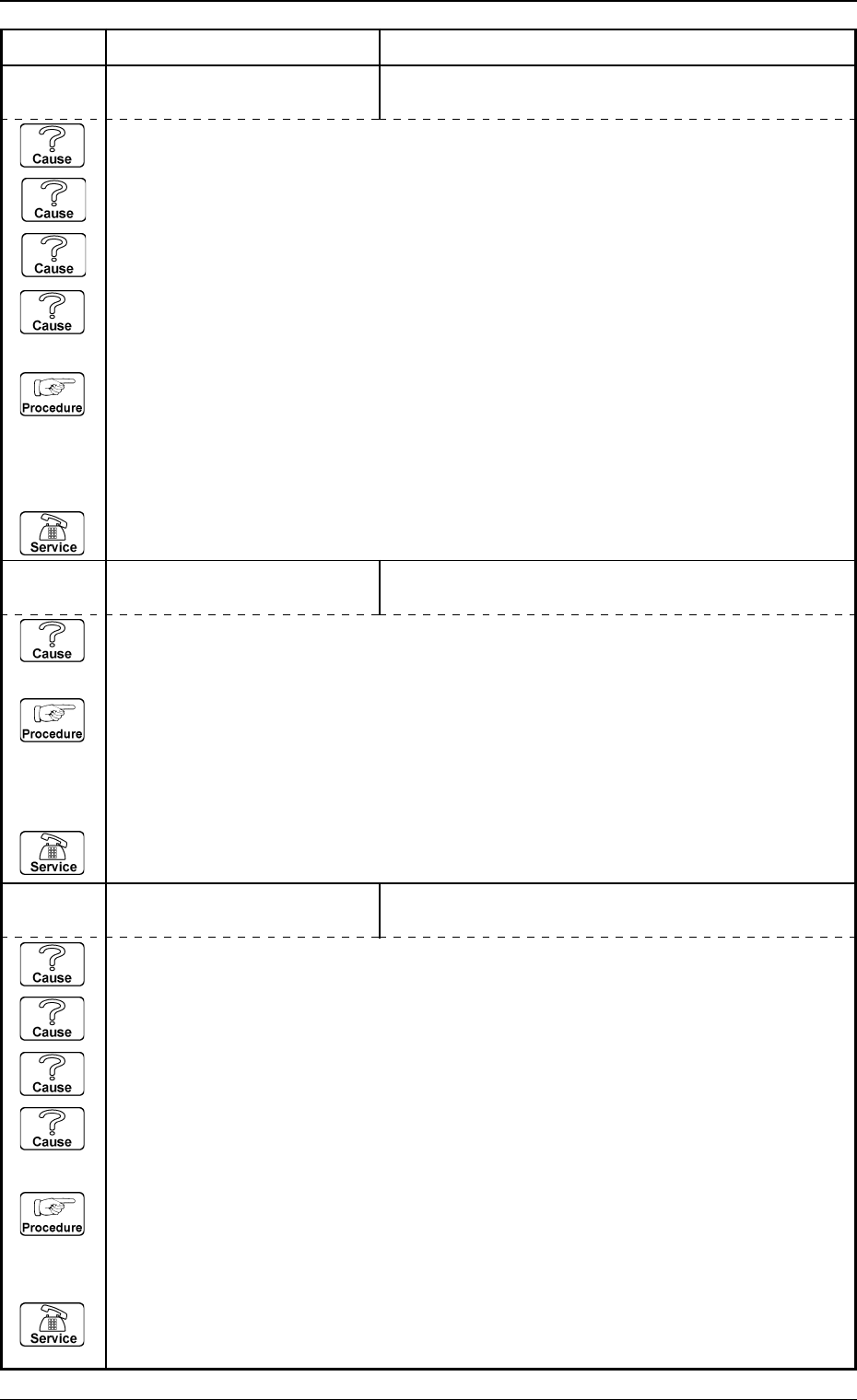
62 09 05 R-CONVEYOR P.C.B. DETEC-
TION
P.C.B. ON R-CONVEYOR WAS NOT ABLE TO MOVE
TO ITS OUTLET.
(Cause 1) A P.C.B. may be caught on the conveyor.
(Cause 2) The conveyor width may be maladjusted.
(Cause 3) The P.C.B. size may be larger than the specified size.
(Cause 4) A P.C.B. may have been removed during the P.C.B. feeding.
(Reset Procedure in the case of Causes 1, 2, 3 and 4)
Reset Procedure
(1) Press the [CLEAR ALARM] key and the buzzer stops sounding.
(2) Remove P.C.B. on R-conveyor.
(3) Press the [ZERO] button to return all the axes to their original positions.
(4) Re-start.
(5) If the device can’t be re-started, contact our service personnel.
0305-001 2-117 Tg0859-PM-ER
Error Code Display A Display B
3. Trouble Shooting after Error Display
62 09 04 R-CONVEYOR P.C.B. DETEC-
TION
P.C.B.’S WERE AT INLET AND OUTLET OF
R-CONVEYOR.
62 09 03 R-CONVEYOR P.C.B. DETEC-
TION
P.C.B. ON R-CONVEYOR WAS NOT ABLE TO MOVE
TO ITS OUTLET.
(Cause 1) A P.C.B. may be caught on the conveyor.
(Cause 2) The conveyor width may be maladjusted.
(Cause 3) The P.C.B. size may be larger than the specified size.
(Cause 4) A P.C.B. may have been removed during the P.C.B. feeding.
(Reset Procedure in the case of Causes 1, 2, 3 and 4)
Reset Procedure
(1) Press the [CLEAR ALARM] key and the buzzer stops sounding.
(2) Remove P.C.B. on R-conveyor (inlet side).
(3) Press the [ZERO] button to return all the axes to their original positions.
(4) Re-start.
(5) If the device can’t be re-started, contact our service personnel.
(Cause 1) This is the device’s self-diagnostic message.
(Reset Procedure in the case of Cause 1)
Reset Procedure
(1) Press the [CLEAR ALARM] key and the buzzer stops sounding.
(2) Remove incorrect positioning P.C.B. on R-conveyor.
(3) Press the [ZERO] button to return all the axes to their original positions.
(4) Re-start.
(5) If the device can’t be re-started, contact our service personnel.
0305-001 2-118 Tg0859-PM-ER
Error Code Display A Display B
3. Trouble Shooting after Error Display
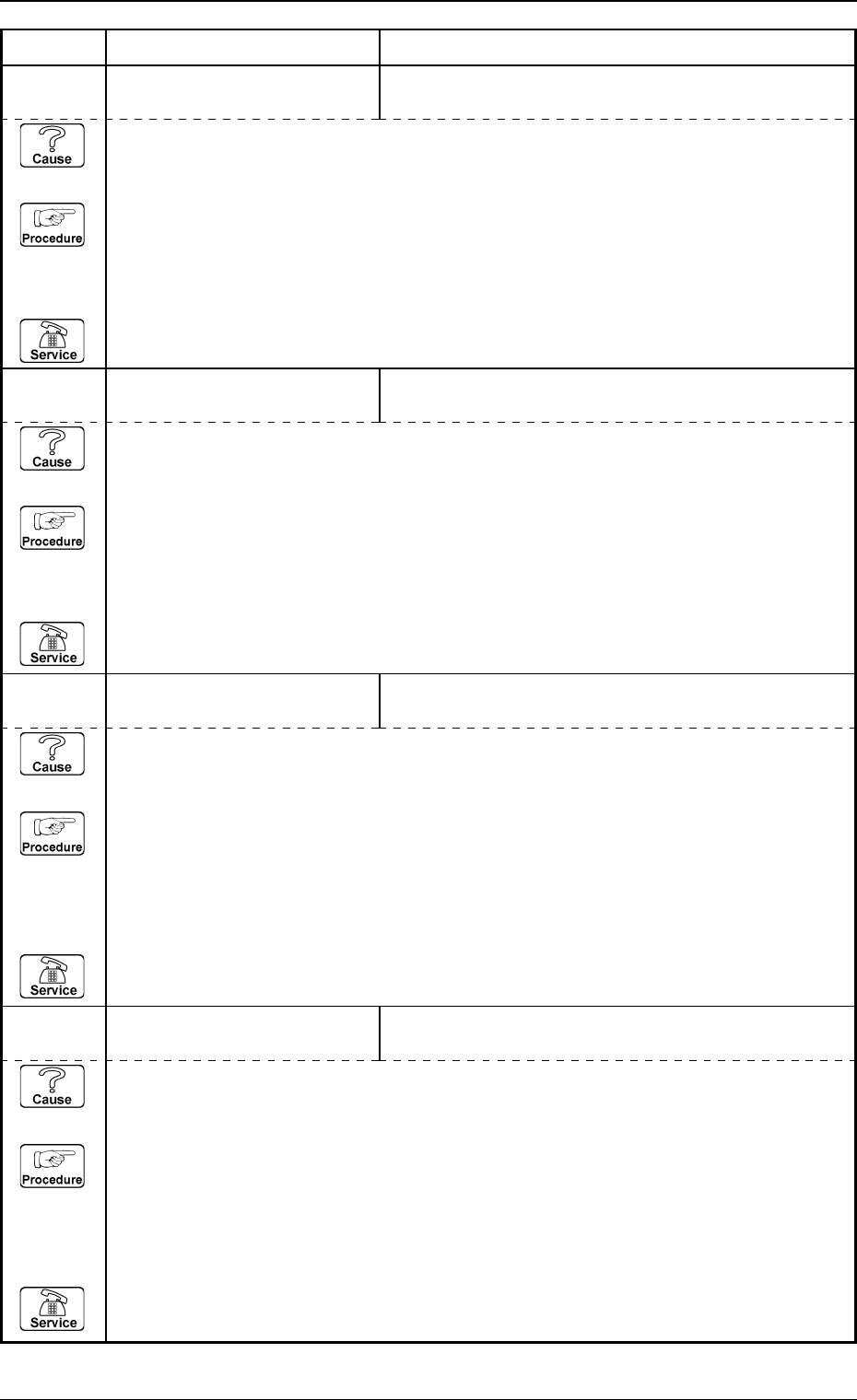
62 09 09 R-CONVEYOR P.C.B. DETEC-
TION
P.C.B. XFR. TO P-CNVR. WERE DISCONTINUED
BEFORE P.C.B. XFR. ACT. COMPLETED.
(Cause 1) This is the device’s self-diagnostic message.
(Reset Procedure in the case of Cause 1)
Reset Procedure
(1) Press the [CLEAR ALARM] key and the buzzer stops sounding.
(2) Check whether or not P.C.B. is hanging over on R-conveyor.
Check whether or not P.C.B. transfer error occurs at P-conveyor.
(3) Press the [ZERO] button to return all the axes to their original positions.
(4) Re-start.
(5) If the device can’t be re-started, contact our service personnel.
62 09 08 R-CONVEYOR P.C.B. DETEC-
TION
P.C.B. XFR. FROM ER-CNVR. WERE DISCONTINUED
BEFORE P.C.B. REACHED R-CONVEYOR.
(Cause 1) This is the device’s self-diagnostic message.
(Reset Procedure in the case of Cause 1)
Reset Procedure
(1) Press the [CLEAR ALARM] key and the buzzer stops sounding.
(2) Check whether or not P.C.B. is hanging over on R-conveyor.
Check whether or not P.C.B. transfer error occurs at ER-conveyor.
(3) Press the [ZERO] button to return all the axes to their original positions.
(4) Re-start.
(5) If the device can’t be re-started, contact our service personnel.
62 09 06 R-CONVEYOR P.C.B. DETEC-
TION
P.C.B. WAS TAKEN ON R-CONVEYOR.
(Cause 1) This is the device’s self-diagnostic message.
(Reset Procedure in the case of Cause 1)
Reset Procedure
(1) Press the [CLEAR ALARM] key and the buzzer stops sounding.
(2) Remove incorrect positioning P.C.B. on R-conveyor.
(3) Press the [ZERO] button to return all the axes to their original positions.
(4) Re-start.
(5) If the device can’t be re-started, contact our service personnel.
62 09 07 R-CONVEYOR P.C.B. DETEC-
TION
(Cause 1) This is the device’s self-diagnostic message.
(Reset Procedure in the case of Causes 1)
Reset Procedure
(1) Press the [CLEAR ALARM] key and the buzzer stops sounding.
(2) Check whether or not P.C.B. has dropped from R-conveyor.
(3) Press the [ZERO] button to return all the axes to their original positions.
(4) Re-start.
(5) If the device can’t be re-started, contact our service personnel.
P.C.B. REMOVED FROM R-CONVEYOR.