00198051-02_IM_SetupCenter_8.1_EN.pdf - 第79页
Docking Station Installation 7.3.3 Installing the CAN Bus driver and API Data Connection with PC-CAN Card Installation Manual SIPLACE Setup Center 8.1 79 Step 1 ► Select the language you want. ► Click OK . Step 2 ► Actua…
Docking Station Installation
Data Connection with PC-CAN Card 7.3.3 Installing the CAN Bus driver and API
78 Installation Manual SIPLACE Setup Center 8.1
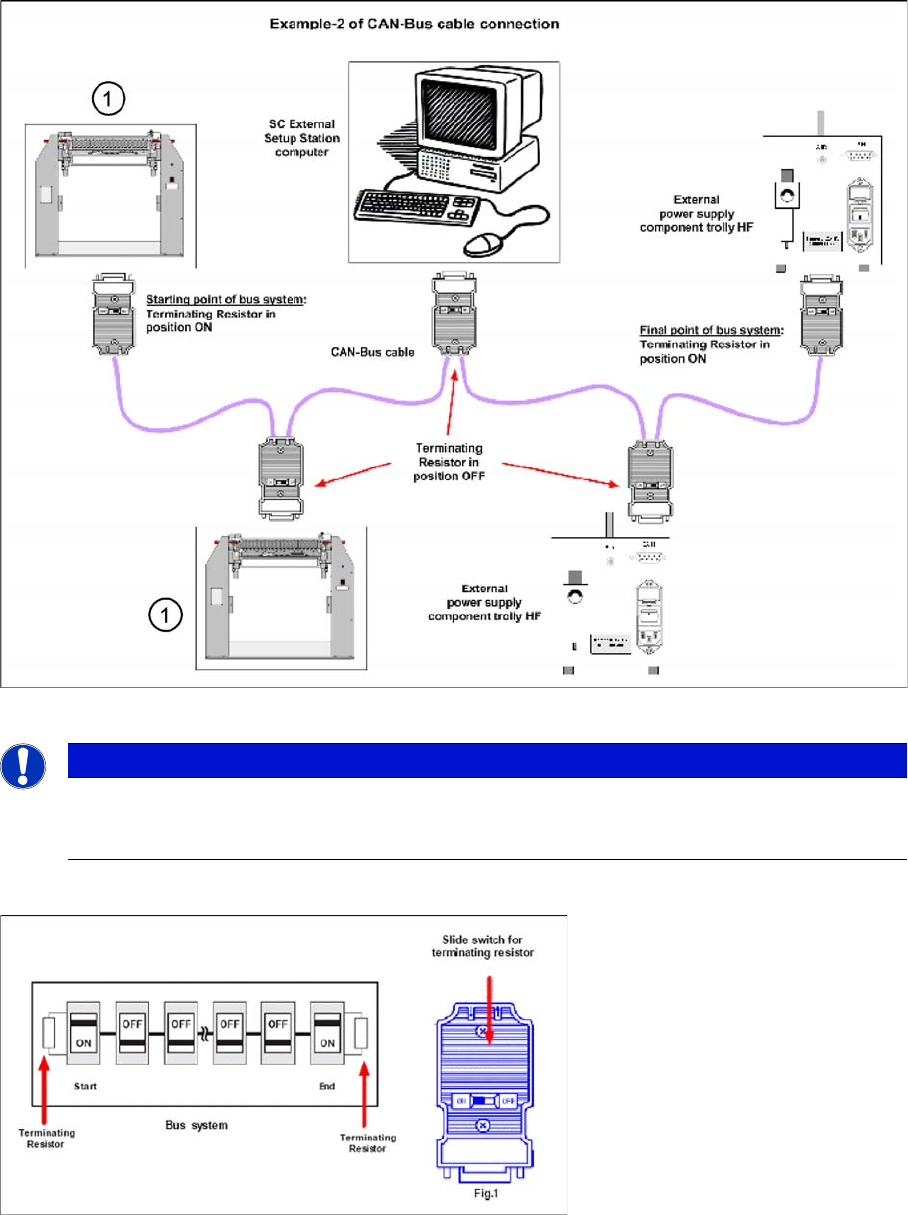
Connection Example 2
1. Docking Station X or SX
Connection Example 1 and 2
7.3.3
7.3.3 Installing the CAN Bus driver and API
Installing the CAN Bus driver and API
► Open the folder \3rdparty installer\Sontheim\CAN-Bus Driver\7.4.14.0 and select the application Set
-
up.exe on the Setup Center installation CD.
NOTICE
The integrated terminal resistor can be connected and simultaneously connects / disconnects
the outgoing bus cable when deactivating / activating. This allows an easy start up of the bus
system one segment at a time.
Docking Station Installation
7.3.3 Installing the CAN Bus driver and API Data Connection with PC-CAN Card
Installation Manual SIPLACE Setup Center 8.1 79
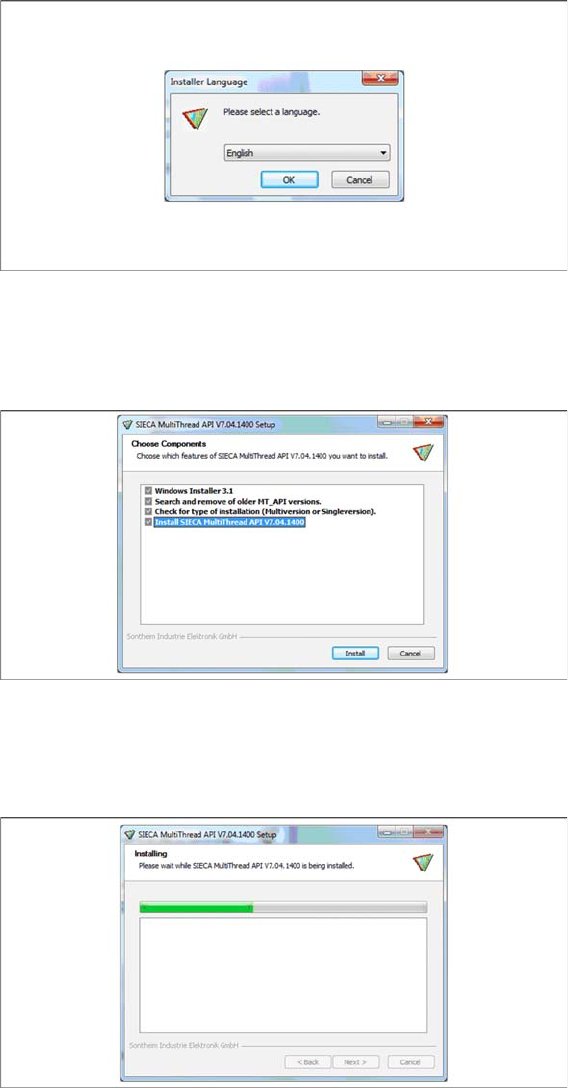
Step 1
► Select the language you want.
► Click OK.
Step 2
► Actually there is nothing to select / de-select, all listed features are mandatory.
► Click Install.
Step 3
The installation package will be extracted.
Docking Station Installation
Data Connection with PC-CAN Card 7.3.3 Installing the CAN Bus driver and API
80 Installation Manual SIPLACE Setup Center 8.1
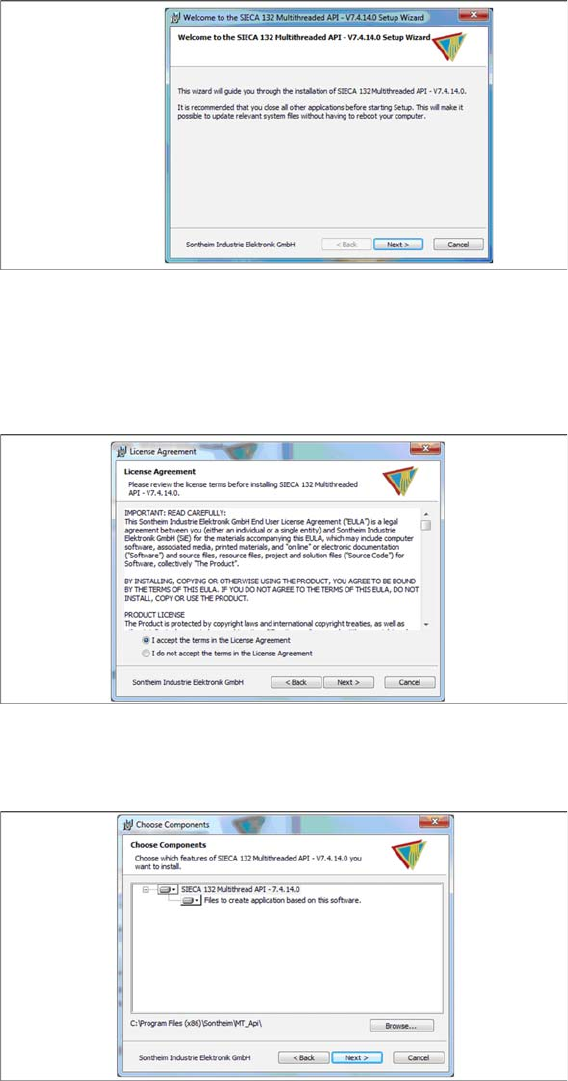
Step 4
► Click Next.
Step 5
► Read the license agreement relating to use of this software and select I accept the terms in the Li
-
cense Agreement to accept the license agreement.
► Click Next.
Step 6
► Click Next.
Step 7
► The “Systemcheck” window displays the status of all checks they have carried out.