SmartGUI Overview_1.5.0.12 Official Release (Dec 2021).pdf - 第28页
Copyright © ViT rox All Rights Reserved . Defect List Negative T est List The options for part number ● Engineer page treeview ● T rainer page listview ● Inspection result defect list ● Negative result defect list The ma…
Copyright © ViTrox All Rights Reserved.
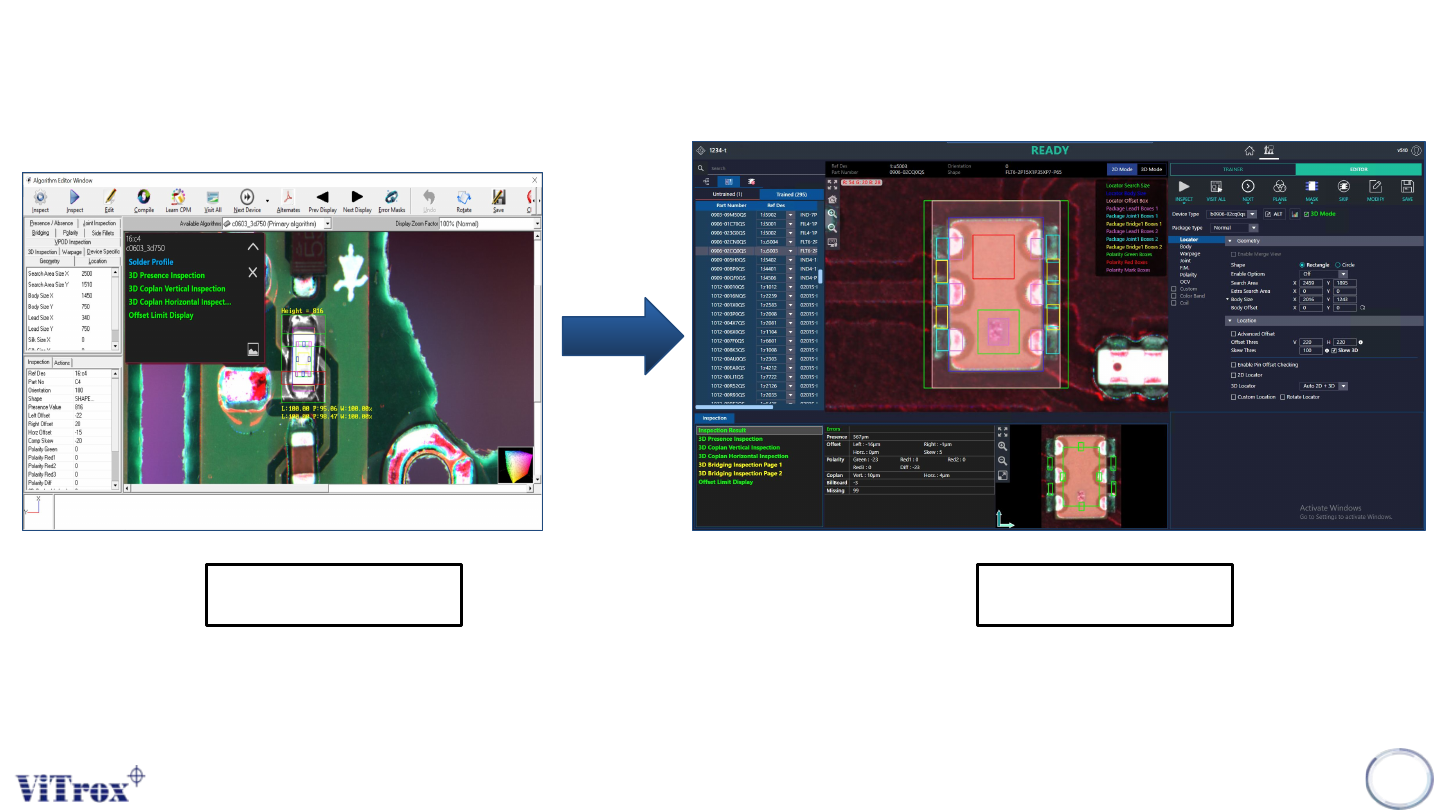
Algo Editor Page
27
Existing NEW
• Revamp Engineer Fine Tune Interface with proper arrangement.
Copyright © ViTrox All Rights Reserved.
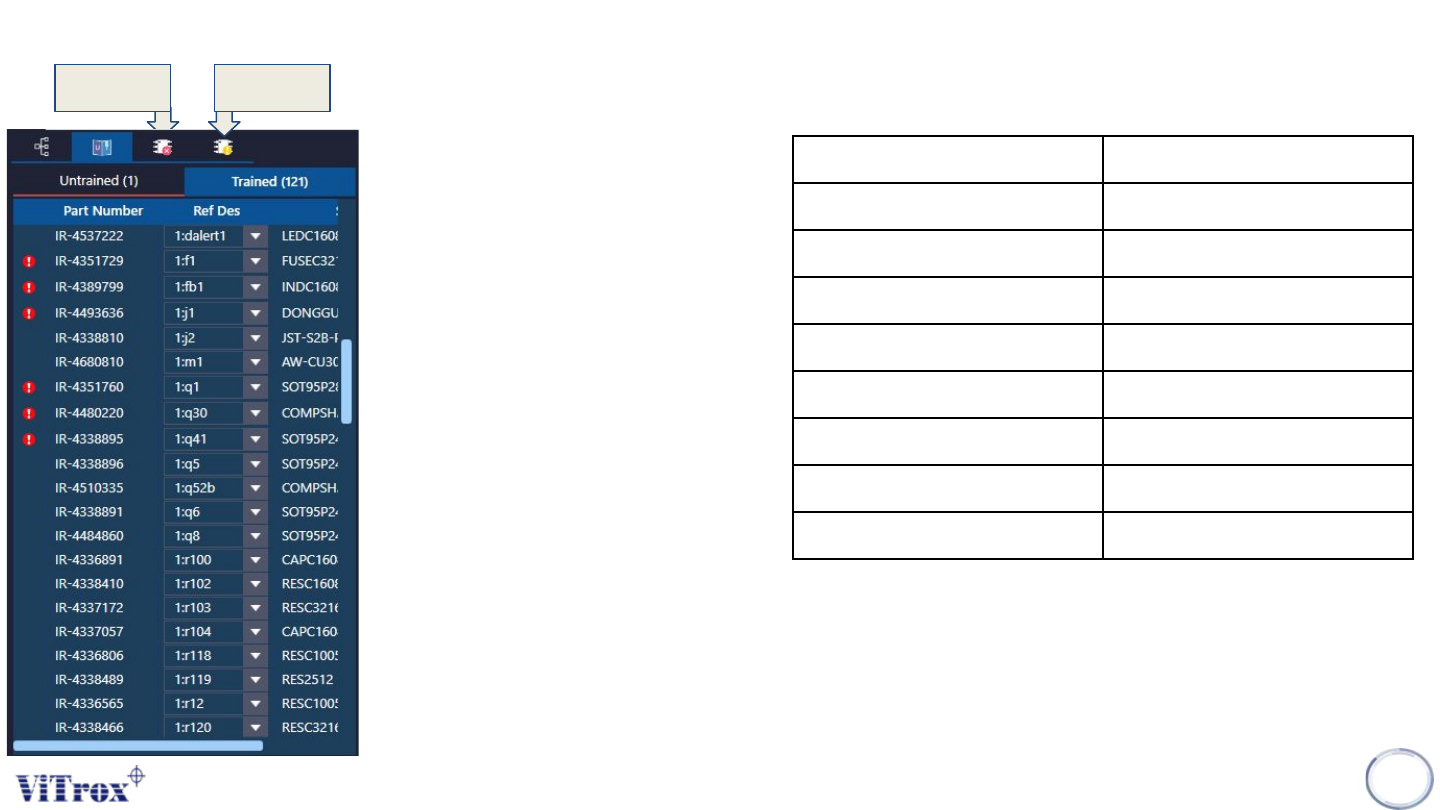
Defect
List
Negative
Test List
The options for part number
● Engineer page treeview
● Trainer page listview
● Inspection result defect list
● Negative result defect list
The main display that is represented
on the image is listview images.
With trainer page treeview, you are
allowed to select multiple part
numbers within untrained or trained
tabs.
Inspection result defect list will only
update once inspection is
performed.
Negative result defect list will only
update once negative test is
performed.
Entering into Algorithm Editor Ctrl + E
Complete Assignment Ctrl + Enter
Break Assignment Ctrl + Backspace
Delete Assignment Ctrl + Delete
Add New Algorithm Ctrl + N
Compile Ctrl + C
Assigned to Part Number Ctrl + P
Assigned to Shape Ctrl + S
Assigned to Ref Des Ctrl + R
Introduction to HotKey
List in Trainer & Editor Page
Copyright © ViTrox All Rights Reserved.
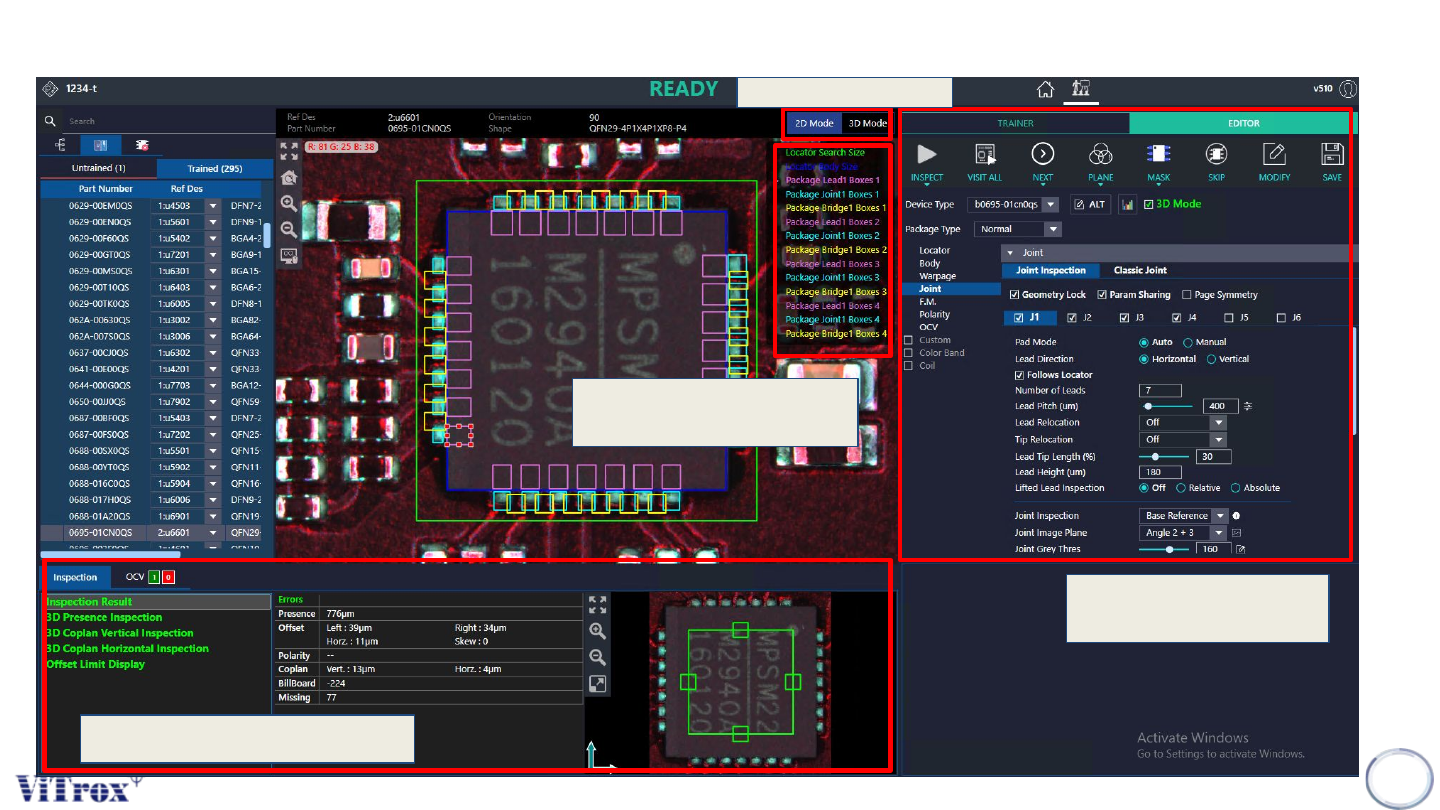
Algo Editor Overview
29
2D&3D Switch
New parameters
tuning interface
Inspection Result details
Box & Parameters
Navigation selection