SmartGUI Overview_1.5.0.12 Official Release (Dec 2021).pdf - 第5页
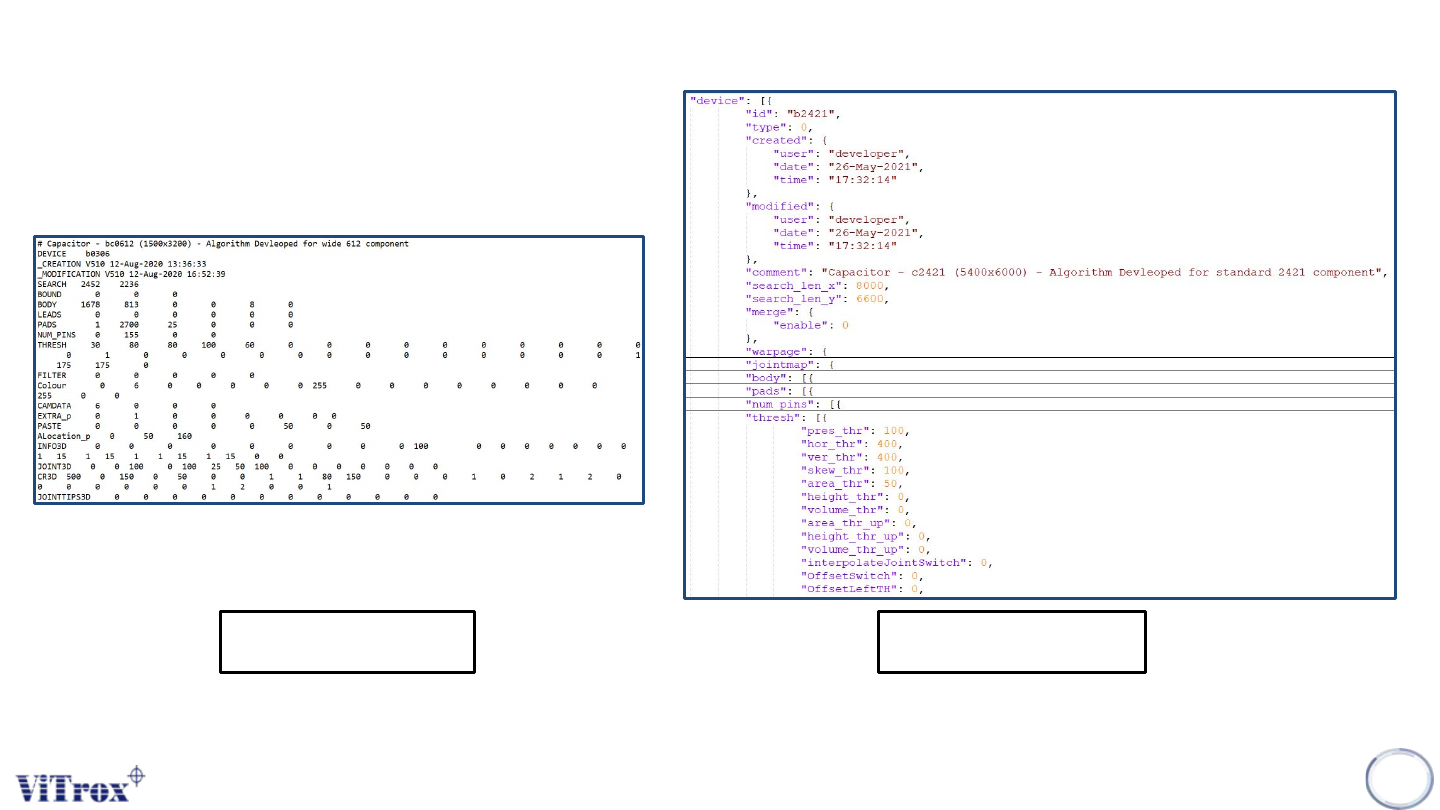
Copyright © ViT rox All Rights Reserved . Database Structure 5 Existing *.dat New *.datj • Database after upgrade to Smart GUI is Non-backward compatible. • Json format database is more understandable.
Copyright © ViTrox All Rights Reserved.
Major Updates in Smart GUI Installer
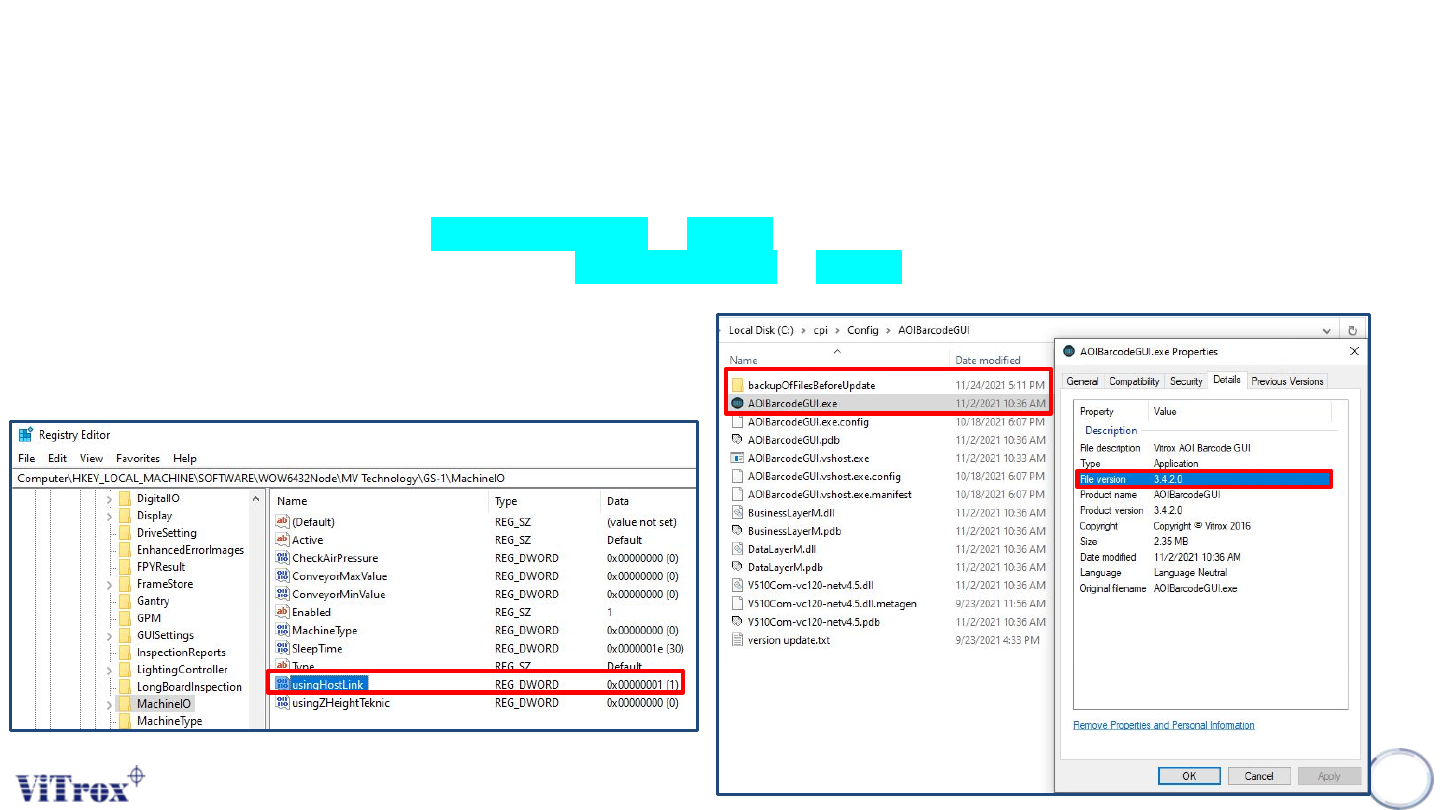
❖ Install 1.5.0.12 Smart GUI in C:\Program Files (x86)\V510 Series\V510 folder.
❖ HKEY_LOCAL_MACHINE\SOFTWARE\WOW6432Node\MV
Technology\GS-1\MachineIO\usingHostLink set to 1.
❖ Replace C:\cpi\Config\AutoImgUploader to 1.5.3.3.
❖ Backup and replace C:\cpi\Config\AOIBarcodeGUI to 3.4.2.0.
4
Copyright © ViTrox All Rights Reserved.
Database Structure
5
Existing *.dat
New *.datj
• Database after upgrade to Smart GUI is Non-backward compatible.
• Json format database is more understandable.
Copyright © ViTrox All Rights Reserved.
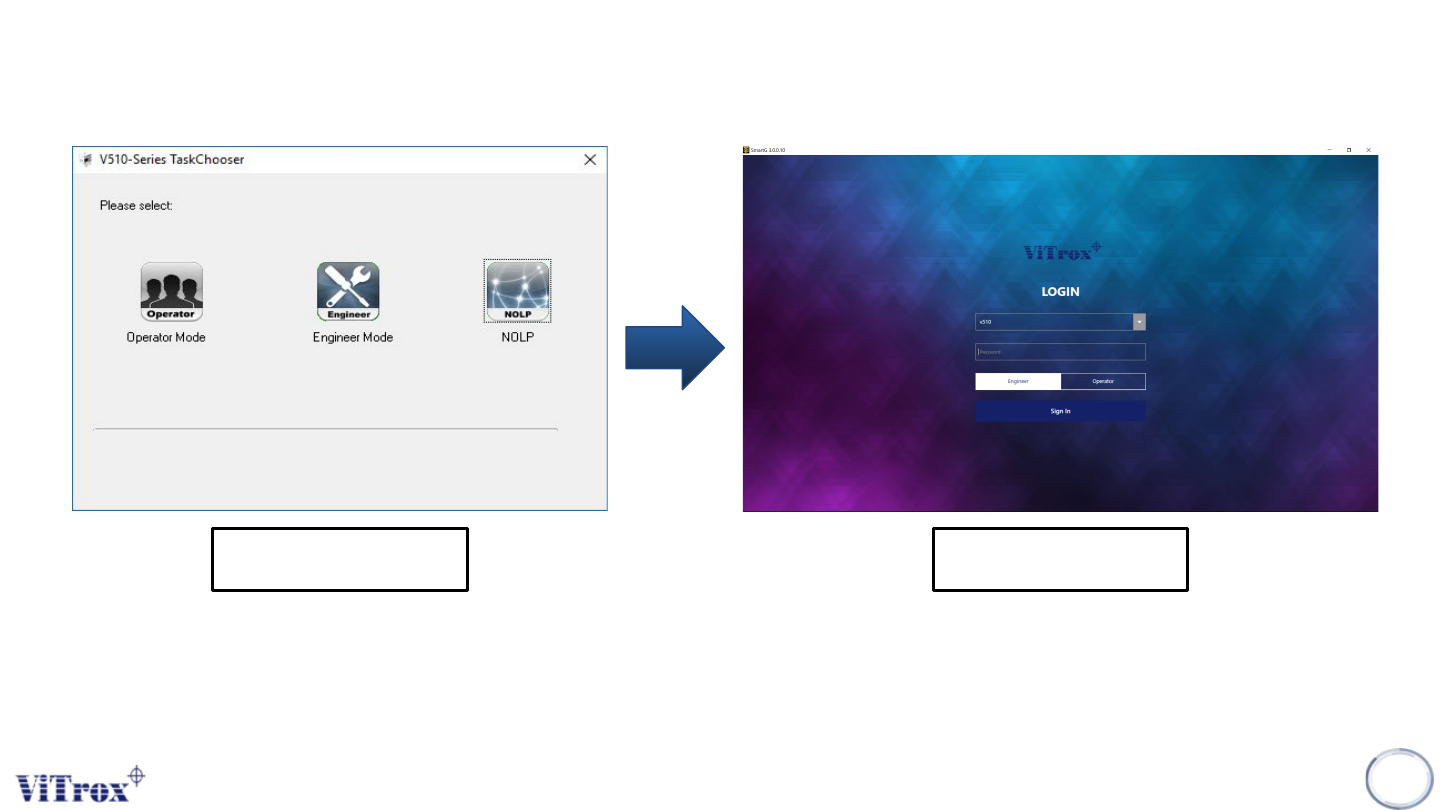
Main Login Page
• The 1st window interface to login to V510 GUI
6
Existing NEW