SmartGUI Overview_1.5.0.12 Official Release (Dec 2021).pdf - 第4页
Copyright © ViT rox All Rights Reserved . Major Updates in Smart GUI Installer ❖ Install 1.5.0.12 Smart GUI in C:\Program Files (x86)\V510 Series\V510 folder . ❖ HKEY_LOCAL_MACHINE\SOFTW ARE\WOW6432Node\MV T echnology\GS…

Copyright © ViTrox All Rights Reserved.
Recommended HostLink PLC version
MiniGUI Version: 2.2.0.2G
V510 GUI with Hostlink: 1.04.08F
**Smart GUI & Hostlink PLC not supported for machine platform which not listed in the table.
● Anyway ViTrox will re-assess the machine again if any upgrade is required prior to installation.
3
AOI Machine Platform Minimum HostLink PLC version Official Release
3D Standard Optimus R12A_1200_0000 R12A_1200_0005
G2S Single Lane (CP1E) R21A_2100_0000 R21A_2100_0000
3D SE R97A_2000_0000 R97A_2000_0010
3D XL R96A_1900_0000 R96A_1900_0003
3D XLW R95A_1600_0000(optical stop) /
R95A_1600_1000 (pneumatic stop)
R95A_1600_0000 /
R95A_1600_1000
3D XXL R14A_1400_0000 R14A_1400_0003
Copyright © ViTrox All Rights Reserved.
Major Updates in Smart GUI Installer
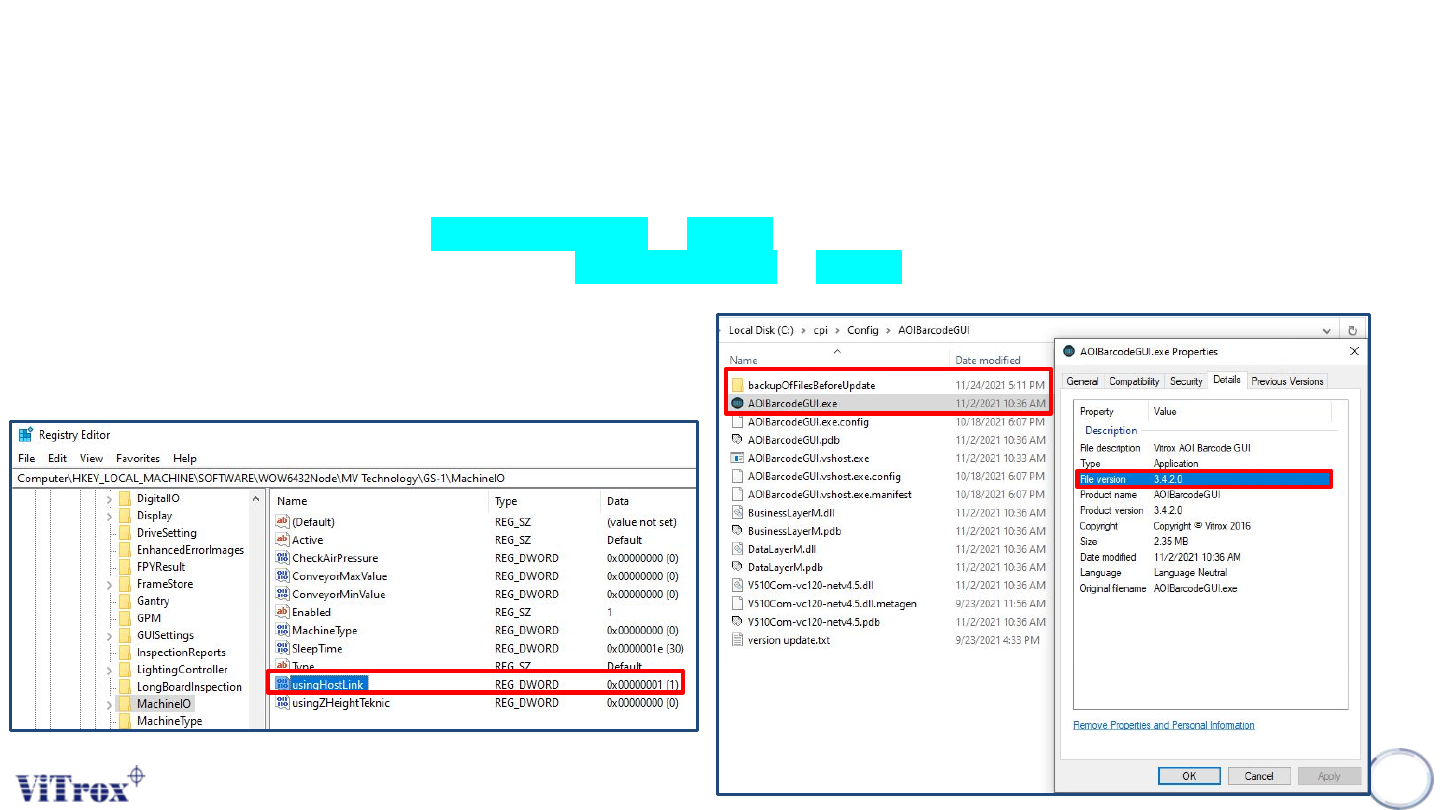
❖ Install 1.5.0.12 Smart GUI in C:\Program Files (x86)\V510 Series\V510 folder.
❖ HKEY_LOCAL_MACHINE\SOFTWARE\WOW6432Node\MV
Technology\GS-1\MachineIO\usingHostLink set to 1.
❖ Replace C:\cpi\Config\AutoImgUploader to 1.5.3.3.
❖ Backup and replace C:\cpi\Config\AOIBarcodeGUI to 3.4.2.0.
4
Copyright © ViTrox All Rights Reserved.
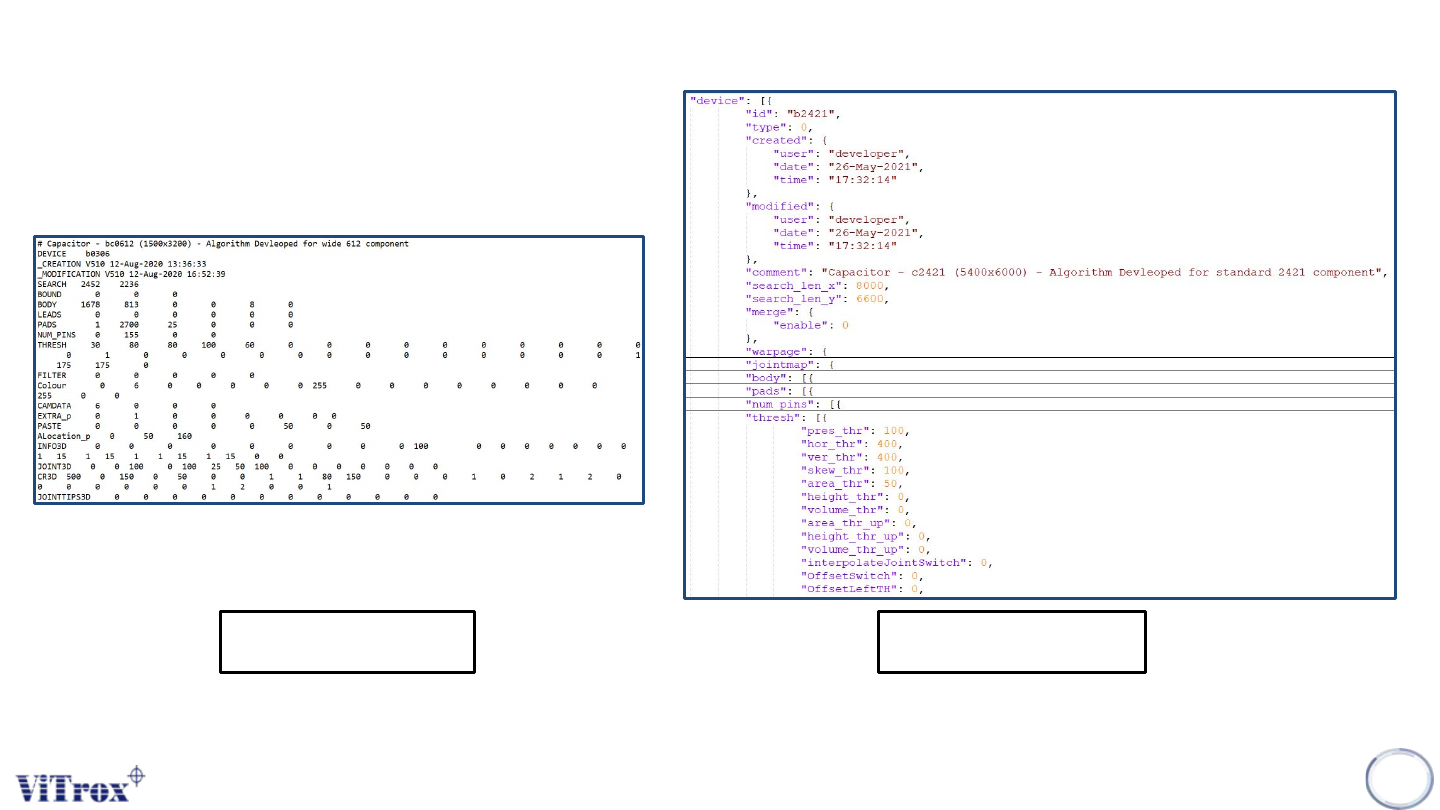
Database Structure
5
Existing *.dat
New *.datj
• Database after upgrade to Smart GUI is Non-backward compatible.
• Json format database is more understandable.