00198156-01_AI_Long-Board-Option_EN.pdf - 第18页
Installing Installing the LBO E Kit 2.1.2 Installation 18 Assembly Instructions E by SIPLACE ► Install the "E-series revers e stopper unit" [03108720-xx] (1 ) using the "M3x6 cap screws" [03042540-xx]…
Installing
2.1.2 Installation Installing the LBO E Kit
Assembly Instructions E by SIPLACE 17
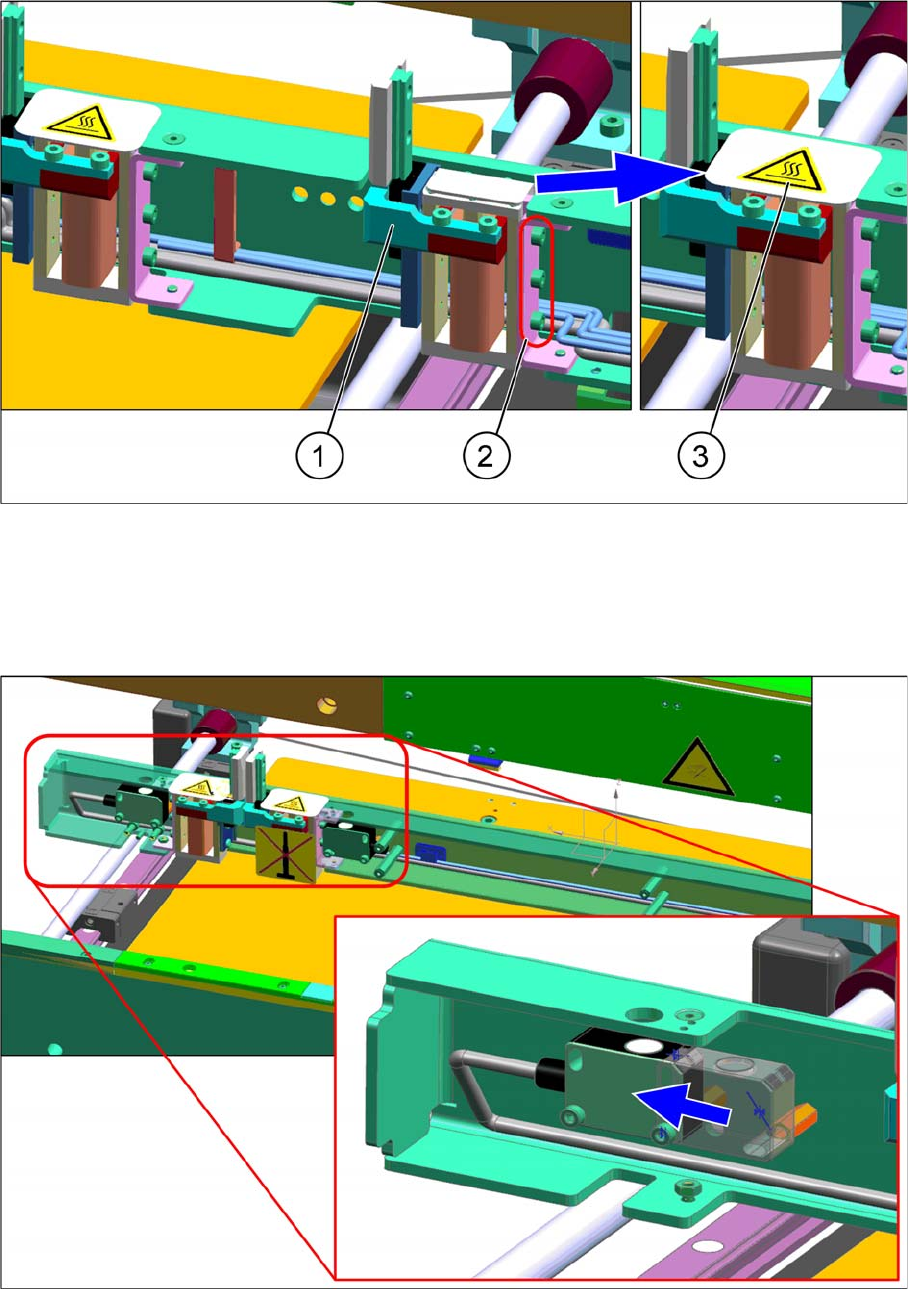
► Install the "E-series conveyor stopper unit" [03106565-xx] (1) with " M3x6 cap screws" (2)
► Connect the cable.
► Paste the "Hot temp warning label" [03107383-xx] (3) over the gap around the external area of the
stopper.
► Shift the sensor toward the output area.
Installing
Installing the LBO E Kit 2.1.2 Installation
18 Assembly Instructions E by SIPLACE
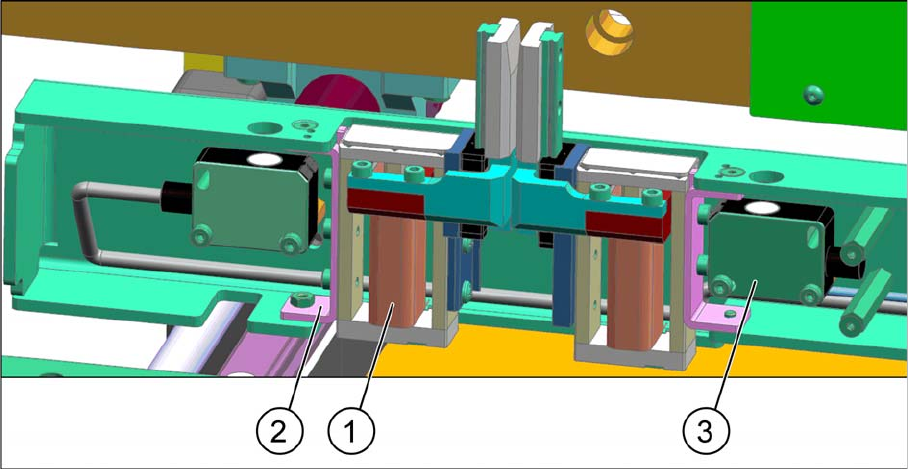
► Install the "E-series reverse stopper unit" [03108720-xx] (1) using the "M3x6 cap screws"
[03042540-xx].
► Install the "E-series stopper bracket" [03107923-xx] (2) using the "M3x6 countersunk screws"
[03082814-xx].
► Install the "Sonar Sensor UB100-F77" [03089004-xx] (3) using the "M3x16 cap screw" [03042545-
xx].
► Route all option cables by following the original cable routing.
► Refit the stopper rail cover.
Installing
2.1.2 Installation Installing the LBO E Kit
Assembly Instructions E by SIPLACE 19
2.1.2.4
2.1.2.4 Clamping Plate and Belt (Only 1200 mm Version)
Clamping Plate and Belt (Only 1200 mm Version)
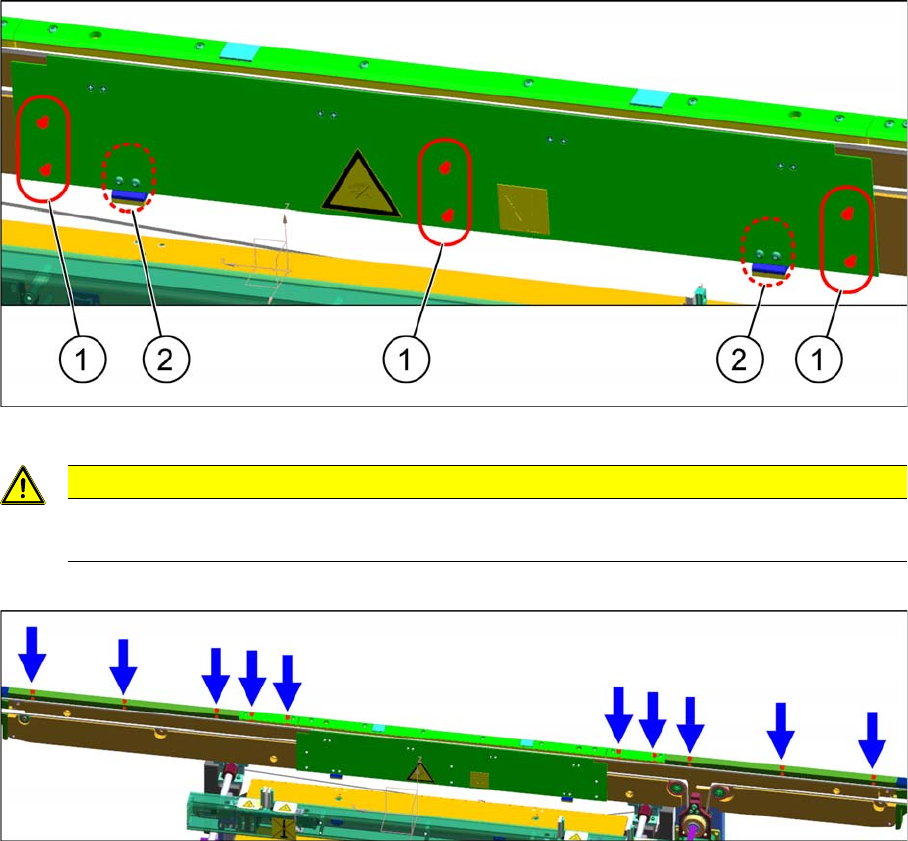
► Remove the screws (1) to release the clamping plate.
► Remove all screws on the top panels.
► Remove the belt and replace it with the "BRECOFLEX Belt 10T5/4000" [03109841-xx].
CAUTION
Springs
When removing the clamping plate, watch out for the springs (2).