00198156-01_AI_Long-Board-Option_EN.pdf - 第25页
Installing 2.1.2 Installation Installing the LBO E Kit Assembly Instructions E by SIPLACE 25 Reverse flow (Left Fix) → (Multi line connections) ► When connecting cables to the TSP, mak e sure that the label on the cable …
Installing
Installing the LBO E Kit 2.1.2 Installation
24 Assembly Instructions E by SIPLACE
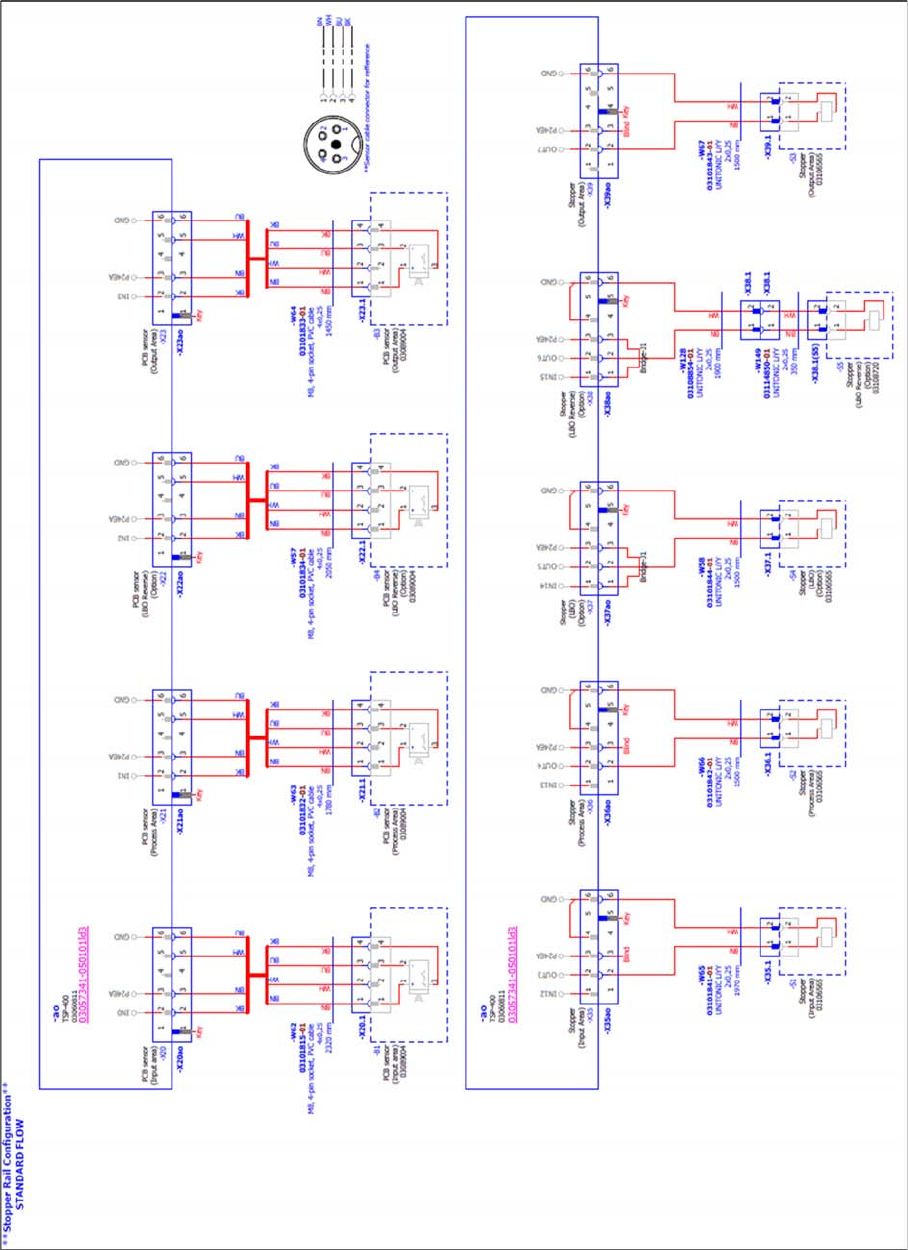
Standard flow (Right Fix) → (Multi line connections)
Installing
2.1.2 Installation Installing the LBO E Kit
Assembly Instructions E by SIPLACE 25
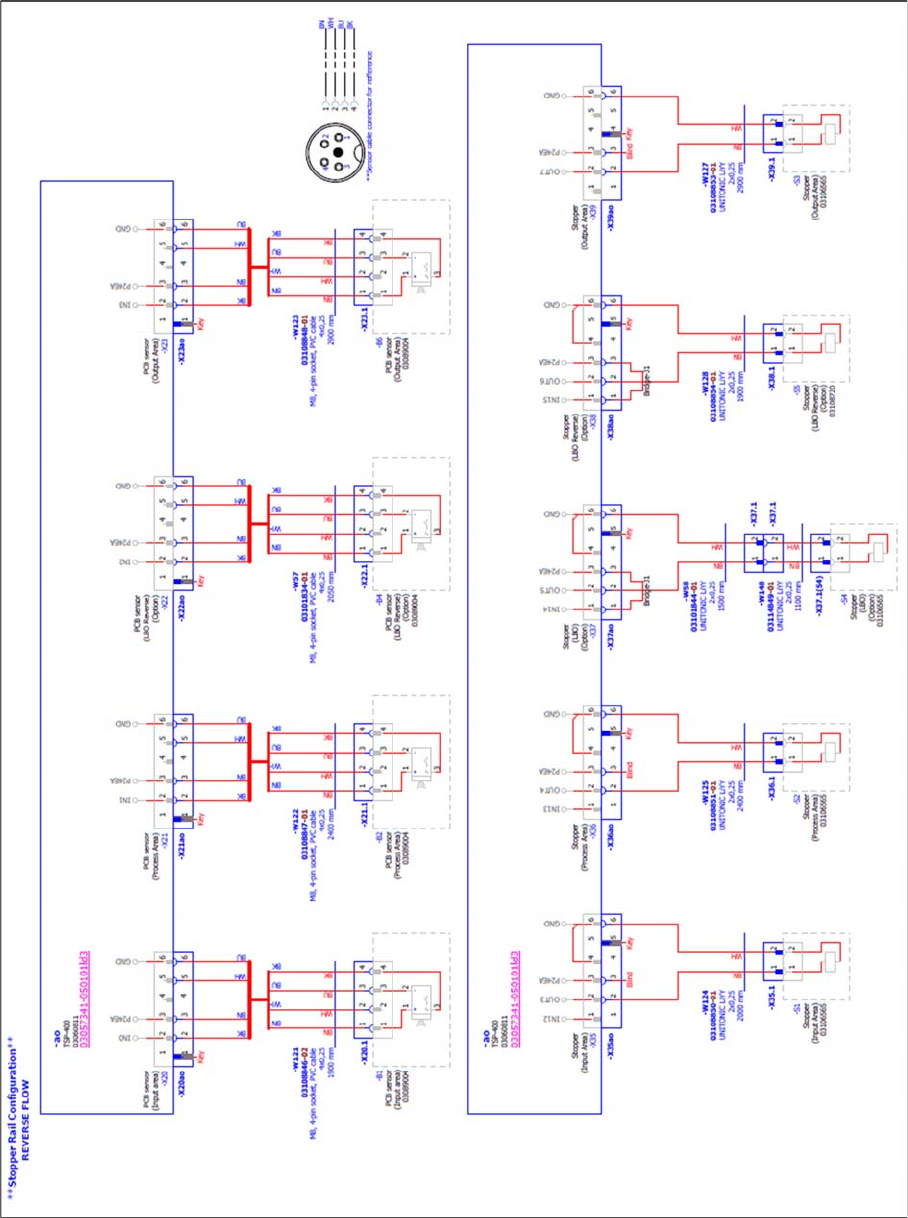
Reverse flow (Left Fix) → (Multi line connections)
► When connecting cables to the TSP, make sure that the label on the cable matches the label on the
connector on the TSP.
► Make sure that the add-on cables are laid down following the original cable routing, inserted into the
original braided sleeve, and fixed using cable ties.
Installing
SIRIO Station Software setting 2.1.2 Installation
26 Assembly Instructions E by SIPLACE
2.2
2.2 SIRIO Station Software setting
SIRIO Station Software setting
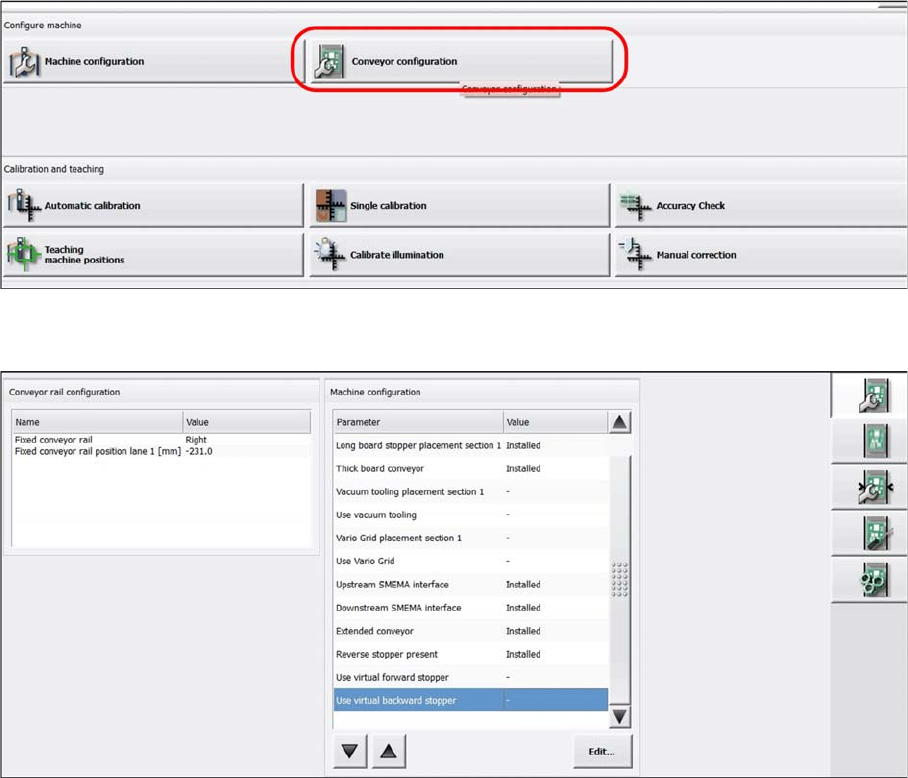
► Start up the machine and perform a reference run.
► In the station software, select Conveyor configuration.
The following entries are displayed:
▪ Long board stopper placement section 1: Installed (Auto detect)
▪ Thick board conveyor: Installed (Auto detect)
▪ Reverse stopper present: Installed (Auto detect)
▪ For Extended conveyor: Installed (Has to be selected manually)