00196429-0102 - AI Head Reconfiguration Kit SX12 C&P20A_de_en.pdf - 第46页
Brief Description Sequence of the Placement Head Exchange Assembly Sequence 46 Assembly Instructions / Mont ageanleitung Head Reconfiguratio n Kit C&P20A Assembly Seq uence 2.5.2 Assembly Sequence
Brief Description
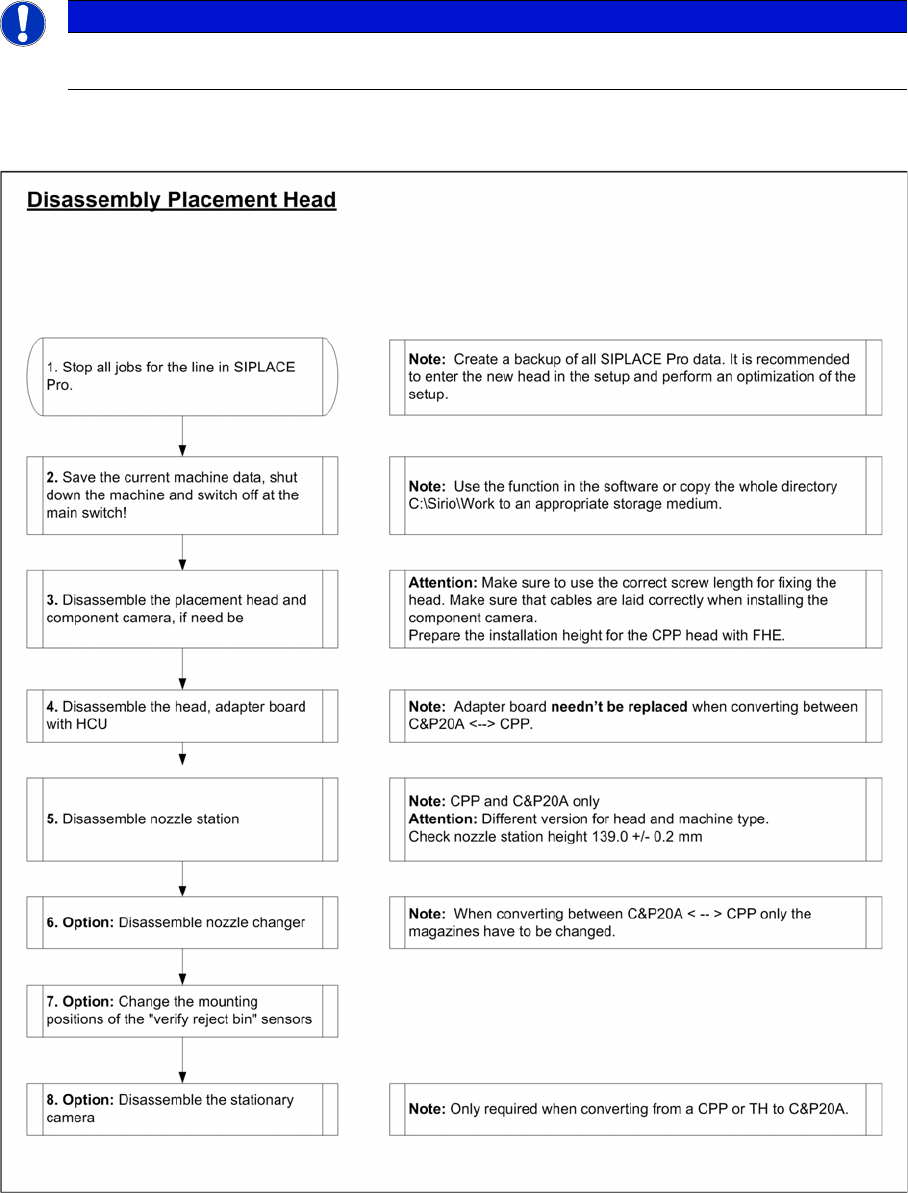
Disassembly Sequence Sequence of the Placement Head Exchange
Assembly Instructions / Montageanleitung Head Reconfiguration Kit C&P20A 45
Sequence of the Placement Head Exchange
2.5 Sequence of the Placement Head Exchange
Disassembly Sequence
2.5.1 Disassembly Sequence
NOTICE
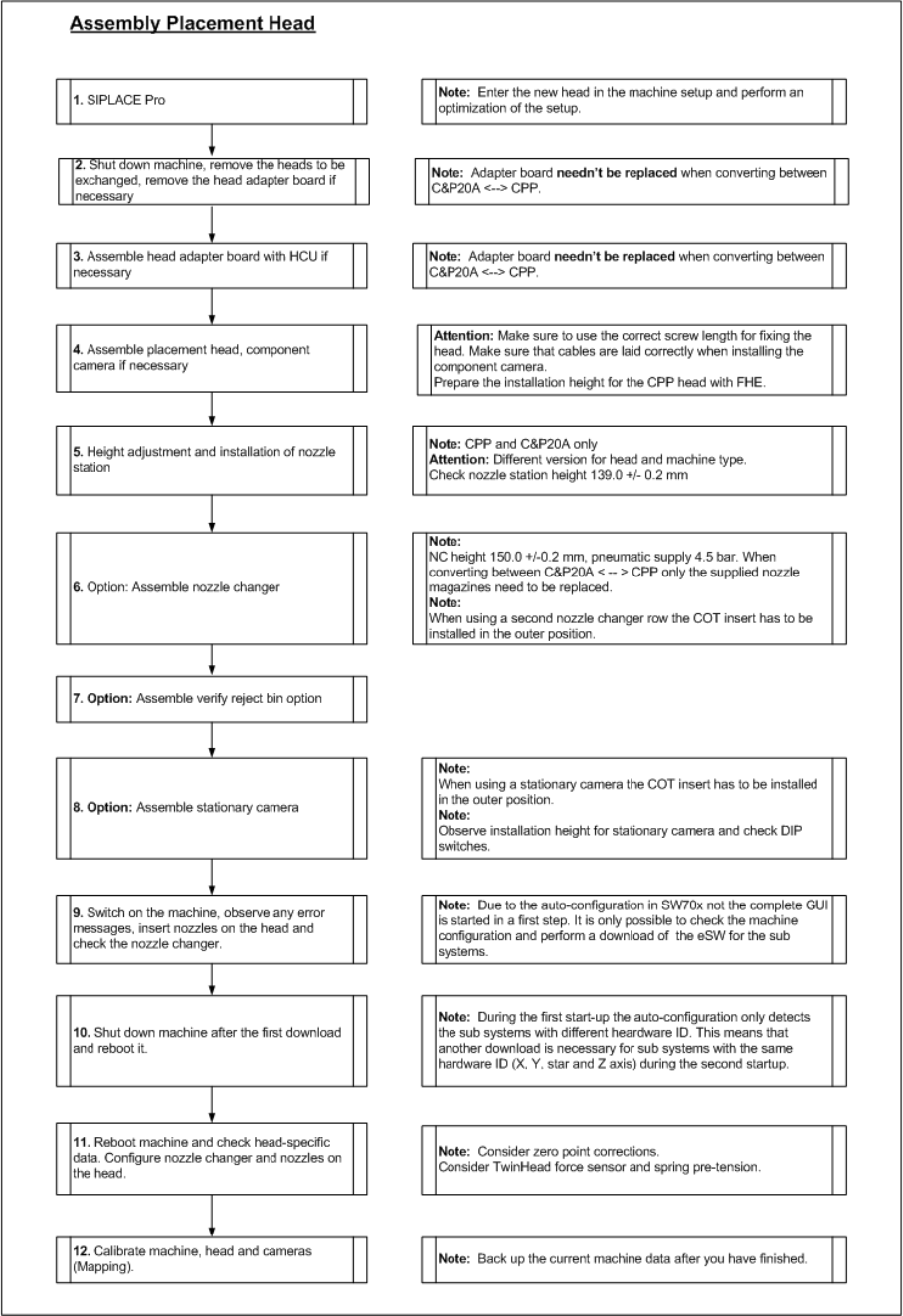
The flow charts describe the general procedure for switching between different placement head
types on SX1/2 machines from SW70x.
Brief Description
Sequence of the Placement Head Exchange Assembly Sequence
46 Assembly Instructions / Montageanleitung Head Reconfiguration Kit C&P20A
Assembly Sequence
2.5.2 Assembly Sequence
Installing the C&P20A Placement Head
Configuration of the Placement Heads in SIPLACE Pro Before Disassembling the Placement Head
Assembly Instructions / Montageanleitung Head Reconfiguration Kit C&P20A 47
Installing the C&P20A Pla cement He ad
3 Installing the C&P20A Placement Head
Before installing the C&P20A placement head you have to save the current configuration and machine
data first and then remove the placement head to be replaced.
If you replace a CPP head by a C&P20A head, start with sections "3.1 Before Disassembling the Place-
ment Head" [ ➙ 47] and "3.2 Disassembling the CPP Placement Head" [ ➙ 48].
If you replace a TwinHead by a C&P20A head, start with sections "3.1 Before Disassembling the Place-
ment Head" [ ➙ 47] and "3.3 Disassembling the TwinHead" [ ➙ 50].
If you install the C&P20A head on a gantry with no head installed so far, start with sections "3.1 Before
Disassembling the Placement Head" [ ➙ 47] and "3.4 Assembly of the C&P20A Placement Head" [ ➙
53].
Before Disassembling the Placement Head
3.1 Before Disassembling the Placement Head
Configura tion of the Place ment Heads in SIPL ACE Pro
3.1.1 Configuration of the Placement Heads in SIPLACE Pro
► In SIPLACE Pro stop all jobs on the line.
► Back up all SIPLACE Pro data.
NOTICE
It is recommended to enter the new head (cameras and nozzles) into the setup at this point in
time and to perform an optimization for the setups.
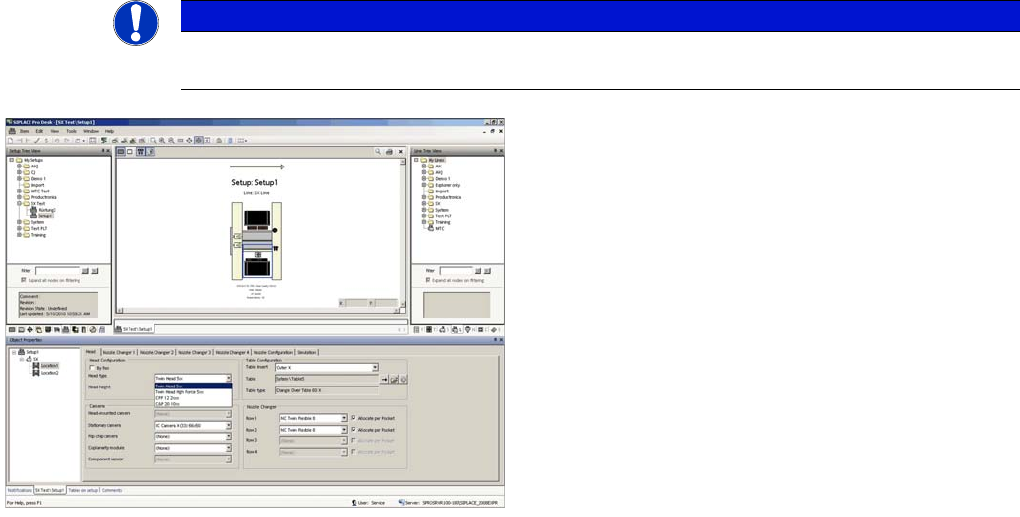
► In the Setup Properties dialogue enter the type of the
placement head, the camera type and the nozzle
changer configuration for the relevant machine loca-
tion.
► Re-optimize the setup in SIPLACE Pro. Make sure to
set correct head height.