00197700-02_IM_SetupCenter7.1_EN.pdf - 第77页
Barcode-Scanner Installation 6.3.4 Setup Center Client Installation Motorola Scanner Installation Manual SIPLACE Setup Center 7.1 77 ► After completion of the data t ra nsfer to the device click on "O K" to clo…
Barcode-Scanner Installation
Motorola Scanner 6.3.4 Setup Center Client Installation
76 Installation Manual SIPLACE Setup Center 7.1
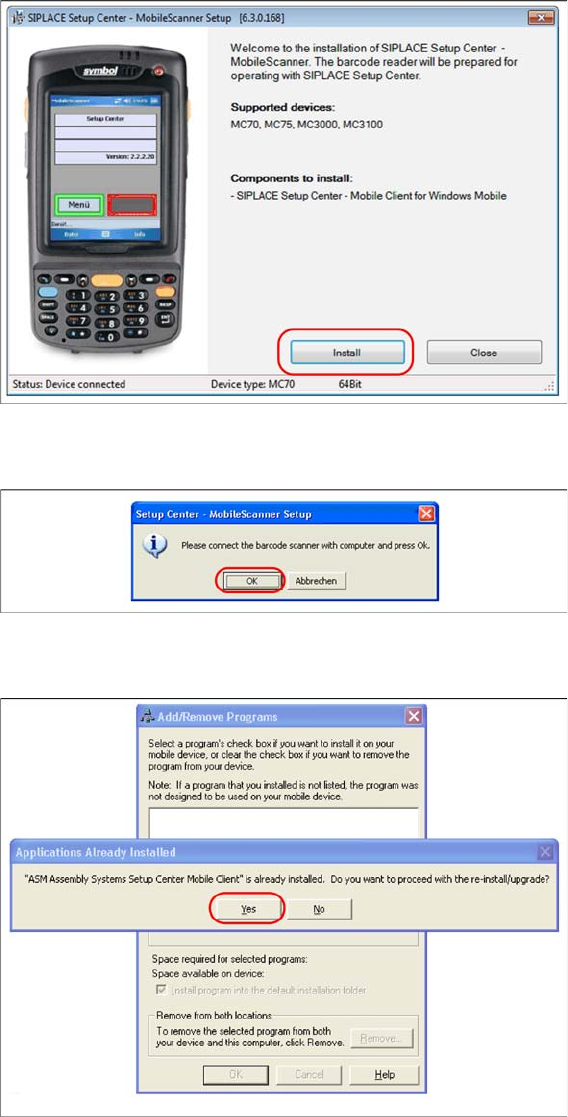
► Click on Install to start the installation of the software packages.
► Select "Continue" to proceed with the installation.
► Make sure that the scanner is placed in the basic station and connected to Setup Center.
► Select "OK" start the transfer of the software components to the scanner.
► In case of a upgrade installation confirm the upgrade of SSC Mobile Scanner with "Yes".
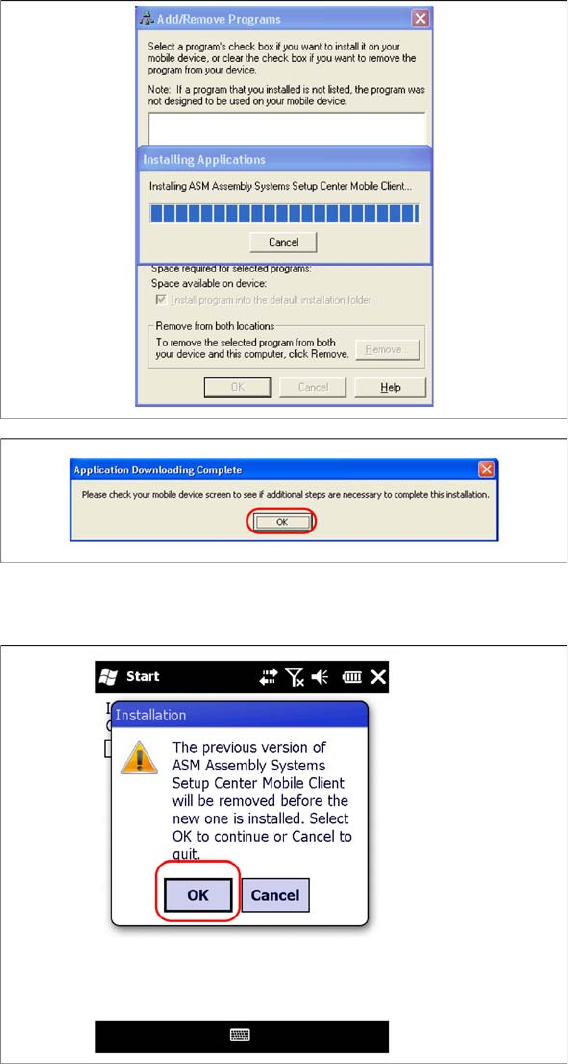
The transfer of the components to the scanner is beginning.
Barcode-Scanner Installation
6.3.4 Setup Center Client Installation Motorola Scanner
Installation Manual SIPLACE Setup Center 7.1 77
► After completion of the data transfer to the device click on "OK" to close the window.
The installation of the Setup Center Client is beginning.
► In case of a upgrade installation confirm the update of Setup Center Client with "OK".
Barcode-Scanner Installation
Motorola Scanner 6.3.5 Motorola / Symbol Scanner Configuration
78 Installation Manual SIPLACE Setup Center 7.1
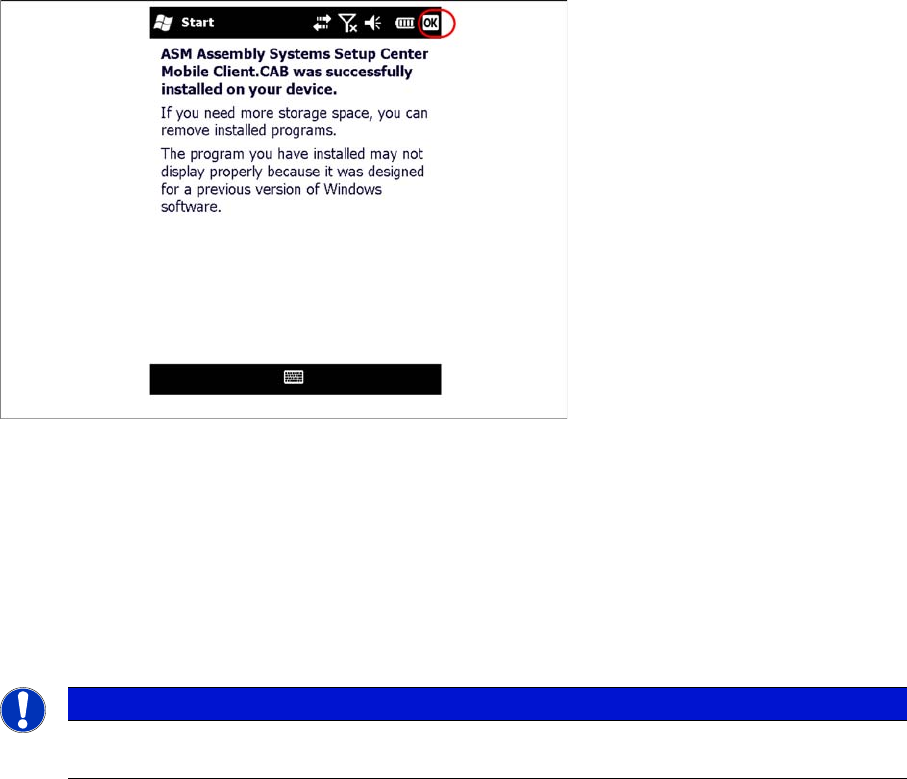
► Select "OK" to close the window. The installation is now completed. Please restart the device by
holding down the power key 5 seconds. After restart the Setup Center Client starts automatically and
you can start with the configuration of Setup Center and Client Software.
6.3.5
6.3.5 Motorola / Symbol Scanner Configuration
Motorola / Symbol Scanner Configuration
6.3.5.1
6.3.5.1 Configurate WLAN network
Configurate WLAN network
The communication between Setup Center and scanner is achieved by network connection (socket).
Setup Center takes the role of the server and the scanner that one of the client.
NOTICE
Please configurate the barcode scanner for the operation within WLAN network - as described
in document Installation Manual WLAN Infrastructure for SIPLACE (item no. 00197199-xx).