00197700-02_IM_SetupCenter7.1_EN.pdf - 第99页
Docking Station Installation 7.4.4 Connection Examples with CIN-Box Firmware Download for Feeder Co ntrol Unit Installation Manual SIPLACE Setup Center 7.1 99 Connection Example 2 (Two CIN-Boxes) 1. Setup Center PC to DH…
Docking Station Installation
Data Connection with CIN-Box 7.4.4 Connection Examples with CIN-Box
98 Installation Manual SIPLACE Setup Center 7.1
7.4.4
7.4.4 Connection Examples with CIN-Box
Connection Examples with CIN-Box
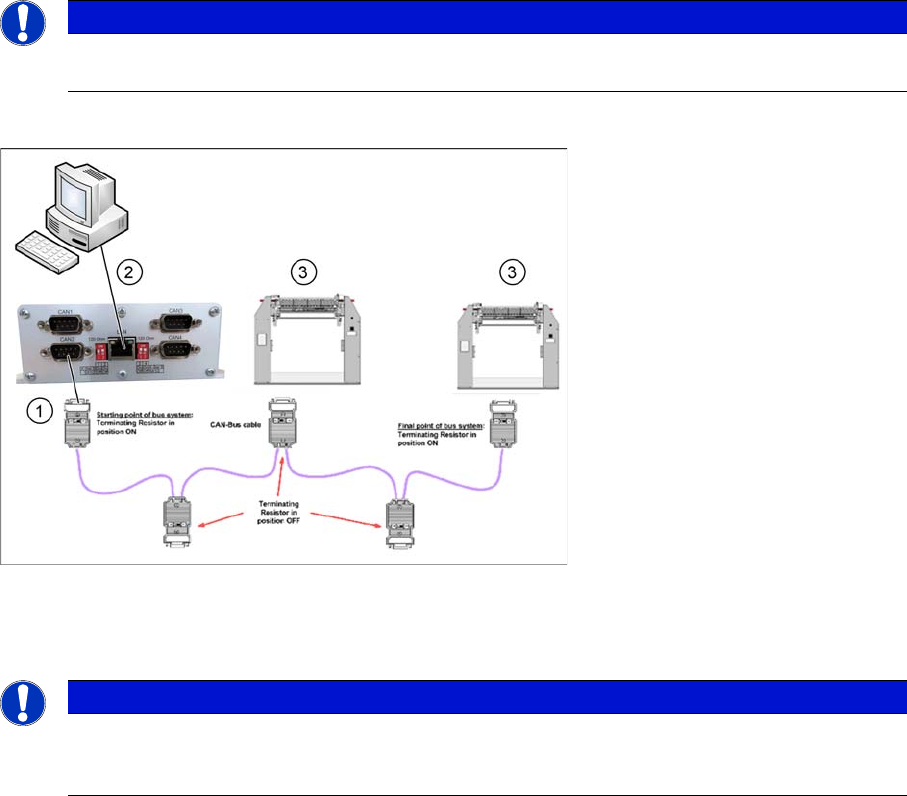
Connection Example 1 (One CIN-Box)
1. CAN Bus cable connection to CIN-BOX
2. Setup Center PC to CIN-Box LAN connection
3. Docking Station X or SX
NOTICE
The first and the last terminating resistor must always be switched ON and the other switched
OFF independent of the number of docking stations.
NOTICE
The integrated terminal resistor can be connected and simultaneously connects / disconnects
the outgoing bus cable when deactivating / activating. This allows an easy start up of the bus
system one segment at a time.
Docking Station Installation
7.4.4 Connection Examples with CIN-Box Firmware Download for Feeder Control Unit
Installation Manual SIPLACE Setup Center 7.1 99
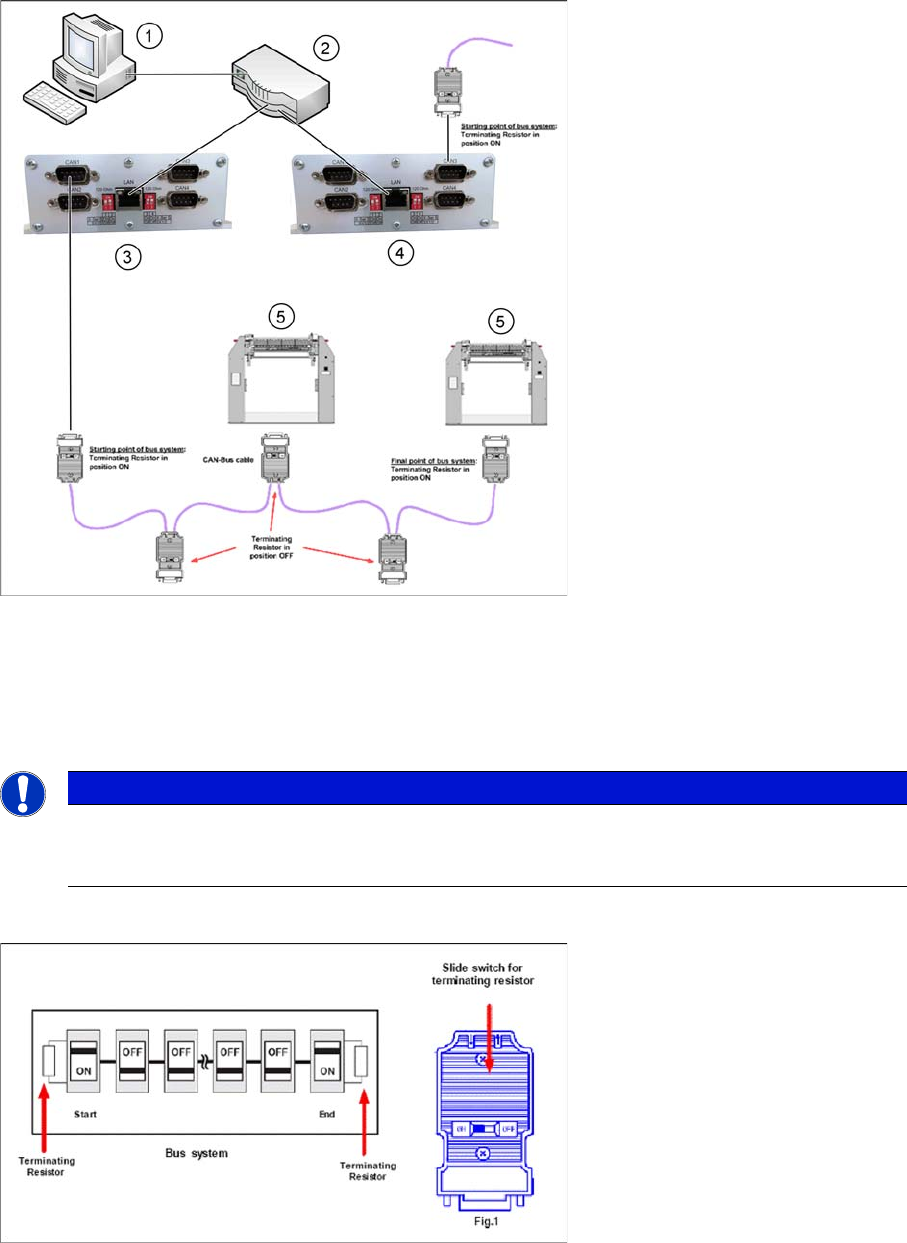
Connection Example 2 (Two CIN-Boxes)
1. Setup Center PC to DHCP-Router connection
2. Router with DHCP-Server
3. CIN-Box 1
4. CIN-Box 2
5. Docking Station X or SX
Termination Resistor
7.5
7.5 Firmware Download for Feeder Control Unit
Firmware Download for Feeder Control Unit
► Setup Center can update the firmware of your feeder control unit (docking station or feeder rack).
To learn how to update the firmware of your docking station, please refer to the chapter "Firmware
Download" in the Online Help Setup Center.
NOTICE
The integrated terminal resistor can be connected and simultaneously connects / disconnects
the outgoing bus cable when deactivating / activating. This allows an easy start up of the bus
system one segment at a time.
Docking Station Installation
Firmware Download for Feeder Control Unit 7.4.4 Connection Examples with CIN-Box
100 Installation Manual SIPLACE Setup Center 7.1