Application Backflush 1-0 to SAP Data Converter.pdf - 第40页
2 Installation instructions for the Backflush 1.0 to SAP Data Converte r application Application 04/2006 Edition 40 2.8 Inst allation 2.8.1 Preparation for initial inst allation: T o install the Backflush to SAP pr ogram…
Application 2 Installation instructions for the Backflush 1.0 to SAP Data Converter application
04/2006 Edition
39
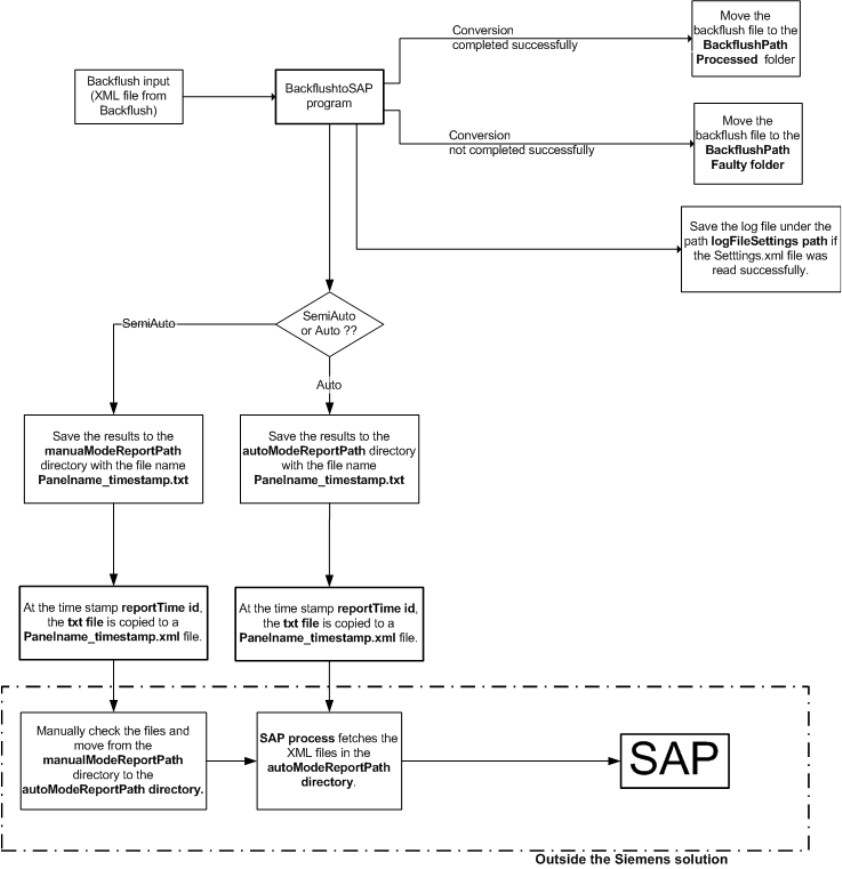
2.7.4 Graphical representation of the interaction between the software compo-
nents
2
2
2
2 Installation instructions for the Backflush 1.0 to SAP Data Converter application Application
04/2006 Edition
40
2.8 Installation
2.8.1 Preparation for initial installation:
To install the Backflush to SAP program, Java 2 Runtime Environment SE v1.4.2 must be installed
on the computer. This may already have been done when SIPLACE Explorer was installed. 2
If this is not the case, the setup program can be found in the \3rdParty Installer\Java directory.2
Step 1: 2
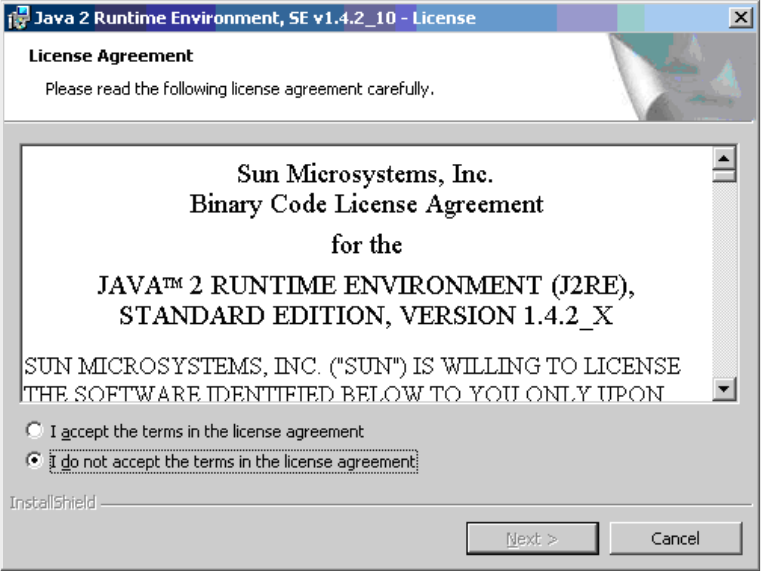
Run j2re-1_4_2_10-windows-i586-p.exe. 2
The license agreement appears after a short time. 2
2
2
Agree to the license agreement. 2
2
2
2
2
Application 2 Installation instructions for the Backflush 1.0 to SAP Data Converter application
04/2006 Edition
41
Step 2: 2
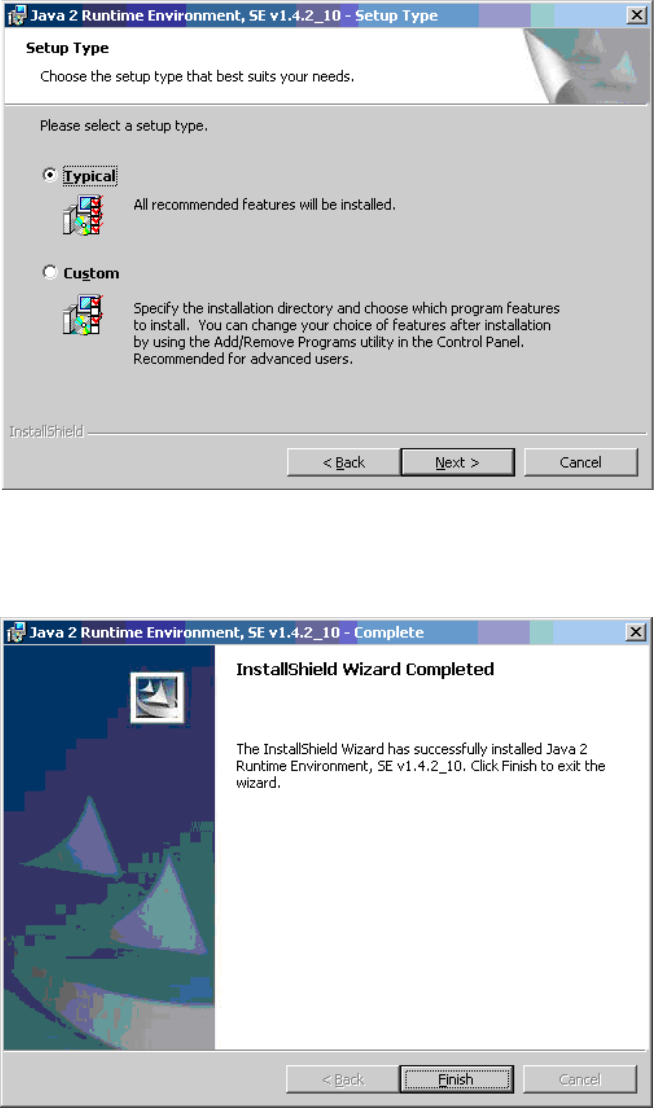
Now select the installation location. We recommend the Typical install. 2
2
Step 3: 2
Once the installation is complete, the following screen appears. 2
2
Click on Finish to close this window. 2