Application Backflush 1-0 to SAP Data Converter.pdf - 第52页
2 Installation instructions for the Backflush 1.0 to SAP Data Converte r application Application 04/2006 Edition 52 The Backflush program thus appe ars when the computer is st arted up and a user logs on. 2 2 2 It can al…
Application 2 Installation instructions for the Backflush 1.0 to SAP Data Converter application
04/2006 Edition
51
2.9 Monitoring the program
Once you have installed the complete program without an error message, you have access to the
following items: 2
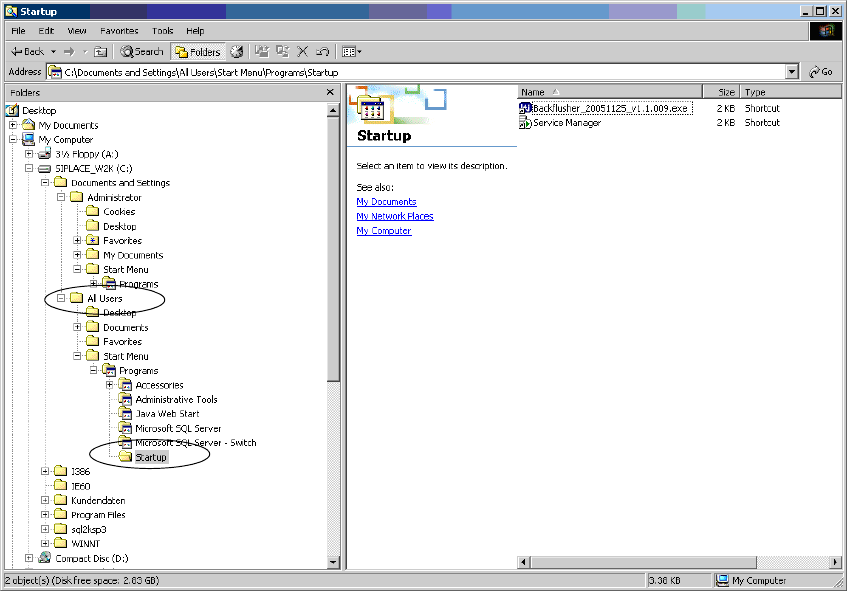
– Backflush call in the Startup directory
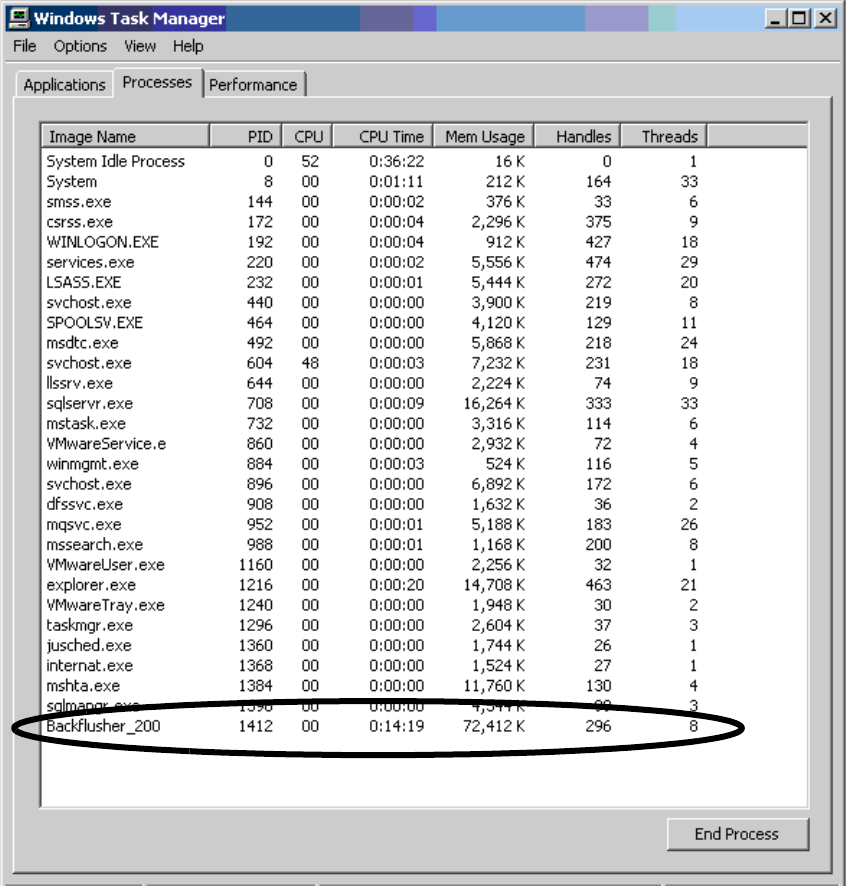
– Backflusher_200 in the process overview
– BackflushToSAP directory in the specified installation path
2
1.) Startup call 2
During installation, the call to start the Backflush program is added under All Users in the Startup
folder. 2
2
2
2
2
2
2
2 Installation instructions for the Backflush 1.0 to SAP Data Converter application Application
04/2006 Edition
52
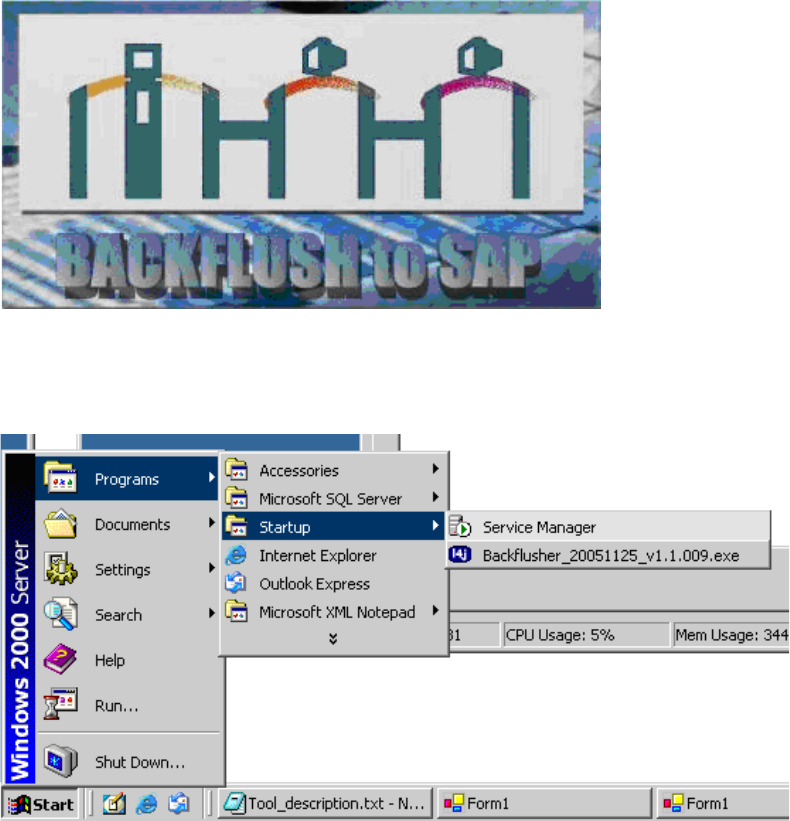
The Backflush program thus appears when the computer is started up and a user logs on. 2
2
2
It can also be started via the menu. 2
2
2
2
2
2
2
2
2
2
2
Application 2 Installation instructions for the Backflush 1.0 to SAP Data Converter application
04/2006 Edition
53
2.) Process overview 2
Once the tool has started successfully, the process appears in the process overview. This process
overview can be started with Crtl-Shift-ESC. 2
2
3.) Directory overview 2
If the program is installed without changing the path, then: 2
– The program and the settings file can be found at C:/Program Files/Siemens SIPLACE/Back-
flushToSAP.
– The log files (for both the start phase and the ongoing processing) are stored under C:/Pro-
gram Files/Siemens SIPLACE/BackflushToSAP/log.