Application Backflush 1-0 to SAP Data Converter.pdf - 第45页
Application 2 Installation instructions for the Backflush 1.0 to SAP Data Converter application 04/2006 Edition 45 Step 3a: 2 If you press the Ch ange button, the following selectio n appears and you can modify the inst …
2 Installation instructions for the Backflush 1.0 to SAP Data Converter application Application
04/2006 Edition
44
Step 2: 2
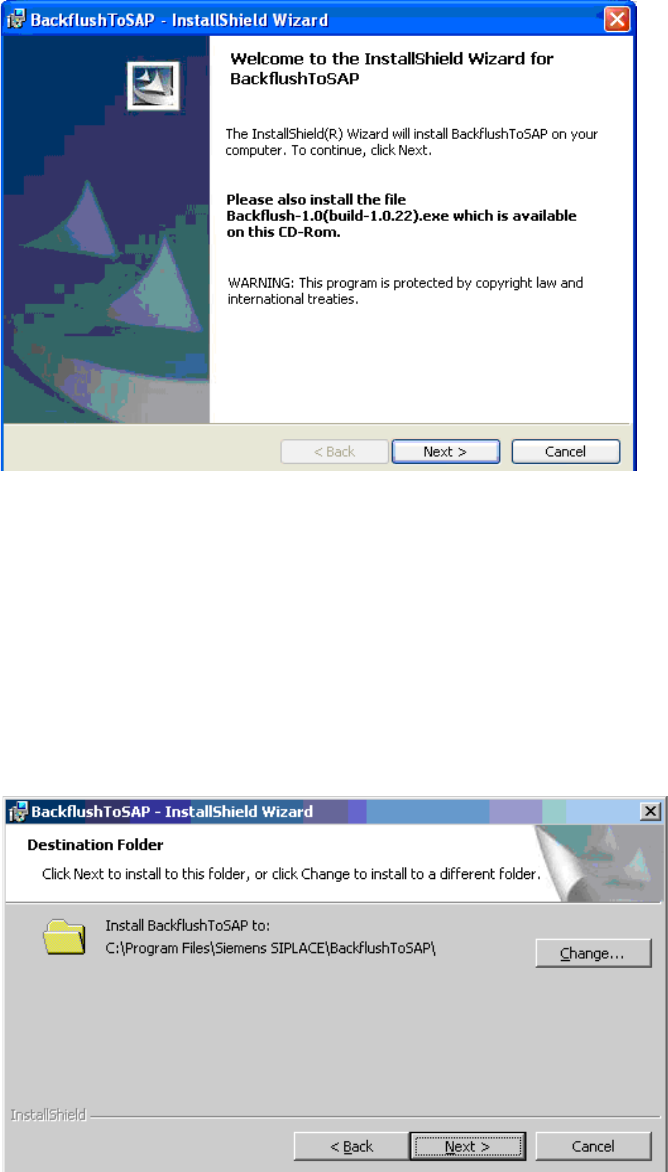
Once you have made this selection, the welcome screen appears. 2
2
Again you are once again expressly reminded to install the latest version of the Explorer Backflush
option on the Explorer computer. 2
Press the Next button to continue the setup. 2
Step 3: 2
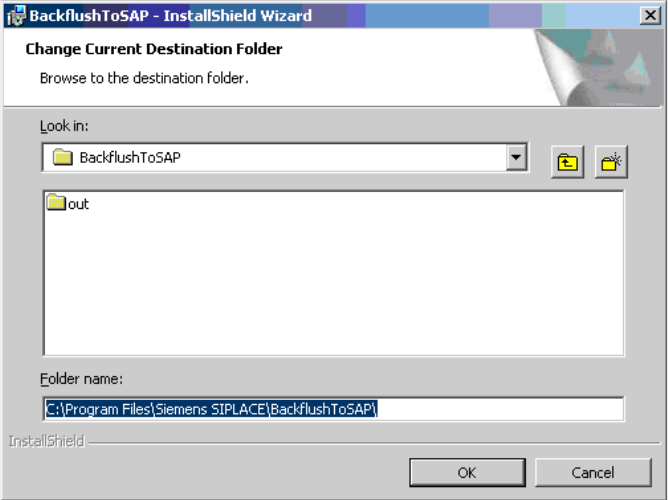
The next window is used to select the installation path. 2
Press the Next button to complete the setup. 2
Alternatively, you can press the "Change" button to change the installation path. 2
2
Application 2 Installation instructions for the Backflush 1.0 to SAP Data Converter application
04/2006 Edition
45
Step 3a: 2
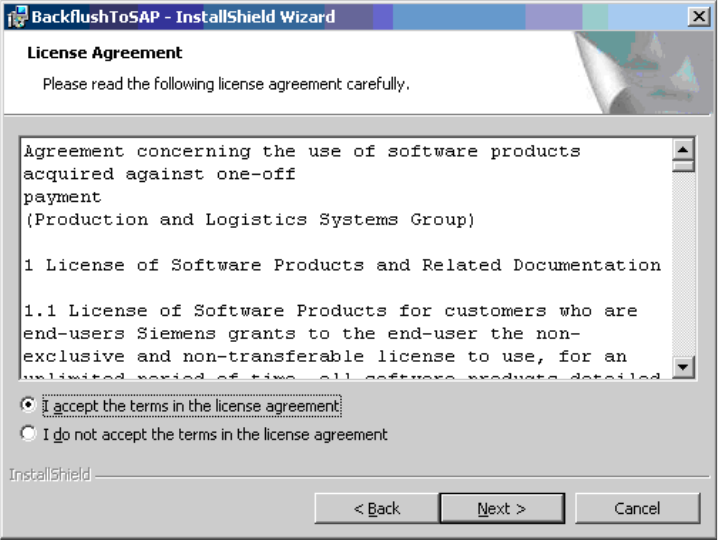
If you press the Change button, the following selection appears and you can modify the installation
path. 2
2
Click on OK to confirm your selection. 2
2 Installation instructions for the Backflush 1.0 to SAP Data Converter application Application
04/2006 Edition
46
Step 4: 2
The next step is to agree to the terms of the SIEMENS license agreement. 2
2
To do this, you must activate the "I accept ..." radio button. 2