RHS2B 操作手册.pdf - 第62页
RHS2B 操作手册 3.5 操作 屏幕 3.5 - 18 DA4OCC – 13 – 040 – B0 Data Edit) w (F3: Initialize Data F6: Do you wish to initialize all data? (* 1) Initializes data. Previous Screen Yes F1: No F2: F8: Production Status Screen REQ: Exit…
RHS2B
操作手册
3.5 操作屏幕
DA4OCC – 13 – 040 – B0 3.5- 17
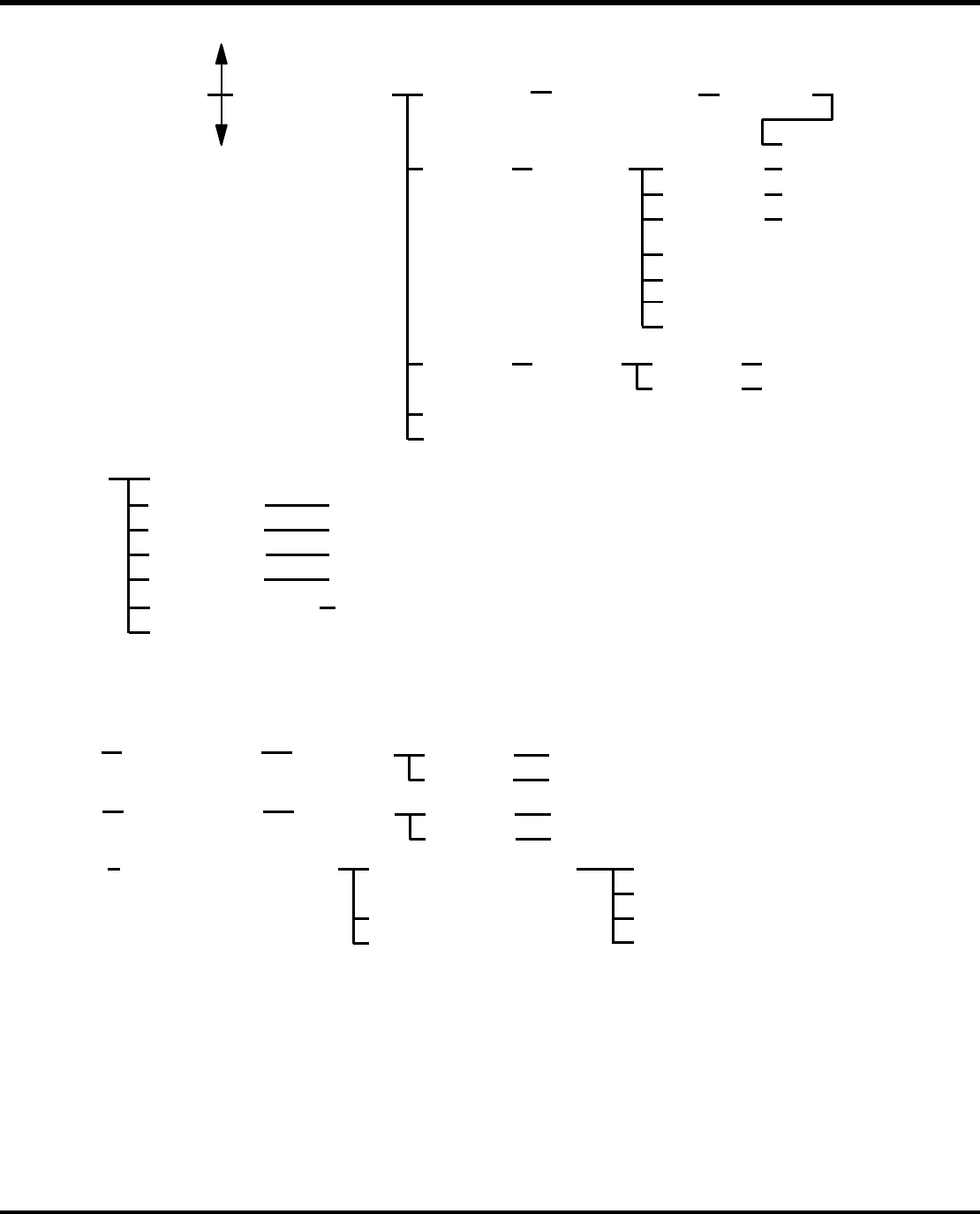
Data Edit)w (F3: Create/Edit
Parts Data
F2:
Input a data name
DXXXXXXXXXXXX
CreateF1: ENTER key
ON
(7)
EditF2: Select data. (8)
(9)
(10)
Search
F1:
Clear
F2:
Spare
Casette
F3:
ExitF8:
Production Status ScreenREQ:
DeleteF3: Select data.
Deletes data.
Previous Screen
YesF1:
NoF2:
(7) Comment
Part Height 1
Part Height 2
Insert Detection Level
Spare Cassette
0-31.0
0-25.0
0-3
(8) Input cassette No.
ENTER key
ON
YesF1:
NoF2: Previous Screen
Searches data.
(9) Input cassette No.
ENTER key
ON
YesF1:
NoF2: Previous Screen
Clear parts data.
(10)
View Spare Cassette Screen
Refer to spare
cassette information
by cassette No.
F1: 1st Spare Casette
F8:
Production Status ScreenREQ:
Exit
2nd Spare Casette
3rd Spare Casette
4th Spare Casette
Part Width
Part Length
0-99.9
0-99.9
F8:
Production Status ScreenREQ:
Exit
(To previous page)
(To * 1)
Reference
F4:
Register
F5:
•
(
F3:数
据
编缉
)
F2:建立/编缉
零件数据
建
立
编辑
输入数据名
DXXXX
回车
选择数据
查找
清除
备用盒
参考
注册
退出
是
否
删除
退出
请求:生产状态屏幕
选择数据
内容
零件高度 1
零件高度 2
零件宽度
零件厚度
插入检测水平
备用盒
输入盒号
输入盒号
回车
回车
是
否
是
否
查找数据
回到上页
清除数据
回到上页
查看备用盒屏幕
通过盒号参考备用
盒信息
退出
(接上一页)
请求:生产状态屏幕
第一备用盒
第二备用盒
第三备用盒
第四备用盒
请求:生产状态屏幕
删除数据
回到上页
(至 * 1)
RHS2B
操作手册
3.5 操作屏幕
3.5 - 18 DA4OCC – 13 – 040 – B0
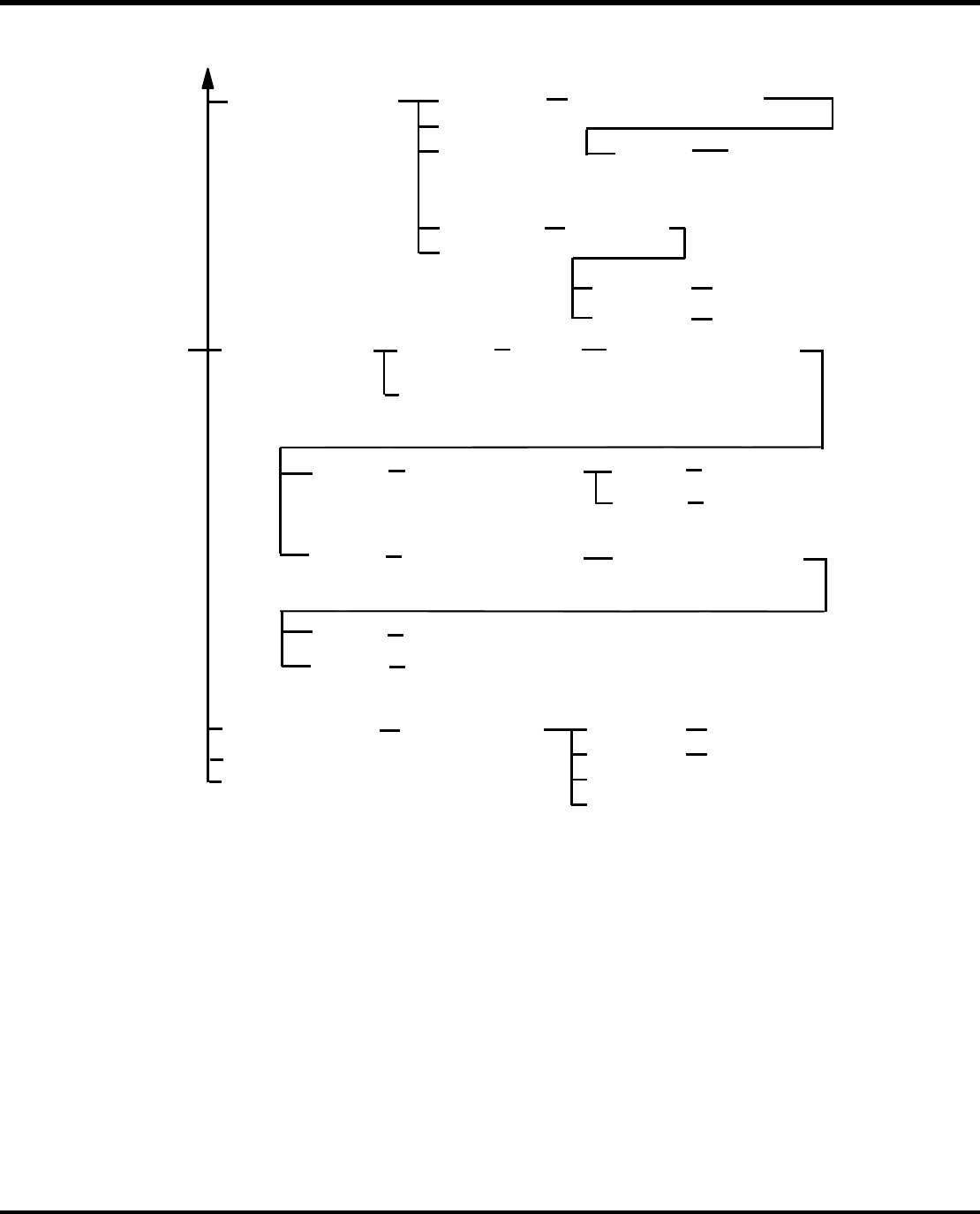
Data Edit)w (F3:
Initialize Data
F6:
Do you wish to
initialize all data?
(* 1)
Initializes data.
Previous Screen
YesF1:
NoF2:
F8:
Production Status ScreenREQ:
Exit
F8:
Production Status Screen
REQ:
Exit
F5: Sort NC Data
Select NC
data name
ENTER
key ON
Do you wish to save data
as the same name?
F1:
F2:
Previous Screen
Yes
No
Set Sort Condition
Part Size Length Max,
Width Max, Insert Chuck
Skip Block of Sort Error
F1:
F2:
Enter a new data name.
Yes
No
Starts sorting
data.
Set Sort Condition
Part Size Length Max,
Width Max, Insert Chuck
F1:
F2:
Previous Screen
Yes
No
Starts sorting
data.
F3 :@Create/Edit
Parts Library)
F1 :@Search
F2 :@Search Next
F3 :@Sort
F4 :@Delete
F8 :@Exit
Input a part shape code
Select data
F1 :@Yes
F2 :@No
Previous Screen
Deletes data.
Displays the part
shape code at the
top of the list.
ENTER
key ON
F1: Display GRP
• (F3:数据编缉)
在表头显示零件
形状代码
F3:(创建/编辑
零件库)
查找
查找下一个
分类
删除
输
入一
个零件
形
状
编
删除
回车
选择数据
是
否
删除数据
回到上页
F5:NC 数据分类
选择 NC
数据名
回车
您希望数据保存为同
一个名称吗?
是
F1:选择组
设置分类条件、零件
最大长度、最大宽度、
插入卡盘、分类错误
跳块输入一个数据名
是
否
开始数据分类
回到上页
设置分类条件,零件最
大长度,最大宽度,插
入卡盘
是
否
开始数据分类
回到上页
初
始
化数
据
退出
请求:生
产状
态屏
幕
您希望初始化
所有的数据
吗?
退出
请求:生
产状
态屏
幕
是
否
初始化数据
回到前页
RHS2B
操作手册
3.5 操作屏幕
DA4OCC – 13 – 040 – B0 3.5- 19
* 1
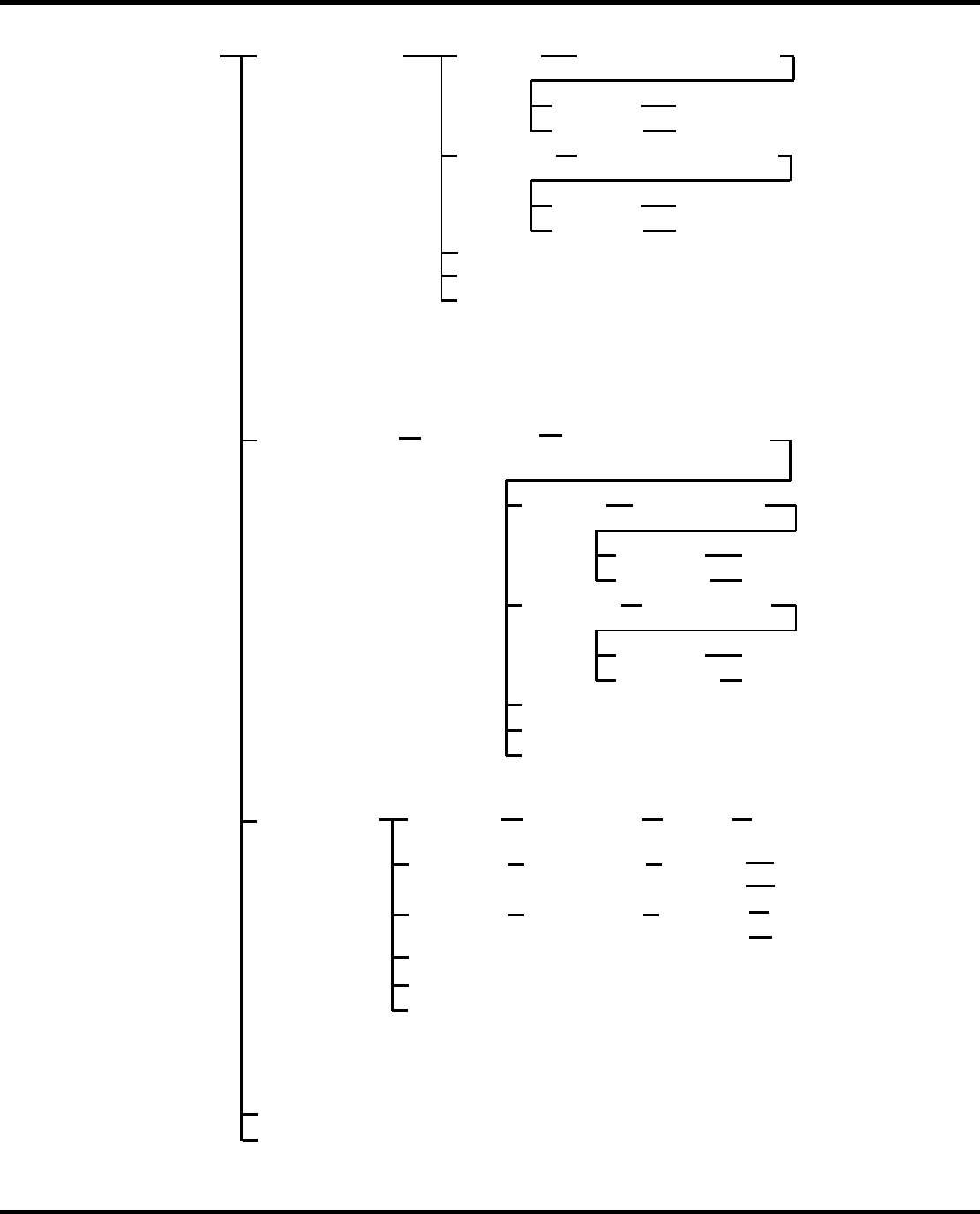
Production
Information
(Machine)
F1 :Production
Management
Information
w F4: F1: Print
REQ:
F8: Exit
Production status Screen
Do you wish to print data?
YesF1:
NoF2: Previous Screen
Prints data.
F2: Clear
Do you wish to clear data?
YesF1:
NoF2: Previous Screen
Clears data.
*1 Production Information (Machine) includes the following items:
Produced, Produced (Circuit), Power ON Time, Operation Time, Ready Time, PCB Wait (Loader), PCB Wait (Unloader), Error Stop, Maintenance Time, Parts Exhaust Stop, Operation Rate, Insertion, Insert Errors, Insert Rate, Recovery Errors, Total Insert Errors, Total Insert Rate, Transfer Errors, Error Stop, and Parts Exhaust Stop
Production
Information
(NC)
F2:
F1: Print
F8: Exit
Do you wish to
print data?
YesF1:
NoF2: Previous Screen
Prints data.
F2: Clear Do you wish to
clear data?
YesF1:
NoF2: Previous Screen
Clears data.
Select an NC
data name
*2 Production Information
(NC) of the selected
program is displayed.
REQ:Production Status Screen
*2 Production Information (NC) consists of the same items as the Production Information (Machine), plus NC Data Name and Planned.
Parts
Information
*3
F3 : F1: Search
F8 : Exit
Input cassette
No.
F3: Clear Do you wish to
clear data?
REQ:Production Status Screen
ENTER
key ON
Displays the list
starting with the
specified No.
YesF1:
NoF2:
Previous Screen
Clears data.
F2: Print Do you wish to
print data?
F1:
NoF2:
Yes Prints data.
Previous Screen
F8: Exit
REQ:Production Status Screen
*3 Parts Information includes the following items:
Cassette No., Used Up, Warning, Shortage Warning, Remain Parts, Insert Error, Parts Used, and Insert Rate
F3: Refresh
F3: Refresh
F4: Refresh
• F4:生产
管理
信息
生产信息
(机器)
打印
清除
刷新
退出
请求:生产状态屏幕
是
否
您想要打印数据吗?
打印数据
回到上页
清除数据
回到上页
是
否
您想要清除数据吗?
*1 生产信息(机器)包括以下一些内容:
已生产、已生产的电路、电源加电时间、操作时间、准备就绪时间、PCB 等待
(上料器)、PCB 等待(下料器)、错误停机、维修时间、零件耗尽停机、运行
率、插入、插入错误、插入率、总的插入错误、总的插入率、传送错误、错误
停机、以及零件耗尽停机
。
产品信息
(NC)
选择一个
N
C 数据名
*2 选定程序的产品信息
(
N
C)
会被
显示出
来
。
打印
清除
您想要
打印数据吗?
打印数据
回到上页
是
否
您想要
清除数据吗?
是
否
清除数据
回到上页
刷新
退出
请求:生产状态屏幕
*2 (NC)生产信息包括(机器)产品信息相同的内容加上 NC 数据和计划内容。
零件信息
打印
清除
刷新
退出
请求:生产状态屏幕
查找
输入盒号
您想要
打印数据吗?
您想要
清除数据吗?
回车
是
否
是
否
打印数据
回到上页
清除数据
回到上页
从特定的编号
开始
显
示
*3 零件信息包括以下内容:盒号、用尽、警告、缺料警告、保留零件、插入错误、
使用的零件、以及数据插入。
退出
请求
:生
产状
态
屏幕