00198124-02_JC_PM_WF4_TX_EN.pdf - 第68页
www.asm-smt.com
19 WF 4 TX-Series Maintenance Calibrating the TH 14 min 9 / 9
CAUTION! Refer to safety instructions in user manual before commencing Maintenance
Machine Status ON Conveyor Empty
NOTICE! ESD guidelines are to be followed Tool:
T5
Wear Part: Consumables:
www.asm-smt.com
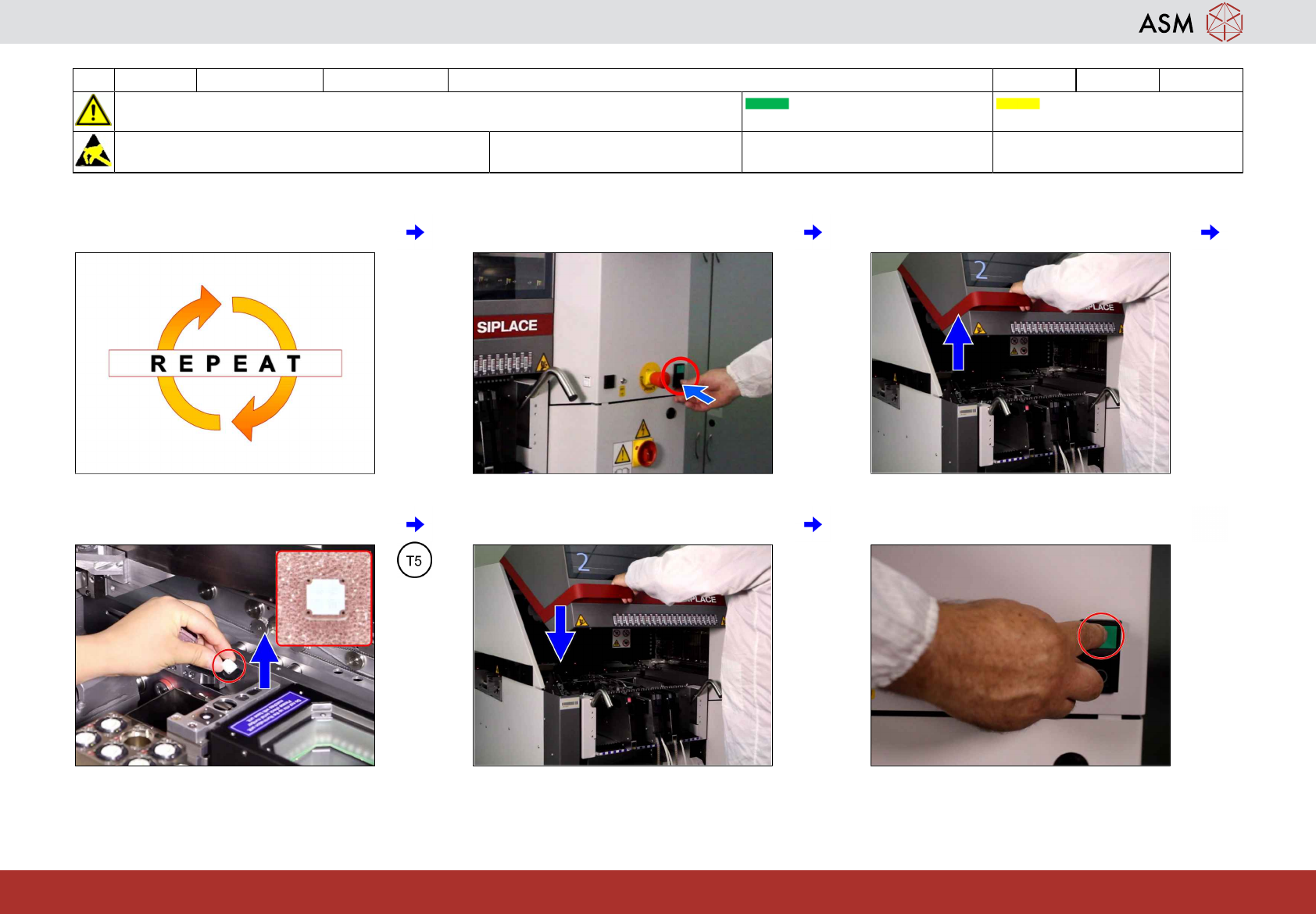
49 Repeat the steps 46 to 47 if required. 50 Push stop button. 51 Open cover.
52 Remove the calibration tool. 53 Close cover. 54 Press start.

www.asm-smt.com
20 WF 4 TX-Series Maintenance Check the cover fans 2 min 1 / 1
CAUTION! Refer to safety instructions in user manual before commencing Maintenance
Machine Status ON Conveyor Empty
NOTICE! ESD guidelines are to be followed Tool: Wear Part: Consumables:
www.asm-smt.com
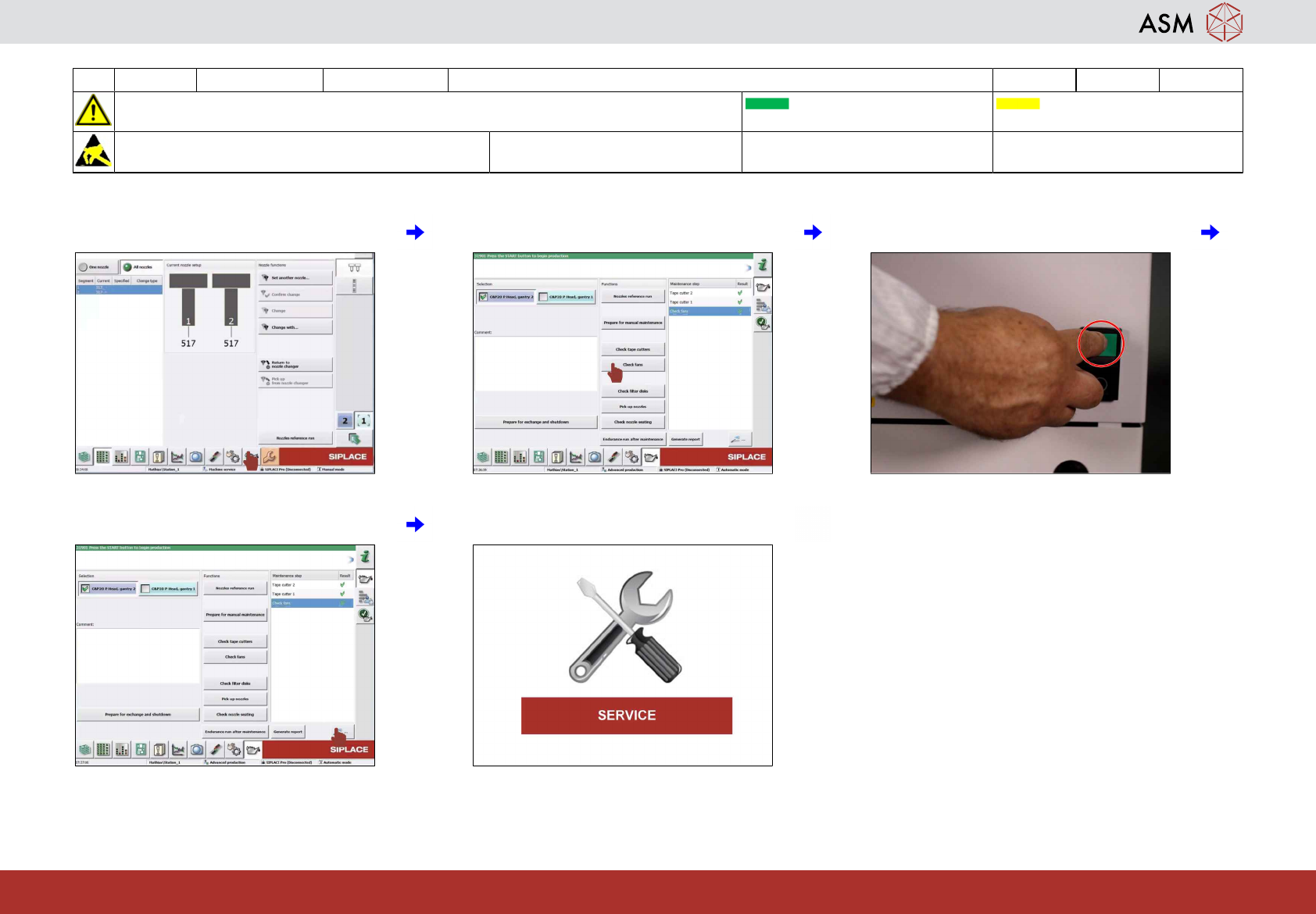
1 Click on "maintenance" icon. 2 Click on "check fans" icon. 3 Press machine start.
4 Check results. 5 If NOT OK then contact service.