00197191-02_IM_SIPLACE_Pro_10.1_EN.pdf - 第47页
4 Installation of SIPLACE Pro and possible Setup Types Installation Manual Edition 09/2012 SIPLACE Pro 10.1 45 4 Fig. 4.3 - 16 "Select Computers" dialog box Ste p 3 The "S tart Copying Files" dia log …
Installation Manual 4 Installation of SIPLACE Pro and possible Setup Types
SIPLACE Pro 10.1 Edition 09/2012
44
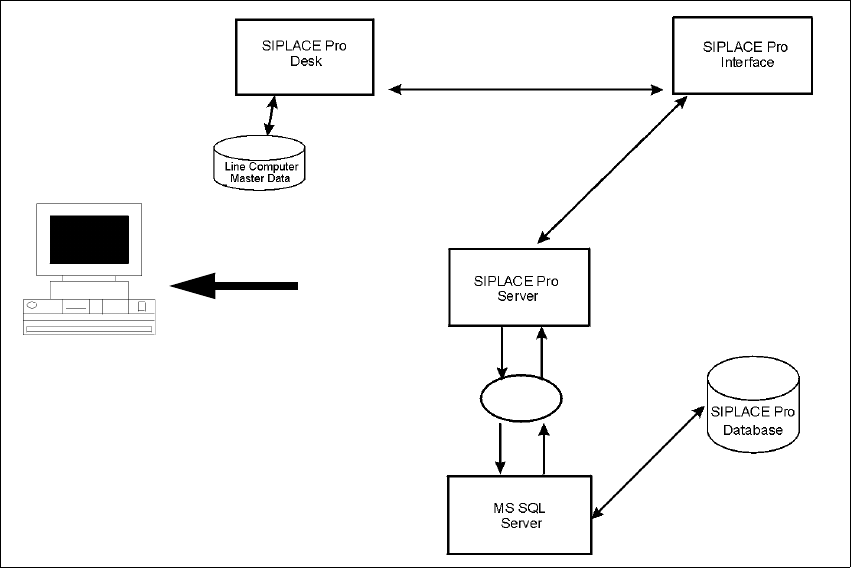
4.3.6 Setup Type – SIPLACE Pro Line Control Server
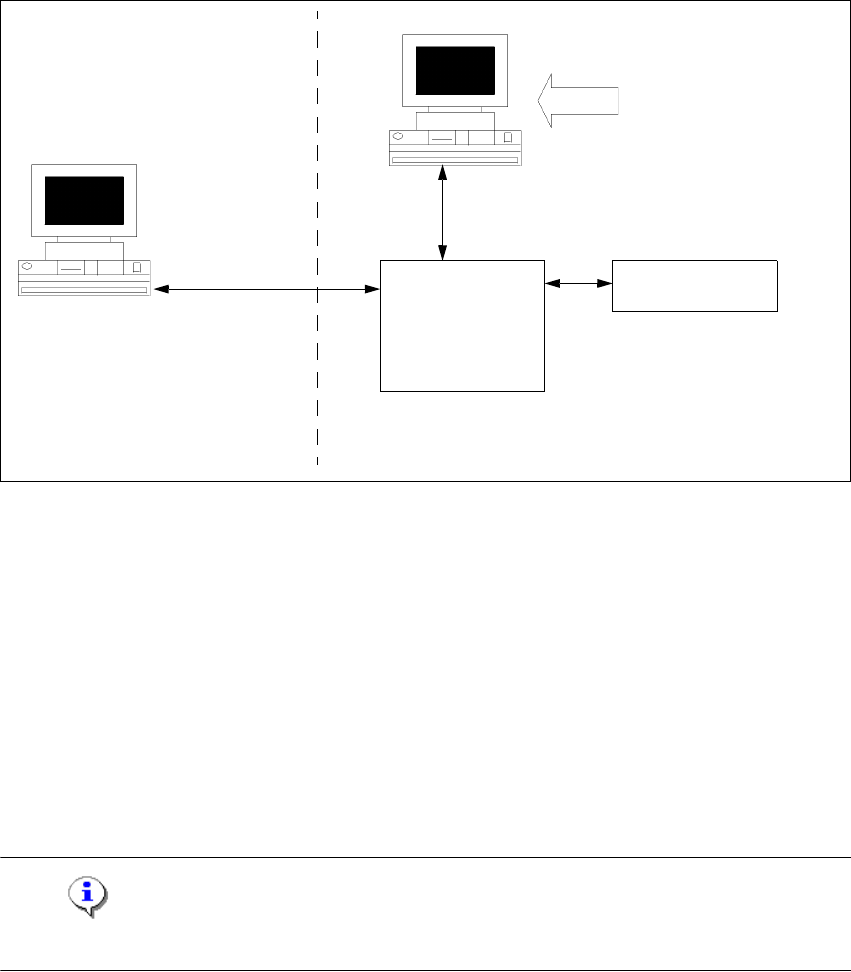
This setup type contains all components of the SIPLACE Pro Line Control Server. This setup type
is designed to be used if a separate computer is used as Line Control Server in order to increase
performance.
4
Fig. 4.3 - 15 Components – SIPLACE Pro Line Control Server
Step 1
Run through the steps in “Starting installation – first steps” on page 21.
Select the SIPLACE Pro Line Control Server setup type.
Click Next.
Step 2
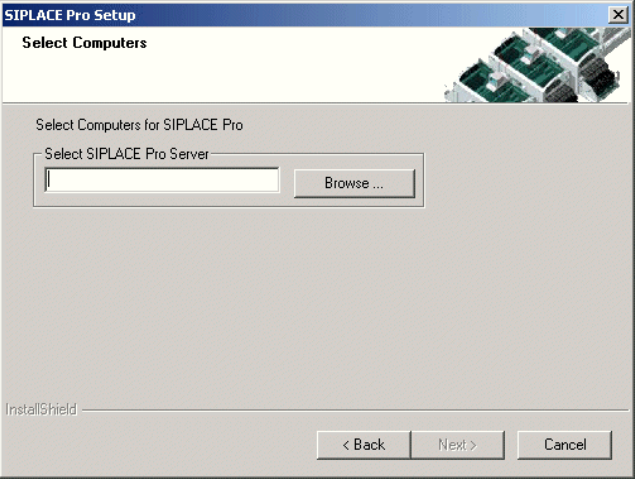
– You are prompted to enter the name of the computer which is running SIPLACE Pro Server.
You can type in a name or click the Browse button to open a dialog box in which you can
select another computer name.
Note
SIPLACE Pro Server must already be installed on the remote computer! 4
Line Control
Server
SIPLACE Pro
Interface
MS SQL Server with
SIPLACE Pro Server and
Database pre-installed
Setup
Resource
Manager
COM+
COM+
4 Installation of SIPLACE Pro and possible Setup Types Installation Manual
Edition 09/2012 SIPLACE Pro 10.1
45
4
Fig. 4.3 - 16 "Select Computers" dialog box
Step 3
The "Start Copying Files" dialog box gives you a last chance to check the information you have
entered during the previous steps.
Click Next if you accept all the information entered so far.
If you want to alter one or more details, click the Back button until you get to the dialog box
in question.
There, input your changes and click Next to continue as usual
– The installation routine is now started.
– The "Setup Complete" window confirms that the installation has been completed successfully.
Installation Manual 4 Installation of SIPLACE Pro and possible Setup Types
SIPLACE Pro 10.1 Edition 09/2012
46
4.3.7 Setup Type – SIPLACE Pro Programming System
This setup type contains all the components of SIPLACE Pro except for the Line Control System,
and enables the programming system to be operated on a single computer (SIPLACE Pro Desk,
Server and Database). It is designed to be used only for programming without download function
on that computer.
4
Fig. 4.3 - 17 Components – SIPLACE Pro Programming System
Step 1
Run through the steps in “Starting installation – first steps” on page 21.
Select the SIPLACE Pro Programming System setup type.
Click Next.
The subsequent steps are identical to the SIPLACE Pro complete system. Only the components
for Line Control are not installed.
Step 2
Continue by running through the steps described in “Setup Type – SIPLACE Pro Complete
System” on page 30.
Setup