00195700-02_Install_701_02_EN_DE.pdf - 第32页
Installation Manual, Station Software Version 701.02 07/2008 Edition 6 Inst alling the V ision computer sof tware Note: The installation requires approx. 20 minutes. → Connect the USB keyboard to the Vision computer. → S…
Installation Manual, Station Software Version 701.02 07/2008 Edition
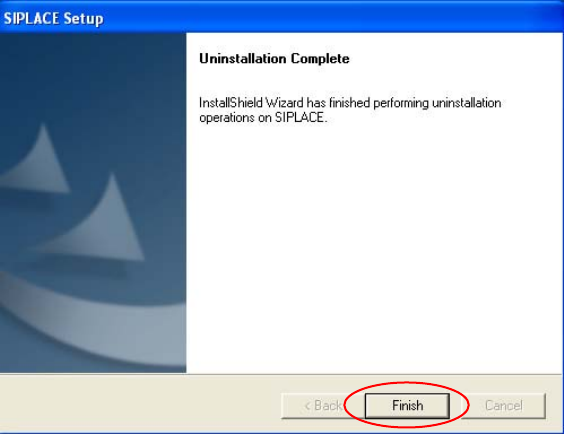
The Installation program now uninstalls all the SIPLACE software.
Fig. 5-4: Finalizing uninstallation
→ Click the Finish button.
The SIPLACE software has now been uninstalled correctly.
31 of 38
Installation Manual, Station Software Version 701.02 07/2008 Edition
6 Installing the Vision computer software
Note:
The installation requires approx. 20 minutes.
→ Connect the USB keyboard to the Vision computer.
→ Switch the video multiplexer from the machine computer to the Vision computer.
→ Log in to the Vision computer as Administrator.
(Keep the Shift key pressed as soon as the Windows XP logo appears)
→ Insert the installation CD in the drive. It is read in automatically.
Note:
If autostart has been disabled for the drive, you must start the installation manually from
the Windows Explorer.
→ Open the Explorer and start "setup.exe" under drive E by double clicking it.
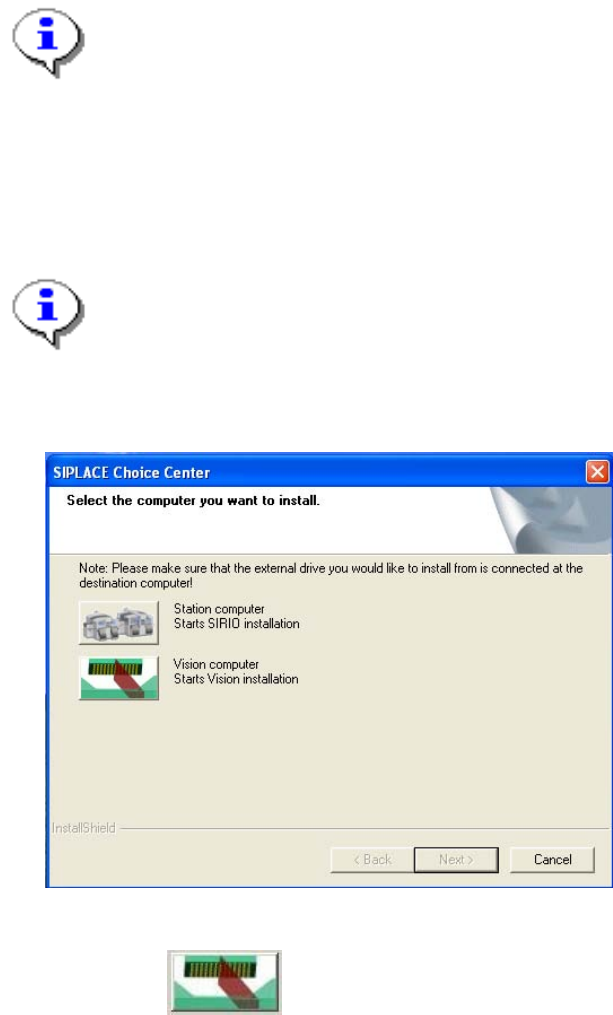
The "SIPLACE Choice Center" dialog box is opened.
Fig. 6-1: "SIPLACE Choice Center" dialog box
→ Click the "Vision computer" button.
Installation of the vision computer software continues with the welcome screen.
32 of 38
Installation Manual, Station Software Version 701.02 07/2008 Edition
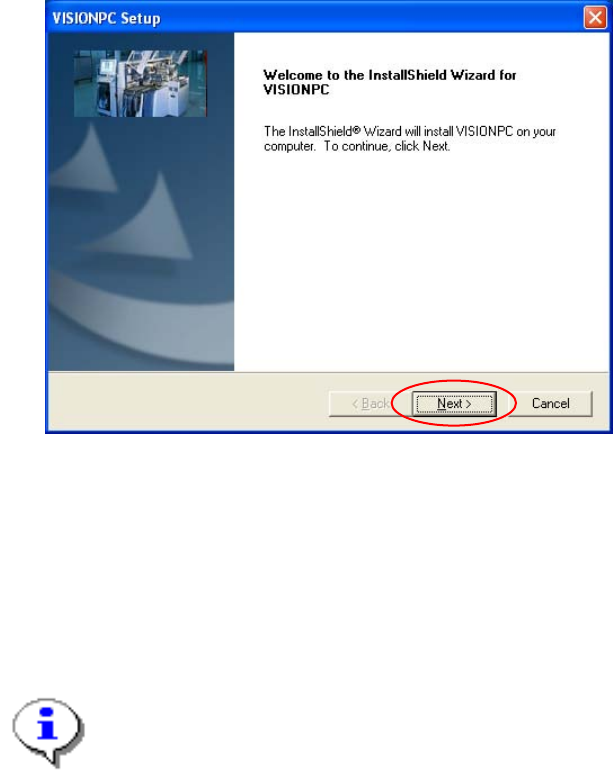
6.1 Welcome screen
Fig. 6-2 Welcome screen
→ Click the Next button.
The necessary files are installed on the Vision computer.
6.2 Finalizing the installation
Note:
The status only lists the programs that have just been installed.
If errors occurred during installation, the status is indicated by the Error button being
displayed next to the program name instead of the Ok button.
→ If you wish to read the log of the installation of any program, click the Ok (or Error) button next to the
name of the program. The Notepad is started and displays the appropriate file.
33 of 38