TR7500E_Manual_en_v28.pdf - 第29页
C h a p t e r 1 AO I S t a nd a r d P r o j ec t Cr ea t i on T R 7500 U S E R M A N U AL 22 ( 7) E n t e r b o a r d 2 f o r s e t t i ng r e f e r e n c e c om p o n e n t po s it i o n . ( 8) S e tt i ng b o a r d 2 t…
Chapter 1 AOI Standard Project Creation
TR7500 USER MANUAL
21
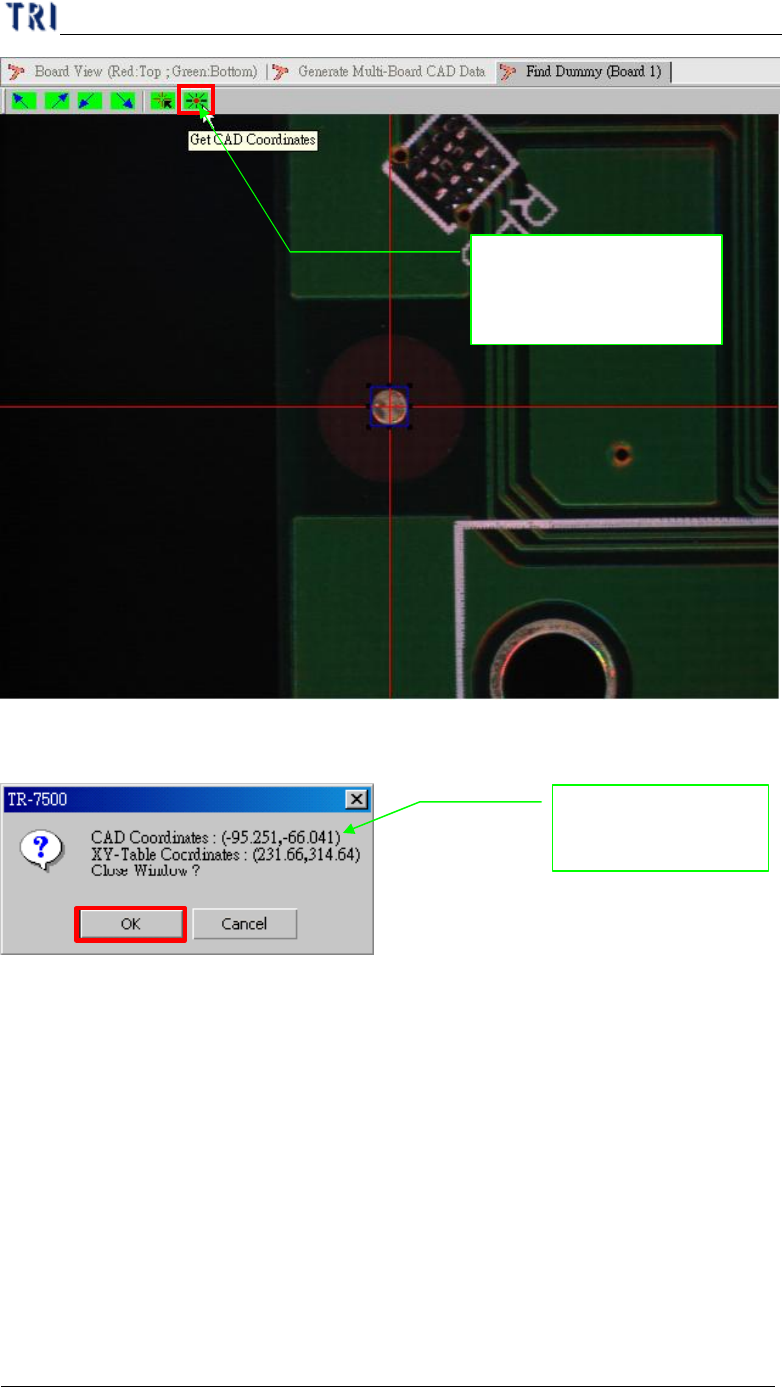
(5) Display the CAD & XY table coordinate.
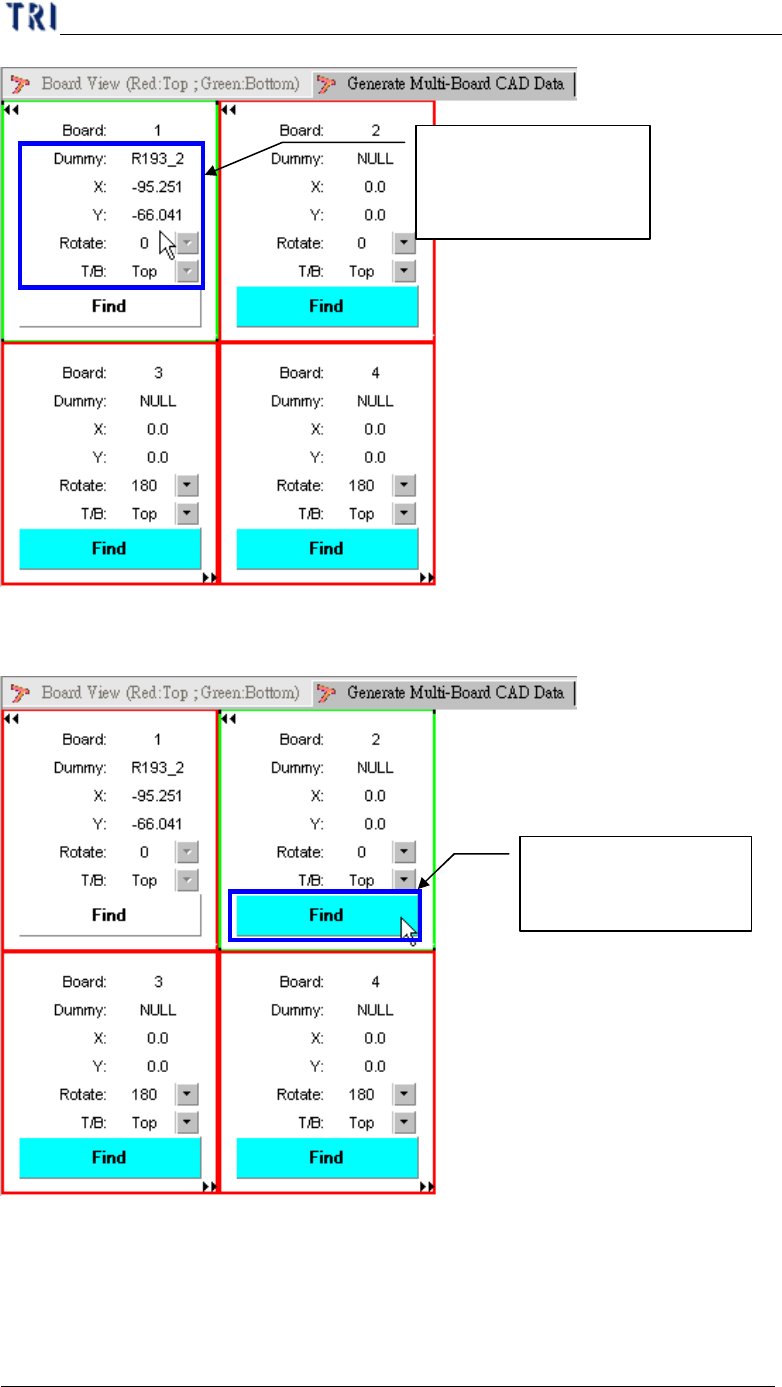
(6) Display board 1 result.
Getting the CAD with
the XY table
relationship for position
System shows the
position relationship
Chapter 1 AOI Standard Project Creation
TR7500 USER MANUAL
22
(7) Enter board 2 for setting reference component position.
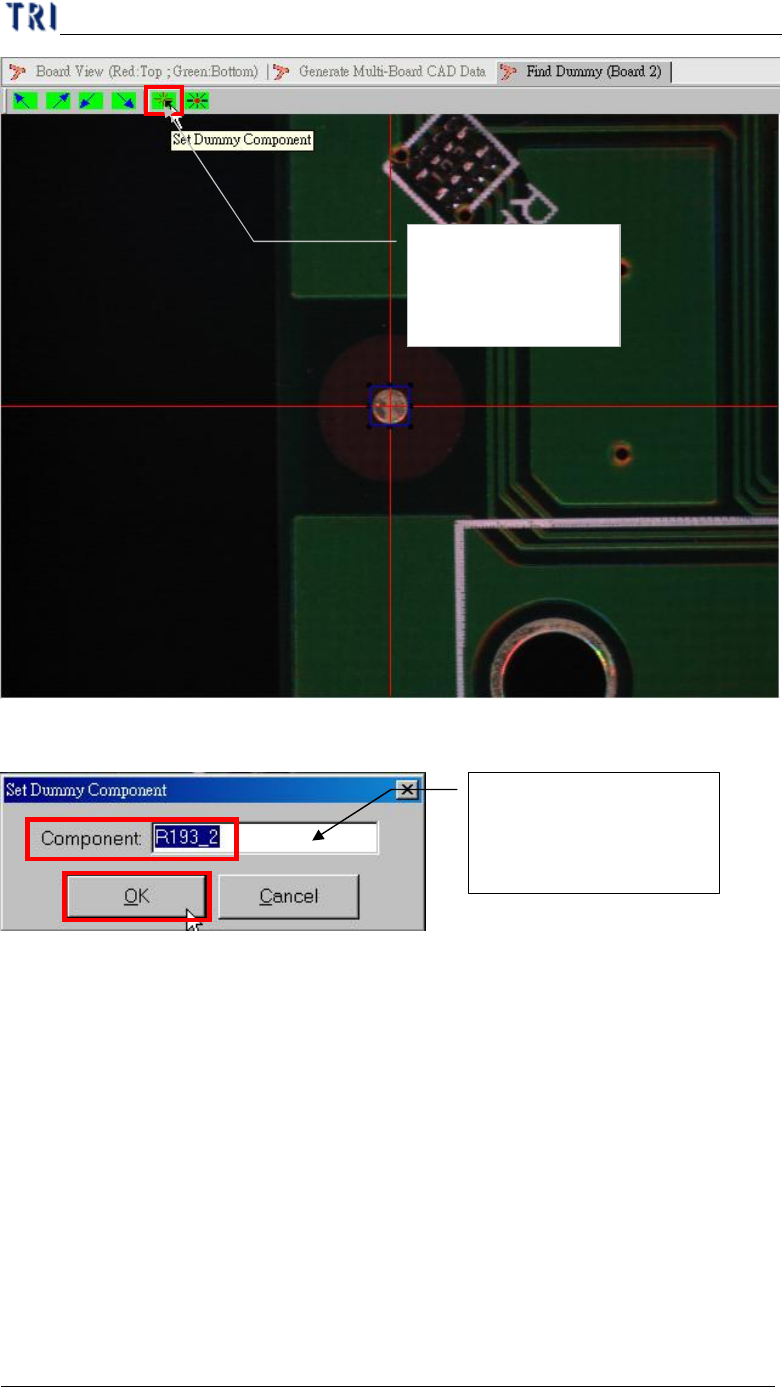
(8) Setting board 2 the reference component position.
Getting component of
CAD file with board 1
relationship
Setting board 2 with
CAD relationship
Chapter 1 AOI Standard Project Creation
TR7500 USER MANUAL
23
(9) Input reference component name.
(10) Moving the component to the screen center and getting the component
coordinate in XY table.
Setting board 2
reference CAD
component position
Inputs with the as board
1 reference component
for position finds