TR7500E_Manual_en_v28.pdf - 第75页
C h a p t e r 2 M a nu a l B a r i n t r o d u ce T R 7500 U S E R M A N U AL 68 l A u t o S k i p S e tti ng – S e tt i n g t h e s k i p r a t i o . If t h e r a t i o o f f a il e d p o i n t s f o r a p a n e l i s h…
Chapter 2 Manual Bar introduce
TR7500 USER MANUAL
67
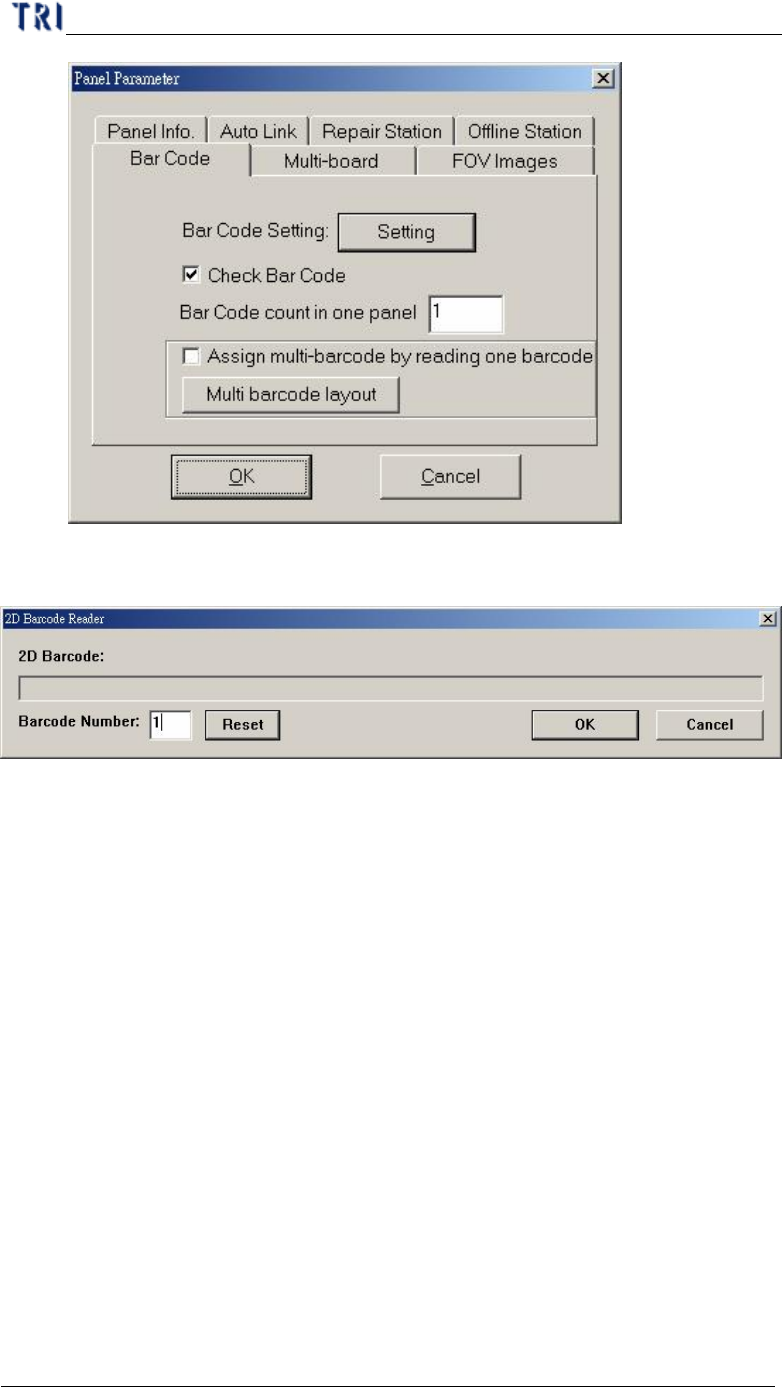
Step4. When system starts to inspect, the following barcode reading window will
be displayed.
Step5. When the total number of barcode is more than 1, you have to set the
number in [Barcode Number] field. Then press [Reset] to finish the setting.
3.3.2. MultiBoard
Chapter 2 Manual Bar introduce
TR7500 USER MANUAL
68
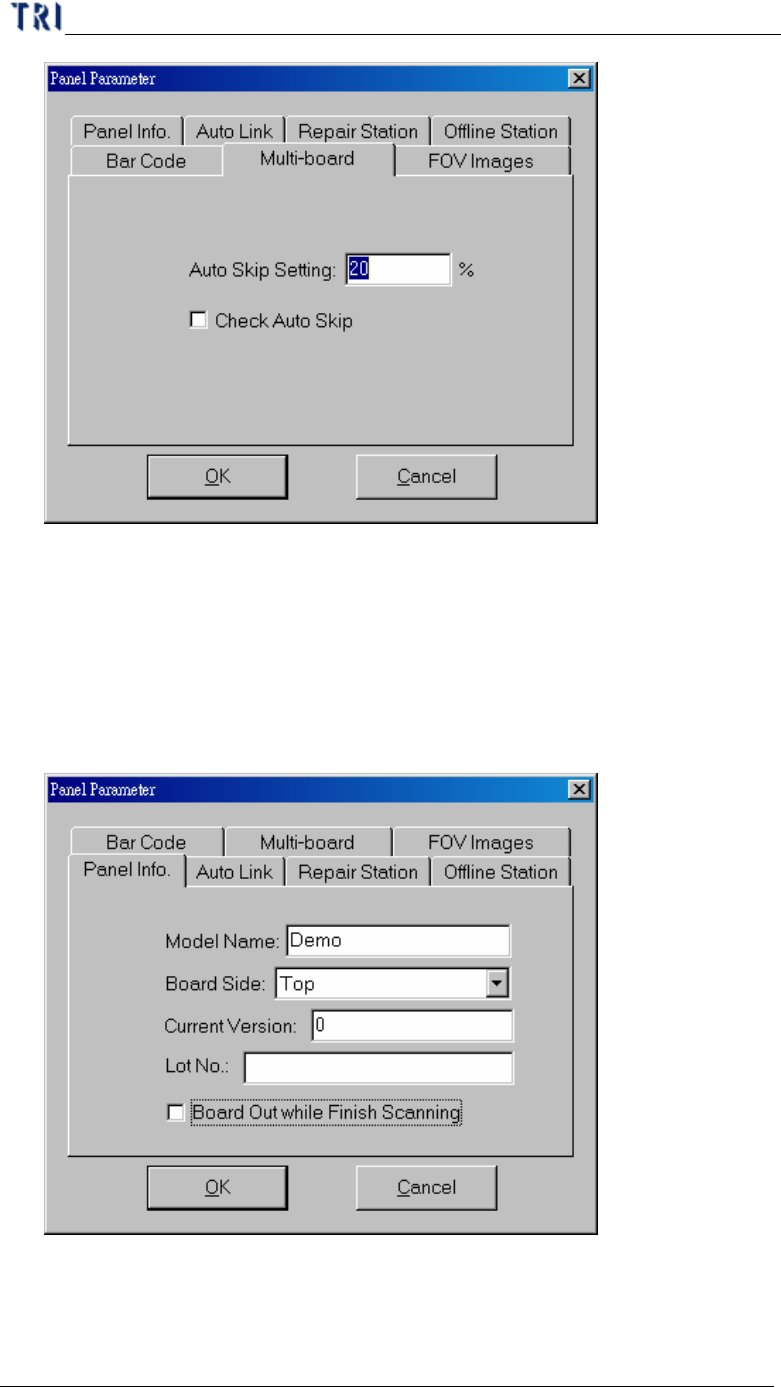
l Auto Skip Setting – Setting the skip ratio. If the ratio of failed points for a panel
is higher than the setting, the panel will be regarded as invalid board. This value
should be set greater in a situation that there are many components and smaller in
a situation that there are few components
l Check Auto Skip – Enable auto skip function.
3.3.3. Panel Info
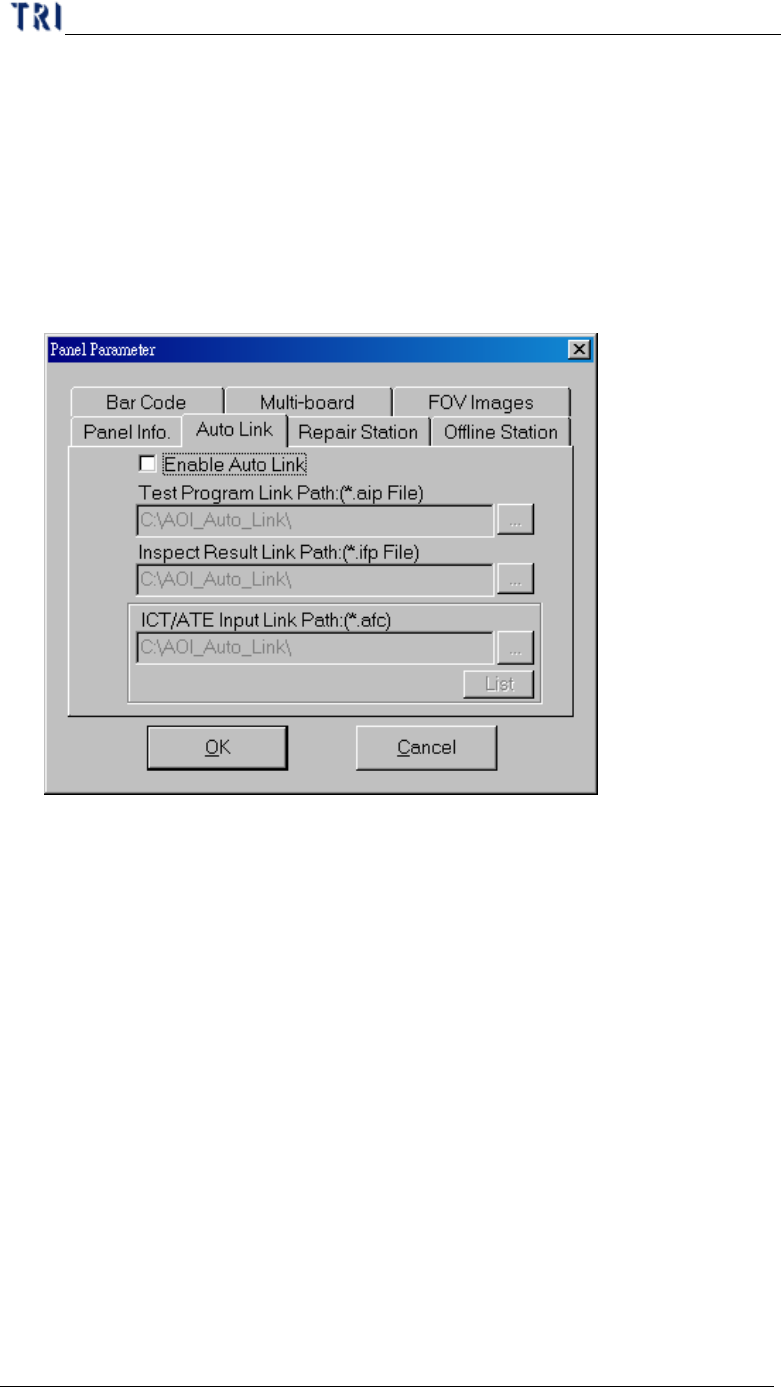
l Model Name – The same as original AOI file name. When you change the
project name, it isn’t changed.
l Board Side – Setting Board is Top or Bottom side.
Chapter 2 Manual Bar introduce
TR7500 USER MANUAL
69
l Current Version – Setting current panel used component version.
l Lot No. – You can input the lot number of manufacture and it will be a searching
condition in repair station.
l Board Out While Finish Scanning – It means that when the motion finished,
board will be sent out immediately.
3.3.4. Auto Link
l You can set the path here for the auto link with ICT or ATE.
l Enable Auto Link – Enable link with ICT/ATE machine.
l Test Program Link Path – Pass *.aip test program data to ICT/ATE machine.
l Inspection Result Link Path – Pass *.ifp inspection result data to ICT/ATE
machine.
l ICT/ATE Input Link Path – Pass *.afc inspection result data to ICT/ATE
machine.
3.3.5. Repair Station