TR7500E_Manual_en_v28.pdf - 第83页
C h a p t e r 2 M a nu a l B a r i n t r o d u ce T R 7500 U S E R M A N U AL 76 l S a v e – P r e ss t o s a v e t h e t a b l e a s a t e x t f i l e . T h e f il e n a m e i s [ t y p e S e t t i n g . t x t ] . 4.3.2…
Chapter 2 Manual Bar introduce
TR7500 USER MANUAL
75
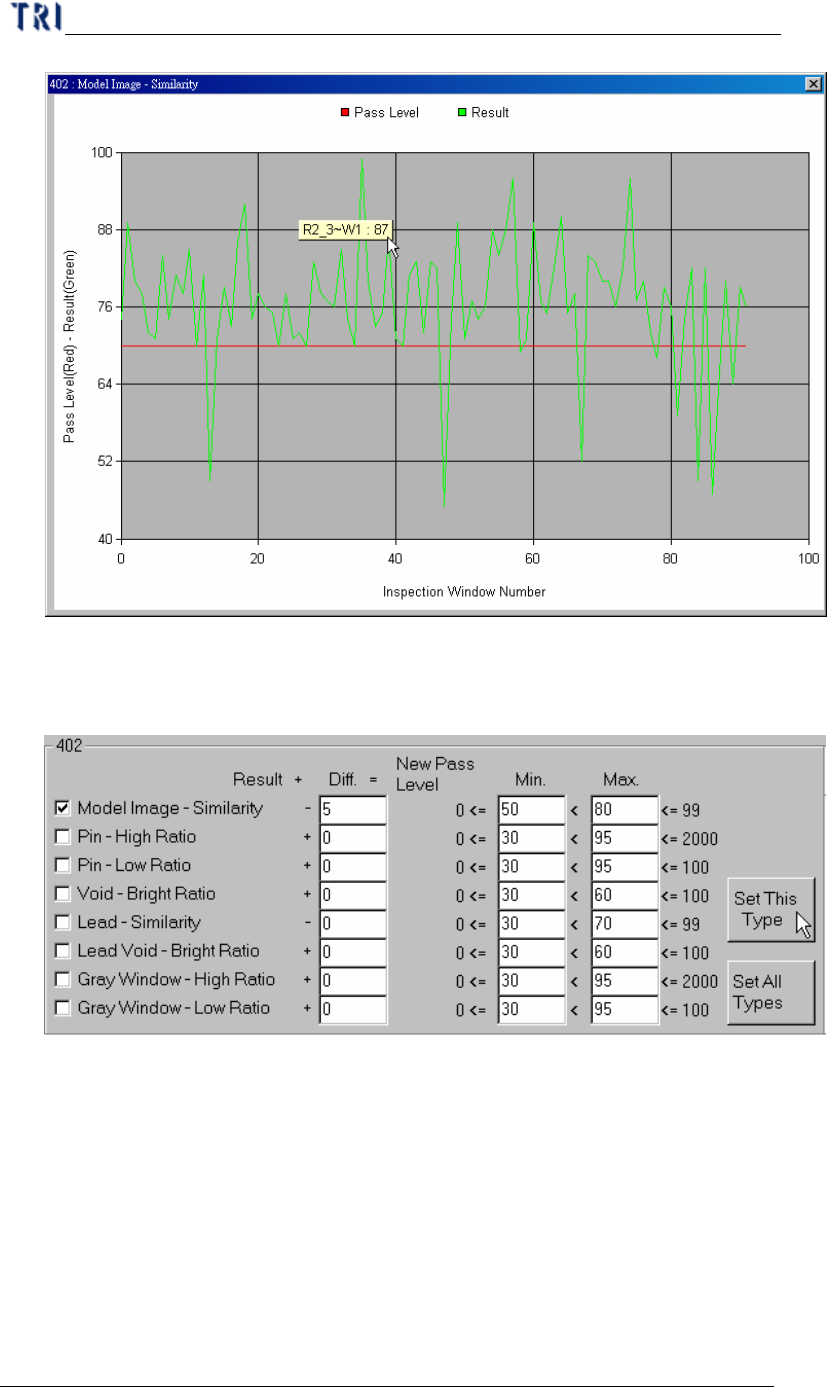
Step3. Input 5 in [Diff.] field and press [Set This Type]. The system will
subtract 5 from the average of every component in [402] type
separately. The result will be set as new pass level.
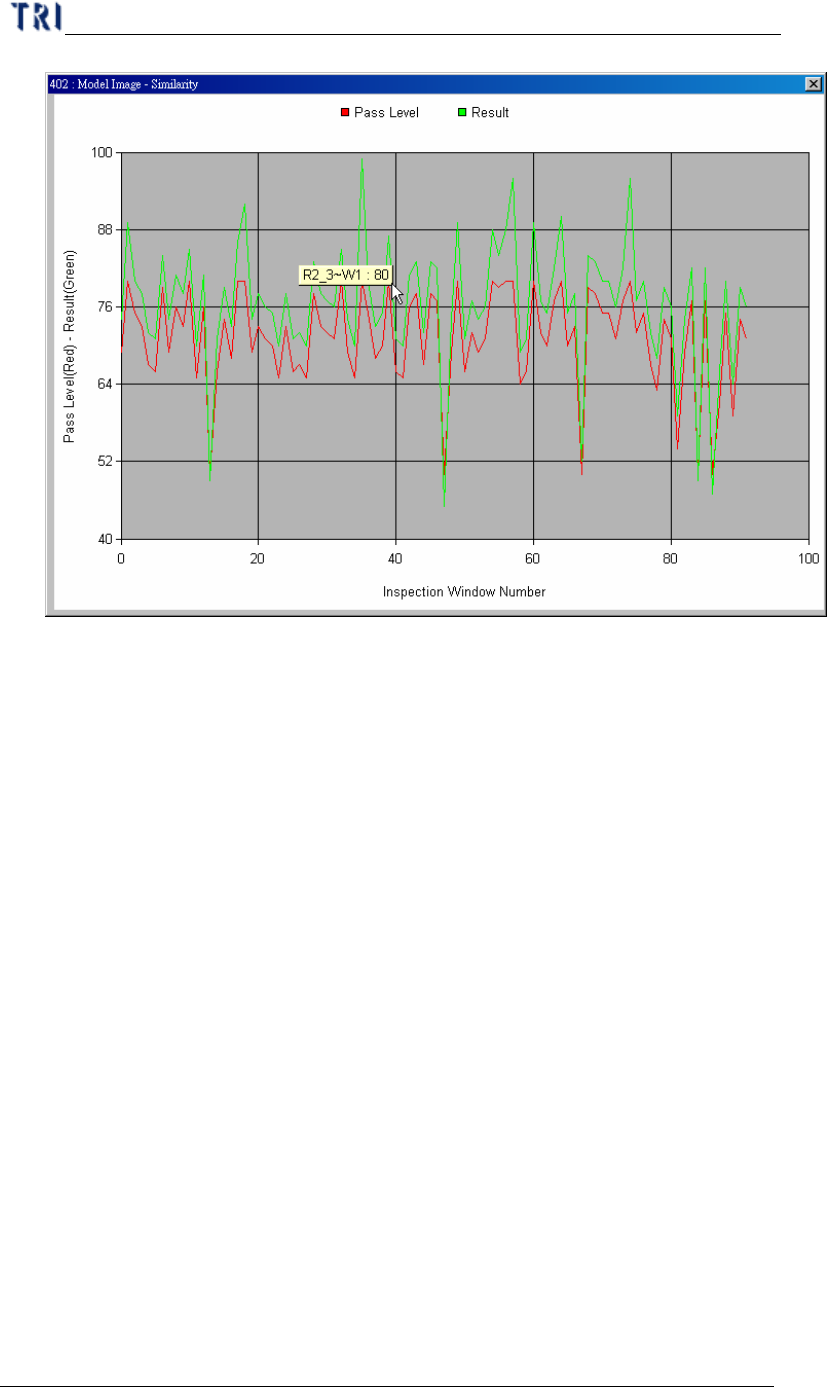
Step4. You can see curve again to review the change.
Chapter 2 Manual Bar introduce
TR7500 USER MANUAL
76
l Save – Press to save the table as a text file. The file name is [typeSetting.txt].
4.3.2. By Component Name
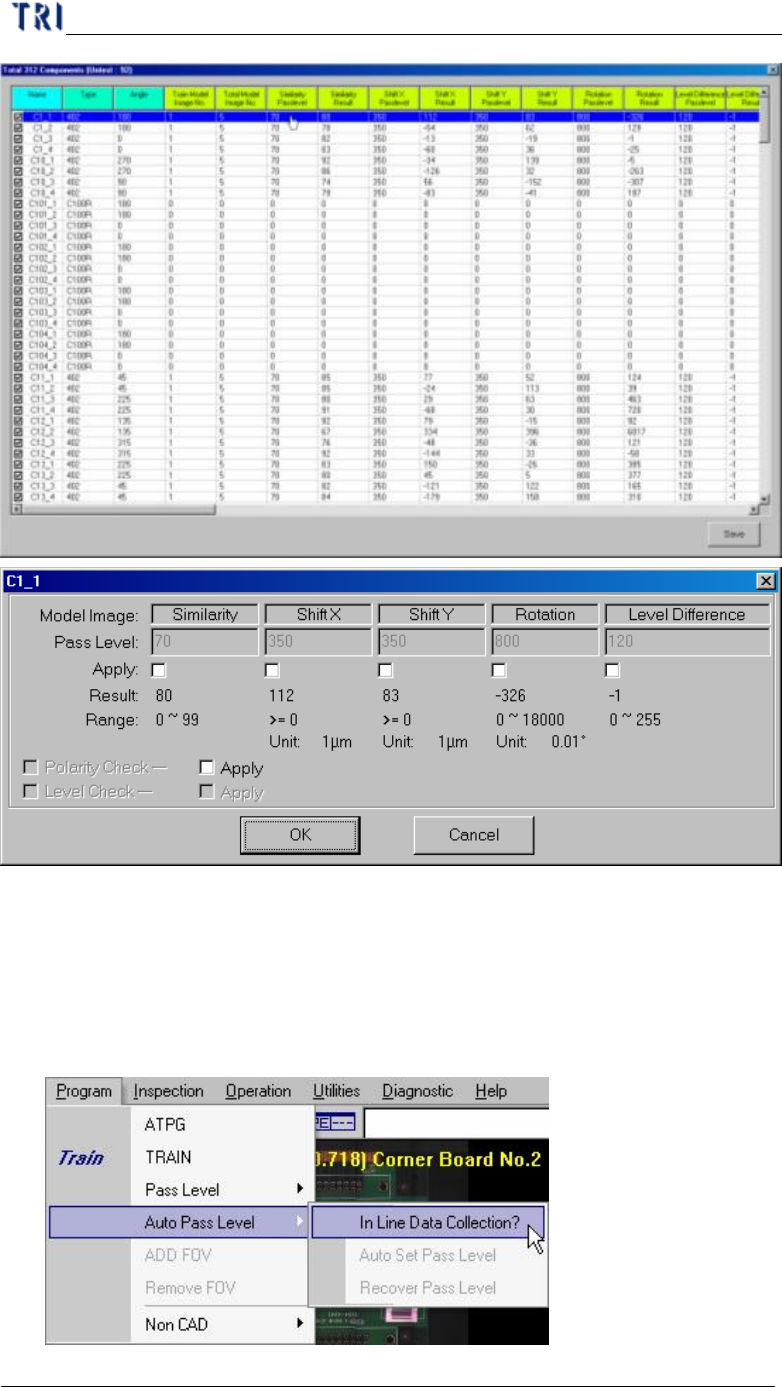
l Press the item then you can see the component list window. The window list all
pass level and inspection result for every component. 0 means the component
don’t have that kind of inspection box. You can double click on the objective
component and change the parameters. You also can check or uncheck the square
item to test or untest the component.
Chapter 2 Manual Bar introduce
TR7500 USER MANUAL
77
4.4. Auto Pass Level
4.4.1. Inline Data Collection
l Select to start the data collection and the data collection can be the basis of auto
pass level. The system saves the resent 30 value and only the passed value will
be calculated.