Schneller MTC Wechseltisch.pdf - 第34页
Assembly instructions Changeover table in place of the MTC2 Special design 03/2007 Edition 34 2.8.1 Inst alling the sof tware After you inser t the CD the following window appears. 2 : W ait until the InstallShield ® Wiz…
Special design Assembly instructions Changeover table in place of the MTC2
03/2007 Edition
33
2.8 Installation
: Log onto the machine as administrator.
: Insert the CD into the station computer.
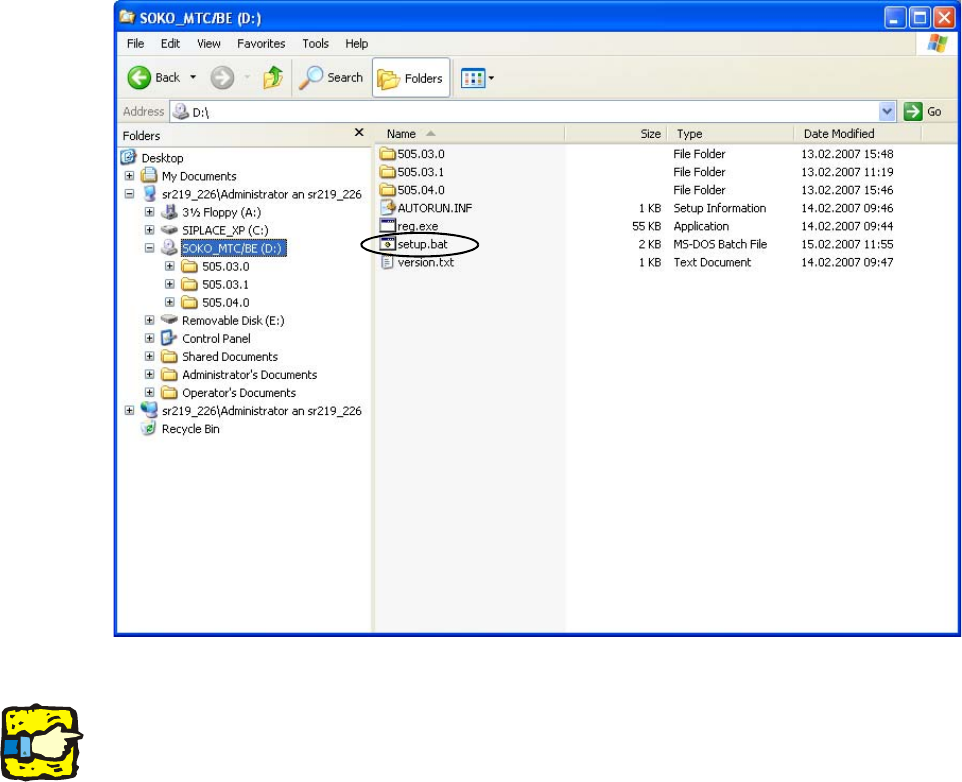
The InstallShield® starts automatically. If it does not, call up the CD in Windows Explorer and
run “D:\setup.bat”.
2
2
2
The installation can be stopped at any time using the “Cancel” button. 2
Some of the settings may be lost when the procedure is canceled. The software should therefore
be reinstalled. 2
2
2
2
2
2
Assembly instructions Changeover table in place of the MTC2 Special design
03/2007 Edition
34
2.8.1 Installing the software
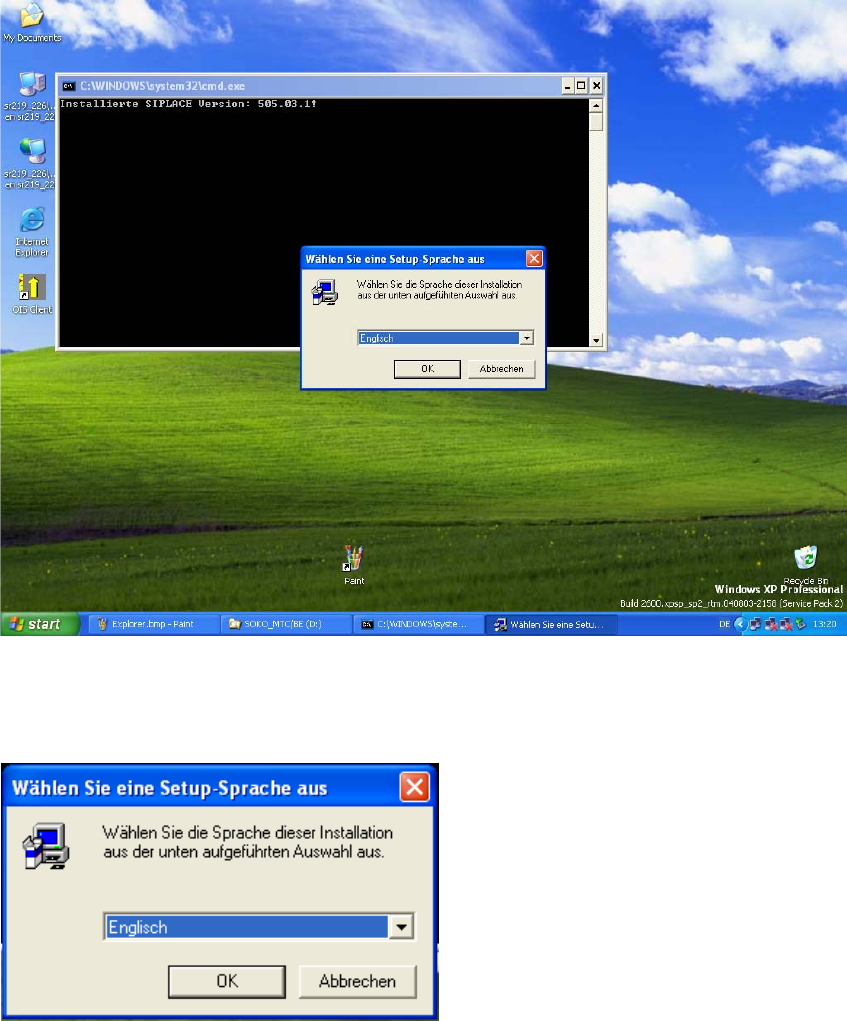
After you insert the CD the following window appears. 2
: Wait until the InstallShield® Wizard is loaded.
: Choose the language you want and click on “OK”.
2
2
: Choose a language and click "OK".
2
2
Special design Assembly instructions Changeover table in place of the MTC2
03/2007 Edition
35
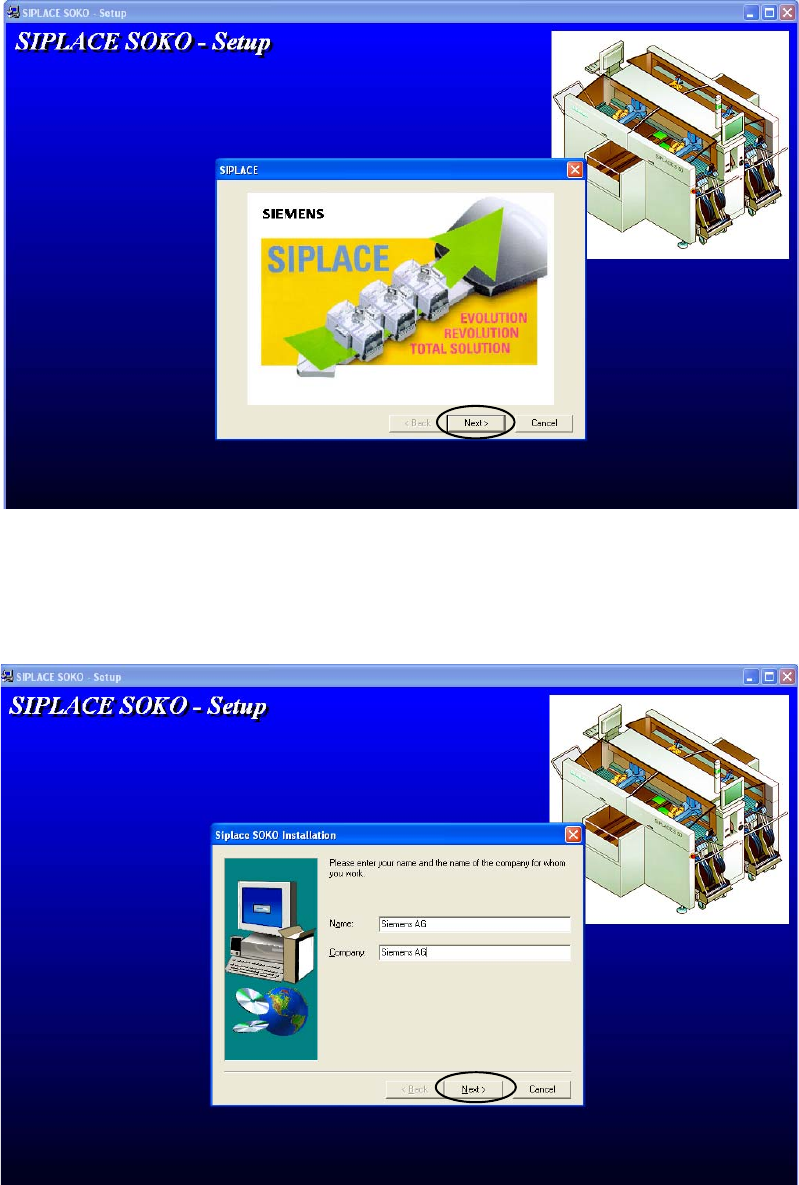
: Click on "Next" to continue.
2
2
: Enter your name and company. After you insert the registration information, the button “Next”
will be activated. Click on it to continue.
2