Schneller MTC Wechseltisch.pdf - 第36页
Assembly instructions Changeover table in place of the MTC2 Special design 03/2007 Edition 36 : T o make sure the registration in formation is corr e ct, you are asked again. If it is correct, click on “Y es” if not clic…
Special design Assembly instructions Changeover table in place of the MTC2
03/2007 Edition
35
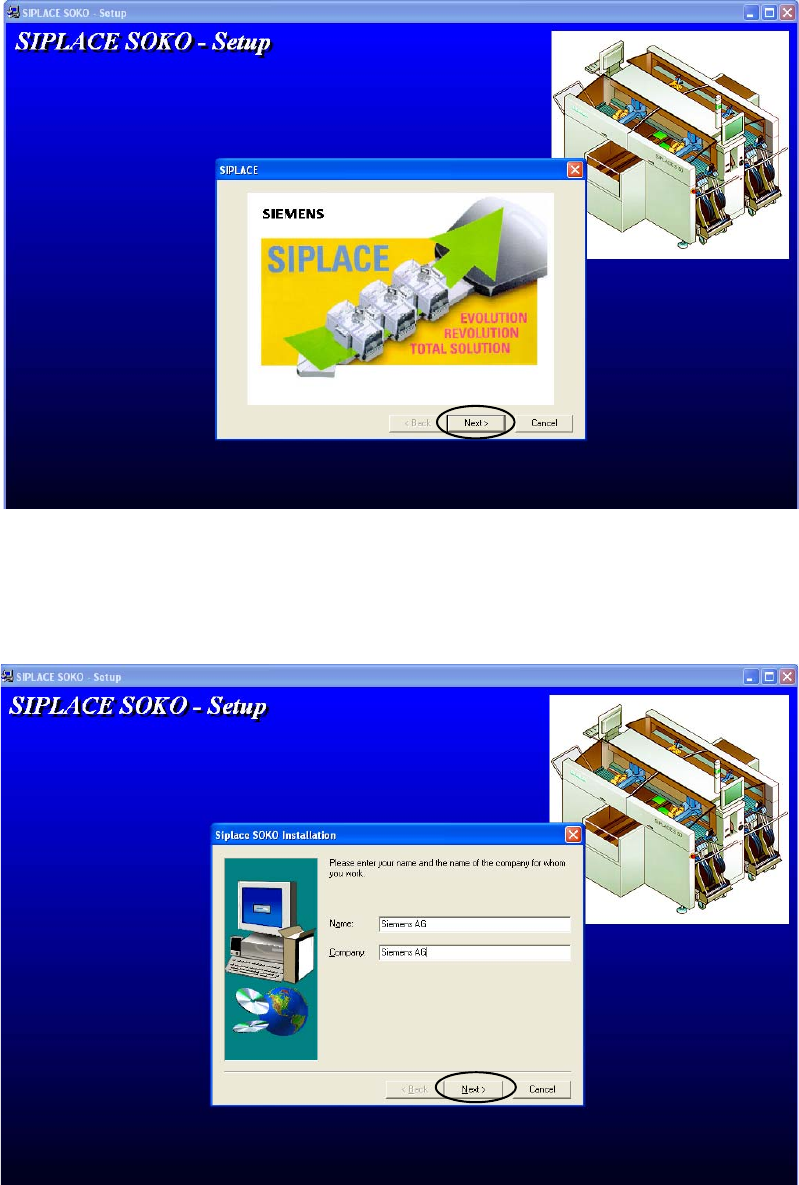
: Click on "Next" to continue.
2
2
: Enter your name and company. After you insert the registration information, the button “Next”
will be activated. Click on it to continue.
2
Assembly instructions Changeover table in place of the MTC2 Special design
03/2007 Edition
36
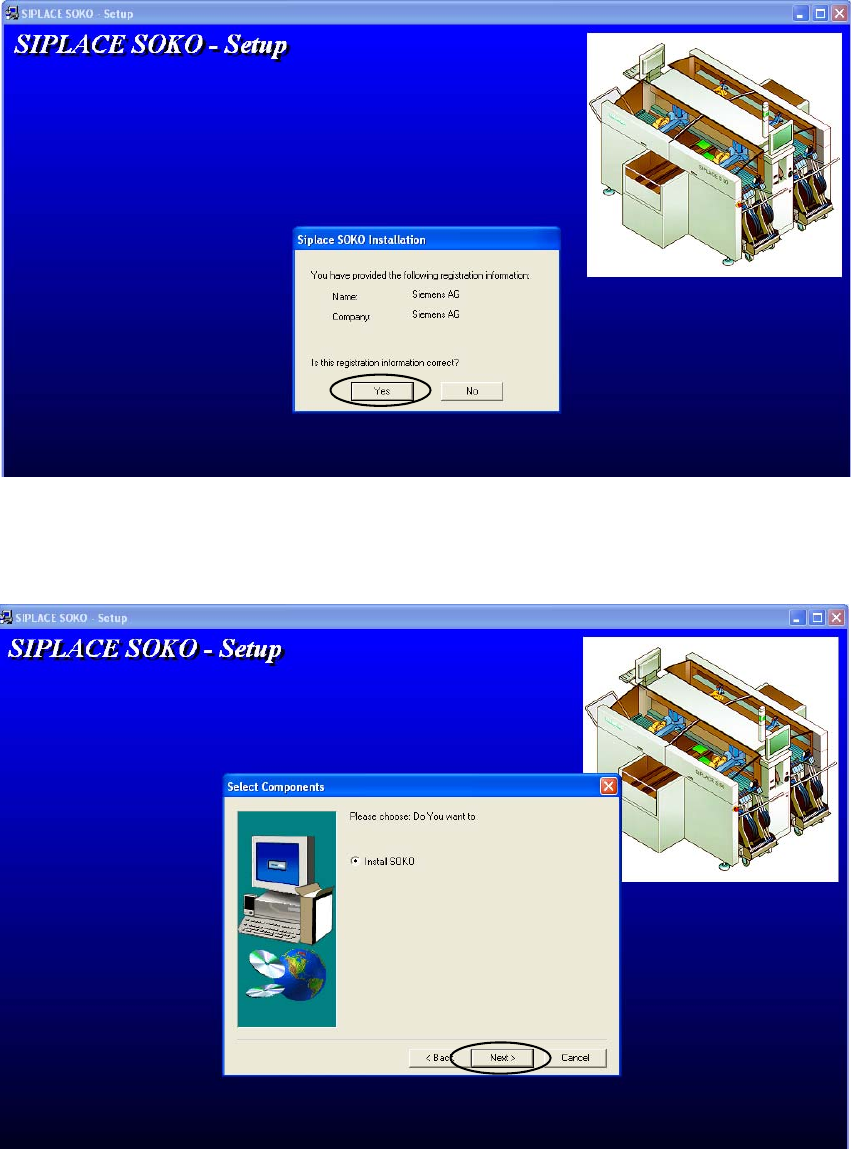
: To make sure the registration information is correct, you are asked again. If it is correct, click
on “Yes” if not click on “No” and insert it correctly.
2
2
: Choose “Install SOKO” and click on “Next” to continue.
2
Special design Assembly instructions Changeover table in place of the MTC2
03/2007 Edition
37
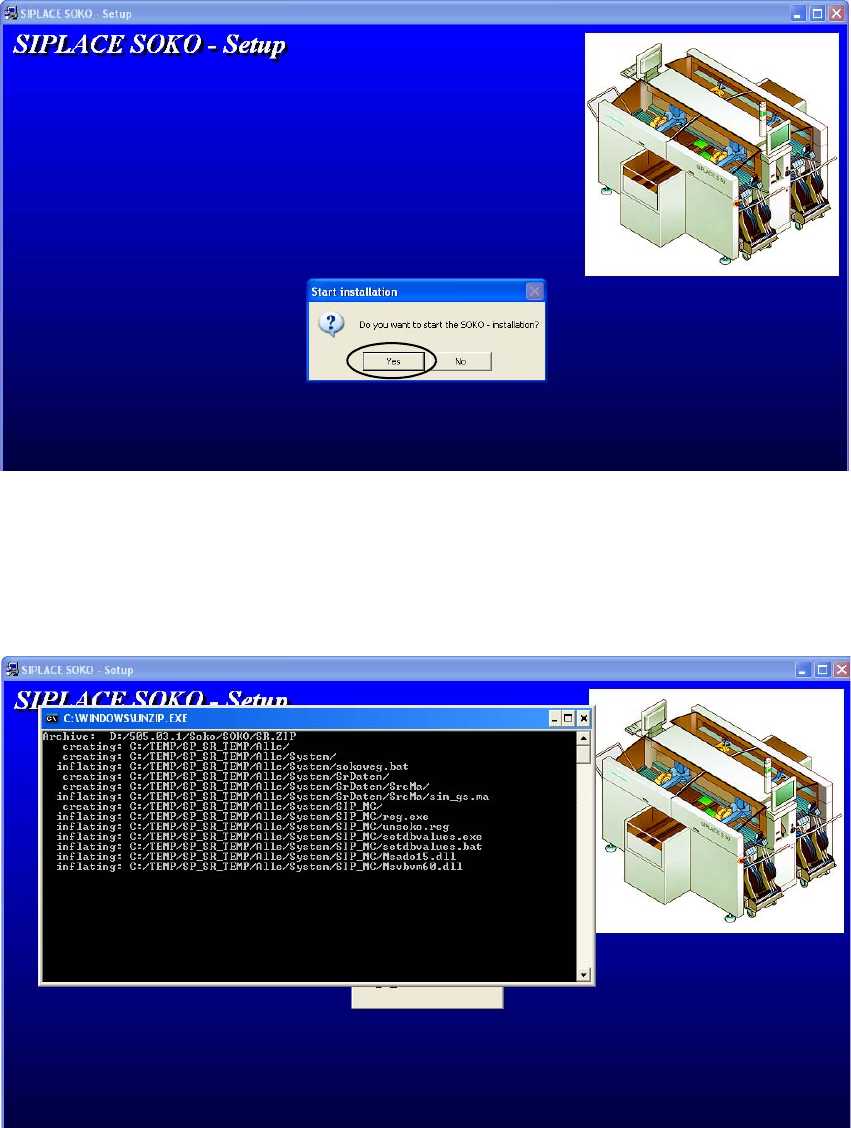
: Click on “Yes” to start installation.
2
2
: The following windows appear while the installation, wait until the final screen appears which
says that the installation was completed successfully.
Click “Finish” and restart the machine afterwards to activate the new settings.
2
2
2