Vista Rail System Module.pdf - 第12页
5$,/ 6< 67(0 02' 8/( $'-8670 (176$1 '6( 77,1 *6 12.12 Technical Reference Manual Chapter Issue 1 Sep 02 NOTE Rail wid th home sensor check s are also required i f rail para llelis m adjustment s are…
5$,/6<67(002'8/(
$'-8670(176$1'6(7 7,1*6
Chapter Issue 1 Sep 02 Technical Reference Manual 12.11
ADJUSTMENTS AND SETTINGS
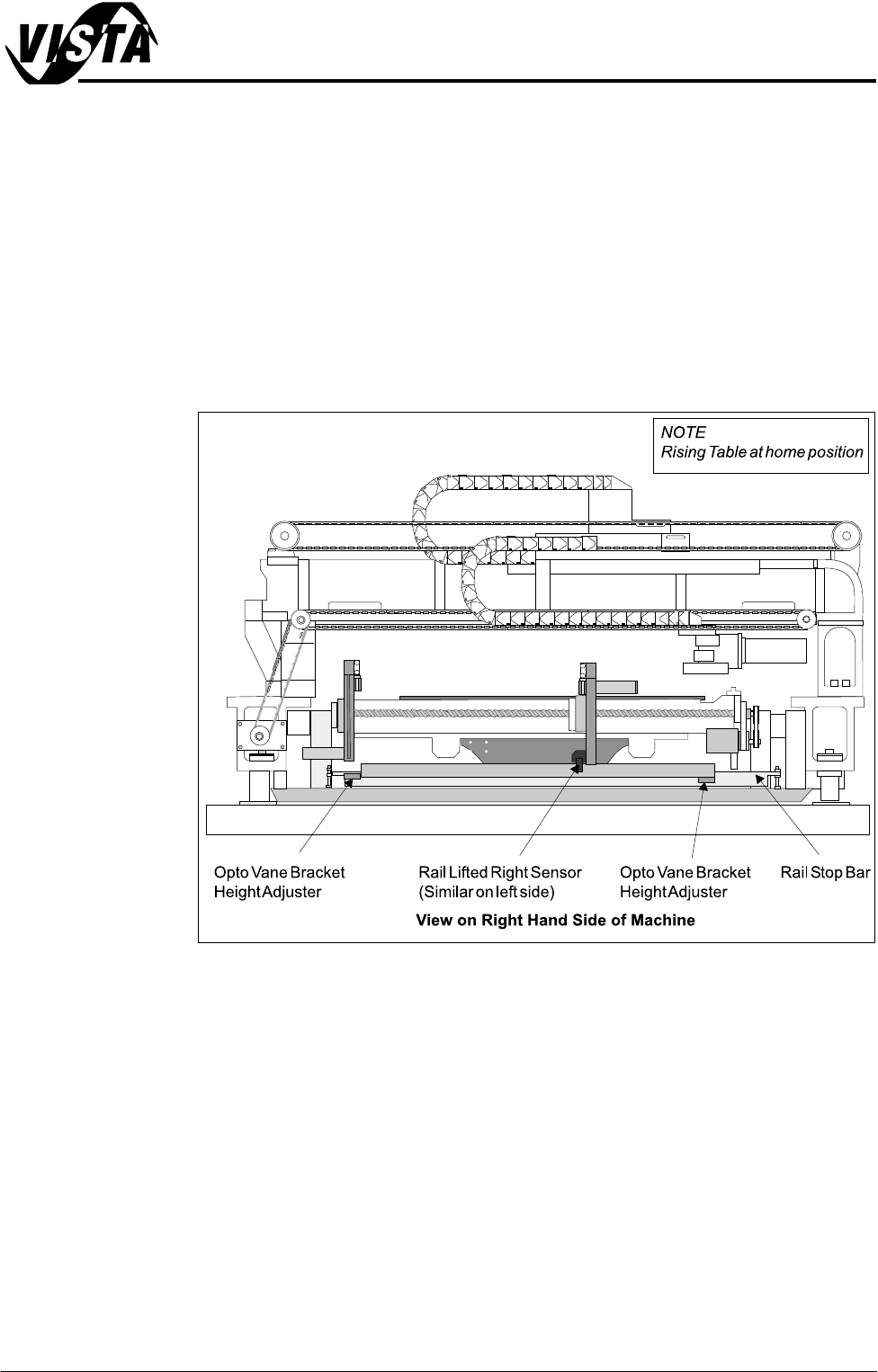
Rail Lifted Sensors Both the left and right rail lifted sensors are through beam optos and mounted
either side of the rising table so to detect premature lifting of the rear rail, as
described in the Drives and Sensors section of this chapter.
The opto vane brackets are height adjustable and are set using a 0.5mm feeler
gauge, so that if either opto is moved by a minimum of 0.5mm above the vane
setting (whilst the table is in the home position), then the LED switches to OFF
indicating an error warning to the operator.
NOTE
Rail Lift Setting figure of this chapter also refers.
Figure 12-8 Rail Lifted Sensor Location
Rail Width Home
Sensor
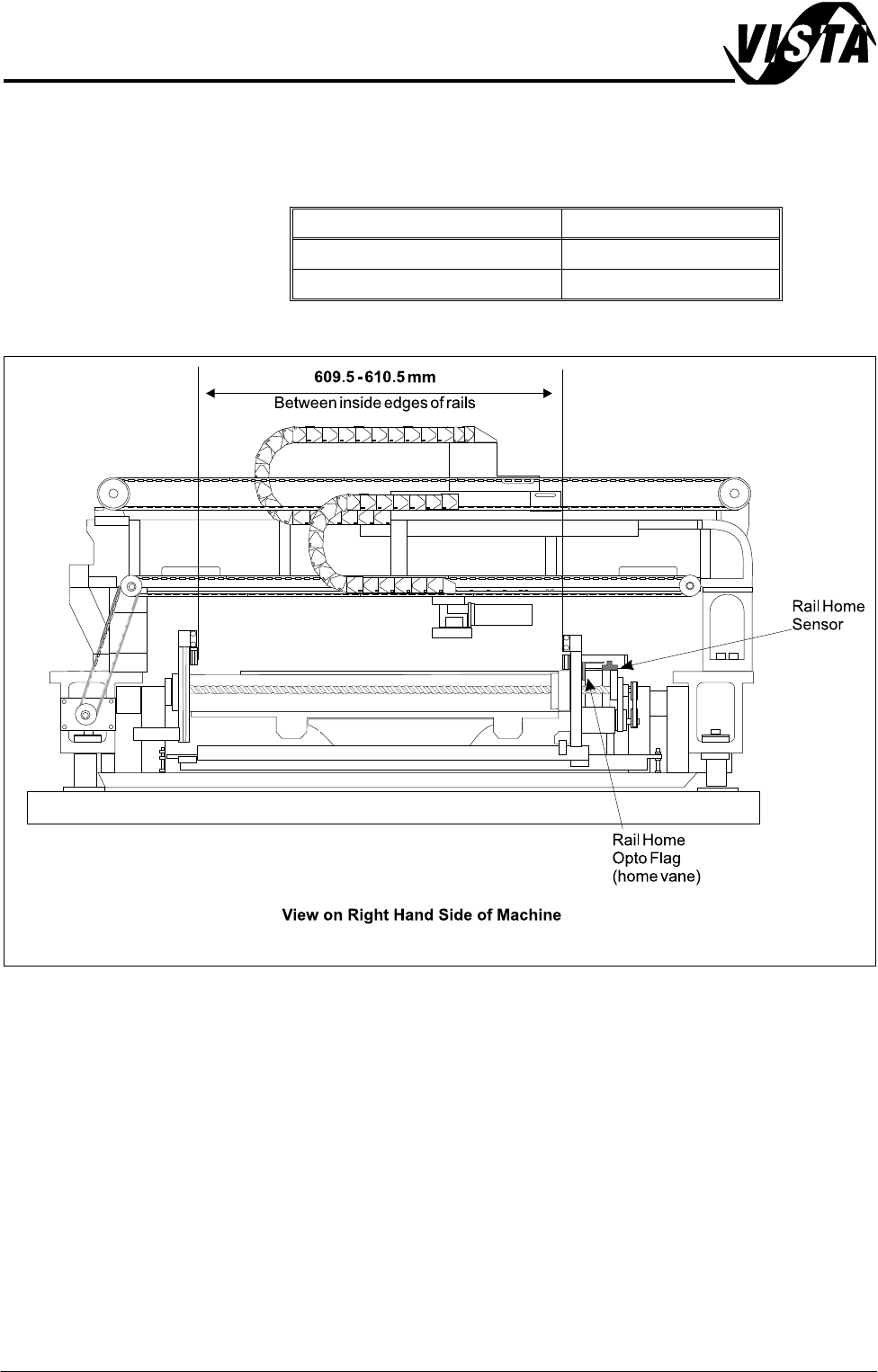
The rail width home sensor is used to find the home position of the moving rail
and is described in detail in the Sequences section (Homing Sequence) of this
chapter.
The sensor is mounted on an adjustable bracket which enables the position
between the front and rear rails to be set to 609.5 - 610.5mm, (measured
between the inside edges of both rails, when the moving rail is in the home
position).
A fine adjustment can be made to the set rail dimension by slackening the
sensor forward securing screw and turning the home sensor adjustment screw
(Figure Rail Home Setting refers) in accordance with the table on the next page.
5$,/6<67(002'8/(
$'-8670(176$1'6( 77,1*6
12.12 Technical Reference Manual Chapter Issue 1 Sep 02
NOTE
Rail width home sensor checks are also required if rail parallelism adjustments
are carried out
Figure 12-9 Rail Width board Sensor Location
Home Sensor Screw Adjustment Set Rail Dimension
1 full turn clockwise + 0.5mm
1 full turn anti-clockwise - 0.5mm
5$,/6<67(002'8/(
$'-8670(176$1'6(7 7,1*6
Chapter Issue 1 Sep 02 Technical Reference Manual 12.13
Board at Left/Right
Optos
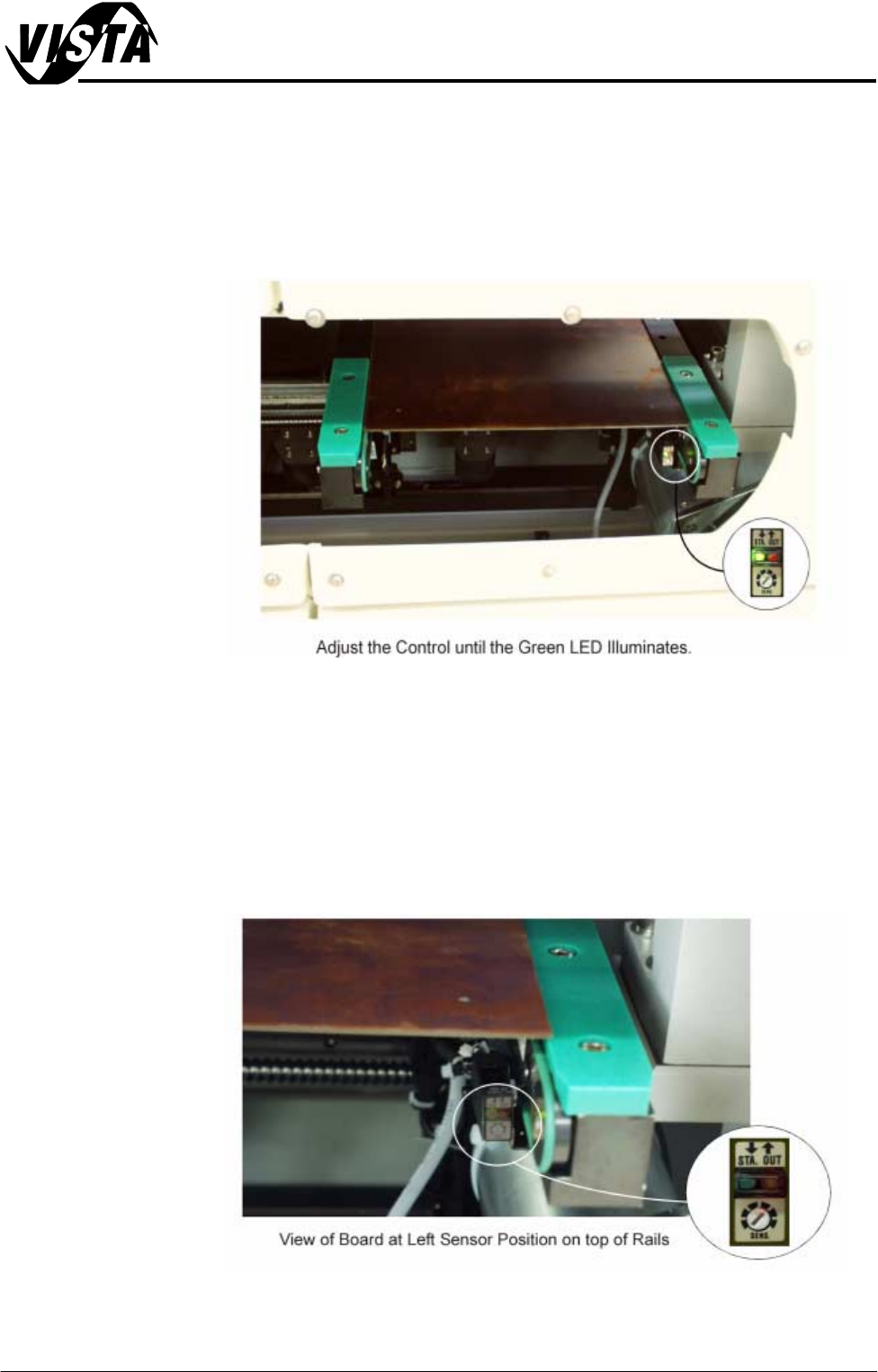
When fitted to the machine rails the diffuse sensors switching threshold can be
adjusted by means of a sensitivity control switch. This ensures that when a
board is fed into the machine (via the transport belts) the sensor output switches
to ON.
To achieve an optimum setting carry out the following procedure:
1. Place a board on the rails covering the sensor.
2. Turn the sensitivity control fully anti-clockwise, ensure that the green LED is
extinguished.
3. Re-adjust the sensitivity control clockwise until the green LED illuminates.
4. Remove the board from the rails and confirm that the green LED extin-
guishes and the red LED illuminates.
5. Position the board back onto the rail system, (so that the board lies on top
of the rail system as shown in the figure below). Confirm that the red and
green LED’s are extinguished. (If the green LED illuminates, turn the
sensitivity control anti-clockwise until the green LED extinguishes.)
6. Remove the board. Position the board back on the rail system, as in Step 1,
and confirm that the green LED illuminates. Carry out Step 4.