00194385-01.pdf - 第30页
Installation of retaining clamp f or lifting axis/alignment of spindle/check of gear fixing for spindle, MT C2 06/2004 Edition 30 : T urn the retaining cla mp ov er to the l eft and insert the scre w once more. Only l ig…
Installation of retaining clamp for lifting axis/alignment of spindle/check of gear fixing for spindle, MTC2
06/2004 Edition
29
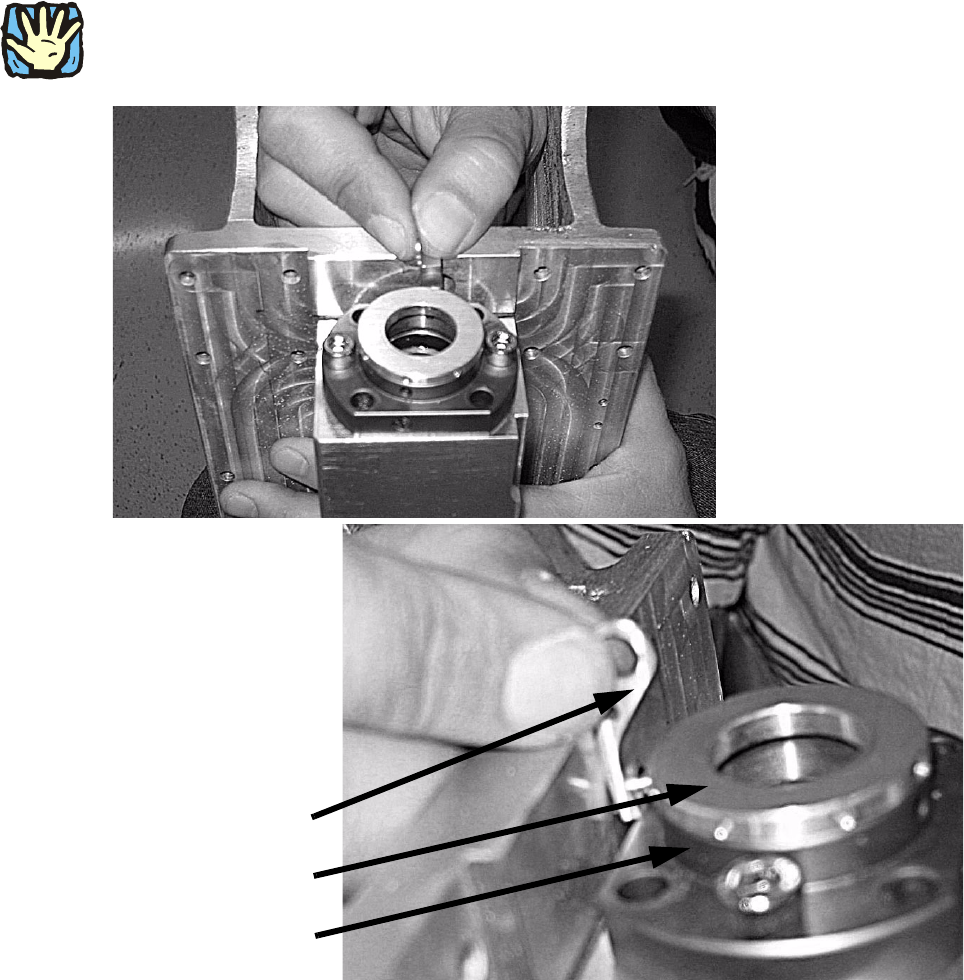
: With your hand, press the stripper sleeve down and guide the pin of the retaining clamp into
the flanged nut at the position shown.
2
Do not introduce into the stripper sleeve. 2
2
2
2
2
2
2
2
Stripper sleeve
Retaining clamp
Flanged nut
Installation of retaining clamp for lifting axis/alignment of spindle/check of gear fixing for spindle, MTC2
06/2004 Edition
30
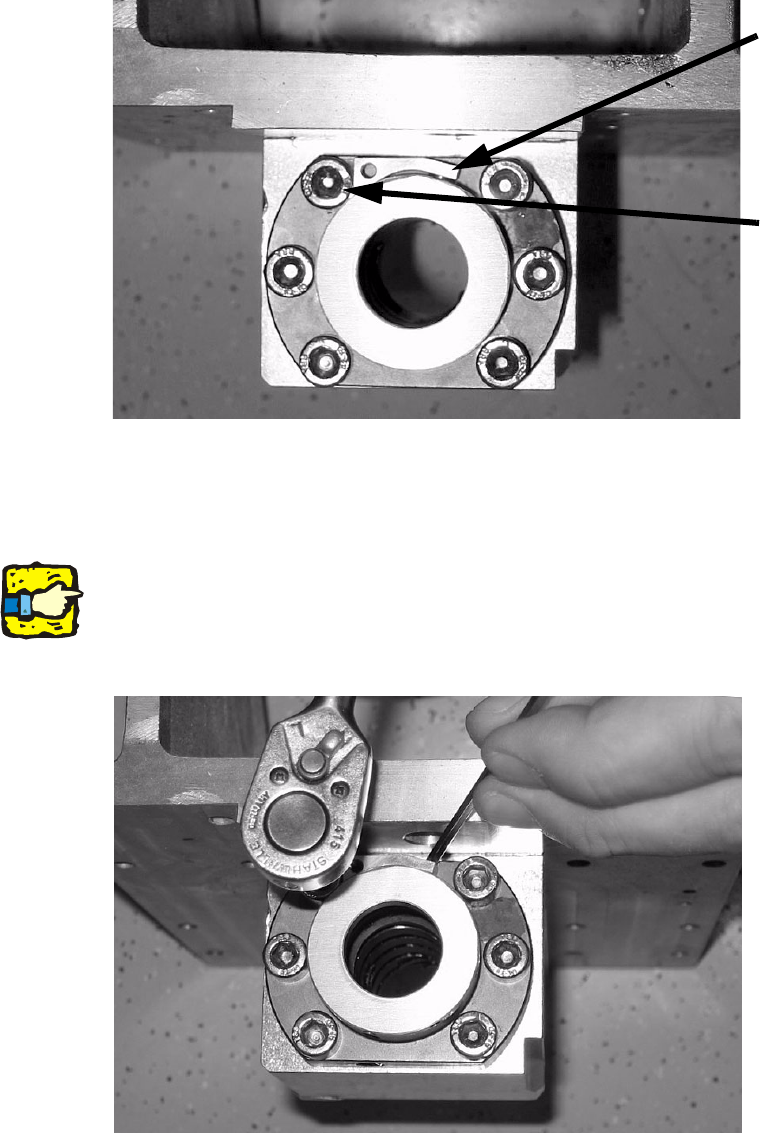
: Turn the retaining clamp over to the left and insert the screw once more.
Only lightly tighten the screw so that the clamp can still be moved.
2
2
: Press the retaining clamp against the flanged nut using a suitable tool as shown in the picture
so that the clamp lies fully against it, then tighten the screw.
2
2
2
2
The clamp must lie fully against the nut to prevent the aluminum cover of the spindle nut flapping
up. 2
2
2
2
Retaining clamp
Screw
Installation of retaining clamp for lifting axis/alignment of spindle/check of gear fixing for spindle, MTC2
06/2004 Edition
31
2.4.2 Inserting the retaining clamp if the hole is at the front
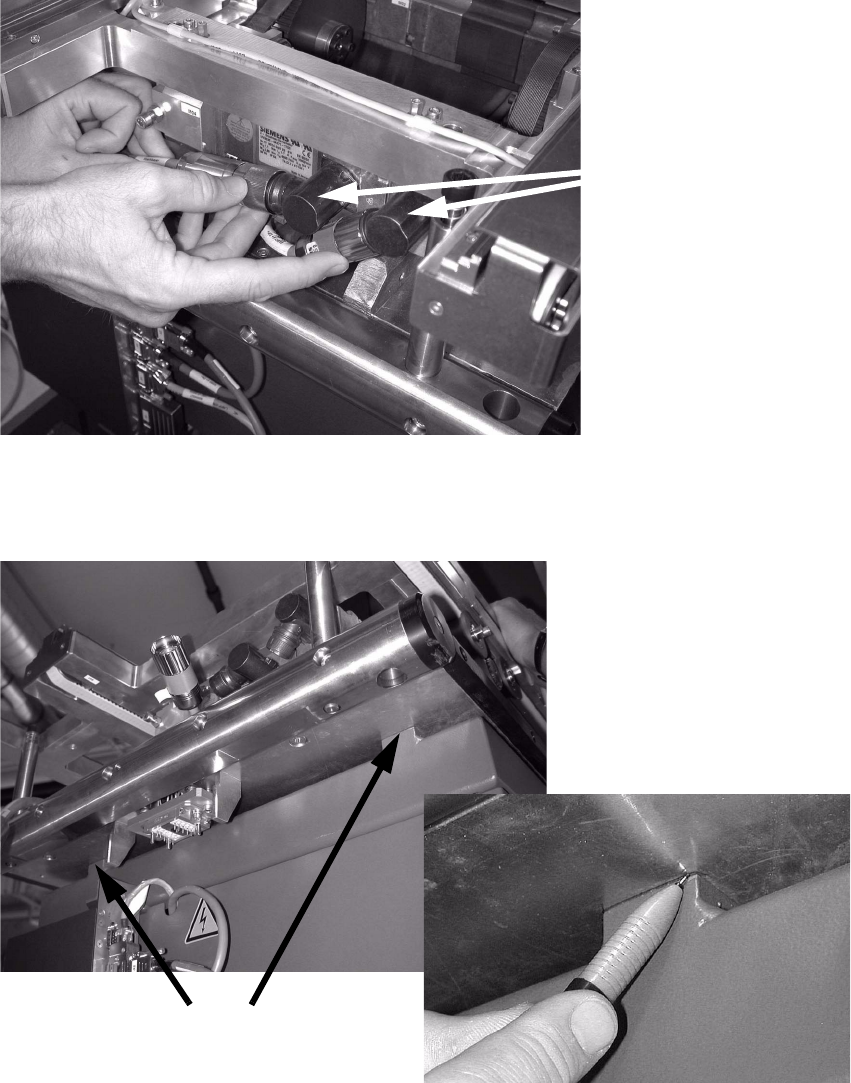
: Disconnect both plugs from the motor.
2
2
: Mark the positions of the docking plate on the bases (using a felt-tip pen, etc).
2
2
Remove both plugs
Mark the positions here