00198496-01_IM_OIB-Settings-EDM-Scenarios-R17-1_DE_EN.pdf - 第23页
EDM Scenarios and OIB Co nfiguration OIB Einstellungen - EDM Szenarien OIB Settings – EDM Scenarios 23 2 2 E D M S c e n a r io s a n d O I B C o n f ig u r a t io n EDM Scenarios and OIB Configuration Depending on the E…
Introduction
General
22 OIB Einstellungen - EDM Szenarien OIB Settings – EDM Scenarios
1.1
1.1 General
General
1.1.1
1.1.1 Symbols / Notes
Symbols / Notes
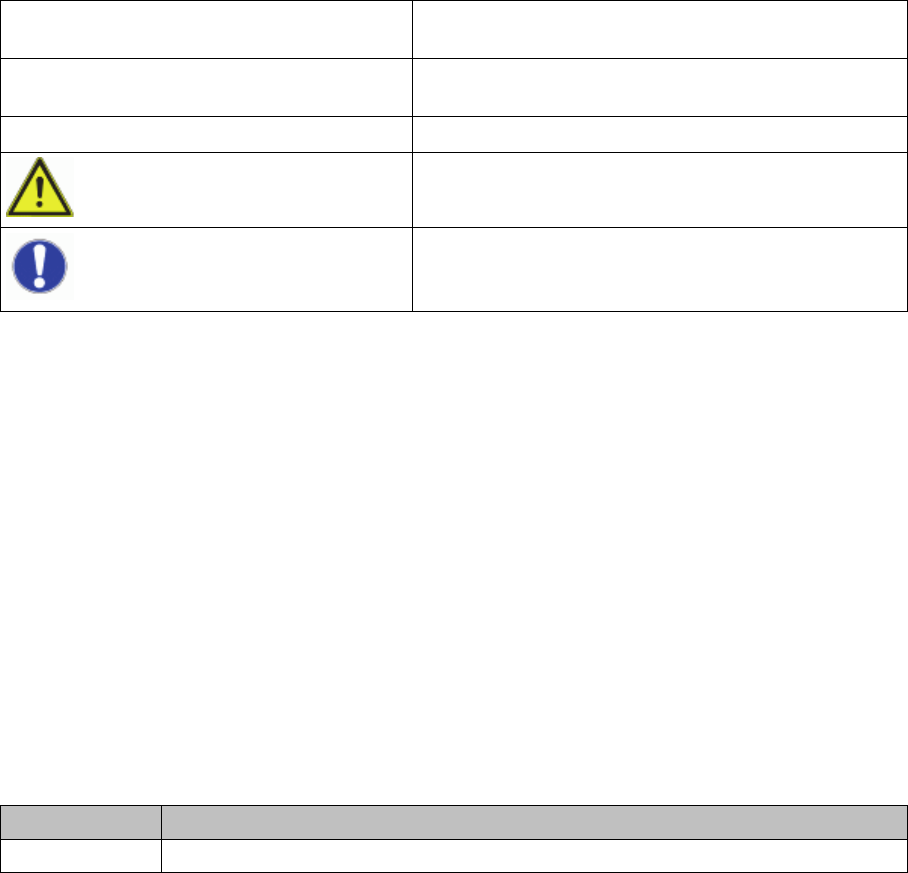
Different symbols and notes have been used to make it easier to read and understand this document.
1.1.2
1.1.2 ASM on the World Wide Web
ASM on the World Wide Web
Log in to our homepage at http://www.asm-smt.com.
► You can choose between the German and English versions.
The different sections contain information about our products, services and contact persons.
In addition, registered customers can also access the
SIPLACE User Group
. Here you can call up spe
-
cial information about our placement systems, e.g.
▪ Technical documentation,
▪ Technical information,
▪ spare parts lists etc.
Registration for the user group is very simple:
► Click the Register link.
► Fill in the registration form and send it off to us.
Soon afterwards, you will receive your access authorization with USER ID and password.
1.1.3
1.1.3 Release History
Release History
Words in bold/italic print These refer to dialogs, dialog fields, menu items, and
commands.
Step ... Includes all actions to do with a particular dialog. A dia
-
log may be composed of several actions ( ).
► Requires an action (e.g. mouse click, open file)
Indicates a warning. The information is essential for
successful working.
Explanatory information.
Edition Changes
07/2017 First edition
EDM Scenarios and OIB Configuration
OIB Einstellungen - EDM Szenarien OIB Settings – EDM Scenarios 23
2
2 EDM Scenarios and OIB Configuration
EDM Scenarios and OIB Configuration
Depending on the EDM scenario, the OIB adapters SIPLACE.Pro.SPI and SIPLACE.Pro.LineControl
must be assigned to the relevant objects in the factory layout.
► Go to the ASM Studio and start the Factory Explorer module.
⇨ The Factory Explorer will open.
► Select Central Settings.
► In the Factory Layout of the Factory Explorer, configure the OIB adapters SIPLACE.Pro.SPI and
SIPLACE.Pro.LineControl depending on the EDM scenario.
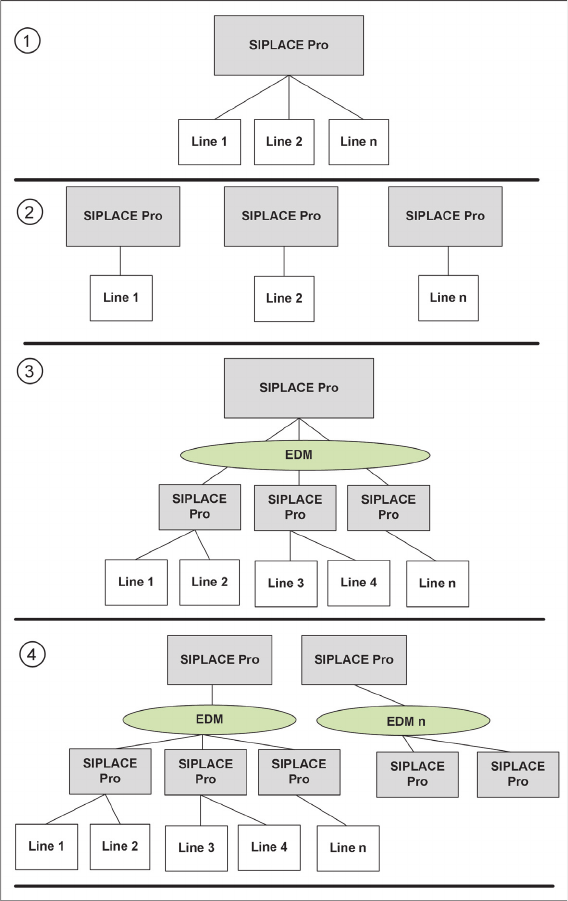
Four different EDM scenarios exist:
1. Central
2. Island
3. EDM
4. EDMn
EDM Scenarios and OIB Configuration
Central
24 OIB Einstellungen - EDM Szenarien OIB Settings – EDM Scenarios
2.1
2.1 Central
Central
Description
In the factory, there is only one SIPLACE Pro application. This is the Central configuration without EDM.
Configuration of the Services
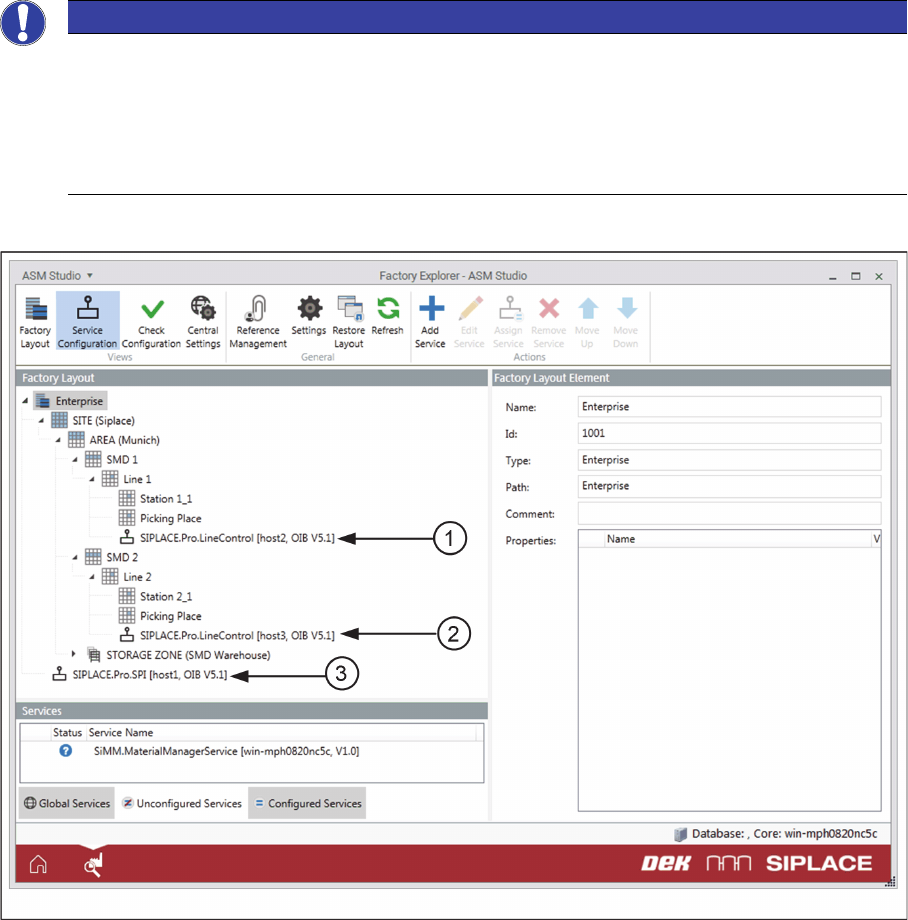
▪The SIPLACE.Pro.SPI service must be assigned either to the Enterprise node or to „global/not con
-
figured“. It is also possible to configure this service for the site; however, this can only be done if there
is only one site in the Factory Layout.
▪The SIPLACE.Pro.LineControl services must be assigned to the work cell elements of the Lines.
Factory Layout in the EDM Scenario - Central
Example for the Factory Layout in the EDM Scenario - Central
1. SIPLACE.Pro.LineControl on the work cell element of the line (Line1)
2. SIPLACE.Pro.LineControl on the work cell element of the line (Line2)
3. SIPLACE.Pro.SPI service on the Enterprise node
NOTICE
Production Line
The Production Line object type comprises multiple work cell elements, for example, a work cell
element for the parking place, a work cell element for the picking place, and a work cell element
for the line. The individual stations are usually configured under the work cell element for the
lines. The SIPLACE.Pro.LineControl services must only be assigned to the work cell elements
of the lines.